npm package discovery and stats viewer.

Discover Tips

  • General search

    [free text search, go nuts!]

  • Package details

    pkg:[package-name]

  • User packages

    @[username]

Sponsor

Optimize Toolset

I’ve always been into building performant and accessible sites, but lately I’ve been taking it extremely seriously. So much so that I’ve been building a tool to help me optimize and monitor the sites that I build to make sure that I’m making an attempt to offer the best experience to those who visit them. If you’re into performant, accessible and SEO friendly sites, you might like it too! You can check it out at Optimize Toolset.

About

Hi, 👋, I’m Ryan Hefner  and I built this site for me, and you! The goal of this site was to provide an easy way for me to check the stats on my npm packages, both for prioritizing issues and updates, and to give me a little kick in the pants to keep up on stuff.

As I was building it, I realized that I was actually using the tool to build the tool, and figured I might as well put this out there and hopefully others will find it to be a fast and useful way to search and browse npm packages as I have.

If you’re interested in other things I’m working on, follow me on Twitter or check out the open source projects I’ve been publishing on GitHub.

I am also working on a Twitter bot for this site to tweet the most popular, newest, random packages from npm. Please follow that account now and it will start sending out packages soon–ish.

Open Software & Tools

This site wouldn’t be possible without the immense generosity and tireless efforts from the people who make contributions to the world and share their work via open source initiatives. Thank you 🙏

© 2026 – Pkg Stats / Ryan Hefner

@mrclrchtr/supi-insights

v1.3.1

Published

SuPi Insights extension — generate usage reports analyzing your PI sessions

Downloads

1,071

Readme

@mrclrchtr/supi-insights

Usage insights and analytics for pi sessions. Inspired by Claude Code's /insights command, rebuilt for pi's extension architecture.

Generate rich, shareable HTML reports analyzing your PI coding sessions — what you work on, how you interact with the agent, what works well, where friction happens, and what to try next.

What you get

Running /supi-insights produces a report with:

  • At a Glance — high-level summary of what's working, what's hindering you, quick wins, and ambitious workflows for future models
  • What You Work On — project areas with session counts and descriptions
  • How You Use PI — narrative analysis of your interaction style and key patterns
  • Impressive Things You Did — notable workflows and accomplishments
  • Where Things Go Wrong — friction categories with concrete examples
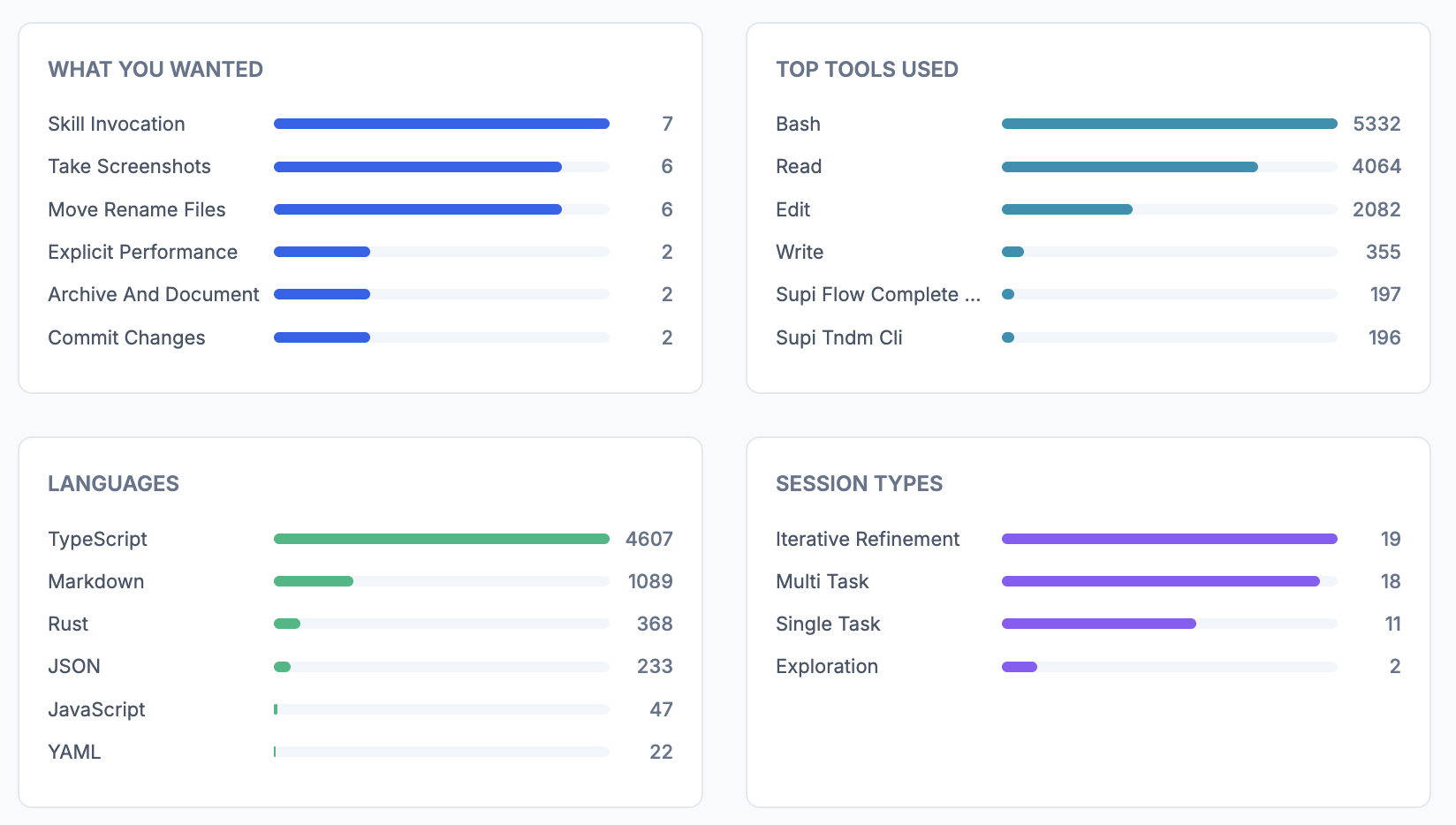
  • Charts & Stats — tool usage, languages, session types, outcomes, satisfaction, response times, time-of-day patterns, tool errors, multi-session usage
  • Suggestions — CLAUDE.md additions, features to try, new usage patterns
  • On the Horizon — ambitious workflows to prepare for as models improve

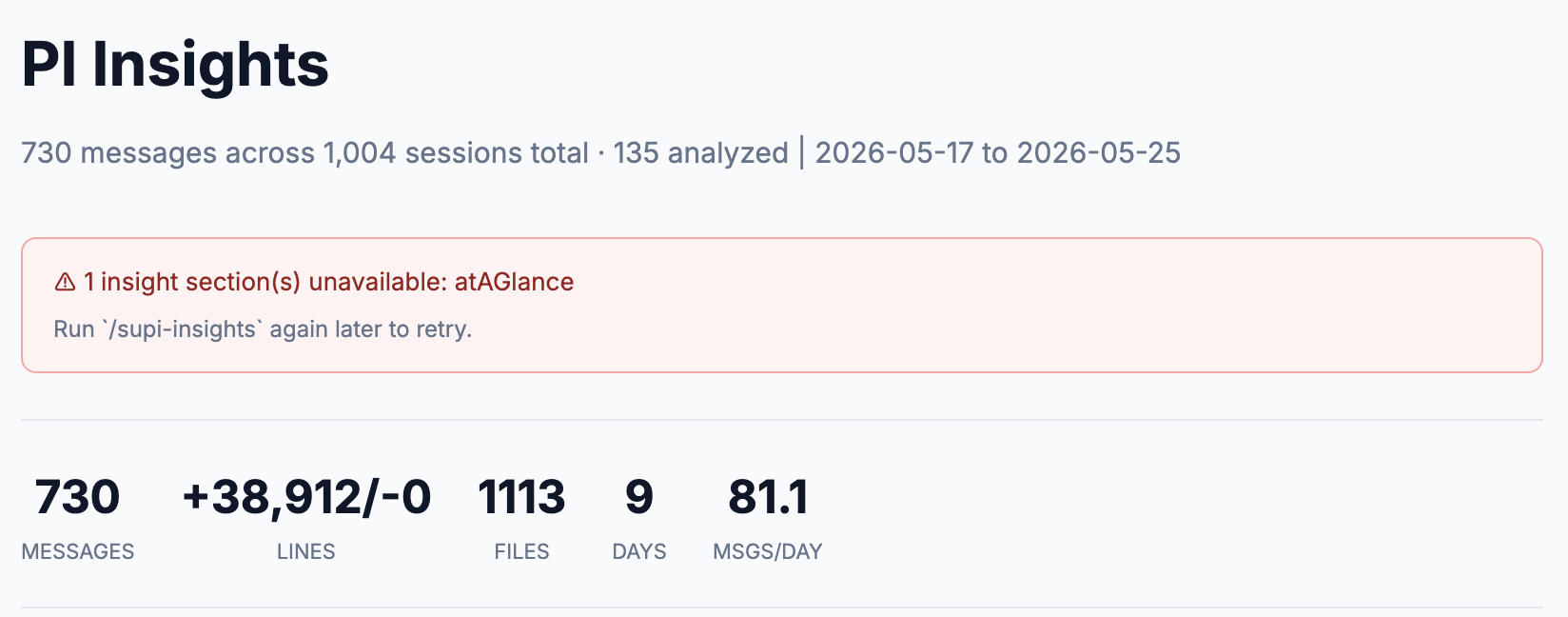
Reports are saved as self-contained HTML files you can open in any browser.

Installation

pi install npm:@mrclrchtr/supi-insights

🧪 Beta package — not included in the @mrclrchtr/supi meta-package. Install directly when you need session analytics.

Or install from a local checkout with pi install /path/to/packages/supi-insights.

Usage

Type /supi-insights in the pi editor and press Enter.

/supi-insights

The extension will:

  1. Scan all historical pi sessions across projects
  2. Extract metadata — tool counts, languages, git activity, lines changed, response times, errors (cached for future runs)
  3. Extract qualitative facets — goals, outcomes, satisfaction, friction via LLM analysis (cached)
  4. Generate narrative insights — coaching-style analysis in 7 parallel sections
  5. Render an HTML report — saved to ~/.pi/agent/supi/insights/report-{timestamp}.html
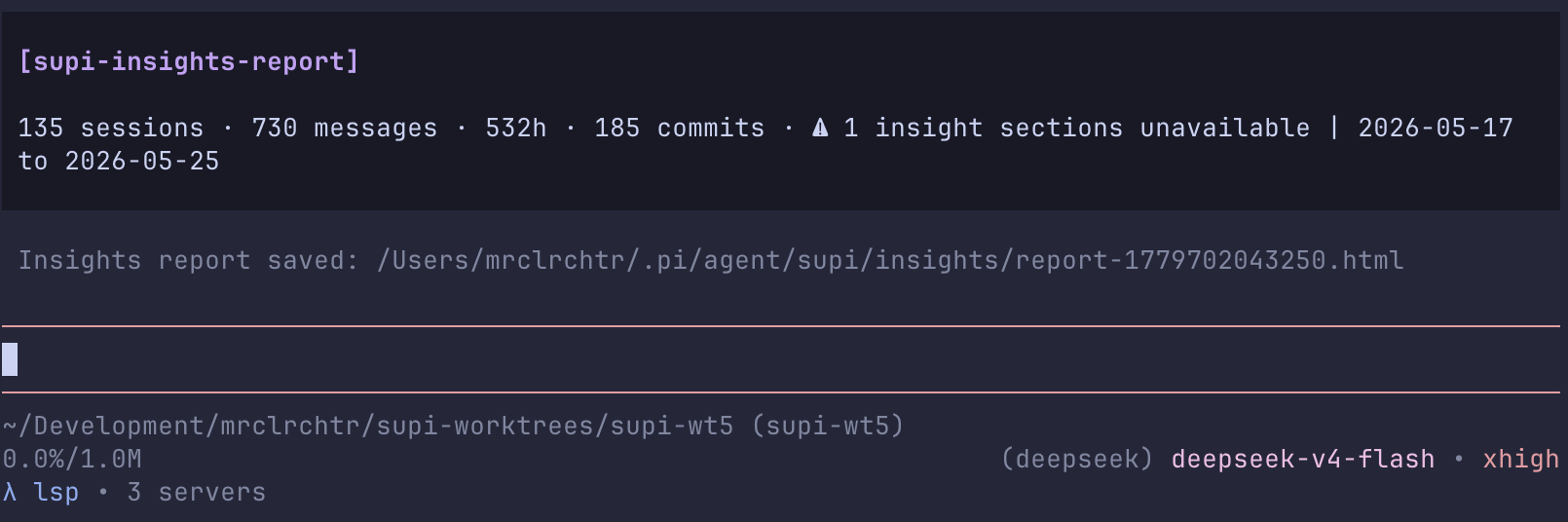
  6. Show a summary — in the PI chat with a link to the full report

First run

The first run may take a minute or two if you have many sessions, because it:

  • Parses all session JSONL files
  • Extracts metadata for each session
  • Runs ~50 LLM facet extractions (batched, 50 concurrent)
  • Generates ~8 LLM insight sections

Subsequent runs are fast — cached metadata and facets are reused.

Configuration

If your install surface includes /supi-settings (for example when also installing the @mrclrchtr/supi meta-package), this package contributes an Insights section there. You can also edit ~/.pi/agent/supi/config.json directly:

| Setting | Description | Default | |---------|-------------|---------| | enabled | Enable or disable insights generation | on | | maxSessions | Maximum sessions to fully parse and analyze | 200 | | maxFacets | Maximum per-session LLM facet extractions | 50 |

Example config:

{
  "insights": {
    "enabled": true,
    "maxSessions": 200,
    "maxFacets": 50
  }
}

Architecture

packages/supi-insights/src/
├── insights.ts       # Extension factory — registers /supi-insights and settings
├── scanner.ts        # Session discovery via SessionManager.listAll()
├── parser.ts         # JSONL parsing, transcript extraction, tool stat aggregation
├── extractor.ts      # LLM facet extraction via @earendil-works/pi-ai/complete()
├── aggregator.ts     # Pure data aggregation + multi-clauding detection
├── generator.ts      # Parallel narrative insight generation (7 sections)
├── html.ts           # HTML report renderer with CSS bar charts
├── cache.ts          # Facet and metadata caching
├── utils.ts          # Chart helpers, label mappings, text utilities
└── types.ts          # Shared TypeScript types

Data flow

SessionManager.listAll()
       │
       ▼
┌─────────────┐     ┌─────────────┐     ┌─────────────┐
│  scanner    │────▶│   parser    │────▶│   cache     │
└─────────────┘     └─────────────┘     └─────────────┘
       │                                    │
       │         ┌─────────────┐            │
       └────────▶│  extractor  │◀───────────┘
                 │ (LLM facets)│
                 └─────────────┘
                        │
                        ▼
               ┌─────────────┐
               │  aggregator │
               └─────────────┘
                        │
                        ▼
               ┌─────────────┐
               │  generator  │
               │ (insights)  │
               └─────────────┘
                        │
                        ▼
               ┌─────────────┐
               │    html     │
               │   report    │
               └─────────────┘

Key design decisions

Direct LLM access — Uses @earendil-works/pi-ai/complete() and ctx.modelRegistry.getApiKeyAndHeaders() to make API calls with the user's already-configured keys. No external SDK needed.

Aggressive caching — Session metadata and LLM-extracted facets are cached in ~/.pi/agent/supi/insights/. Cache keys include the session file path and modified timestamp, so branch files do not collide and resumed sessions are reprocessed.

Branch deduplication — pi session files are append-only trees. The extension analyzes the active branch path, then keeps only the branch/file with the most user messages per session ID to avoid double-counting.

Substantive filtering — Sessions with fewer than 2 user messages or lasting under 1 minute are skipped, as are sessions where the only goal is warmup_minimal.

Parallel processing — Facet extractions run in batches of 50 concurrent LLM calls. Insight sections run in parallel too, with atAGlance generated last (it consumes outputs from all other sections).

Caching

Cached data lives in ~/.pi/agent/supi/insights/:

~/.pi/agent/supi/insights/
├── meta/
│   ├── {session-id}_{path-hash}_{modified-hash}.json    # Extracted metadata
│   └── ...
├── facets/
│   ├── {session-id}_{path-hash}_{modified-hash}.json    # LLM-extracted facets
│   └── ...
└── report-{timestamp}.html    # Generated HTML reports
  • Metadata cache includes: tool counts, languages, git activity, tokens, lines changed, response times, errors, feature flags
  • Facet cache includes: goals, outcomes, satisfaction, friction, success factors, brief summaries

To force a full re-analysis, delete the cache directory:

rm -rf ~/.pi/agent/supi/insights/meta ~/.pi/agent/supi/insights/facets

Multi-session detection

The extension detects when you run multiple pi sessions simultaneously ("multi-clauding") using a sliding-window algorithm:

  • Collects all user message timestamps across sessions
  • Looks for the pattern sessionA → sessionB → sessionA within a 30-minute window
  • Reports overlap events, sessions involved, and percentage of messages during overlaps

Statistics tracked

Per-session

  • Tool usage counts
  • Programming languages used (from file paths in edit/write tool calls)
  • Git commits and pushes
  • Input/output tokens
  • Lines added/removed (via diff)
  • Files modified
  • User response times (time between assistant message and next user message)
  • Tool errors with categorization (Command Failed, Edit Failed, User Rejected, etc.)
  • User interruptions
  • Feature usage (task agents, MCP, web search, web fetch)
  • Message timestamps for time-of-day analysis

Aggregated

  • Total sessions, messages, duration, tokens
  • Days active, messages per day
  • Top tools, languages, goals, outcomes
  • Satisfaction and helpfulness distributions
  • Friction types and success factors
  • Response time histograms
  • Time-of-day patterns
  • Multi-session overlap events

Compared to Claude Code /insights

| Feature | Claude Code | /supi-insights | |---------|-------------|---------------| | Session discovery | Manual filesystem scan | SessionManager.listAll() | | LLM access | Internal queryWithModel() | @earendil-works/pi-ai/complete() | | Output | HTML report + browser | HTML report + browser | | Caching | Custom ~/.claude/usage-data/ | ~/.pi/agent/supi/insights/ | | Multi-clauding | ✅ | ✅ | | Remote host collection | ✅ (ant-only, SCP) | ❌ (not applicable) | | Team feedback (ant-only) | ✅ | ❌ | | TUI dashboard | ❌ | Planned | | Live tracking | ❌ | Planned |

Development

# Typecheck
pnpm exec tsc --noEmit -p packages/supi-insights/tsconfig.json

# Test
pnpm vitest run packages/supi-insights/

Roadmap

  • [ ] Live tracking — accumulate stats via tool_call, turn_end, model_select events instead of only scanning historical sessions
  • [ ] TUI overlay dashboard — native PI terminal UI with ASCII bar charts, keyboard-navigable sections
  • [ ] Export formats — Markdown, JSON, CSV
  • [ ] Trend comparison — compare current report with previous reports
  • [ ] Session drill-down/supi-insights --session <id> to analyze a specific session

License

MIT