
@multidots/sanity-plugin-blog-listing
v1.0.7
Published
A Sanity plugin that enables creating and displaying blog posts in customizable list or grid layouts with filtering, sorting and pagination options.

Maintainers
 multidots
Readme
Sanity Plugin Blog Listing
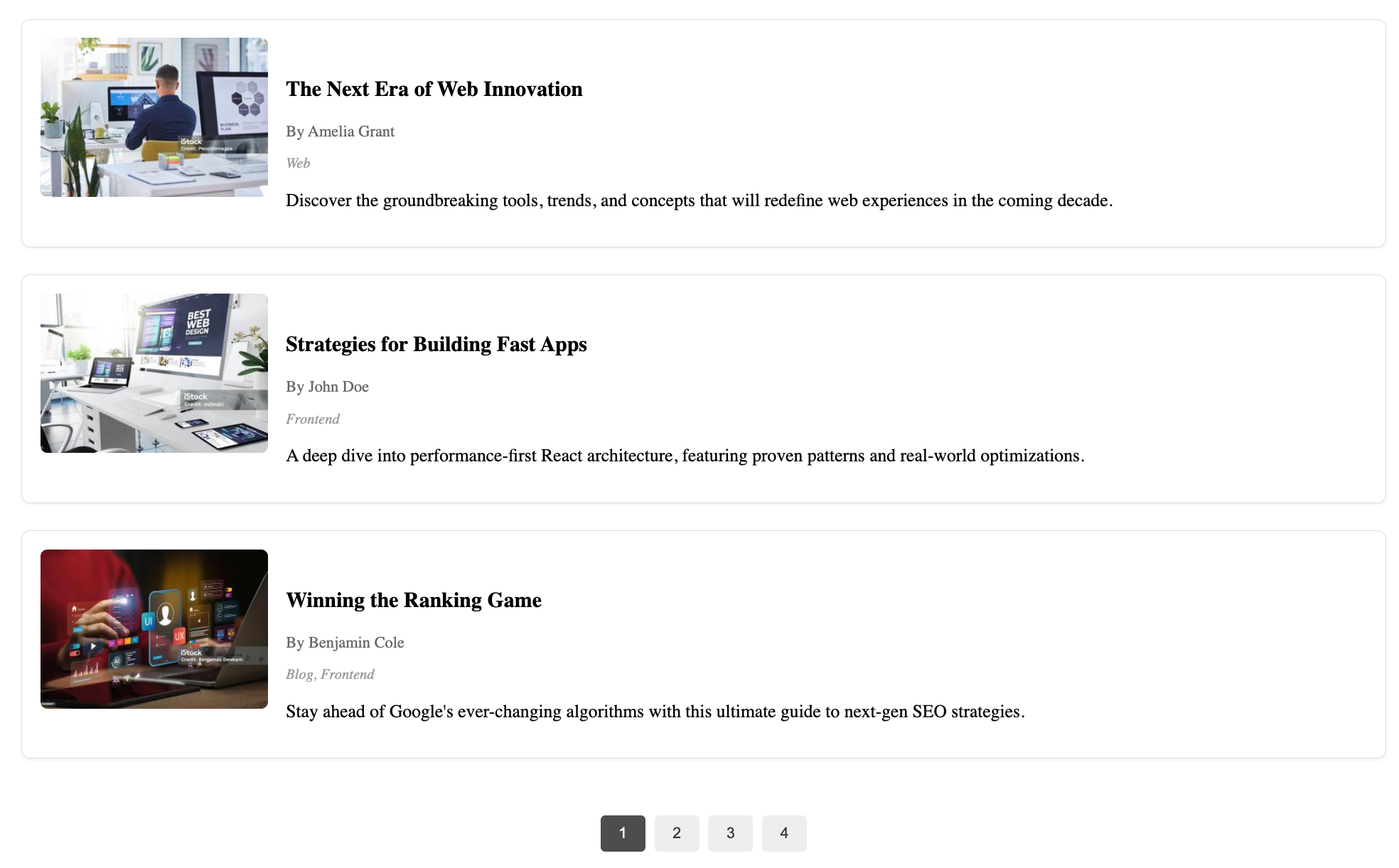
Powerful blog listing for Sanity Studio v3 with an optional ready-made React (Next.js) client component. Posts, categories, and authors in Studio and render them in your site with grid/list layout, sorting, filtering, pagination, and more.
Features
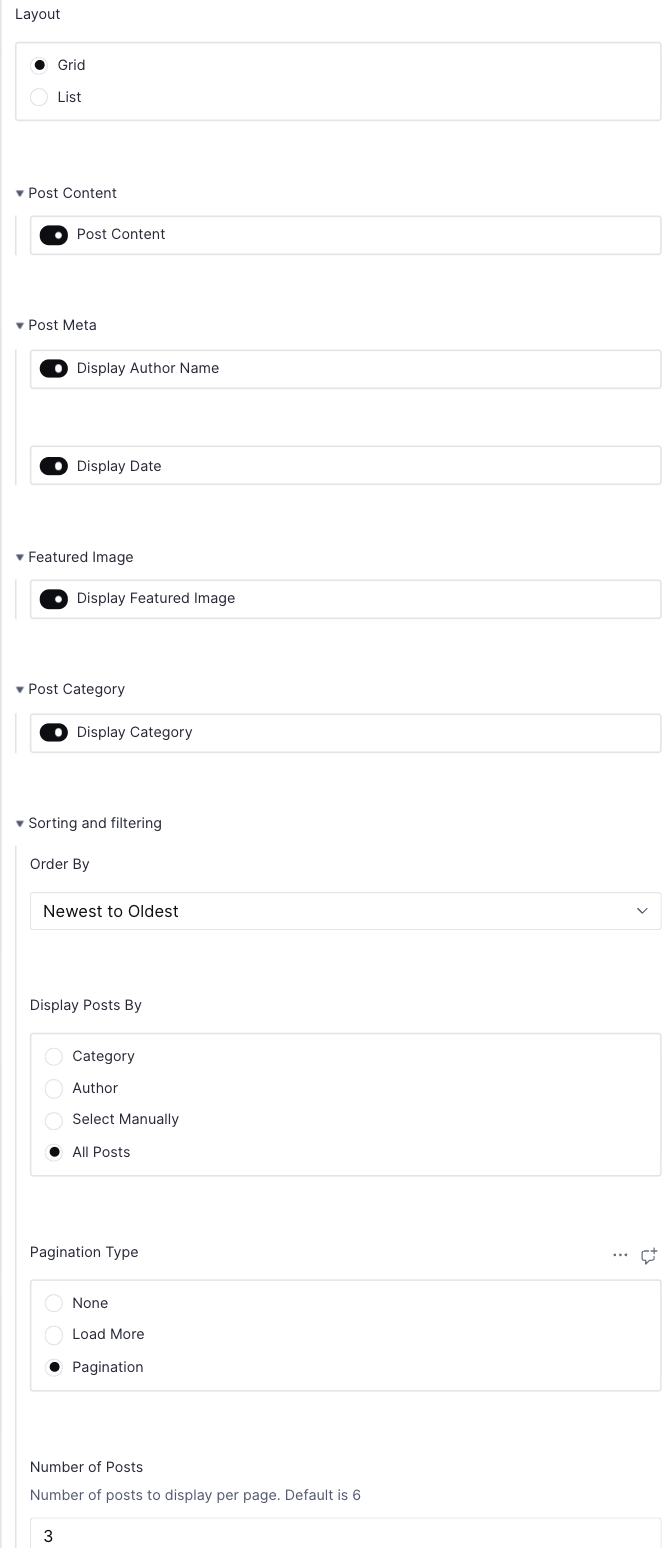
Configurable listing:
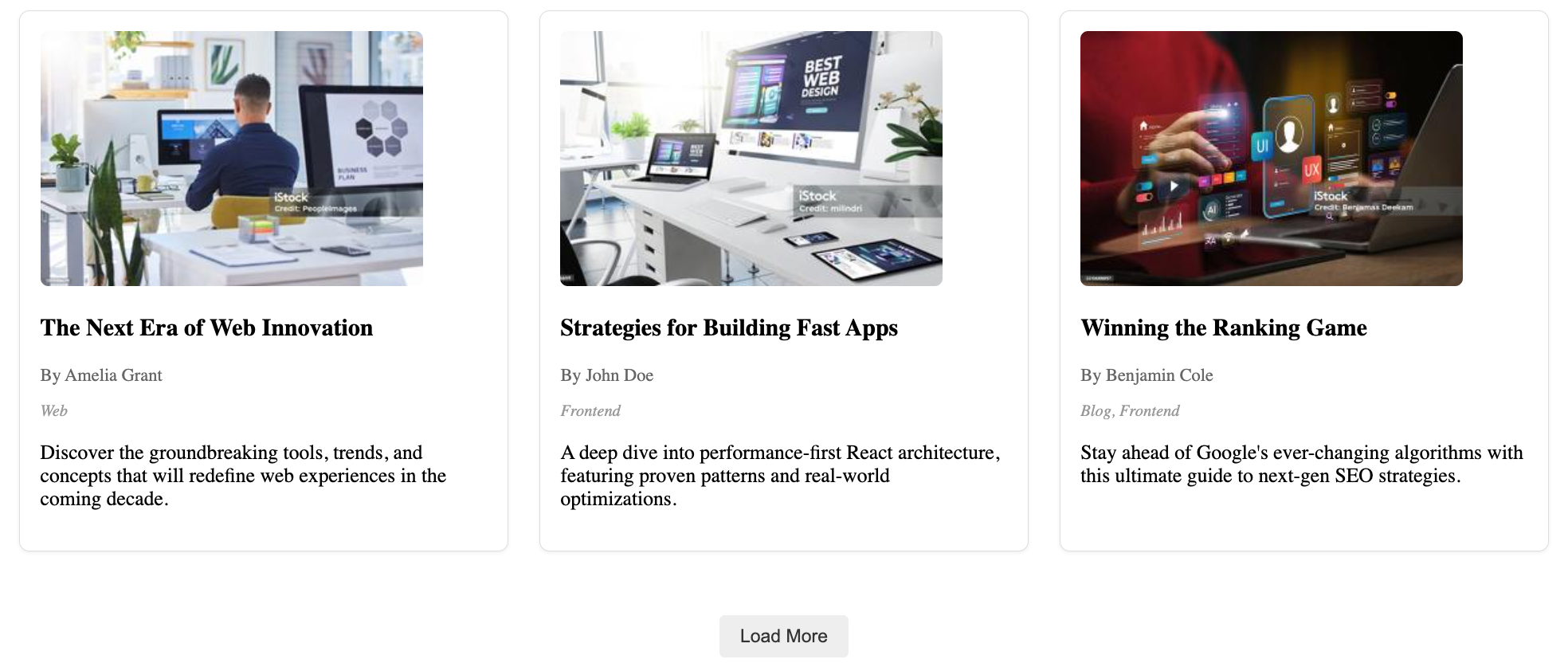
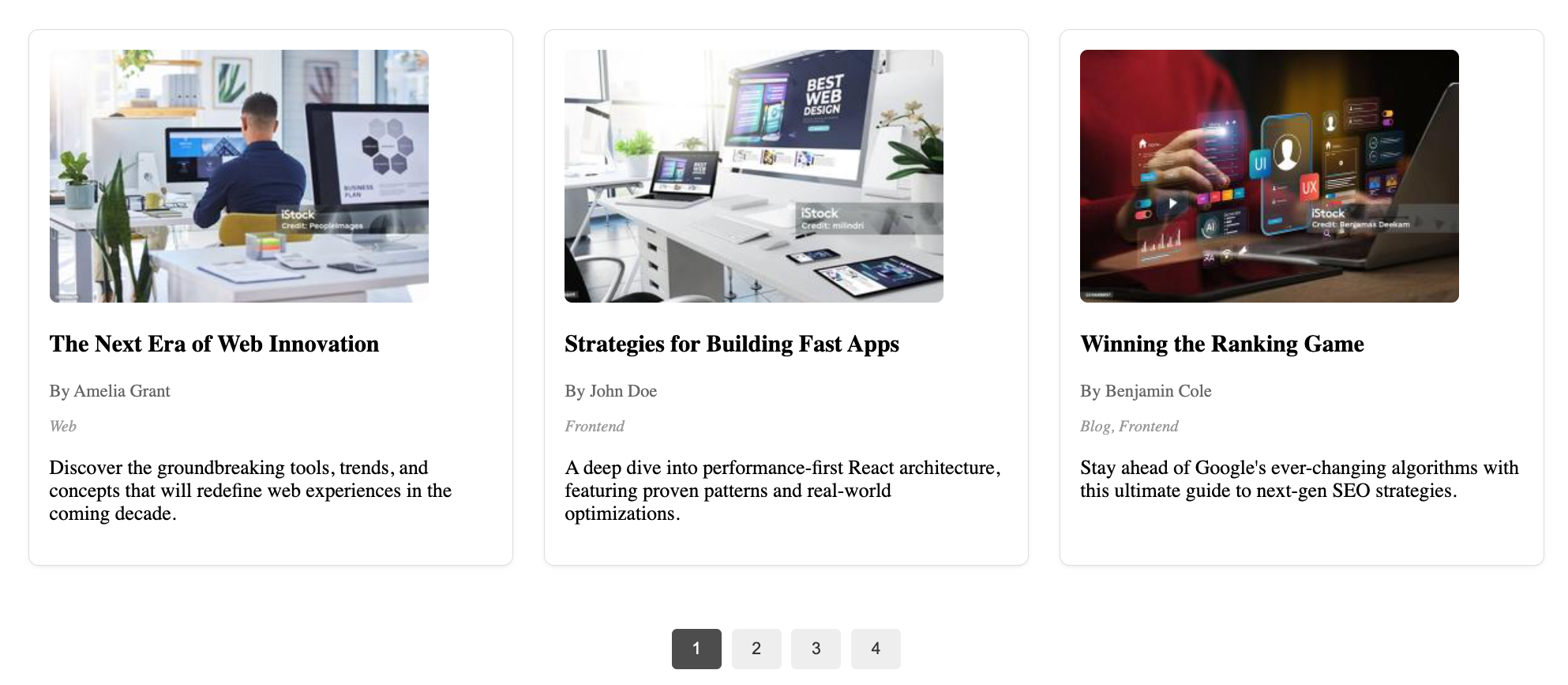
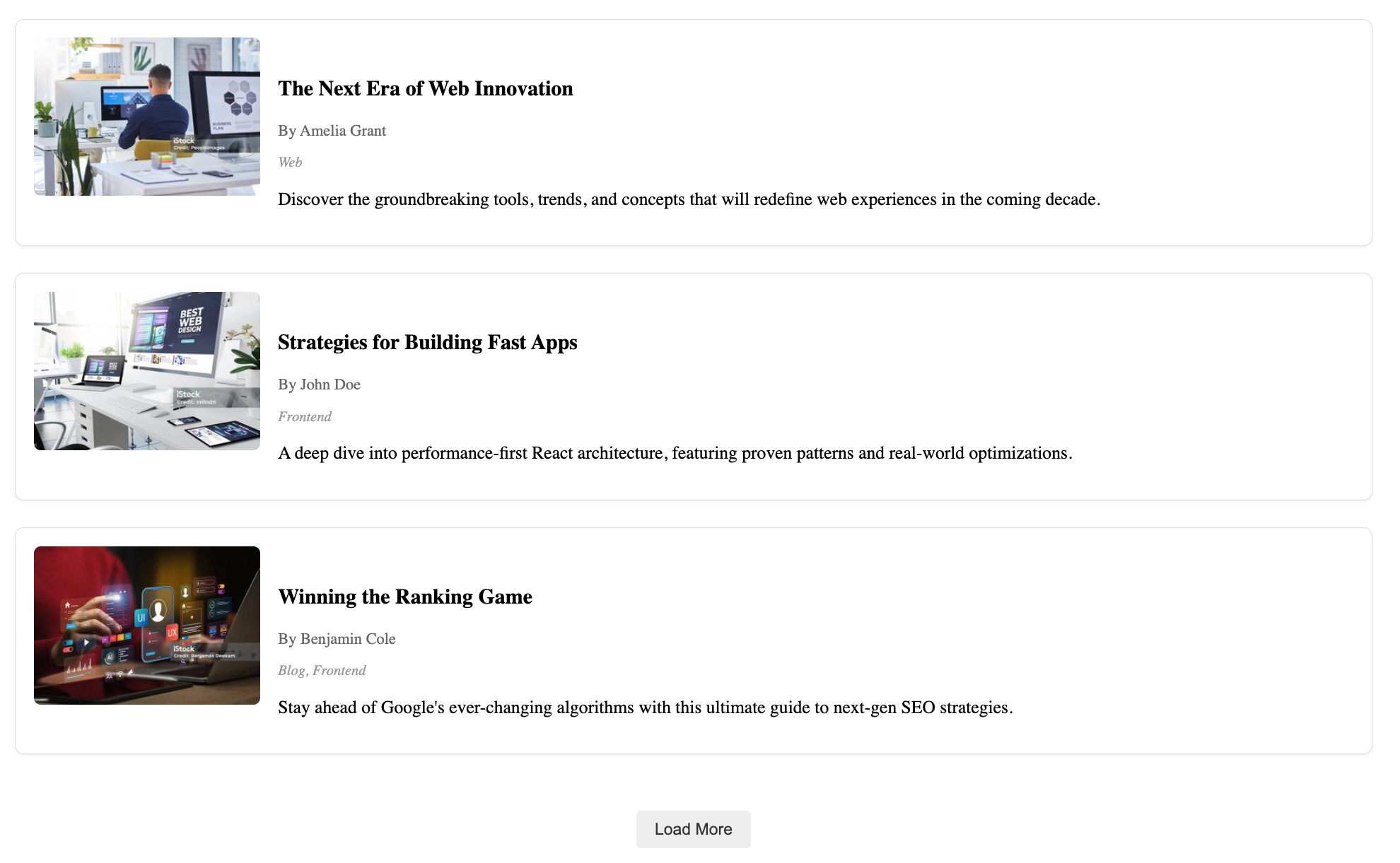
- Layout options: Switch between grid or list view
- Featured image: Show/hide and control image sizing
- Meta information: Display/hide author name and publish date
- Category display: Show/hide post categories
- Content preview: Toggle excerpt visibility
- Customizable styling: Apply your own CSS classes and styles
Sorting & filtering:
- Date-based sorting: Newest to oldest or oldest to newest
- Alphabetical sorting: A to Z or Z to A
- Category filtering: Show posts from specific categories
- Author filtering: Display posts by selected authors
- Manual selection: Hand-pick specific posts to display
- Post limit: Control number of posts shown
Pagination:
- No pagination: Show all posts at once
- Load more: Add button to load additional posts
- Numbered pagination: Navigate through pages with numbered controls
- Customizable items per page
Client component:
- Ready-to-use
PostListingWrapperReact component - Built for Next.js applications
- Fully typed with TypeScript
- Handles data fetching from Sanity
- Ready-to-use
Schemas included:
mdPost: Complete blog post document schema with title, slug, author reference, featured image, category references, publish date, excerpt and body contentmdPostCategory: Category document schema with title, slug and descriptionmdPostAuthor: Author document schema with name, slug, profile image and biographymdPostListing: Configurable object schema for customizing how posts are displayed
Installation
npm install @multidots/sanity-plugin-blog-listingPeer requirements in your frontend (if using the React component):
npm install @sanity/client @sanity/image-urlAdd to Sanity Studio
Add the plugin in sanity.config.ts (or .js):
import {defineConfig} from 'sanity'
import {MDBlogListing} from '@multidots/sanity-plugin-blog-listing'

export default defineConfig({
  // ...your studio config
  plugins: [MDBlogListing()],
})
Example: add a listing section to a Page schema
// page.ts
import {defineType, defineField} from 'sanity'

export default defineType({
  name: 'page',
  title: 'Page',
  type: 'document',
  fields: [
    defineField({name: 'title', type: 'string'}),
    defineField({
      name: 'blogListing',
      type: 'mdPostListing',
      title: 'Blog Listing',
      description: 'Display a list of blog posts.',
    }),
  ],
})
mdPostListing config shape (frontend)
type MdPostListingConfig = {
  layout?: 'grid' | 'list'
  postContent?: {showContent?: boolean}
  postMeta?: {displayAuthorName?: boolean; displayDate?: boolean}
  featuredImage?: {showFeaturedImage?: boolean}
  postCategory?: {showCategory?: boolean}
  sortingAndFiltering?: {
    orderBy?: 'newestToOldest' | 'oldestToNewest' | 'AtoZ' | 'ZtoA'
    displayPostBy?: 'category' | 'author' | 'selectManually' | 'allPosts'
    filterByCategory?: Array<{_ref?: string; _id?: string}>
    filterByAuthor?: Array<{_ref?: string; _id?: string}>
    selectPosts?: Array<{_ref?: string; _id?: string}>
    numberOfPosts?: number
    paginationType?: 'none' | 'loadMore' | 'pagination'
  }
}
Frontend usage (Next.js)
Recommended approach: create a small Client Component wrapper, then render it from a Server Component page.
Client wrapper (ensure it runs on the client):
'use client'
import { PostListingWrapper } from '@multidots/sanity-plugin-blog-listing/client'
import type { MdPostListing } from '@/sanity/types'

export default function PostListing({ config }: { config?: MdPostListing | null }) {
  return <PostListingWrapper config={config} />
}
Server page usage:
const getPage = async (params: RouteProps['params']) =>
  sanityFetch({
    query: PAGE_QUERY,
    params,
  })

export default async function Page({ params }: RouteProps) {
  const { data: page } = await getPage(params)

  return (
    <>
      <PostListing config={page?.blogListing} />
    </>
  )
}
Sample page query:
const PAGE_QUERY = defineQuery(`*[_type == "page" && slug.current == $slug][0]{
  ...,
  title,
  blogListing
}`)
Environment variables required:
NEXT_PUBLIC_SANITY_PROJECT_IDNEXT_PUBLIC_SANITY_DATASET
Creating mdPost Detail Pages
To display individual blog posts, you'll need to create dynamic routes for the mdPost detail pages. The PostListingWrapper component automatically links to /mdPost/[slug] for each post.
Folder Structure
Create the following folder structure in your Next.js app:
app/
└── mdPost/
    └── [slug]/
        └── page.tsx
Sample Query
Create a query to fetch a single post by slug:
// queries/mdPost.ts
import { defineQuery } from 'next-sanity'

export const MDPOST_QUERY = defineQuery(`
  *[_type == "mdPost" && slug.current == $slug][0]{
    _id,
    title,
    slug,
    publishedAt,
    excerpt,
    featuredImage,
    body,
    author->{
      name,
      slug,
      image,
      bio
    },
    categories[]->{
      _id,
      title,
      slug,
      description
    }
  }
`)

export const MDPOST_SLUGS_QUERY = defineQuery(`
  *[_type == "mdPost" && defined(slug.current)][]{
    "slug": slug.current
  }
`)
Sample page.tsx
Create the detail page component:
// app/mdPost/[slug]/page.tsx
import { notFound } from 'next/navigation'
import { sanityFetch } from '@/sanity/lib/client'
import { MDPOST_QUERY, MDPOST_SLUGS_QUERY } from '@/queries/mdPost'
import imageUrlBuilder from '@sanity/image-url'
import { PortableText } from '@portabletext/react'
import type { SanityImageSource } from '@sanity/image-url/lib/types/types'

const builder = imageUrlBuilder({
  projectId: process.env.NEXT_PUBLIC_SANITY_PROJECT_ID!,
  dataset: process.env.NEXT_PUBLIC_SANITY_DATASET!,
})

const urlFor = (source: SanityImageSource) => builder.image(source)

type Props = {
  params: { slug: string }
}

export async function generateStaticParams() {
  const posts = await sanityFetch({
    query: MDPOST_SLUGS_QUERY,
  })

  return posts.map((post) => ({
    slug: post.slug,
  }))
}

export default async function MdPostPage({ params }: Props) {
  const post = await sanityFetch({
    query: MDPOST_QUERY,
    params,
  })

  if (!post) {
    notFound()
  }

  return (
    <article className="max-w-4xl mx-auto px-4 py-8">
      {/* Featured Image */}
      {post.featuredImage && (
        <div className="mb-8">
          <img
            src={urlFor(post.featuredImage).width(800).height(400).url()}
            alt={post.featuredImage.alt || post.title}
            className="w-full h-64 md:h-96 object-cover rounded-lg"
          />
        </div>
      )}

      {/* Title */}
      <h1 className="text-4xl md:text-5xl font-bold mb-4">{post.title}</h1>

      {/* Meta information */}
      <div className="flex flex-wrap items-center gap-4 mb-8 text-gray-600">
        {post.author && (
          <div className="flex items-center gap-2">
            {post.author.image && (
              <img
                src={urlFor(post.author.image).width(40).height(40).url()}
                alt={post.author.name}
                className="w-8 h-8 rounded-full"
              />
            )}
            <span>By {post.author.name}</span>
          </div>
        )}

        {post.publishedAt && (
          <time dateTime={post.publishedAt}>
            {new Date(post.publishedAt).toLocaleDateString('en-US', {
              year: 'numeric',
              month: 'long',
              day: 'numeric',
            })}
          </time>
        )}
      </div>

      {/* Categories */}
      {post.categories && post.categories.length > 0 && (
        <div className="mb-8">
          <div className="flex flex-wrap gap-2">
            {post.categories.map((category) => (
              <span
                key={category._id}
                className="px-3 py-1 bg-gray-100 text-gray-700 rounded-full text-sm"
              >
                {category.title}
              </span>
            ))}
          </div>
        </div>
      )}

      {/* Excerpt */}
      {post.excerpt && (
        <div className="mb-8 text-xl text-gray-600 leading-relaxed">
          {post.excerpt}
        </div>
      )}

      {/* Body Content */}
      {post.body && (
        <div className="prose prose-lg max-w-none">
          <PortableText value={post.body} />
        </div>
      )}
    </article>
  )
}
Plugin Settings and frontend screenshots
Backend Settings: https://share.cleanshot.com/fNLW59VtVKzTf3Fys960
Additional Backend Settings: https://share.cleanshot.com/9CXj7sk0nx8V1BsVBD5D
Grid Layout with Load More Button: https://share.cleanshot.com/gVgdhJXhdvSGMNtyr2t4
Grid Layout with Pagination: https://share.cleanshot.com/RMh0BmF1R6YHM0GMPlns
List Layout with Load More Button: https://share.cleanshot.com/P8j9N6xlSKXLH9XK6PhF
List Layout with Pagination: https://share.cleanshot.com/K1s98B9klCFJrhMPRQLl
Styling
You can style the plugin using the following CSS classes:
post-listingpost-cardpost-contentpost-titlepost-metapost-categoryload-more-btnpagination-btn
Screenshots
Backend Configuration

Frontend Display Options
Grid Layout
List Layout
Troubleshooting
Error: defineLive can only be used in React Server Components
- Ensure you import the wrapper from
sanity-plugin-blog-listing/client. - Do not import your own
defineLiveutilities (from next-sanity) into client components. Keep those in server files (e.g.live.server.ts) and only use them in Server Components.
- Ensure you import the wrapper from
No posts found
- Create some
mdPostdocuments and assign categories/authors as needed.
- Create some
Exports
- Studio plugin:
MDBlogListingfromsanity-plugin-blog-listing - Client component entry:
PostListingWrapper(and its types) fromsanity-plugin-blog-listing/client
Develop & test
This plugin uses @sanity/plugin-kit for build & watch scripts.
Local development tips:
npm run link-watchornpm run watchto develop against a local Studio- Publish with
npm publish(build runs onprepublishOnly)
License
MIT © Multidots