
@mz60987/skst
v0.1.1
Published
Local skill usage statistics for Cursor, Claude Code, and Codex

Maintainers
 mz60987
Readme
@mz60987/skst
本地监测 Cursor / Claude Code / Codex 的 skill 调用:扫描已安装 skill,用 PostToolUse hook 记录每次 SKILL.md 读取,并在本机面板查看统计。纯本地 SQLite,不上云。
面板预览
运行 skst 后自动打开本地面板(默认 http://127.0.0.1:8787):
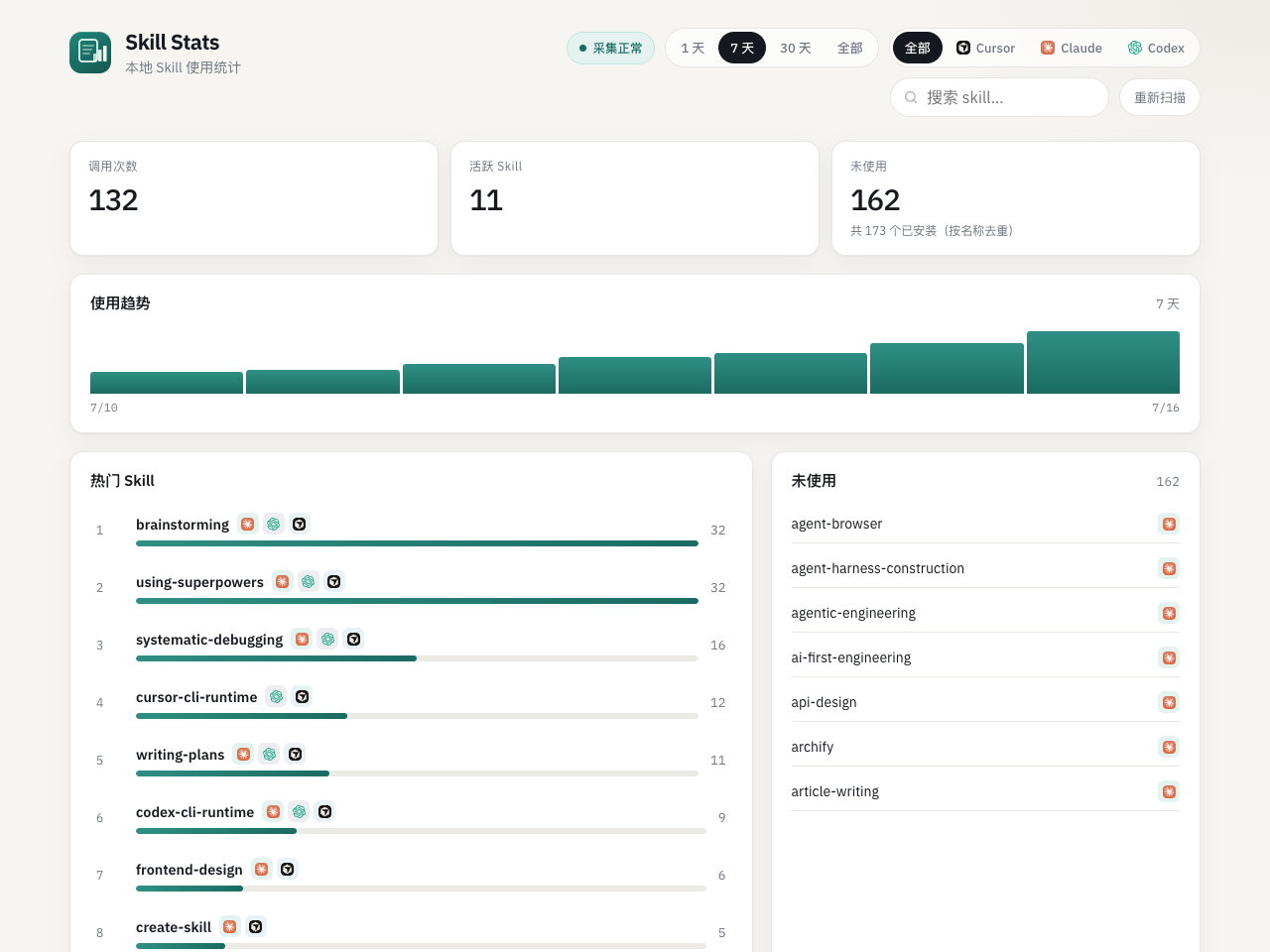
按时间范围 / Agent 筛选 · 热门 Skill 排行 · 未使用列表 · 安装路径详情
安装
# 全局安装(推荐)
npm install -g @mz60987/skst

# 若 better-sqlite3 原生模块未编译(npm 提示 allow-scripts),再执行:
npm install -g @mz60987/skst --allow-scripts=better-sqlite3

# 或本地开发 link
git clone https://github.com/maozhen520/skill-stats.git
cd skill-stats
npm install && cd ui && npm install && cd ..
npm run link:global
安装后任意目录运行 skst(或 skill-stats)即可打开面板。
作者
- maozhen
- Cursor — 开发与 AI 辅助
要求
- Node.js ≥ 18
better-sqlite3(原生模块;本机若编译失败需自行处理或换纯 JS sqlite)
从源码构建
cd /path/to/skill-stats
npm install
cd ui && npm install && cd ..
npm run build产物:dist/skill-stats.js(CLI)、dist/hooks/、dist/ui/
用法
# 默认:确保 hooks → 扫描 → http://127.0.0.1:8787 → 打开浏览器
skst

skst hooks install                 # Codex + Claude(默认)
skst hooks install --agent cursor  # 可选写 Cursor 独立 hooks(易双计)
skst hooks status
skst hooks uninstall

skst scan
skst status
skst serve --port 8787 --no-open

skst restart                        # 停掉旧进程并重新打开
skst stop                           # 仅停止面板服务

skst --skip-hooks                   # 跳过 hook 安装
skst --no-open                      # 不打开浏览器
skst --no-restart # 端口占用时不自动重启数据目录:~/.skill-stats/
| 路径 | 说明 |
|------|------|
| skill-stats.db | SQLite(skills + events) |
| hooks/track-skill-read.mjs | 已安装 hook |
| backups/hooks/ | 改配置前备份 |
扫描范围
每个 agent 只保留真实安装路径(按 slug 去重;跳过插件内的文档副本、marketplace 源码等重复目录)。
- Cursor:
~/.cursor/skills、~/.cursor/skills-cursor、~/.cursor/plugins/cache/.../skills/ - Claude Code:
~/.claude/skills、~/.claude/plugins/cache/.../skills/ - Codex:
~/.codex/skills(含.system)、~/.codex/plugins/cache/.../skills/
Hooks
- 默认安装:Codex(
~/.codex/hooks.json)+ Claude Code(~/.claude/settings.json) - Cursor:默认走 Claude Third Party;payload 含
cursor_version时归因agent=cursor,避免再写~/.cursor/hooks.json双计 - 行为:stdin JSON → 若为
SKILL.md读取则写入 events → 始终 exit 0、无 stdout - 调试:
SKILL_STATS_HOOK_DEBUG=1 - 无 metadata 门禁:任何
SKILL.md读取都会记录
Codex /hooks 信任
Codex 可能要求在 TUI 执行 /hooks 并信任 skst 的 hook 命令后才会触发。安装后若无事件,请先检查是否已信任。
API
GET /api/summary?range=1d|7d|30d|all&agent=GET /api/skills?...&sort=count|name|last_used&mode=aggregated|per_agentGET /api/unused?...GET /api/skills/:slug?range=GET /api/timeseries?range=&agent=&slug=GET /api/statusPOST /api/scan
开发
npm run typecheck
npm run test          # 单元测试
npm run test:e2e      # 端到端
npm run build
npm run dev
cd ui && npm run dev   # Vite 代理 /api → :8787