
@naees/pi-loops
v0.1.1
Published
Bounded goal, schedule, and proactive loops for Pi

Maintainers
 naees
naeesReadme
Pi Loops
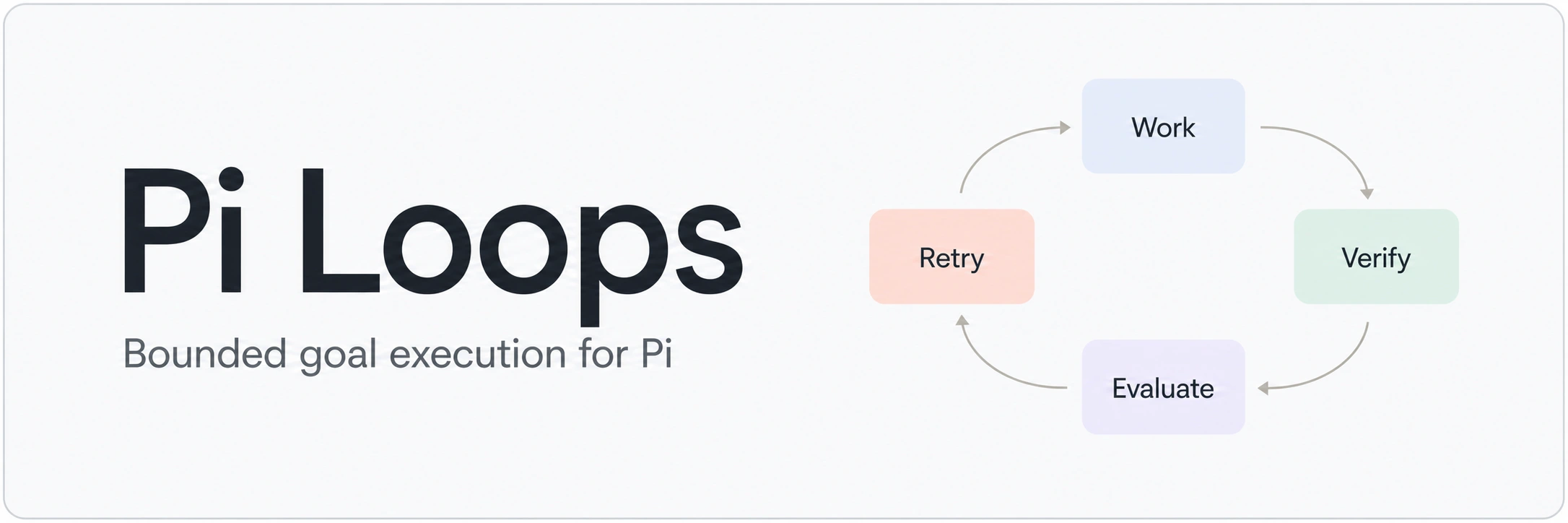


Pi Loops keeps Pi working on a coding goal until the result is verified or a finite limit is reached.
Pi Loops is founded on these simple principles, it should:
- work out of the box with no setup required after installation.
- does not work with cloud implementations, for now.
- it must have strong stopping conditions to prevent overruns.
It can run goals interactively, on a schedule, or in response to a confirmed filesystem or extension event. Every loop has explicit time and cycle limits, checks its work, and ends with a clear outcome. This will help users to facilitate loop engineering workflows, to find out more about loop engineering here is a quick start guide.
Compatibility: version 0.1.1 is qualified on macOS, Linux, and Windows with Pi 0.80.6. We welcome collaborators to verify additional operating systems.
What Pi Loops does
Pi Loops gives Pi a bounded cycle for:
- clarifying a goal and its constraints;
- working toward the goal;
- collecting deterministic evidence, such as test results;
- evaluating whether the goal is complete; and
- feeding failures back into another attempt when limits allow.
In short: it helps Pi persist on verifiable tasks without turning into an unbounded background agent.
How Pi Loops compares to normally prompting AIs
A normal prompt asks an AI to complete a task and allows the working agent to decide when its response is finished. Pi Loops adds a bounded controller around Pi so verifiable work can continue across multiple work, verification, and evaluation cycles.
| Normal AI prompt | Pi Loops | | --- | --- | | The working agent decides when it is done. | Required evidence and a fresh evaluation determine whether the goal is complete. | | Tests and checks are instructions the agent may choose to run. | Declared verifier commands must be observed succeeding before completion. | | Further attempts usually require another user prompt. | Failed or missing evidence can start another bounded work cycle automatically. | | Progress is followed through the conversation. | Runs have IDs, persisted status, finite budgets, stall detection, stop, and resume controls. | | Work normally happens in the current session and checkout. | Attended goals use the current checkout; scheduled and proactive writers use isolated worktrees. |
Pi Loops still uses Pi's normal authentication, permissions, and model access. It does not approve permissions, store API keys, run after Pi exits, or merge unattended work automatically.
Install
Pi Loops requires an existing, working Pi installation with an authenticated model provider and a trusted project.
pi install npm:@naees/pi-loopsNo configuration is required for normal use.
For scheduled or proactive code-writing runs, Git is required. Windows additionally requires PowerShell 7 for process lifecycle containment.
Quick start
Ask naturally:
Keep fixing the authentication implementation until the auth tests pass.
Do not modify the tests.
Or create an explicit goal:
/loops goal Fix authentication until `npm test -- auth` passes. Do not modify existing auth tests.Pi Loops works in the current attended session, runs the required checks, evaluates the result, and retries within a finite budget. Use /loops status to inspect the run or /loops stop to end it.
Loop modes
| Mode | Trigger | Workspace | Best for |
| --- | --- | --- | --- |
| Attended goal | A natural-language request or /loops goal | Current checkout | Interactive fixes and debugging |
| Scheduled | A time or recurring interval | Isolated Git worktree | Maintenance and recurring checks |
| Proactive | A confirmed path or Pi extension event | Isolated Git worktree | Event-driven tasks |
Scheduled and proactive writers leave successful work on a review branch such as pi-loops/run-a4f2. They never merge automatically or modify the active branch during finalization.
How completion works
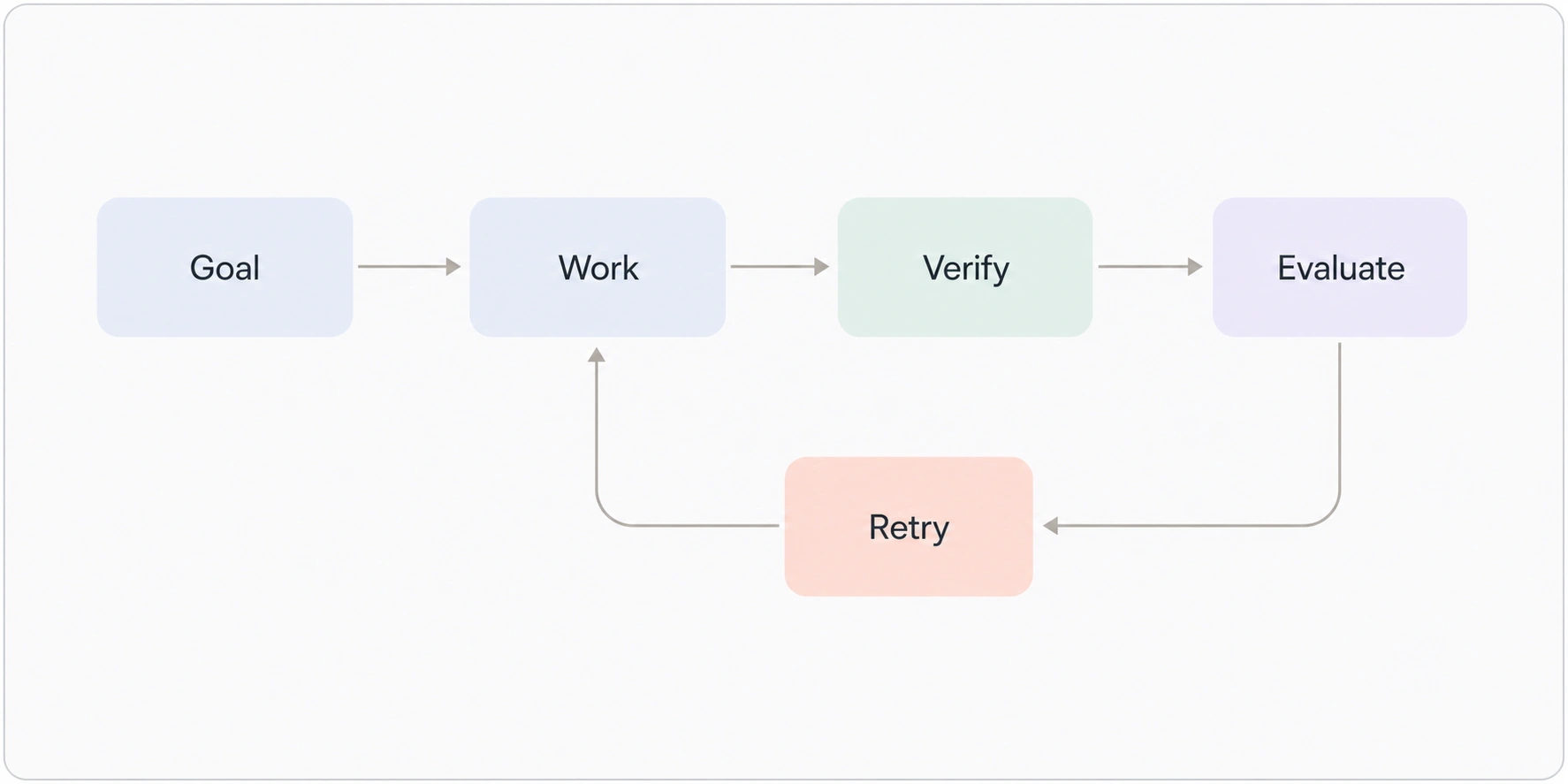
Pi Loops combines:
- Deterministic evidence, such as a verifier command exiting successfully.
- Fresh model evaluation for completion criteria that require judgment.
Required deterministic checks take precedence: the evaluator cannot declare success while a required check is failing or missing.
The default attended-goal budget allows up to three hours of active execution and 15 outer work cycles. A run also stops after three equivalent no-progress cycles. Runs end explicitly as completed, failed, cancelled, interrupted, stalled, or budget exhausted.
Commands
| Command | Purpose |
| --- | --- |
| /loops goal <goal> | Start an attended bounded goal |
| /loops schedule <time> -- <goal> | Create a one-off or recurring schedule |
| /loops watch <path\|event> -- <goal> | Create a confirmed proactive trigger |
| /loops status | Show runs, schedules, and triggers |
| /loops stop [id] | Stop a run or pause a schedule or trigger |
| /loops resume [id] [guidance] | Resume eligible work |
| /loops clean | Enforce terminal-record retention limits |
| /loops delete <id> | Confirm and remove one stored record |
The model-facing pi_loops tool exposes corresponding goal, schedule, trigger, status, stop, and resume actions.
Examples
Attended goal
Use an attended goal for interactive work in the current checkout.
Natural language
Keep fixing the authentication bug until npm test -- auth passes. Do not modify the tests./loops command
/loops goal Fix the authentication bug until `npm test -- auth` passes. Do not modify the tests.Scheduled loop
Use a scheduled loop for work that should recur while Pi remains open.
Natural language
Use Pi Loops every 6 hours to run the test suite and fix regressions without changing tests./loops command
/loops schedule every 6 hours -- Run the test suite and fix regressions without changing tests.Pi displays the schedule and its next occurrence for confirmation before saving it.
Proactive loop
Use a proactive loop to respond to changes in a confirmed project path.
Natural language
Use Pi Loops to watch src/auth. When it changes, run the authentication tests and fix regressions without changing tests./loops command
/loops watch src/auth -- Run the authentication tests after changes and fix regressions without changing tests.Pi asks for confirmation before saving the trigger. The watched path must already exist inside the current project.
Change limits for one run
Pi Loops supports two per-run budget overrides:
maxCyclesmaxActiveMinutes
These overrides are available through the model-facing pi_loops tool. They are not /loops command flags.
Attended goal
Paste the following into Pi and replace the goal placeholder:
Call the pi_loops tool now with:

action: goal
goal: <describe the goal>
maxCycles: 30
maxActiveMinutes: 240

Use these exact limits for this run.
For example:
Call the pi_loops tool now with:

action: goal
goal: Fix authentication until npm test -- auth passes. Do not modify the tests.
maxCycles: 30
maxActiveMinutes: 240

Use these exact limits for this run.
Scheduled goal
Custom limits on a schedule apply to every occurrence:
Call the pi_loops tool now with:

action: schedule
scheduleExpression: every 30 minutes
goal: <describe the goal>
maxCycles: 20
maxActiveMinutes: 180

Use these exact limits for every occurrence of this schedule.
Pi will display a confirmation screen. Check the cycle and active-minute limits before approving the schedule.
Resume an attended goal with new limits
An attended run can be resumed with a new finite budget epoch:
Call the pi_loops tool now with:

action: resume
runId: <run_id>
maxCycles: 25
maxActiveMinutes: 300

Resume this attended run with a new finite budget epoch using these limits.
Limitations
- Values must be positive whole numbers.
- Overrides apply only to the new run, schedule, or attended resume.
- Overrides do not change package-wide defaults.
/loops goal --max-cycles ...is not supported; Pi Loops would treat the flags as goal text.- Trigger definitions and unattended resumes cannot currently receive custom limits through the public interface; attempts to supply them are rejected explicitly.
stallThresholdis not currently exposed throughpi_loops.- Do not edit installed package files directly; upgrades may overwrite those changes.
Safety and isolation
Pi Loops is designed to fail closed:
- Every run has finite cycle and time limits.
- Only one writer may operate in a repository at a time.
- Unattended writers require a clean Git repository and an isolated worktree.
- Cancelling Pi or closing the parent process also stops managed child work.
- Unknown platforms and unqualified Pi versions cannot run unattended writers.
- Confirmed event triggers cannot supply new goals, credentials, paths, or budget overrides.
See Operations for recovery, retention, worktrees, upgrades, uninstall behavior, and detailed limits.
Documentation
- Operations, recovery, data, review branches, upgrades, and troubleshooting
- Extension event integration contract
- Contributing
- Changelog
- Security policy and private reporting
Project status
Version 0.1.1 includes attended goals, scheduling, proactive triggers, production hardening, and native macOS, Linux, and Windows qualification for Pi 0.80.6.
Unknown platforms and unqualified Pi versions remain fail-closed for unattended execution.
Security
Pi packages execute with the user's system permissions. Review package source before installation.
Pi Loops does not store API keys or environment snapshots, approve permissions automatically, or merge review branches. Report vulnerabilities through the private process in SECURITY.md.
License
Pi Loops is licensed under the MIT License.