
@nayaabh/react-broadcast-channel
v0.1.4
Published
A React hook for broadcasting and subscribing to messages using the BroadcastChannel API.

Maintainers
 nayaabh
Readme
React Broadcast Channel
A lightweight, intuitive, and scalable library for broadcasting messages between components, tabs, iframes, and windows. It empowers developers to share low-latency data and states effortlessly across different parts of an application or between multiple windows, using simple react hooks.
It uses
BroadcastChannel APIunder the hood.
Key Features
- Low-Latency Data Sharing: Share data instantly between components, tabs, iframes, and windows without polling or server-side communication.
- Cross-Windows Messaging: Send messages between components, tabs, iframes, and windows seamlessly.
- Effortless State Management: Manage state changes across your application with our intuitive
useBroadcastStatehook.
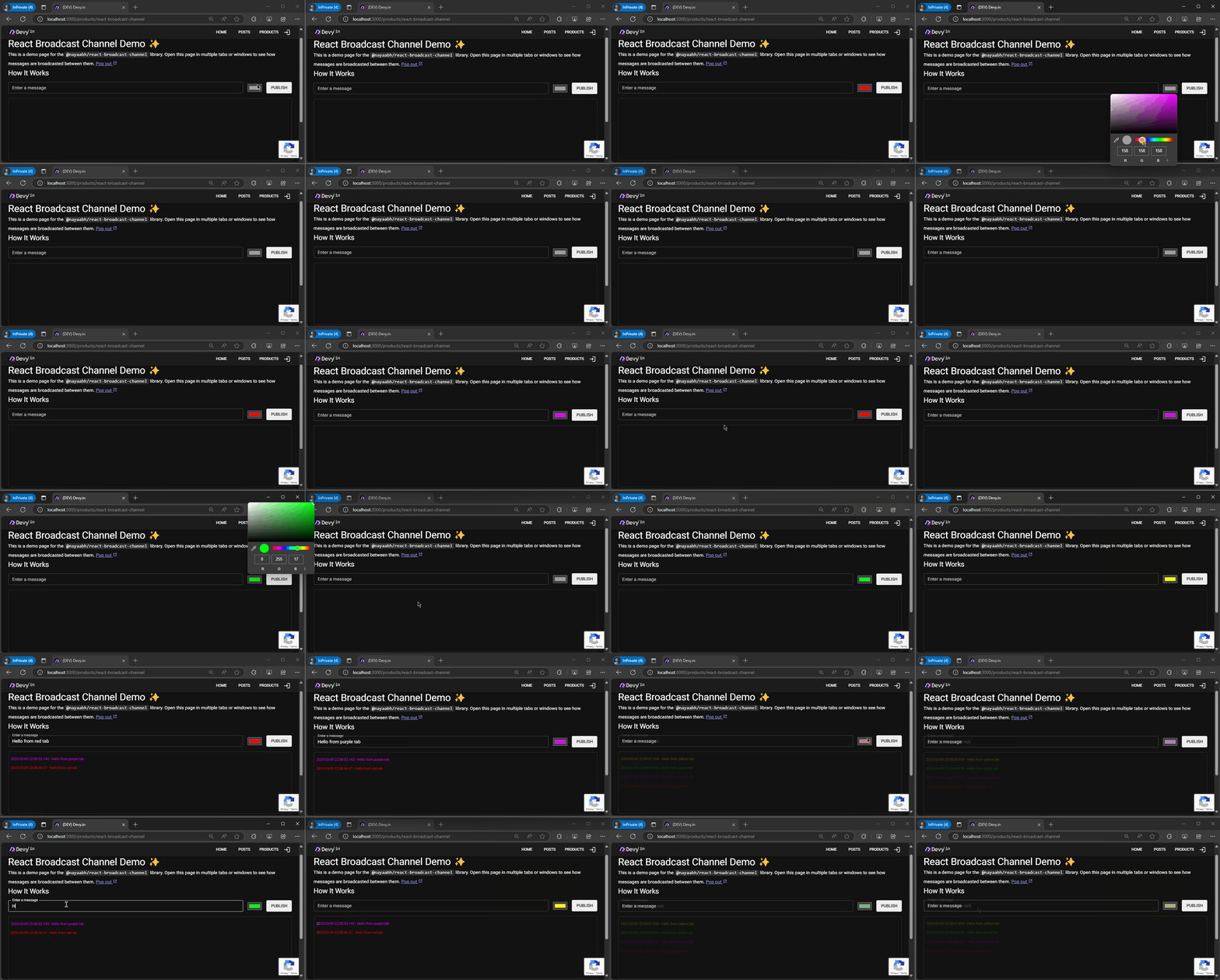
Demo
Installation
npm install @nayaabh/react-broadcast-channelGetting Started
useBroadcastState
This hook provides a stateful way to manage the current message received from the channel. It returns an array with two elements: the current message state object and a function to send a new message.
"use client";

import { useBroadcastState } from "@nayaabh/react-broadcast-channel";
import { useCallback, useEffect, useState } from "react";

const CHANNEL_NAME = "BroadcastChannel-001";

export const BroadcastPlayBox = () => {
  const [message, setMessage] = useBroadcastState<string>(CHANNEL_NAME);
  const [logs, setLogs] = useState<string[]>([]);

  const onPublish = useCallback((e: any) => {
    e.preventDefault();
    const data = new FormData(e.target);
    const text = data.get("message") as string;
    const dateTime = getTimestamp();
    // Send message to all connected clients
    setMessage(`${dateTime} - ${text}`);
  }, []);

  useEffect(() => {
    if (message) {
      setLogs((logs) => [message, ...logs]);
    }
  }, [message]);
  return (
    <>
      <form onSubmit={onPublish}>
        <label htmlFor="message">Enter your message:</label>
        <input name="message" />
        <button type="submit">Publish</button>
      </form>
      <ol>
        {logs.map((log) => (
          <li key={log}>
            <pre>{log}</pre>
          </li>
        ))}
      </ol>
    </>
  );
};

function getTimestamp() {
  const date = new Date();
  const year = date.getFullYear();
  const month = `${date.getMonth() + 1}`.padStart(2, "0");
  const day = `${date.getDate()}`.padStart(2, "0");
  const hour = `${date.getHours()}`.padStart(2, "0");
  const minute = `${date.getMinutes()}`.padStart(2, "0");
  const second = `${date.getSeconds()}`.padStart(2, "0");
  const millisecond = `${date.getMilliseconds()}`.padStart(2, "0");
  return `${year}-${month}-${day} ${hour}:${minute}:${second}.${millisecond}`;
}
useBroadcastChannel
This hook provides a way to post messages to the channel and handle incoming messages using callbacks. It takes a channel name and an optional callback function to handle incoming messages.
"use client";

import { useBroadcastChannel } from "@nayaabh/react-broadcast-channel";
import { useCallback, useState } from "react";

const CHANNEL_NAME = "BroadcastChannel-001";

export const BroadcastPlayBox = () => {
  const [logs, setLogs] = useState<string[]>([]);
  const appendLogs = (message: string | null) => {
    if (message) {
      setLogs((logs) => [message, ...logs]);
    }
  };
  const [postMessage] = useBroadcastChannel<string>(CHANNEL_NAME, appendLogs);

  const onPublish = useCallback((e: any) => {
    e.preventDefault();
    const data = new FormData(e.target);
    const text = data.get("message") as string;
    const log = `${getTimestamp()} - ${text}`;
    postMessage(log); // Send message to all connected clients
    setLogs((logs) => [log, ...logs]); // update local state
  }, []);

  return (
    <>
      <form onSubmit={onPublish}>
        <label htmlFor="message">Enter your message:</label>
        <input name="message" />
        <button type="submit">Publish</button>
      </form>
      <ol>
        {logs.map((log) => (
          <li key={log}>
            <pre>{log}</pre>
          </li>
        ))}
      </ol>
    </>
  );
};

function getTimestamp() {
  const date = new Date();
  const year = date.getFullYear();
  const month = `${date.getMonth() + 1}`.padStart(2, "0");
  const day = `${date.getDate()}`.padStart(2, "0");
  const hour = `${date.getHours()}`.padStart(2, "0");
  const minute = `${date.getMinutes()}`.padStart(2, "0");
  const second = `${date.getSeconds()}`.padStart(2, "0");
  const millisecond = `${date.getMilliseconds()}`.padStart(2, "0");
  return `${year}-${month}-${day} ${hour}:${minute}:${second}.${millisecond}`;
}
API Reference
useBroadcastChannel(channelName: string, onMessage: (message: T | null) => void = () => {}): BroadcastChannelProps<T>
- Creates a new
BroadcastChannelinstance with the specified channel name. - The
onMessagecallback is called whenever a message is received from another client. - Returns:
[postMessage, closeChannel]:postMessagesends a message to all connected clientscloseChannelcloses the channel.
useBroadcastState(channelName: string): BroadcastStateProps<T>
- Provides a stateful hook for managing messages in a broadcast channel.
- Returns:
[message, sendMessage]messageis the current messagesendMessageis a function to send a new message.
References
✨Demo 🚀