
@neiwad/pwdckr
v1.0.1-alpha
Published
Pwdckr is a simple librairy to check password validation


Readme
🔑 PWDCKR
Pwdckr is a simple librairy to check password validation.
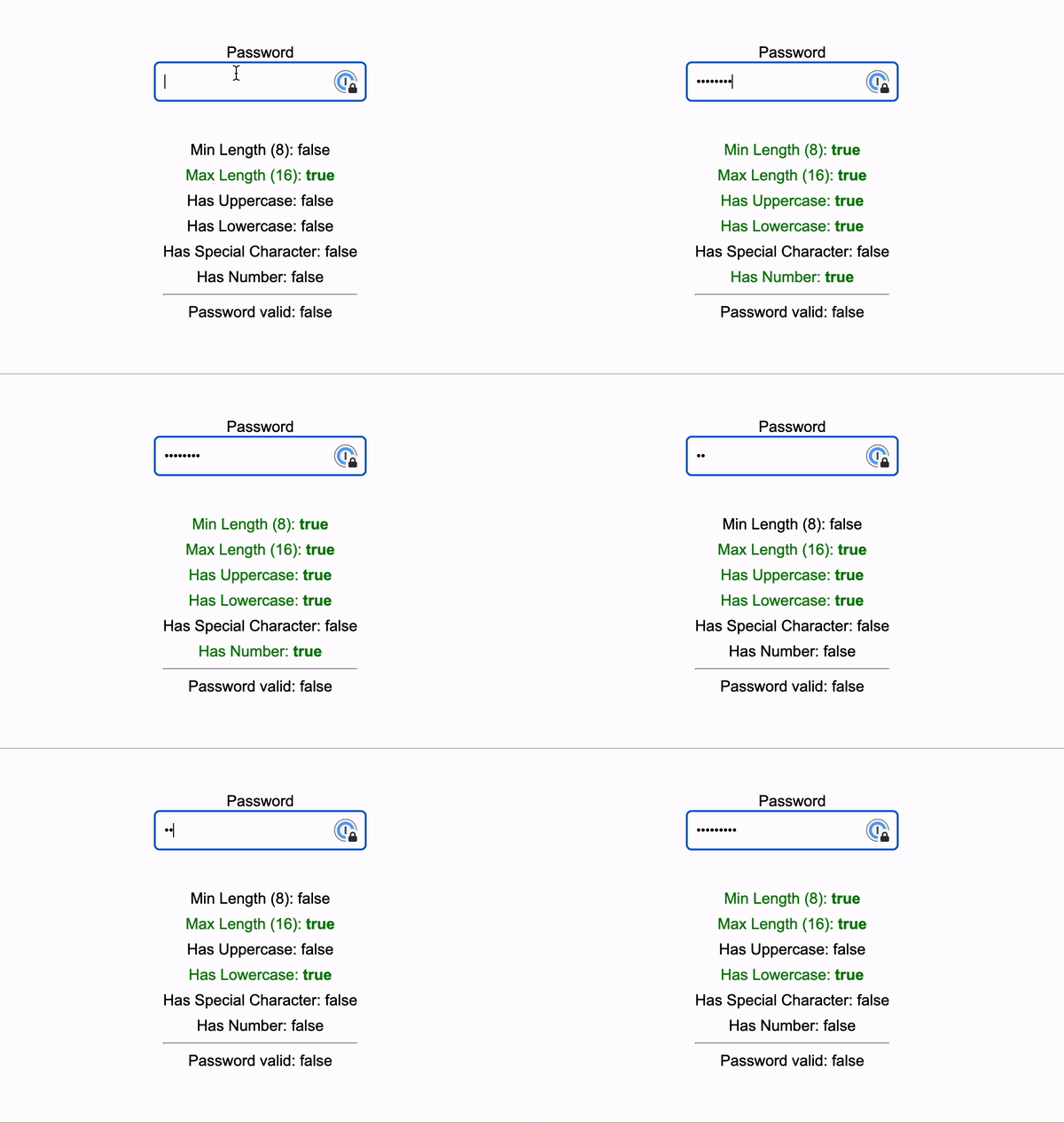
How to use?
pnpm install @neiwad/pwdckrCreate a Pwdckr instance with default validators
import { Pwdckr } from '@neiwad/pwdckr'
const pwdckr = new Pwdckr()
Create a Pwdckr instance with custom validators
import { Pwdckr } from '@neiwad/pwdckr'
const pwdckr = new Pwdckr({
    minLength: 10,
    hasUpperCase: true,
    hasSpecialChar: true,
    hasLowerCase: false, //Don't check pwd for lowercase(s)
    hasNumber: false, //Don't check pwd for number(s)
})
Params
| Param Name | Type | Default | | -------------- | ------- | ------- | | minLength | int | 8 | | maxLength | int | 16 | | hasNumber | boolean | true | | hasSpecialChar | boolean | true | | hasUpperCase | boolean | true | | hasLowerCase | boolean | true |
hasSpecialChar note: currently pwdckr doesnt allow custom regex for special characteres checking. The current special char regex is: [!@#$%^&()_+-=[]{};':"\|,.<>/?]*
Methods
Update the value of the password
pwdckr.updateValue(value)Variables
Global status of pwdckr
pwdckr.isValid //return the global status of pwdckr (true | false)Global status of validators
pwdckr.validators //return the status of validatorsExample of validators status
minLength: {
    "value": 8, //Defined only for minLength and maxLength
    "isValid": true,
    "isActive": true
},
maxLength: {
    "value": 8, //Defined only for minLength and maxLength
    "isValid": true,
    "isActive": true
},
hasNumber: {
    "isValid": true,
    "isActive": true
},
hasSpecialChar: {
    "isValid": true,
    "isActive": true
},
hasUpperCase: {
    "isValid": true,
    "isActive": true
},
hasLowerCase: {
    "isValid": true,
    "isActive": true
}