
@ngx-tiny/tabs
v10.0.0
Published
  
Maintainers
 aavanzyl
Readme
@ngx-tiny/tabs



Angular Tabs Component.
- Angular 10 implementation
- Works with SSR
- No Dependencies required
- Support Router routes
- Lightweight
- Themeable to own requirements
Installation
$ npm i @ngx-tiny/tabsExample
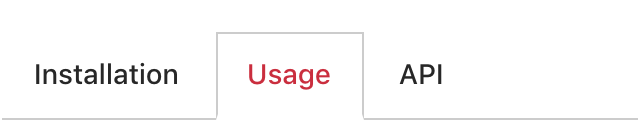
Documentation
Full Docs:
You can find the full documentation at https://aavanzyl.github.io/ngx-tiny which includes
- Installation instructions
- Usage and Demos
- API Reference
Quick Start:
Install with npm:
npm install @ngx-tiny/tabs --saveAdd NgxTabsModule to your @NgModule like example below
import { NgModule } from '@angular/core';
import { BrowserModule } from '@angular/platform-browser';
import { NgxTabsModule } from '@ngx-tiny/tabs';

import { AppComponent } from './app.component';

@NgModule({
    imports: [BrowserModule, NgxTabsModule],
    declarations: [AppComponent],
    bootstrap: [AppComponent]
})

export class AppModule { }
Add the component to your view for basic
<ngx-tabs>
    <ngx-tab [active]="true" name="Tab 1">
        Tab 1
    </ngx-tab>
    <ngx-tab name="Tab 2">
        Tab 2
    </ngx-tab>
    <ngx-tab name="Tab 3">
        Tab 3
    </ngx-tab>
</ngx-tabs>
The examples above are quite basic. The picker has much more features and configurations.
Support
Support me by becoming a patron and buying me a beer :)
License
See the LICENSE file.