
@niccolofanton/driftpane
v1.4.0
Published
Tweakpane v4 with persistent state, floating and hover/push sidepanels, presets, themes, resize, backups and shareable config links.

Maintainers
 niccolofanton
Readme
Driftpane
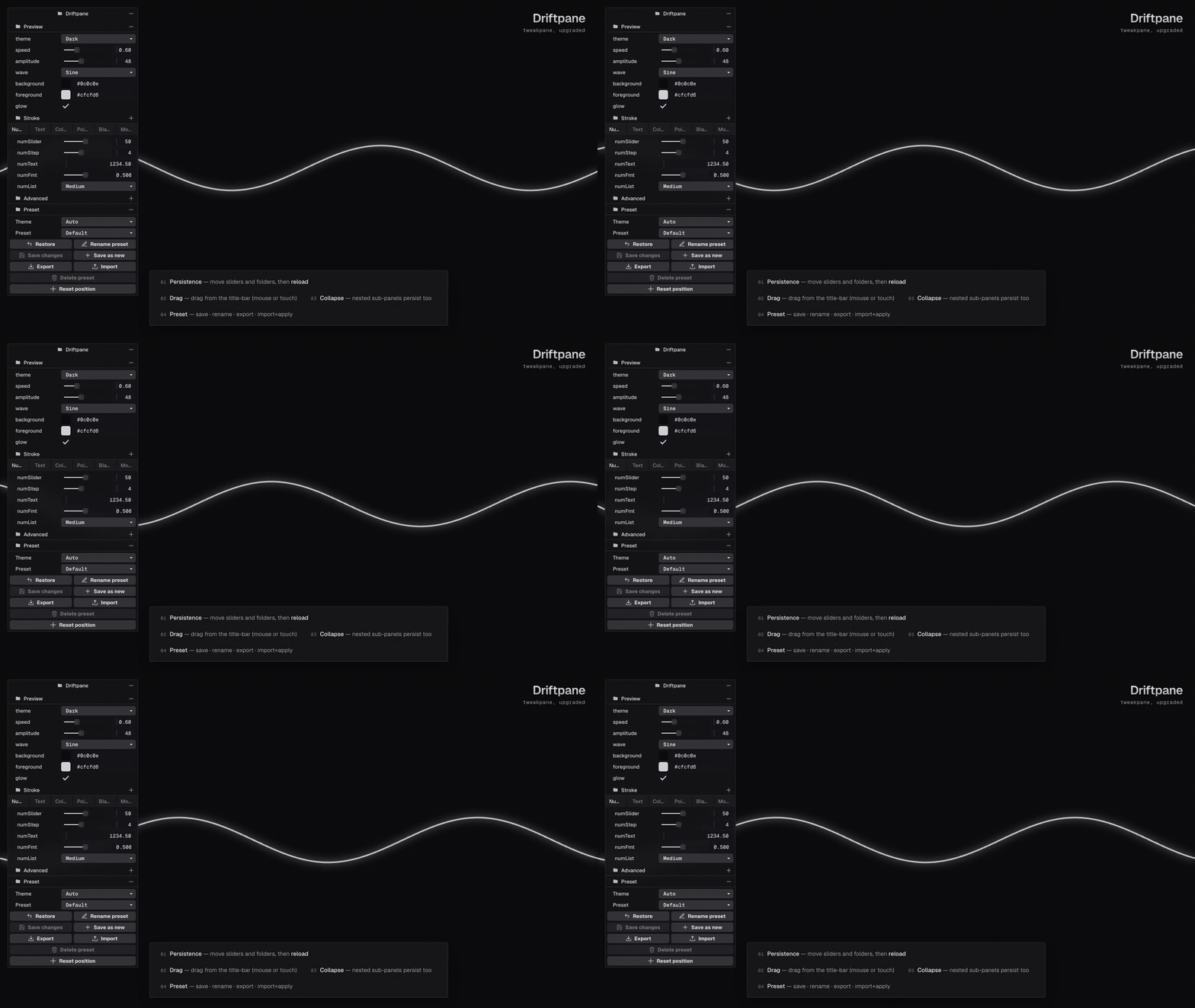
A non-invasive layer on Tweakpane v4: localStorage persistence, a draggable/resizable panel, persistent folds, a save/apply/export presets menu and shareable config links.


Live demo · Usage · Options & API · Preset model
A non-invasive layer on top of Tweakpane v4 that adds eight features without modifying the core:
State persistence — control values and the pane's
expandedstate, saved tolocalStorageand restored on reload.Draggable, resizable, persistent panel — the pane is wrapped in a
position:fixedcontainer you can drag by its title bar (mouse + touch), clamped to the viewport edges. Handles on the right edge (width), bottom edge (height) and bottom-right corner (both at once, like a regular app) resize it; when collapsed, the title bar keeps its width. Position, width and height are persisted. Each resize axis can be disabled (resizableWidth/resizableHeight). WithclampToViewportenabled, rendered width adapts to narrow viewports while retaining the preferred width for larger screens.Persistent navigation — pane/folder expansion and selected tab pages, including nested controls, survive reloads. Recursive listeners and a DOM observer also cover folders added after initialization.
Preset API — save changes / save as new / restore / rename / delete / export / import named snapshots of the state, in a dedicated folder appended after the existing controls at initialization. With the menu enabled, "Default" captures the current session's factory baseline before persisted values are restored; user actions cannot delete or overwrite it. Restore re-applies the active preset, which may be Default or a custom preset.
Skin theme (requires
import '@niccolofanton/driftpane/theme.css') —light/dark/auto:auto(default) follows the system'sprefers-color-schemein real time. Settable at init (theme), at runtime (driftpane.theme.set(...)) or from an optional control in the preset folder.Max height + scroll — beyond a
max-height(defaultcalc(100dvh - 48px), a 24px safe zone) the content becomes scrollable without altering the open/close animation. Configurable viamaxHeightVhor at runtime withdriftpane.setMaxHeight(...). Larger saved caps are constrained by the current viewport. Color and point pickers use the browser's top layer where supported; otherwise they expand inline and can be scrolled into view.Shareable config links — on by default, the live config and active preset identity are synchronized to a namespaced query parameter. Incoming links preview values with Import / Overwrite / Discard actions.
Sidepanel — dock left or right in hover or push mode, with open/close, responsive fallback and runtime switching back to floating.
The layer uses only the Pane's public API
for state and controls (exportState/importState, children/pages, element,
addFolder/addButton/addBlade, on('change')/on('fold')). Styling and popup
layout use Tweakpane's DOM classes. No Tweakpane core file is modified.
Installation
npm install @niccolofanton/driftpane tweakpanetweakpane is a peer dependency (Tweakpane v4, tweakpane@^4.0.0): install
it alongside Driftpane. The public import is from '@niccolofanton/driftpane' (not a path
relative to src/).
Usage
import {Pane} from 'tweakpane';
import {createDriftpane} from '@niccolofanton/driftpane';

const params = {speed: 0.5, color: '#1e1e1e'};

const pane = new Pane({title: 'Parameters'});
pane.addBinding(params, 'speed', {min: 0, max: 1});
pane.addBinding(params, 'color');

// Enable all features (every option is optional).
const panel = createDriftpane(pane, {
  storageNamespace: 'demo',
  debounceMs: 300,
  draggable: true,
  presetsEnabled: true,
  presetFolderTitle: 'Preset',
  clampToViewport: true,
  theme: 'auto', // 'auto' | 'light' | 'dark'  (requires import '@niccolofanton/driftpane/theme.css')
  width: 280, // initial width in px
  resizableWidth: true,
  resizableHeight: true,
  // maxHeightVh: 80,           // height cap in vh (default: calc(100dvh - 48px))
  // showThemeControl: true,    // show the "Theme" control in the preset folder
  // showResetPosition: true,   // show "Reset position"
  // showDeletePreset: true,    // show "Delete preset" (custom presets only)
  // showExportAll: true,       // show "Export all" (full namespace backup)
  urlSync: true, // shareable config links (forces the preset menu on)
  urlParamKey: 'dp', // full param key is `<urlParamKey>:<storageNamespace>`
  // onStateApplied: (reason) => {},  // see "Restored values reach your handlers"
});

// Programmatic API:
panel.savePresetAs('Dark');
panel.applyPreset('<id>');
panel.theme.set('dark'); // sets the theme; .get() / .resolved() read it back
panel.setMaxHeight(80); // number = vh; string = CSS length; null = default
panel.resetState(); // clears persisted state (not presets nor position)
await panel.copyShareLink(); // share the current config as a link
const backup = panel.exportAllJSON(); // current values, layout, theme and preset store
panel.importAllJSON(backup); // restore into this panel's namespace
Note on the production import: the published package is consumed as
@niccolofanton/driftpane(e.g.import {createDriftpane} from '@niccolofanton/driftpane'), withtweakpaneas a peer dependency (Tweakpane v4) shared by the app. The demo, by contrast, uses an import-map to a CDN purely so it can be opened in the browser with no build step.
Restored values reach your handlers
This is the one thing worth reading before you wire Driftpane into an app that drives a scene from its panel.
Tweakpane v4's importState() does re-fire your binding change handlers.
InputBindingController.importState calls binding.inject(value) and then
value.fetch(), which drives the rawValue setter and re-emits change for
every value that actually differs — at any nesting depth, with ev.last true.
So side effects you perform in those handlers (shader uniforms, materials,
camera) are applied on restore, and Driftpane calls pane.refresh() for you.
You do not need to call your own applyAll() after createDriftpane. Doing
so is redundant, and in a project whose handlers trigger expensive work it is a
performance regression: one real consumer measured three full asset reloads per
restored page load instead of one.
Values identical to the current ones do not fire, which is correct — there is nothing to apply.
When you do need a hook
Only for state your change handlers do not own: a flag read once at init, a
value mirrored into your own storage key, anything not attached to a binding.
Tweakpane cannot restore those for you, so Driftpane offers onStateApplied:
createDriftpane(pane, {
  storageNamespace: 'demo',
  onStateApplied: (reason) => {
    // reason: 'restore' | 'preset' | 'share' | 'share-discard'
    renderer.setLatched(params.latch); // not a binding -> not restored for you
  },
});
It fires once per apply, synchronously, after pane.refresh(). An exception
thrown by the callback is swallowed, so a consumer bug cannot break startup.
This contract is covered by test/real-tweakpane-restore.test.ts, which drives
the real tweakpane package rather than the suite's FakePane double.
Options (DriftpaneOptions)
All optional; defaults are applied by the Driftpane facade.
| Option | Type | Default | Meaning |
|---|---|---|---|
| storageNamespace | string | 'default' | Prefix for localStorage keys (multiple panels on the same origin). |
| debounceMs | number | 300 | Delay for separate state-save and URL-sync debounces. |
| draggable | boolean | true | Drag the panel by its title bar. |
| presetsEnabled | boolean | true | Preset folder appended after the controls present at initialization. |
| presetFolderTitle | string | 'Preset' | Title of the preset folder. |
| defaultPresetName | string | 'Default' | Initial name of the factory baseline; its values/schema refresh each session. |
| clampToViewport | boolean | true | Keeps the panel within the viewport edges. |
| defaultPosition | {x,y} | {x:24,y:24} | Position on first launch (safe zone). |
| theme | 'auto'\|'light'\|'dark' | 'auto' | Skin theme; auto follows prefers-color-scheme. |
| showThemeControl | boolean | false | Show the "Theme" control in the preset folder. |
| showResetPosition | boolean | false | Show the "Reset position" button. |
| showDeletePreset | boolean | false | Show "Delete preset" (custom presets only). |
| showExportAll | boolean | false | Show "Export all": downloads a full namespace backup (state + position + size + theme + every preset). |
| width | number | 280 | Preferred initial width in px ([200, 600]); rendered width fits the viewport when clampToViewport is on. |
| resizableWidth | boolean | true | Width resize handle (right edge). |
| resizableHeight | boolean | true | Height resize handle (bottom edge); the corner requires both. |
| maxHeightVh | number | calc(100dvh - 48px) | Height cap in vh; beyond it, the content scrolls. |
| urlSync | boolean | true | Shareable config links in a query param. Forces the preset menu on. |
| urlParamKey | string | 'dp' | Prefix of the share param; the full key is <urlParamKey>:<storageNamespace>. |
| onStateApplied | (reason) => void | — | Called once after Driftpane applies a state. See above. |
Corresponding programmatic API: panel.theme (get/resolved/set),
panel.setMaxHeight(n|css|null), panel.draggable.resetPosition(),
panel.savePresetAs(name), panel.applyPreset(id), panel.resetState(),
panel.shareUrl(), panel.copyShareLink(), panel.clearShareUrl(),
panel.exportAllJSON(), panel.importAllJSON(raw).
URL config sharing
With urlSync (on by default) the active config travels in a namespaced query
param, live-synced with replaceState, so a link reproduces what the sender was
looking at:
?dp:demo=<encoded config>The shared unit is a preset with identity, so the share UI lives in the
preset folder — enabling urlSync therefore forces the preset menu on even
if presetsEnabled is false. To get a pane with no preset folder at all,
set presetsEnabled: false and urlSync: false.
Sync starts on a value or preset-identity change (including save, rename and
selection), using a separate debounce with the same debounceMs delay as
persistence. Readonly-monitor updates are deduplicated in both channels so they
do not keep delaying a pending user edit.
Opening a shared link applies the config as a live preview with persistence
paused (the preview is never written to localStorage), then prompts to import,
overwrite or discard. Discarding restores the exact pre-open state.
await panel.shareUrl(); // build the link without touching the address bar
await panel.copyShareLink(); // build it and copy to the clipboard
panel.clearShareUrl(); // drop the param and cancel pending writes; a new edit can sync again
The full format (envelope, versioning, reconciliation rules) is specified in
docs/url-share-spec.md.
Structure
src/
  types.ts            Public types (preset, position, options, apply reason)
  storage.ts          Namespaced, defensive wrapper over localStorage
  debounce.ts         Typed debounce with flush()/cancel()
  state-scope.ts      Strip/merge of the preset folder (core positional constraint)
  persistence.ts      Feature 1+3: save/restore exportState (debounced)
  draggable.ts        Feature 2: fixed container + drag/resize (W/H/corner) via Pointer Events
  presets.ts          Feature 4 (logic): preset CRUD, apply, export/import JSON, Default
  preset-menu.ts      Feature 4 (UI): preset folder + button rows with icons
  theme-controller.ts Feature 5: light/dark/auto theme (follows prefers-color-scheme)
  scroll.ts           Feature 6: max-height cap + content scroll
  popups.ts           Popup placement outside the scrolling content
  url-share.ts        Feature 7: shareable config links (encode/decode, replaceState sync)
  styles.ts           Injected CSS (draggable container, handles, scroll, icons)
  driftpane.ts        Facade/orchestrator (Driftpane class)
  index.ts            Barrel of public symbols
test/                 Vitest unit and regression suites, including real Tweakpane
                      state, navigation, preset, backup and URL-sharing tests
demo/                 Self-contained demo (import-map to a CDN build of Tweakpane)
docs/                 preview.gif, url-share-spec.md
theme.css             Optional "frosted glass" skin
Tweakpane itself is not vendored: it is a peer dependency, and the layer
uses only its public Pane API.
Demo
The demo (demo/index.html + demo/main.ts) is a complete interactive playground.
The original animated wave and control gallery are joined by ten guided areas:
all eight core features, full backups, the apply hook and an independent panel
with runtime controls. A receiver sandbox exercises Import / Overwrite / Discard
without replacing the sender's saved state. Desktop and mobile layouts use the
same package skin and public API.
Tweakpane 4.0.5 is loaded through the existing jsDelivr import map; the local
library build and demo entry are included. See demo/README.md
for a feature-by-feature walkthrough.
1. Build (transpile TS -> JS)
.ts files don't run in the browser, so they must be compiled once with tsc:
cd demo
./build.sh
# equivalent to:
#   tsc -p tsconfig.lib.json   # ../src/*.ts -> lib/*.js (+ .d.ts)
#   tsc -p tsconfig.demo.json  # main.ts     -> main.js
The pre-compiled
.jsfiles are included: if you don't want to runtsc, you can skip straight to step 2.
2. Serve and open
Import-maps and ES modules do not work from file://: you need an HTTP
server.
cd demo
python3 -m http.server 8080      # or:  npx http-server -p 8080
# then open http://localhost:8080/index.html
What to try
- Shuffle the signal, change a binding, fold a nested folder, switch a tab and reload.
- Drag and resize the panel; try a compact cap and both popup pickers.
- Save a custom preset, edit it and Restore. The full menu includes rename, overwrite, delete and preset JSON import/export.
- Switch the theme from either the page or the pane, then export/import a full backup.
- Open the receiver sandbox to import a shared preset; change it again in the sender and reopen the receiver to try Overwrite or Discard.
- Edit the independent panel and add runtime controls. Its state and theme stay separate; the apply feed shows callbacks from the main panel.
localStorage keys
All namespaced as driftpane:<namespace>:<suffix> (default namespace
default):
| Key | Contents |
|-------------------------------------|-----------|
| driftpane:<ns>:state | Scoped snapshot of exportState() (without the preset folder). Values, pane/folder expansion and tab selection; saved after value, fold or tab changes. |
| driftpane:<ns>:position | { x, y } of the draggable container's position (viewport px). Independent of the pane's state. Written at drag end and re-clamped on resize. |
| driftpane:<ns>:width | Pane width in px (number). Constrained to [200, 600]. Written at resize end. |
| driftpane:<ns>:maxHeight | CSS length of the height cap (e.g. "80vh", "calc(100dvh - 48px)"). Written at vertical resize end / by setMaxHeight. |
| driftpane:<ns>:theme | Chosen theme: "auto" | "light" | "dark". Written by the "Theme" control / theme.set. |
| driftpane:<ns>:presets | DriftpanePresetStore { version:1, activeId, presets[] }. |
Preset model
A preset is a named, scoped snapshot of pane.exportState(). It excludes
the manager folder, pane/folder expanded flags and tab-page selected flags
plus their derived hidden flags. Navigation is global, not per-preset;
ordinary controls retain their own hidden state:
interface DriftpanePreset {
  id: string;          // crypto.randomUUID() with fallback
  name: string;        // human-readable name in the selector
  createdAt: number;   // epoch ms
  updatedAt: number;   // epoch ms
  custom?: boolean;    // false = "Default" baseline (not deletable/overwritable); legacy/missing = custom
  state: Record<string, unknown>; // scoped state without folder expansion or tab navigation
}

interface DriftpanePresetStore {
  version: 1;
  activeId: string | null;
  presets: DriftpanePreset[];
}
The Export button downloads the selected preset as a single JSON file
named after it (e.g. My Preset.json). The optional Export all button
(showExportAll) downloads a full namespace backup. The whole preset collection
is also available programmatically via exportJSON(), in a versioned envelope:
{
  "format": "driftpane-presets",
  "version": 1,
  "exportedAt": "2026-06-19T00:00:00.000Z",
  "active": "<active id or null>",
  "presets": [ /* DriftpanePreset[] */ ]
}
Import JSON recognizes the collection envelope (merge, colliding IDs
regenerated), a single "bare" preset { name, state }, or a raw
exportState() state, including the current pane's manager folder. It tries to
apply and select the first imported preset immediately. An incompatible preset
remains in the collection but does not change the active selection. The menu
shows a toast for import results and errors.
Full namespace backups
panel.exportAllJSON() captures current values and navigation, position,
preferred width, height cap, theme and the preset collection in a
driftpane-backup version 1 envelope. It flushes the live state before exporting.
Restore it with panel.importAllJSON(raw) or the menu's Import button.
The backup is applied to the receiving panel's namespace, regardless of the
source namespace recorded in the file. Provided settings replace the current
ones; omitted fields remain unchanged. A provided preset collection replaces
the custom collection, retaining the receiver's current factory Default and
mapping a backup Default selection to that local baseline. Included pane state
must match the receiving pane's structure. Invalid imports throw from the API
and are shown as errors by the menu. A successful state restore emits
onStateApplied('restore').
Critical core constraint (why scoping is needed)
ContainerBladeController.importState (in the Tweakpane core, at
packages/core/src/blade/common/controller/container-blade.ts upstream) matches its
children positionally (rack.children[index].importState(state.children[index]))
and requires that every child import successfully. The manager folder must
be excluded from persisted/preset snapshots (stripManagerChild) and
re-inserted from its live state before import (mergeManagerChild). It is
appended at initialization, but its index is resolved by the mounted folder's
identity so adding or removing controls later does not scope the wrong child.
Structure checks include binding keys, labels and readonly status; ambiguous
same-key bindings with identical labels still require stable ordering.
Design decisions
- Drag position independent of presets: applying a preset only calls
importState()and does not move the panel. The position lives in its own separate key. The preset folder offers an optional "Reset position" button. - Navigation is global, not per-preset: folder expansion and tab selection
live in the global
statekey. Preset/share applies overlay the current navigation and synchronize Tweakpane's tab selection model after import. - Export = the selected preset (the file is named after it); the optional
Export all button downloads a full namespace backup (
exportAllJSON()), restored by Import orimportAllJSON(raw). The whole preset collection stays available via theexportJSON()/exportPresetJSON(id)programmatic APIs. - Debounce only, no
ev.lastfilter: the trailing-edge debounce already collapses an entire gesture into a single write by readingexportState()at flush time. Readonly-monitor noise is ignored when scheduling, so a pending editable change can still reach the end of its debounce window.
License
MIT. Tweakpane itself is © cocopon, also MIT.
Sidepanel
Use a docked panel instead of the default floating panel:
const drift = createDriftpane(pane, {
  sidepanel: { mode: 'push', side: 'right', width: 320, open: false },
});
openSettingsButton.addEventListener('click', () => drift.sidepanel.open());
// Also: close(), toggle(), isOpen, setWidth(380).
drift.setSidepanel({ mode: 'hover', side: 'left' });
drift.setSidepanel(false); // Return to floating presentation.
There are three presentations: floating (sidepanel: false), hover
(sidepanel: {mode: 'hover'}) and push (sidepanel: {mode: 'push'}).
Hover starts closed and reveals the panel from an edge tab without stealing focus;
leaving the panel closes it after a short delay. The tab also works with keyboard
and touch. Focused keyboard controls keep it open. Push starts open and reserves
space using body margins, with an optional pushTarget for a custom content container.
The docked view has its own header and full-height scrolling controls, without the
floating card's title bar, border, radius or shadow. At viewport widths
of 600px or less, push becomes overlay. Fixed-position page elements do not move
with body margins. The panel is non-modal: the page remains interactive. A close
button and Escape within the panel close it; programmatic opening moves focus
inside and closing restores the opener. Reduced-motion preferences are respected.
Sidepanel presentation temporarily replaces floating drag/resize and height caps.
Use sidepanel.setWidth() for its width. Values, presets, themes, sharing and popup
controls keep working. Layout options/open state are not persisted or exported in
backups. Switching back restores the floating layout; disposing restores page
margins and the pane's original DOM position. The demo showcases both modes and edges.