
@nitingpt000/inkling
v0.1.2
Published
Inkling is a CLI that uses a DeepAgents documentation agent to generate, maintain, export, and validate a living wiki for your codebase.

Maintainers
 nitingpt001
Readme
Inkling
Inkling is a CLI that writes, maintains, exports, and validates documentation for your codebase — built specifically for coding agents and the humans who work alongside them.
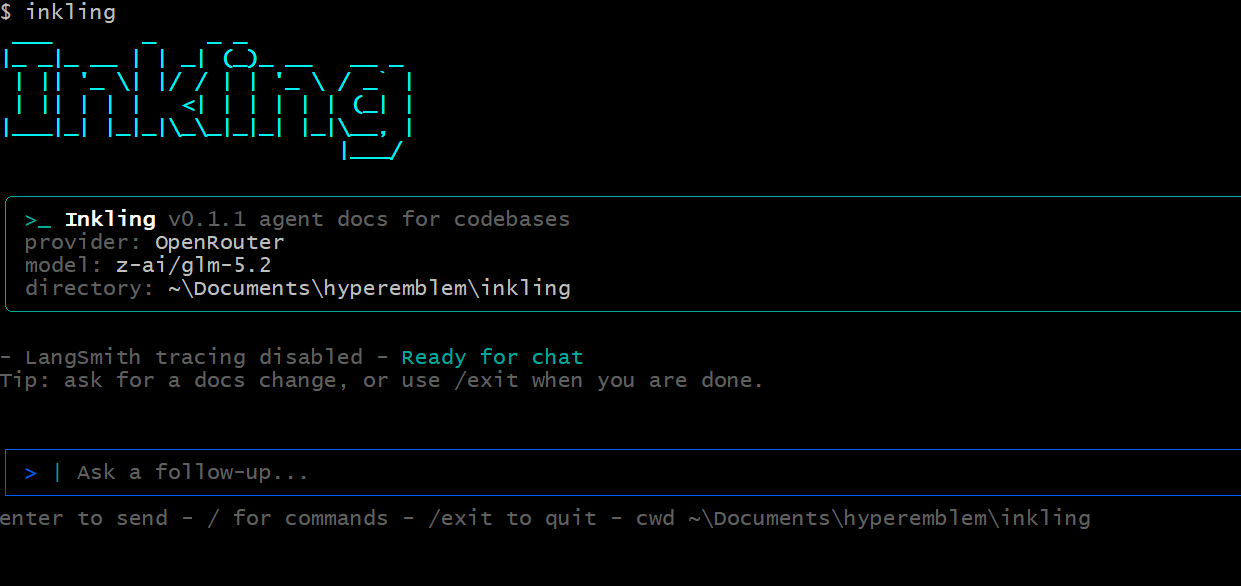


Inkling is a community fork of langchain-ai/openwiki with a static-site exporter, Mermaid diagrams, a local Ollama provider, and built-in wiki search & validation.
What it does
A DeepAgents documentation agent inspects your repository — source, git history, existing docs — and produces a navigable Markdown wiki under inkling/ that stays useful for both humans and future agents. Then Inkling gives you tooling around that wiki:
- Generate & maintain —
--initbuilds the wiki;--updatekeeps it current from repo changes. - Mermaid diagrams — the agent renders architecture and flow diagrams inline where they add clarity.
- Static site export —
inkling exportturns the wiki into a self-contained HTML site with sidebar navigation, client-side search, and live Mermaid rendering. Host it on GitHub Pages. - Search —
inkling search <query>greps the wiki from your terminal. - Validate —
inkling validateflags broken internal links and orphan pages. - Bring your own model — OpenRouter, Anthropic, OpenAI, Fireworks, Baseten, any OpenAI-compatible gateway, or a fully local Ollama server (no API key required).
Install
npm install -g @nitingpt000/inklingThe published package is scoped as @nitingpt000/inkling; the installed command
is inkling.
Quick start
Initialize Inkling, configure your model and API key, then generate documentation:
inkling --initKeep the docs fresh by adding the scheduled GitHub Action from
examples/inkling-update.yml to
.github/workflows/inkling-update.yml in your repository. It opens a PR with
documentation updates on a schedule.
Usage
inkling                     # interactive chat
inkling "document the API"  # send an initial request, then stay open
inkling -p "Summarize what you can do"   # one-shot, print, exit
inkling --init              # generate initial documentation
inkling --update            # update existing documentation
inkling export [dir]        # render the wiki to a static HTML site (default: inkling-site)
inkling search <query>      # search the generated wiki
inkling validate            # check for broken links and orphan pages
inkling --help              # full usage
inkling creates initial documentation in inkling/ when no wiki exists, and
refreshes it from repository changes when it does. By default the CLI stays open
after each run for follow-up messages; use -p/--print for a one-shot
non-interactive run.
Inkling automatically appends a reference section to your AGENTS.md and/or
CLAUDE.md so your coding agent knows to consult the wiki for context, creating
the file if it does not exist.
On the first interactive run, Inkling walks you through configuring your
inference provider, API key, model, and an optional LangSmith key for tracing.
These settings are stored in ~/.inkling/.env on your machine.
Exporting a static site
inkling export            # writes ./inkling-site
inkling export ./docs     # custom output directory
The generated site is fully static (HTML + CSS + a tiny JS bundle). Open
inkling-site/index.html locally, or publish the folder with GitHub Pages.
Mermaid diagrams render in the browser; client-side search works with no server.
Providers & models
Inkling supports OpenRouter, Ollama, Baseten, Fireworks, OpenAI, an OpenAI-compatible provider, and Anthropic out of the box, each with a few predefined models plus a custom model ID option.
Ollama (local, free, no API key)
Run a model entirely on your machine with Ollama:
ollama pull qwen2.5-coder:7bINKLING_PROVIDER=ollama
INKLING_MODEL_ID=qwen2.5-coder:7b
# optional — defaults to http://localhost:11434/v1
OLLAMA_BASE_URL=http://localhost:11434/v1Anthropic (with optional alternative base URL)
INKLING_PROVIDER=anthropic
ANTHROPIC_API_KEY=your-key
ANTHROPIC_BASE_URL=https://your-gateway.example.com/anthropic
OpenAI-compatible endpoints
Target any OpenAI-compatible chat-completions endpoint (for example a LiteLLM gateway) via a required base URL:
INKLING_PROVIDER=openai-compatible
OPENAI_COMPATIBLE_API_KEY=your-gateway-key
OPENAI_COMPATIBLE_BASE_URL=https://your-gateway.example.com/v1
INKLING_MODEL_ID=your-gateway-model-name
Base URLs and credentials can be set in your environment or stored in
~/.inkling/.env.
Documentation
Full guides live in docs/:
- Commands — every command and flag.
- Providers & models — OpenRouter, Ollama, Anthropic, OpenAI, and gateways.
- Static site export — generating and hosting a site.
- Architecture — how Inkling is built.
- Testing — the unit and E2E suites.
Contributing
Contributions are welcome — see CONTRIBUTING.md and DEVELOPMENT.md to get started. Please also review the Code of Conduct and Security policy. If there's a provider or model you'd like added, open an issue or PR.
Testing
pnpm test              # unit + e2e
pnpm run test:coverage # with coverage report
See docs/testing.md for how the suite is organized.
Credits
Inkling builds on OpenWiki by LangChain and the DeepAgents framework. Licensed under MIT.