
@nodusapi/mcp-server
v1.8.4
Published
MCP server for NodusAPI - Enable LLMs to interact with your BaaS backend

Maintainers
 alprncnky
Readme
Nodus MCP Server


Introduction
Nodus MCP Server is a Model Context Protocol (MCP) server designed for hobby project development. It exposes your NodusAPI backend as MCP tools, allowing AI assistants like Claude to query and manipulate data in your tables, manage schemas, and handle project and API key operations through natural language.
Note: This project is currently in TEST phase. Features and APIs may change during development.
Overview
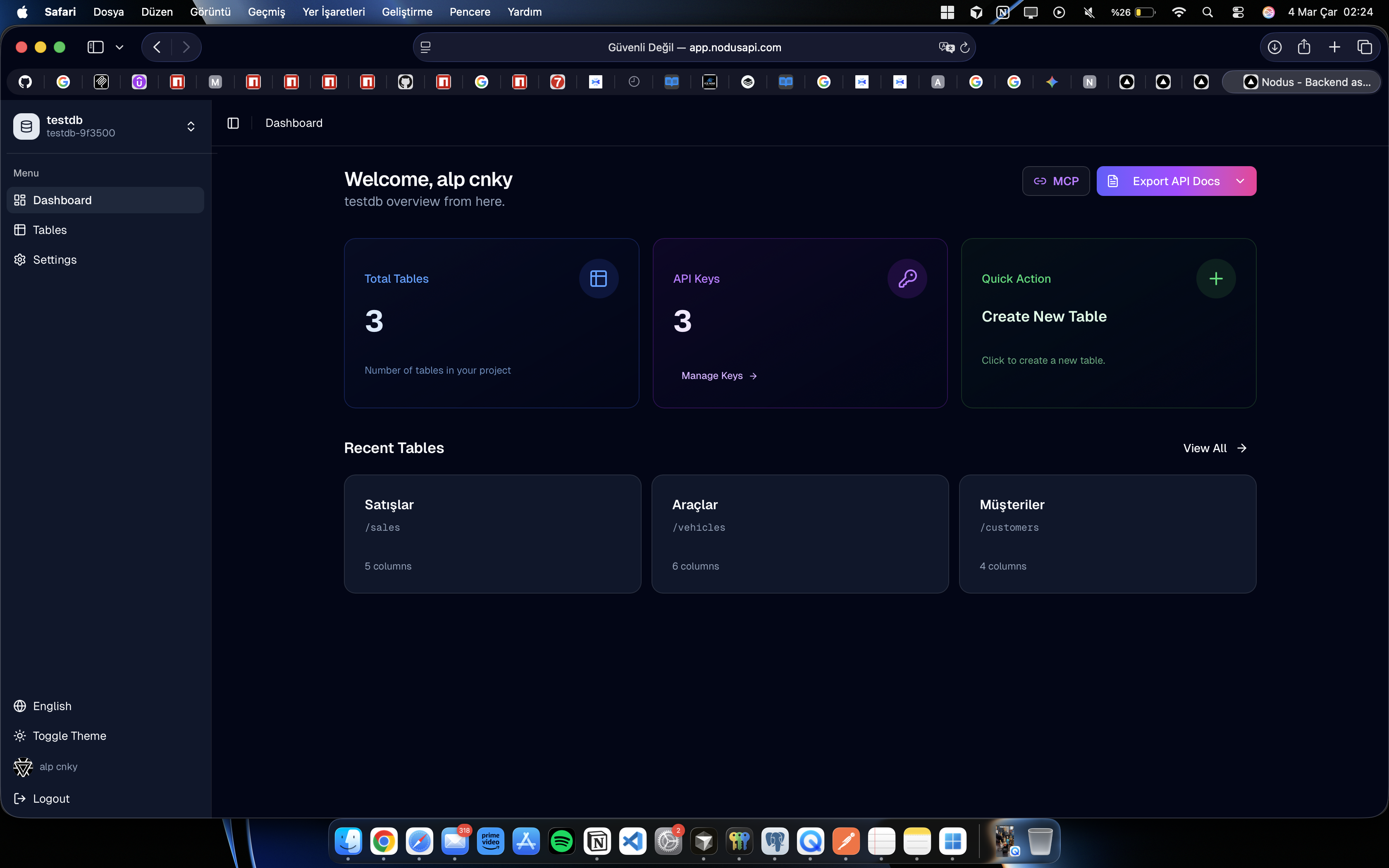
Nodus MCP Server exposes your NodusAPI backend as MCP tools, allowing AI assistants like Claude to:
- Query and manipulate data in your tables
- Create and modify database schemas
- Manage projects and API keys
- Access table schemas as contextual resources
All through natural language conversations!
Site Docs: https://nodusapi.com/en
App Dashboard: https://app.nodusapi.com
Features
- Data CRUD Operations: List, get, create, update, and delete rows
- Schema Management: Create tables, add columns, update schemas
- Project Management: List projects, create new projects
- Automatic Context: Table schemas are automatically available to the LLM
- Secure Authentication: User-level API key works across all your projects
- Safe by Design: Destructive operations (delete tables, columns, projects) are not exposed
- TypeScript: Fully typed with comprehensive error handling
Installation
Quick Start (npx)
The easiest way to use Nodus MCP Server is with npx:
npx @nodusapi/mcp-serverGlobal Installation
npm install -g @nodusapi/mcp-serverLocal Development
git clone https://github.com/yourusername/nodusmcp.git
cd nodusmcp
npm install
npm run build
Configuration
Option 1: Environment Variables (Recommended for Cursor)
Set these environment variables in your MCP client configuration:
NODUS_API_KEY=nds_your_api_key_here
NODUS_API_URL=http://api.nodus.com (optional, defaults to production)
Note: You don't need to specify a project slug. Use the list_projects tool to see your projects and create_project to create new ones.
Option 2: Interactive Setup
If no configuration is found, the server will prompt you for:
- API Key
- API URL (defaults to http://api.nodus.com)
Configuration is saved to ~/.nodus-mcp/config.json for future use. After connecting, use project management tools to list and create projects.
Option 3: Manual Configuration
Create ~/.nodus-mcp/config.json:
{
  "apiKey": "nds_your_api_key_here",
  "apiUrl": "http://api.nodus.com"
}
Cursor Integration
Add to your .cursor/settings.json or Cursor MCP settings:
{
  "mcpServers": {
    "nodus": {
      "command": "npx",
      "args": ["-y", "@nodusapi/mcp-server"],
      "env": {
        "NODUS_API_KEY": "nds_your_api_key_here"
      }
    }
  }
}
After connecting, use the list_projects tool to see your projects.
Or use a local path during development:
{
  "mcpServers": {
    "nodus": {
      "command": "node",
      "args": ["/absolute/path/to/nodusmcp/dist/index.js"],
      "env": {
        "NODUS_API_KEY": "nds_your_api_key_here"
      }
    }
  }
}
Available Tools
Data CRUD Tools
list_rows
List rows from a table with pagination and filtering.
Parameters:
tableSlug(string, required): Table identifierpage(number, optional): Page number (default: 1)limit(number, optional): Rows per page, max 100 (default: 20)orderBy(string, optional): Column to sort byorderDir(string, optional): Sort direction ('ASC' or 'DESC')filters(object, optional): Filter conditions (column: value pairs)
Example:
"Show me the first 10 users ordered by created date"get_row
Get a single row by ID.
Parameters:
tableSlug(string, required): Table identifierid(string, required): Row UUID
Example:
"Get the user with ID 123e4567-e89b-12d3-a456-426614174000"create_row
Create a new row in a table.
Parameters:
tableSlug(string, required): Table identifierdata(object, required): Row data matching table schema
Example:
"Create a new user with name 'John Doe' and email '[email protected]'"update_row
Update an existing row.
Parameters:
tableSlug(string, required): Table identifierid(string, required): Row UUIDdata(object, required): Partial row data to update
Example:
"Update user 123... and set their status to 'active'"delete_row
Delete a row from a table.
Parameters:
tableSlug(string, required): Table identifierid(string, required): Row UUID
Example:
"Delete the row with ID 123... from users table"Schema Management Tools
list_tables
List all tables in the project.
Example:
"Show me all my database tables"get_table_schema
Get detailed schema for a specific table.
Parameters:
tableSlug(string, required): Table identifier
Example:
"What columns does the users table have?"create_table
Create a new table.
Parameters:
name(string, required): Human-readable table nameslug(string, required): Table slug (lowercase, numbers, underscores only)
Example:
"Create a new table called 'Products' with slug 'products'"update_table
Update table name.
Parameters:
tableSlug(string, required): Current table slugname(string, required): New table name
add_column
Add a new column to a table.
Parameters:
tableSlug(string, required): Table identifiername(string, required): Column nameslug(string, required): Column slugtype(string, required): Column type (string, text, integer, float, boolean, datetime, json)isRequired(boolean, optional): Whether column is requireddefaultValue(any, optional): Default value
Example:
"Add a 'bio' column of type text to the users table"update_column
Update column properties.
Parameters:
tableSlug(string, required): Table identifiercolumnSlug(string, required): Column identifiername(string, optional): New column nameisRequired(boolean, optional): Required statusdefaultValue(any, optional): Default value
Project Management Tools
list_projects
List all projects for the authenticated user.
Example:
"Show me my projects"create_project
Create a new project. The system automatically switches to the newly created project, so you can immediately start creating tables and managing data.
Parameters:
name(string, required): Project name
Example:
"Create a new project called 'My Blog API'"Note: After creation, you're automatically switched to this project. Your user-level API key works with it automatically.
Endpoint Discovery
list_all_endpoints
List all available HTTP API endpoints for the current project. Returns both default CRUD endpoints (five per table: list, get, create, update, delete) and custom endpoints (user-defined serverless functions). Use this when you need to see the full set of API routes (e.g. to apply or document them).
Parameters: None.
Example:
"What API endpoints do I have?" / "List all my endpoints" / "Show me the endpoints I can use"Response: Includes projectSlug, tableEndpoints (per-table CRUD paths), customEndpoints (fn paths), and a summary.
Resources
nodus://schemas/tables
Automatically provides the LLM with information about all tables and their schemas in your project.
Usage Examples
Example Conversation
User: "Show me all my database tables"
Assistant: [Calls list_tables tool]
"You have 3 tables: users, posts, and comments"

User: "What columns does the users table have?"
Assistant: [Calls get_table_schema with tableSlug: "users"]
"The users table has the following columns:
- id (string, required)
- name (string, required)
- email (string, required)
- bio (text, optional)
- created_at (datetime)"

User: "Create a new user named Alice with email [email protected]"
Assistant: [Calls create_row with tableSlug: "users", data: {name: "Alice", email: "[email protected]"}]
"Successfully created user Alice with ID abc-123..."

User: "List all users"
Assistant: [Calls list_rows with tableSlug: "users"]
"Found 5 users: Alice, Bob, Charlie, Diana, Eve"
Security Notes
- Safe by Design: Destructive operations (delete tables, delete columns, delete projects) are NOT exposed through MCP for safety
- API Key Security: Store API keys securely using environment variables
- Row-Level Operations: Only individual row deletion is allowed (no bulk delete)
- Validation: All inputs are validated with Zod schemas
- User-Level API Keys: One API key works across all your projects
Development
# Install dependencies
npm install

# Build
npm run build

# Development mode with auto-reload
npm run dev

# Run locally
npm start
Troubleshooting
"Cannot connect to Nodus API"
- Check your API URL (default: http://api.nodus.com)
- Verify network connectivity
"Authentication failed"
- Verify your API key starts with
nds_ - Generate a new API key from Nodus dashboard if needed
"Access denied"
- Ensure your API key has necessary permissions
- Check if you're using the correct project ID
"Resource not found"
- Verify table slug spelling
- Use
list_tablesto see available tables
Requirements
- Node.js >= 18.0.0
- NodusAPI account with valid API key
License
MIT
Contributing
Contributions are welcome! Please feel free to submit a Pull Request.
Support
- Documentation: https://docs.nodus.com
- Issues: https://github.com/nodusapi/nodusmcp/issues
- NodusAPI: https://nodus.com
Related Projects
- NodusAPI - Backend-as-a-Service platform
- NodusWeb - Web dashboard for NodusAPI
- Model Context Protocol - MCP specification