
@nosferatu500/rc-dock
v4.1.0
Published
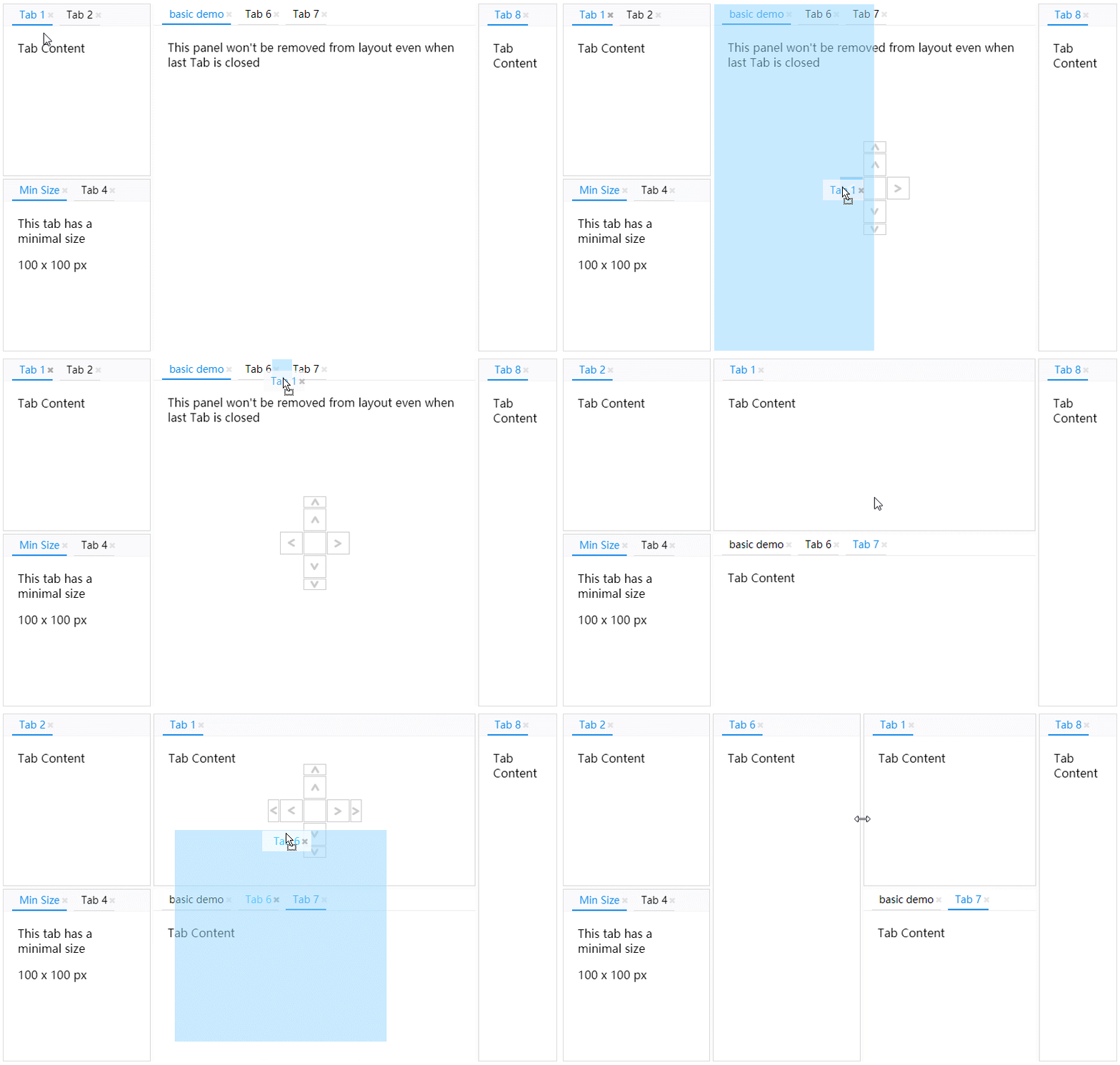
Dock layout component for React — drag & drop tabs, splittable panels, floating panels, maximized panels and popup browser windows.

Maintainers
 nosferatu500
Readme
@nosferatu500/rc-dock
Dock layout component for React — drag & drop tabs, splittable panels, floating panels, maximized panels and popup browser windows.


This is a maintained fork of ticlo/rc-dock, whose last published release was in 2023. It keeps the original API while modernizing the package and toolchain. See What's different in this fork.
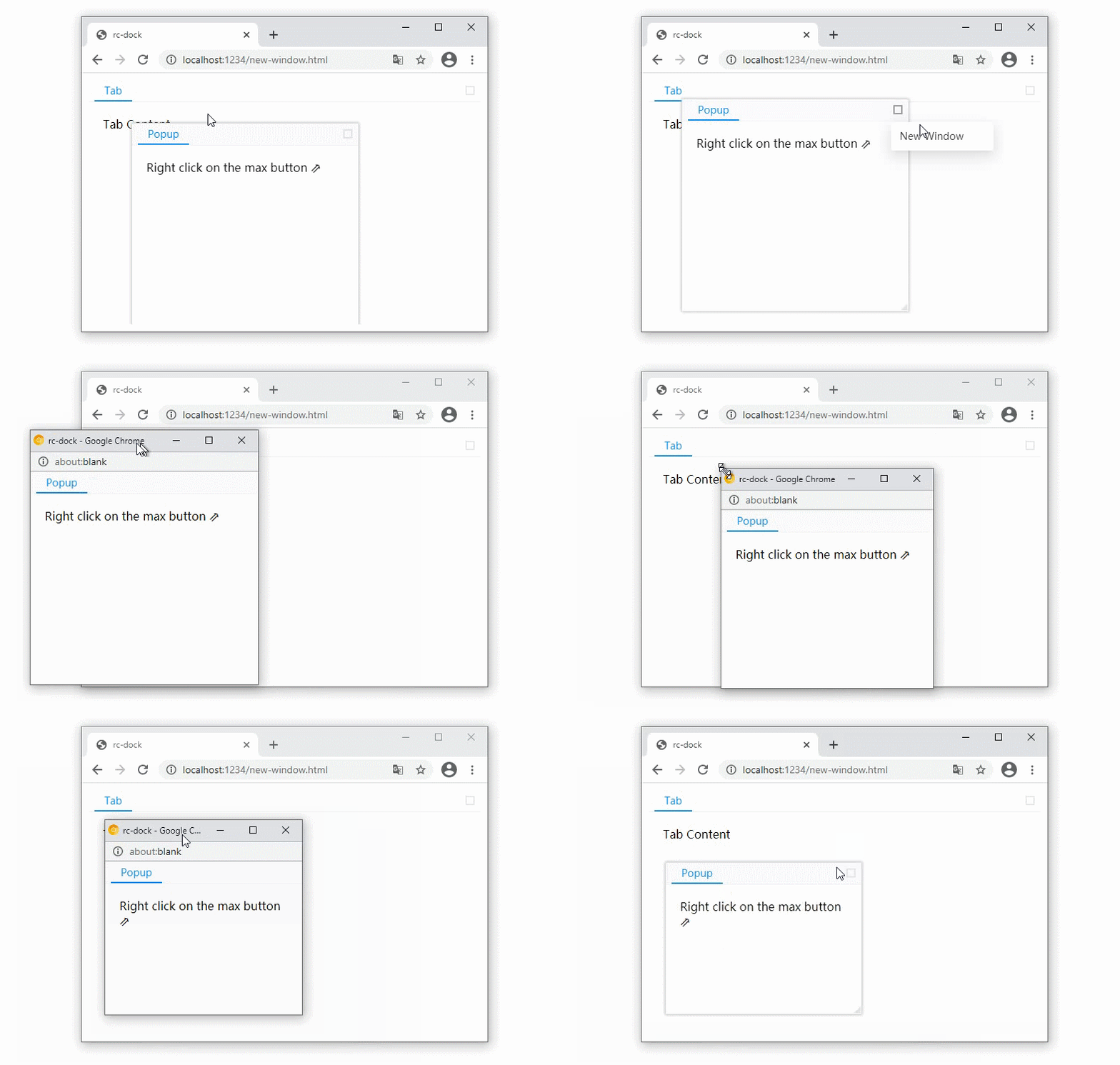
Popup panel as new browser window
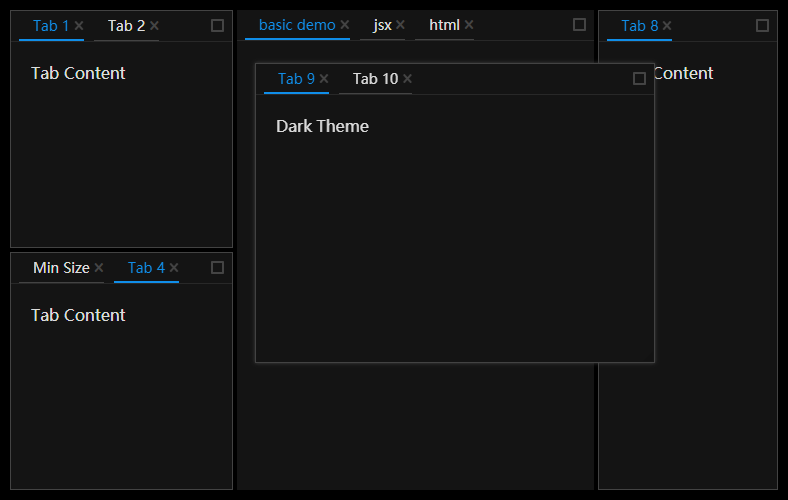
Dark Theme
Install
npm install @nosferatu500/rc-dockRequires react and react-dom >= 19 as peer dependencies.
Usage
import DockLayout from '@nosferatu500/rc-dock'
import '@nosferatu500/rc-dock/dist/rc-dock.css'

...

defaultLayout = {
  dockbox: {
    mode: 'horizontal',
    children: [
      {
        tabs: [
          {id: 'tab1', title: 'tab1', content: <div>Hello World</div>}
        ]
      }
    ]
  }
};

render() {
  return (
    <DockLayout
      defaultLayout={defaultLayout}
      style={{
        position: "absolute",
        left: 10,
        top: 10,
        right: 10,
        bottom: 10,
      }}
    />
  )
}
Theming
Three prebuilt stylesheets are published:
| Import | Theme |
| --- | --- |
| @nosferatu500/rc-dock/dist/rc-dock.css | light |
| @nosferatu500/rc-dock/dist/rc-dock-dark.css | dark |
| @nosferatu500/rc-dock/dist/rc-dock-auto.css | follows the viewer's color-scheme |
Every colour comes from a custom property, so restyling is a matter of redeclaring the tokens you care about — no build step, no preprocessor:
@import "@nosferatu500/rc-dock/dist/rc-dock.css";

:root {
  --dock-primary-color: #7c3aed;
  --dock-panel-border-color: #e5e7eb;
  --dock-tab-background: #fff;
}
The full list lives in style/tokens.css. The unbundled sources are published as
well, so @nosferatu500/rc-dock/style/index.css gives you the stylesheet with light-dark() tokens
intact, and switching themes is then just :root { color-scheme: dark }.
use as uncontrolled layout
- set layout object in DockLayout.defaultLayout
use as controlled layout
- set layout object in DockLayout.layout
Examples: https://ticlo.github.io/rc-dock/examples
API docs: https://ticlo.github.io/rc-dock
(The hosted example and documentation sites still belong to the upstream project; the API is unchanged,
so they apply to this fork as well. Run npm run example to browse the examples locally.)
What's different in this fork
- Published as
@nosferatu500/rc-dock— the originalrc-dockpackage is unmaintained since 2023. - ESM-only package with a proper
exportsmap (main/module/typesare kept for older bundlers). - React 19 only. Upstream is stuck on React 17/18 because
rc-tabs@11is not React 19 ready (issue #242); this fork moved to the maintained@rc-component/*packages that antd 6 uses, which are. - StrictMode safe — upstream registers its drag and resize listeners in the
DockLayoutconstructor, which leaks one set per component under StrictMode's double construction. They moved tocomponentDidMount, so the double mount is symmetric. - Build target raised from ES2017 to ES2025; the source uses current JavaScript/TypeScript features.
- The public API is unchanged — the only breaking change is dropping the CommonJS build.
- Toolchain modernized: TypeScript 7, Vite for the examples, Biome for lint/format,
and the
lodashruntime dependency was replaced with a native implementation. - Styles rewritten as plain CSS — the Less sources are gone, along with the
lessdependency. The stylesheet uses custom properties, native nesting,light-dark(),color-mix()and logical properties, so themes are now runtime tokens instead of a compile step. See Theming. - Bugs fixed that are still open upstream: the
dropMode="edge"drag crash (#262), panel duplication when dropped on itself (#226),dockMovediscarding an explicit panel size (#266),updateTabstealing focus (#254), the cached tab update loop (#198), a danglingaria-controls(#210) and the crash when starting with a non emptywindowbox(#217). See HISTORY.md.
types
LayoutData 🗎
| Property | Type | Comments | Default | | :---: | :---: | :---: | :---: | | dockbox | BoxData | main dock box | empty BoxData | | floatbox | BoxData | main float box, children can only be PanelData | empty BoxData |
BoxData 🗎
a box is the layout element that contains other boxes or panels
| Property | Type | Comments | Default | | :---: | :---: | :---: | :---: | | mode | 'horizontal' | 'vertical' | 'float' | layout mode of the box | | | children | (BoxData | PanelData)[] | children boxes or panels | required |
PanelData 🗎
a panel is a visual container with tabs button in the title bar
| Property | Type | Comments | Default | | :---: | :---: | :---: | :---: | | tabs | TabData[] | children tabs | required | | panelLock | PanelLock | addition information of a panel, this prevents the panel from being removed when there is no tab inside, a locked panel can not be moved to float layer either | |
TabData 🗎
| Property | Type | Comments | Default | | :---: | :---: | :---: | :---: | | id | string | unique id | required | | title | string | ReactElement | tab title | required | | content | ReactElement | (tab: TabData) => ReactElement | tab content | required | | closable | bool | whether tab can be closed | false | | group | string | tabs with different tab group can not be put in same panel, more options for the group can be defined as TabGroup in DefaultLayout.groups | |
DockLayout API
get the ref of the DockLayout component to use the following API
saveLayout 🗎
save layout
saveLayout(): SavedLayout loadLayout 🗎
load layout
loadLayout(savedLayout: SavedLayout): voiddockMove 🗎
move a tab or a panel, if source is already in the layout, you can use the find method to get it with id first
dockMove(source: TabData | PanelData, target: string | TabData | PanelData | BoxData, direction: DropDirection): void;find 🗎
find PanelData or TabData by id
find(id: string | ((item: PanelData | TabData | BoxData) => boolean), filter?: Filter): PanelData | TabData | BoxData | undefined;updateTab 🗎
update a tab with new TabData
returns false if the tab is not found
updateTab(id: string, newTab: TabData): boolean;Development
npm install
npm run example      # Vite dev server with all examples
npm run build        # build es/ and dist/*.css
npm run test         # vitest regression suite
npm run check        # Biome lint + tsc typecheck + tests
License
Originally created by Rick Zhou as rc-dock; see NOTICE for attribution details.