
@nyatinte/prw
v0.4.2
Published
Interactive pnpm workspace package & script runner


Readme
@nyatinte/prw
English | 日本語



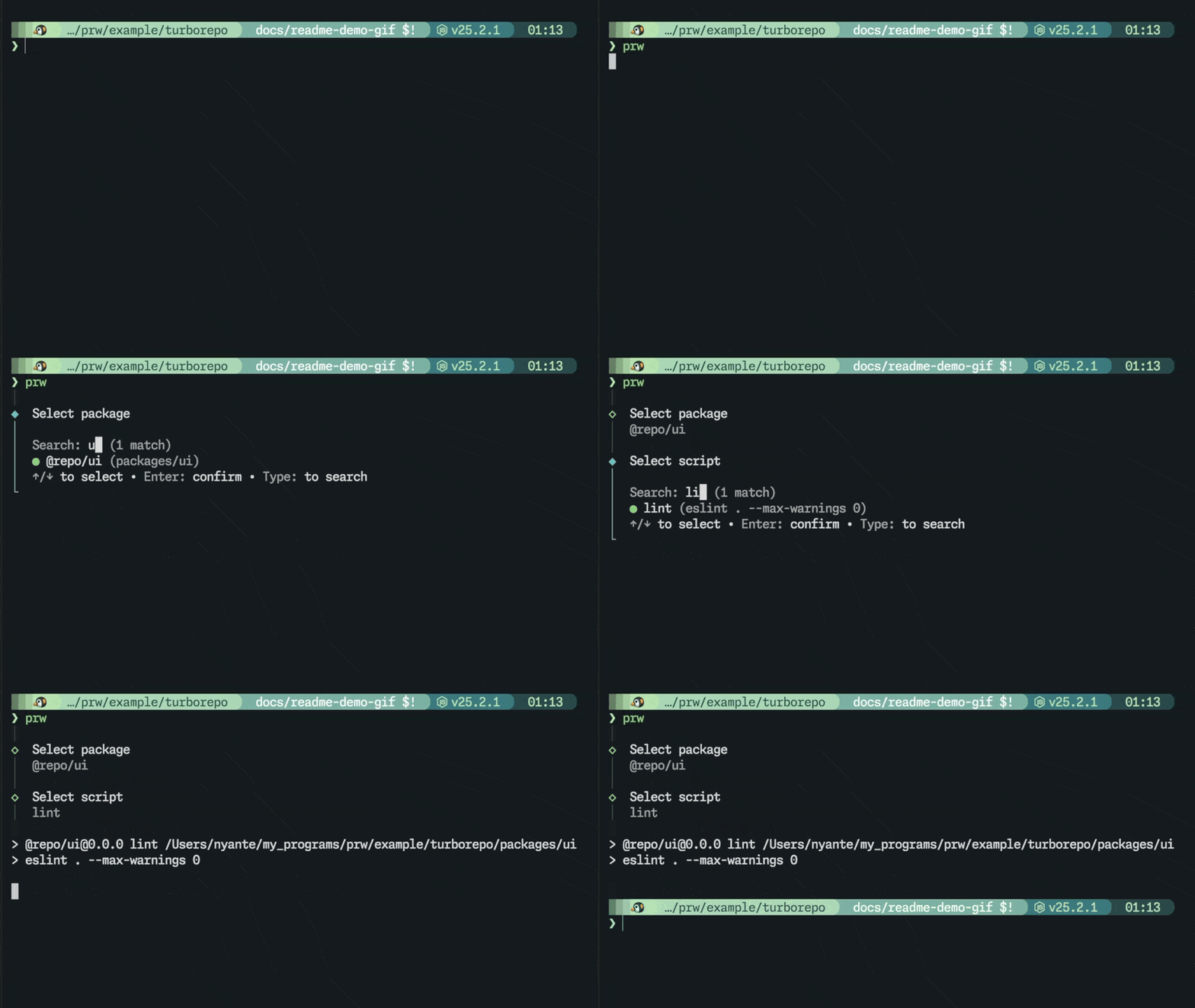
prw is a CLI for interactively selecting a package and script in a pnpm workspace and running it. It only uses existing package.json scripts — no extra config files required.
Installation
npm install -g @nyatinte/prw
# or
pnpm add -g @nyatinte/prw
Usage
1. Start without arguments
prwInteractively select a package and script, then run it. The root package is also available.
2. Pass a package name
prw webPackage names are matched with fuzzy search. If one package matches, it goes straight to script selection. If multiple match, the package picker is shown. Frequently used packages are shown first based on history.
3. Pass both package and script
prw @myapp/web devIf both are unambiguous, prw skips the selection screens and runs immediately.
Frequently used scripts are also shown first based on history.
[!NOTE] You don't need to type the full package name every time. A short query like
prw webis usually enough.
Example
$ prw
│
◆  Select package
│
│  Search: _
│  ● (root)
│  ○ @myapp/web
│  ○ @myapp/api
│  ↑/↓ to select • Enter: confirm • Type: to search
└
After selecting a package, you move on to script selection. The focused script shows its full command in (...).
│
◇  Select package
│  @myapp/web
│
◆  Select script
│
│  Search: _
│  ● dev (vite)
│  ○ build
│  ○ test
│  ↑/↓ to select • Enter: confirm • Type: to search
└
Workspace Layout
.
├─ package.json
├─ pnpm-workspace.yaml
├─ apps/
│  └─ web/
│     └─ package.json
└─ packages/
   ├─ ui/
   │  └─ package.json
   └─ config/
      └─ package.json
With a monorepo like this, you can run scripts from anywhere under apps/ or packages/, from anywhere in the workspace.
Spec
[!IMPORTANT]
prwcan be run from anywhere inside the workspace. It walks up parent directories to find the nearestpnpm-workspace.yaml.
[!NOTE] Usage history is stored per workspace at
$XDG_STATE_HOME/prw/histories/<workspace-id>.json(or~/.local/state/prw/histories/<workspace-id>.jsonwhenXDG_STATE_HOMEis unset).<workspace-id>is a SHA-256 hash of the resolved workspace root path.
License
MIT