
@oak-digital/editorjs-button
v1.0.5
Published
Button to set link and text for Editor.js


Readme
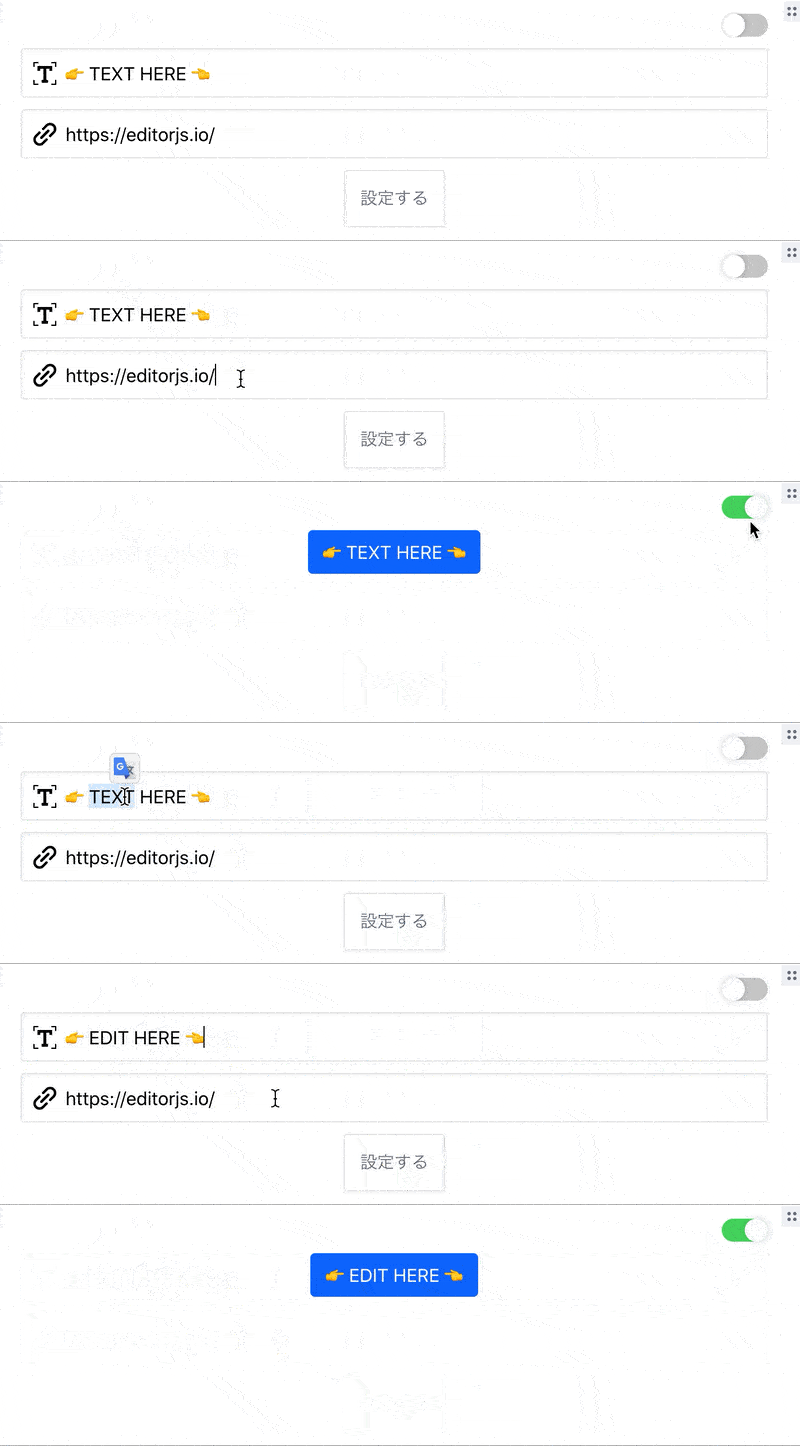
Set Link and Text and Generate button plugin for Editor.js
Installation
Install via NPM
Get the package
npm i --save editorjs-buttonInclude module at your application
const anyButton = require('anyButton');Download to your project's source dir
- Upload folder
distfrom repository - Add
dist/bundle.jsfile to your page.
Load from CDN
https://cdn.jsdelivr.net/npm/[email protected]
Usage
Add a new Tool to the tools property of the Editor.js initial config.
tools: {
        AnyButton: {
          class: AnyButton,
          inlineToolbar: false,
          config:{
            css:{
              "btnColor": "btn--gray",
            }
          }
        },
      },
      i18n: {
        messages: {
          tools: {
            "AnyButton": {
              'Button Text': 'ボタンに表示するテキスト',
              'Link Url': 'ボタンの飛び先のURL',
              'Set': "設定する",
              'Default Button': "デフォルト",
            }
          }
        },
      },
}
Config Params
i18n overwrite if want to change default placeholder text,
i18n: {
    messages: {
      tools: {s
        "AnyButton": {
          'Button Text': 'ボタンに表示するテキスト',
          'Link Url': 'ボタンの飛び先のURL',
          'Set': "設定する",
          'Default Button': "デフォルト",
        }
      }
    },
},
if customize css, input filed, button design, and etc...
config:{
    css:{
      "btnColor": "btn--gray",
    }
}
Output data
| Field | Type | Description |
| ------ | -------- | ---------------- |
| link | string | Exclusion HTML Tag text |
| text | string | Exclusion HTML Tag text |
{
            "type" : "AnyButton",
            "data" : {
                "link" : "https://editorjs.io/",
                "text" : "editorjs official"
            }
        }