
@omartoma/ccpulse
v0.1.7
Published
Real-time analytics dashboard for Claude Code sessions

Maintainers
 omartoma
Readme
ccpulse
A small dashboard for a small problem. One hour. Some snacks. That's it.
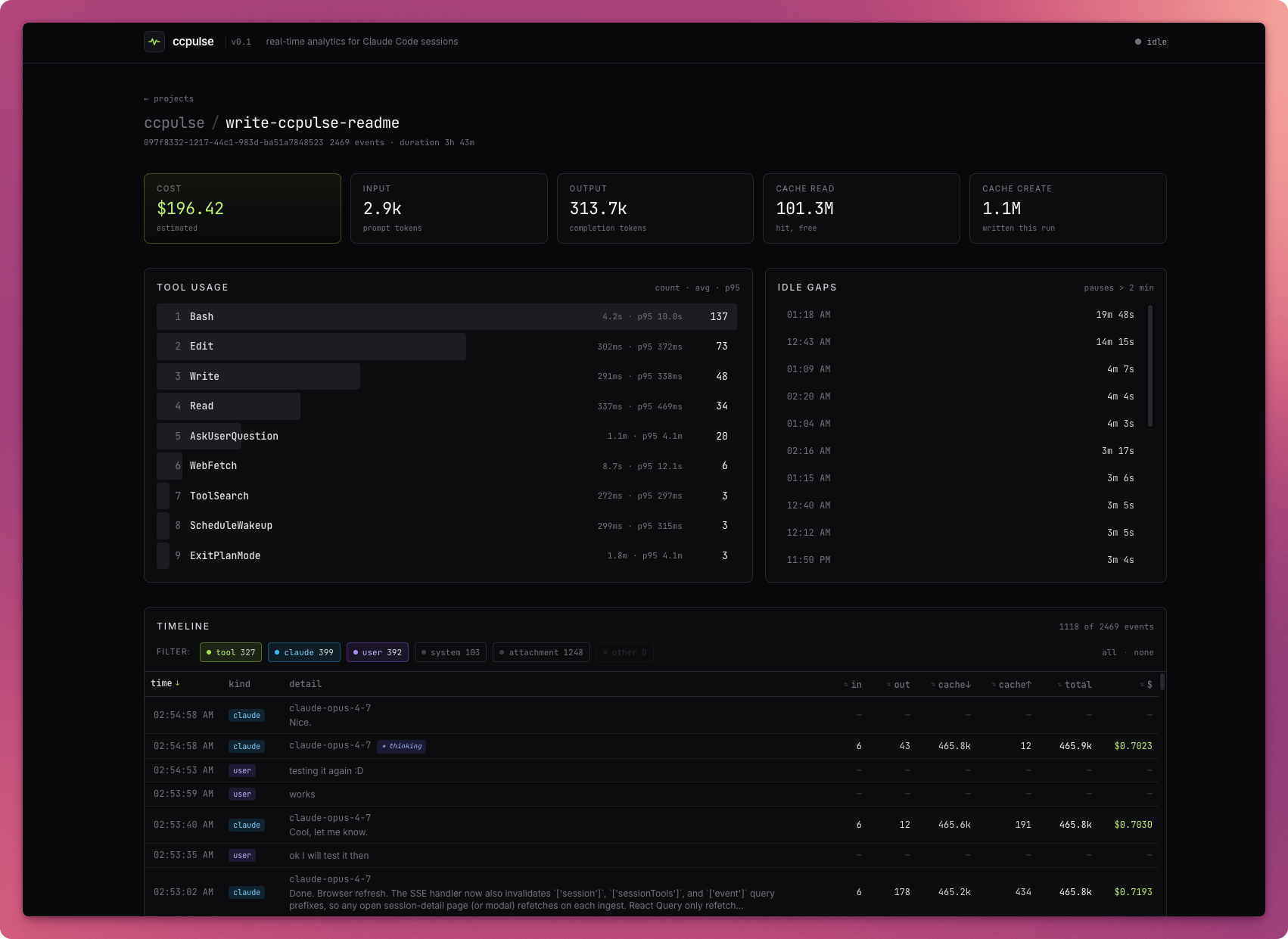
Live, local-first analytics for Claude Code sessions — tokens, cost, tools, latency, timelines — sliced by project and session.
Quickstart
npx @omartoma/ccpulse@latest # starts daemon + opens dashboardOr install globally:
npm i -g @omartoma/ccpulse
ccpulse                                  # same thing
The daemon watches ~/.claude/projects/, indexes events into SQLite, and serves a dashboard at http://localhost:7878. To scope the dashboard to a specific project's cwd, run npx @omartoma/ccpulse@latest open from that directory while the daemon is running.
Other commands:
npx @omartoma/ccpulse@latest daemon --no-open   # daemon without auto-opening browser
npx @omartoma/ccpulse@latest status             # check daemon health
npx @omartoma/ccpulse@latest reindex            # drop SQLite index, rebuild on next start
What it shows
- Per-project rollups — cost, tokens, sessions, tool calls, with a project list sorted by recency.
- Per-session timeline — sortable by time, in / out / cache↓ / cache↑, total tokens, or cost. Filterable by kind (
tool/claude/user/system/attachment). Click any row for a full event modal — message text, tool input JSON, hook payloads, raw JSONL line. - Tool latency — count, avg, p95, per project and per session.
Caveats
Built in about an hour, between snack runs, to scratch a personal itch. Tests cover the parser and not much else. No roadmap. It reads ~/.claude/projects/*.jsonl directly, so it breaks if Anthropic changes that format. Cost numbers use bundled rates that may go stale — drop overrides at ~/.ccpulse/models.json. Requires Node ≥ 22 (uses the built-in node:sqlite).
If it works for you, great. If not, the daemon is local and the data stays on your disk either way.
MIT — @omar-toma