
@onderwijsin/directus-bundle-sluggernaut
v1.3.1
Published
An all in one solution for managing routes


Readme
Sluggernaut
The all-in-one bundle for your slugging needs! This bundle adds multiple extensions to Directus:
- Slug interface
- Path interface
- Link display
- Slug (and path) hooks
- Redirect hooks
Features
- 🔗 Slugify one or multiple input values into a URL-safe value, with optional configurations.
- 🎁 Adds an interface for your slug field, which works seamlessly with the hook extensions.
- 🚀 Adds a readonly interface for your path field, which works seamlessly with the hooks, slug, and redirect extensions.
- ↗️ Adds a link display for your slug and path fields.
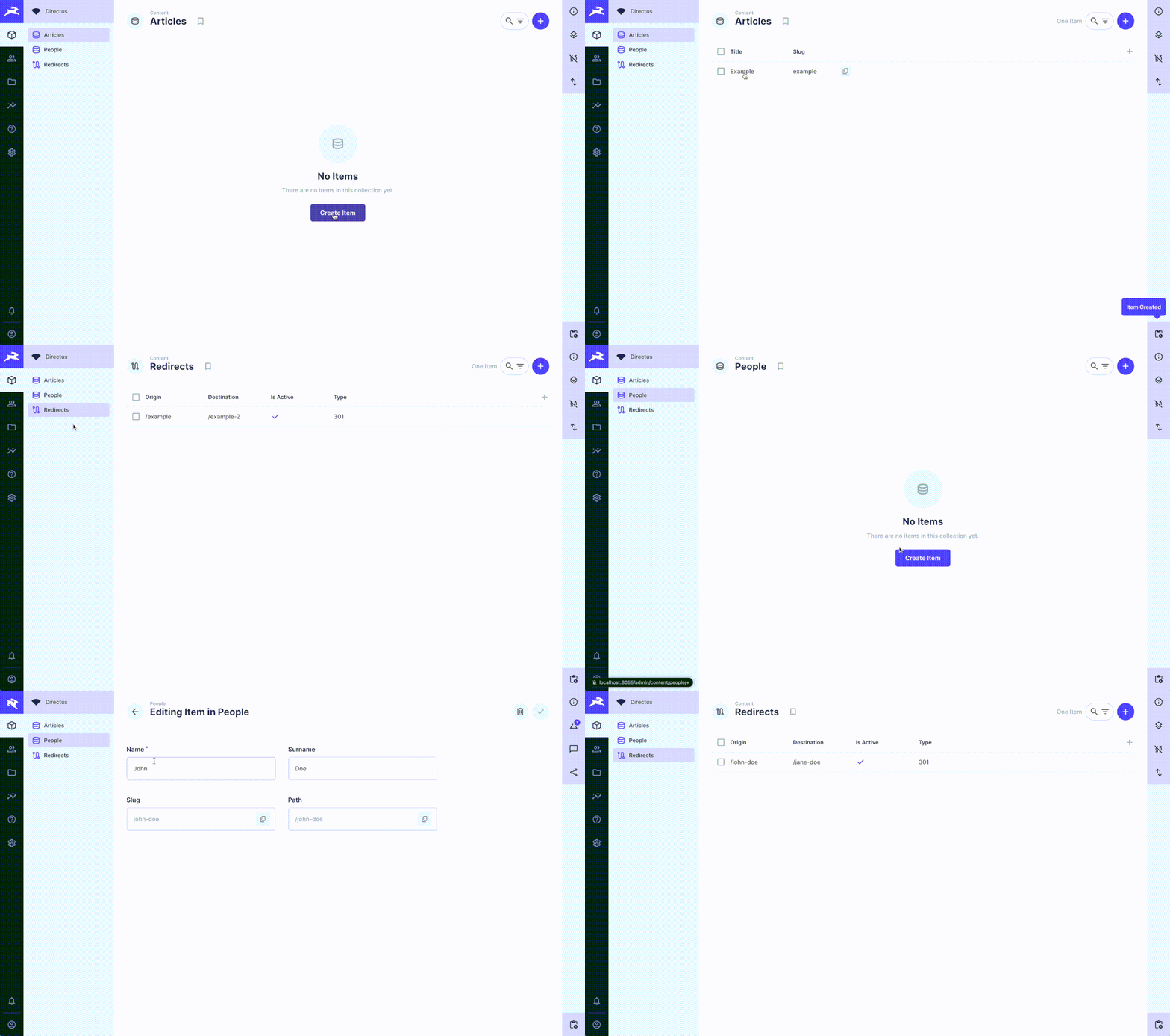
- Creates a redirect collection that can be utilized by front-end applications.
- 🪄 Automatically creates redirects if slug or path values are changed.
⚠️ Schema changes
This extension makes modifications to your existing database schema. It adds a collection redirects and adds fields to directus_settings and directus_collections. Neither of these should interfere with any of you existing data.
However, if you don't want this extension to modify your schema, or want more control over field configuration, you can disable it by setting one of these env vars:
SLUGGERNAUT_DISABLE_SCHEMA_CHANGE="true"DISABLE_EXTENSION_SCHEMA_CHANGE="true" (globally applied to all @onderwijsin extensions)
If you disable schema modifications, you're responsible for the availability of the necessary collections and fields! Please check the ./schema.ts file for reference.
Configuration: Pre-installation
- (Optional) Delete any existing collection named
redirects.
Installation
Refer to the Official Guide for details on installing the extension from the Marketplace or manually.
Configuration: Post-installation
Navigate to the settings panel. There you'll find the following config options:
- Use Namespace: Whether to use a collection's namespace when creating a redirect. If enabled, and if the corresponding collection has a namespace, the redirect will have a shape of:
/{namespace}/{old-slug}>/{namespace}/{new-slug}. - Use Trailing Slash: Whether to use a trailing slash when creating a redirect. If enabled, the redirect will have a shape of:
/{old-slug}/>/{new-slug}/.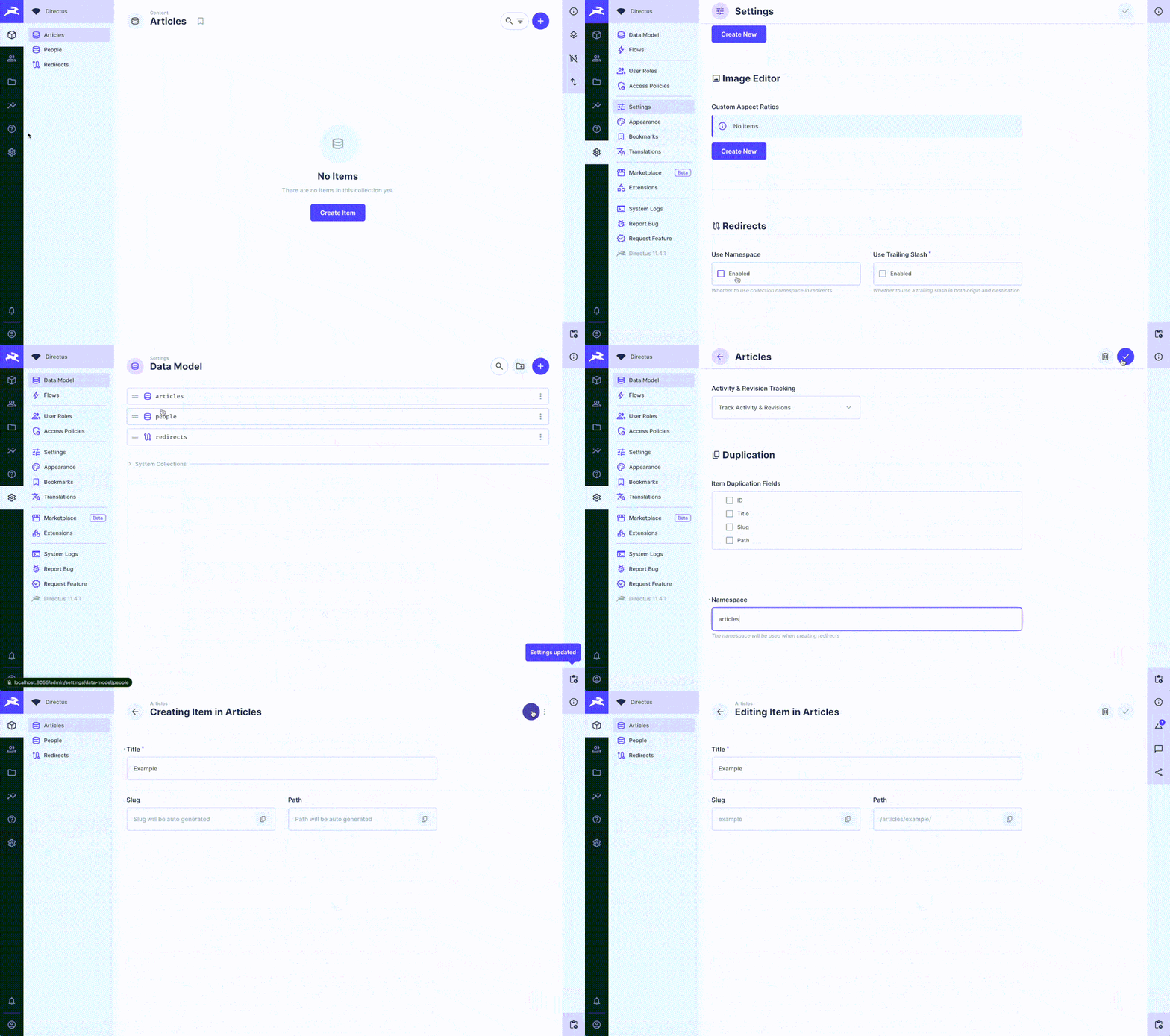
- Use Namespace: Whether to use a collection's namespace when creating a redirect. If enabled, and if the corresponding collection has a namespace, the redirect will have a shape of:
(Optional) Configure namespaces for collections that (will) have a slug field. You can do this by navigating to the data model of the given collection and adding the namespace value.
Add slug fields to collections:
- Create a new field within the data model of a collection.
- Choose "Slug".
- You can use any field key.
- Choose one or more input fields. These need to be equal to the field key of string fields in your collection. For example:
title, or a combination offirst_nameandlast_name. - Choose optional configurations for
locale,on_create_only,make_unique, andlowercase. - Choose "Continue in advanced mode", navigate to "Display" and choose "Slug".
When adding the slug field, please ensure that:
- You allow null values.
- You do NOT require a value to be set on creation.
- It's best to disable manual editing of the slug field.
Add (optional) path fields to each collection that has a slug field:
- Create a new field within the data model of a collection.
- Choose "Path".
- You can use any field key.
- The connected slug field in the collection will be automatically recognized.
- (Optional) Choose a parent field. The parent's path value will be used as a prefix for the child's path.
When adding the path field, please ensure that:
- You allow null values.
- You do NOT require a value to be set on creation.
- Any parent field needs to be a self-referencing M2O field. You cannot use parents from other collections.
(Optional) Configure access policies for the newly created redirect collection. By default, these are only accessible by admin users. We recommend using access filters in the public policy based on the
is_active,start_date, andend_datefields.
Gotchas
- This extension has only been tested with a Postgres database and
DB_CLIENT= "pg". This extension will not work with sqlite3 - This extension will remove redirects where the destination is equal to the slug of items that are published. The extension will look up the archive field of a collection and, if it exists, handle an archive mutation in the same way as a deletion. An item is considered published if the value of the archive_field is one of
['published', 'active', true]. - If multiple input fields are selected, the output value will follow the order in which these fields are defined in the options list.
- If multiple input fields are selected, and you only modified one of these values, the operation will look up the existing value for the other input fields and use these. This means that support for multiple input fields (with lookup for existing values that are missing in the payload) will break if you modify multiple items simultaneously, since the operation can't return unique slug values for each item that was edited. In this case, an error is returned.
- If you remove a field from your data model that is used as an input field for a slug, this extension will break! You should update the slug settings first, before deleting a field
- It is possible to override a slug value by manually editing it. The value provided will be slugified, but any of the selected input fields will be ignored.
- Upon changing Setting > use_trailing_slash, any existing redirect that does not satisfy the new condition will be modified. This will not happen when changing namespaces, so it's best not to change the namespace settings, or you'll need to manually mutate existing redirects.
- You cannot use a path field in a collection that does not have a slug.
- Any parent field needs to be a self-referencing M2O field. You cannot use parents from other collections.
- If you select the current item as its own parent or ancestor, you will create an infinite loop. This extension prevent that from happening. But still: you should add validations and filters to your M2O parent field to prevent this from happening.
- Upon creating a parent item, you should NOT directly assign children! Only after initially creating an item, you can assign children (and expect the children's paths to be updated when an ancestor's slug changes). The best way to enforce this is to hide the children field on details view (on create).
- Archiving a parent item will NOT have any effect on the child's path value.
- You should NEVER update a path value directly. Either update a slug or update an item's parent (or both).