
@openbug/cli
v0.1.9
Published
Real-time AI debugging for running applications


Readme
OpenBug
Real-time AI debugging for running applications


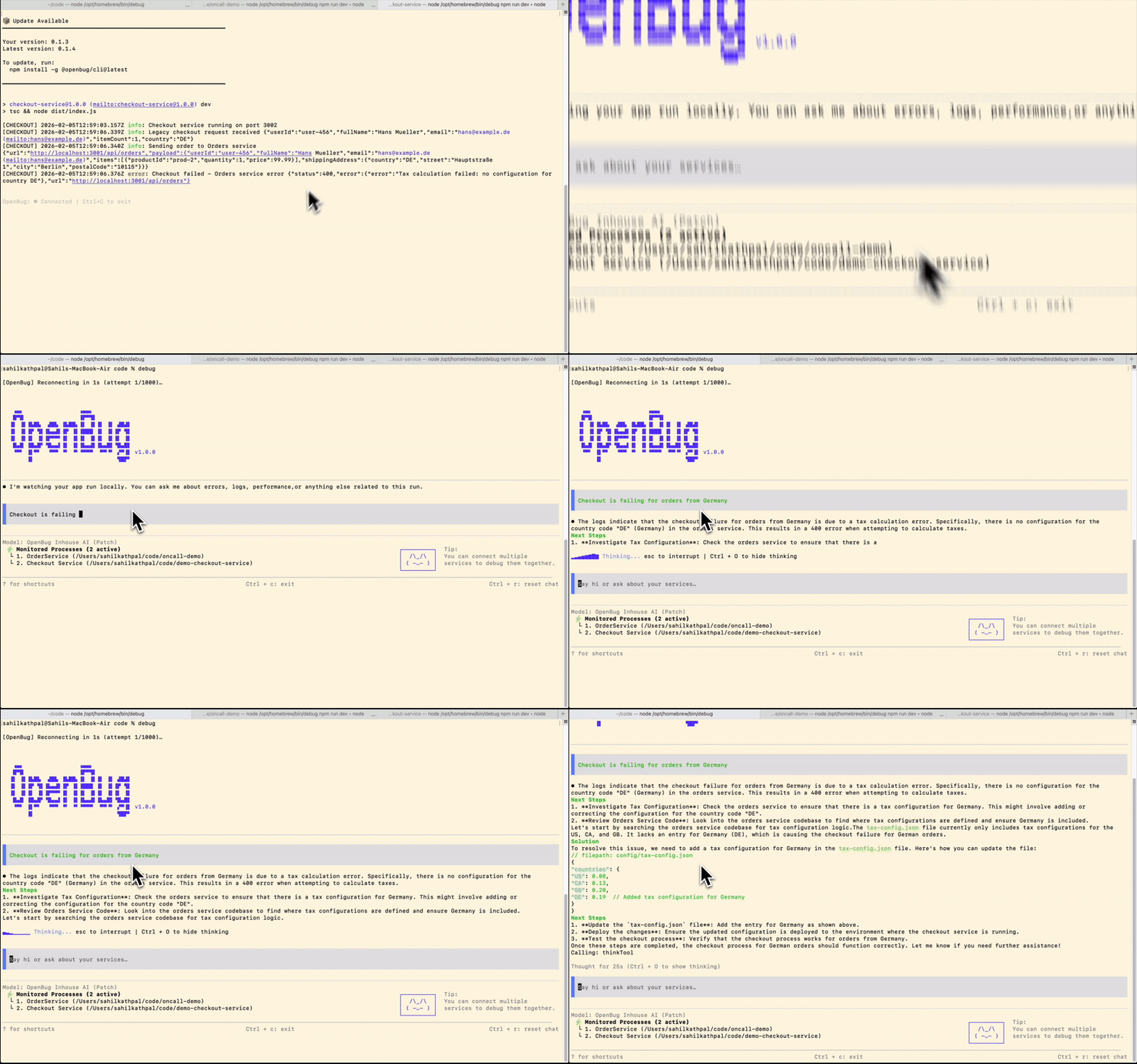
Capture logs automatically, search your codebase in natural language, and chat with an AI that understands your entire system.
Installation
npm install -g @openbug/cliQuick Start
First time setup:
# Terminal 1: Start the AI assistant
debug
You'll be prompted to log in and paste an API key from app.openbug.ai.
Start debugging:
# Terminal 2: Run any command with debugging
debug npm run dev
debug python app.py
debug docker-compose up
Your application runs normally with logs visible. Behind the scenes, OpenBug captures logs, accesses your codebase locally, and makes everything available to the AI assistant running in Terminal 1.
Why OpenBug?
Stop context-switching between logs and code
Ask "why is the auth endpoint failing?" and get answers based on actual runtime logs plus relevant code from your codebase—not generic suggestions.
Debug across multiple services
No more grepping through logs in 5 different terminals. OpenBug sees logs from all connected services and can trace issues across your entire stack.
Understand unfamiliar codebases
Search in natural language: "where do we handle payment webhooks?" The AI searches your actual codebase, not the internet.
How It Works
Terminal 1: AI Assistant          Terminal 2: Your Service
┌─────────────────────────┐       ┌──────────────────────────┐
│ $ debug                 │       │ $ debug npm run dev      │
│                         │       │ Server running on :3000  │
│ You: "Why is auth       │       │ [logs stream normally]   │
│      failing?"          │       │                          │
│                         │◄──────┤ Logs captured            │
│ AI: [analyzes logs +    │       │ Code accessed locally    │
│      searches codebase] │       │ Connected to cluster     │
└─────────────────────────┘       └──────────────────────────┘
          ▲                                  ▲
          │                                  │
          └────────── Local Cluster ─────────┘
                   (ws://127.0.0.1:4466)
                            │
                            │ WebSocket
                            ↓
                ┌────────────────────────────┐
                │   OpenBug AI Server        │
                │                            │
                │  ┌──────────────────────┐  │
                │  │   Agent Graph        │  │
                │  │  • Analyze logs      │  │
                │  │  • Search codebase   │  │
                │  │  • Generate insights │  │
                │  └──────────────────────┘  │
└────────────────────────────┘debugstarts the AI assistant and connects to a local cluster serverdebug <command>runs your service and streams logs to the cluster- Local cluster connects to OpenBug AI server via WebSocket
- Agent Graph processes queries, searches code, and analyzes logs
- Responses flow back through cluster to your terminal
Run multiple services in different terminals—they all connect to the same cluster, so the AI can debug across your entire system.
Typical Workflow
Multi-service debugging:
# Terminal 1: AI Assistant
debug

# Terminal 2: Backend
cd backend
debug npm run dev

# Terminal 3: Frontend
cd frontend
debug npm start

# Back to Terminal 1 (AI)
> "Users can't log in, what's wrong?"
> "Show me logs from the last auth request"
> "Where do we validate JWT tokens?"
The AI sees logs from both services and can search code in both repos.
OpenBug vs AI Coding Assistants
| Feature | OpenBug | Cursor/Copilot/Windsurf | |---------|---------|-------------------------| | Sees runtime logs | ✓ | ✗ | | Multi-service debugging | ✓ | ✗ | | Natural language log analysis | ✓ | ✗ | | Works with running apps | ✓ | Static analysis only |
OpenBug coordinates debugging agents that see what's actually happening when your code runs.
Commands
Start AI assistant:
debugRun with debugging:
debug <any-command>Open browser UI:
debug studioConfiguration
First-Time Project Setup
When you run debug <command> for the first time in a directory, OpenBug will:
- Prompt for a project description
- Create an
openbug.yamlfile - Register the service with the local cluster
Example openbug.yaml:
id: "my-api-service"
name: "api-service"
description: "Express API with PostgreSQL"
logs_available: true
code_available: true
On subsequent runs, OpenBug uses the existing configuration automatically.
Environment Variables
Override defaults by setting these in ~/.openbug/config or as environment variables:
API_BASE_URL=https://api.oncall.build/v2/api
WEB_SOCKET_URL=wss://api.oncall.build/v2/ws
OPENBUG_CLUSTER_URL=ws://127.0.0.1:4466
Privacy & Security
Your code stays local
Your codebase is accessed locally and never uploaded. Only specific code snippets that the AI queries are sent to the server.
Selective log sharing
Logs are streamed to the server only when the AI needs them to answer your questions. You control what runs with debug <command>.
API key authentication
All requests are authenticated with your personal API key from app.openbug.ai.
Self-Hosting
To run your own OpenBug server:
- Clone the server repository
- Configure with your OpenAI API key
- Point the CLI to your server:
export WEB_SOCKET_URL=ws://localhost:3000/v2/ws
export API_BASE_URL=http://localhost:3000/v2/api
See the server README for full setup instructions.
Keyboard Shortcuts
Terminal UI:
Ctrl+C– ExitCtrl+D– Toggle chat/logs viewCtrl+R– Reconnect/reload
Browser UI:
Ctrl+O– Toggle full/trimmed chat history
Current shortcuts are shown in the bottom status bar.
Requirements
- Node.js 20+
- npm, yarn, or bun
Documentation
For advanced usage, custom integrations, and troubleshooting:
Contributing
The codebase is designed to be readable and hackable:
- Entry point:
bin/openbug.js - TUI components:
index.tsxandsrc/components/* - Utilities:
helpers/*andsrc/utils/*
Pull requests and issues welcome!