
@openserv-labs/ai-cofounder
v0.1.7
Published
AI cofounder — multi-agent workspace manager built on Pi; orchestrates AI coding agents with tick-based scheduling, priority queues, inbox IPC, cron jobs, and optional Docker sandbox isolation.


Readme
@openserv-labs/ai-cofounder
Multi-agent workspace manager built on Pi. Orchestrates AI coding agents with tick-based scheduling, priority queues, inbox IPC, cross-agent file access, watchdog monitoring, proactive cron jobs, optional Docker sandbox isolation, and declarative YAML configuration.
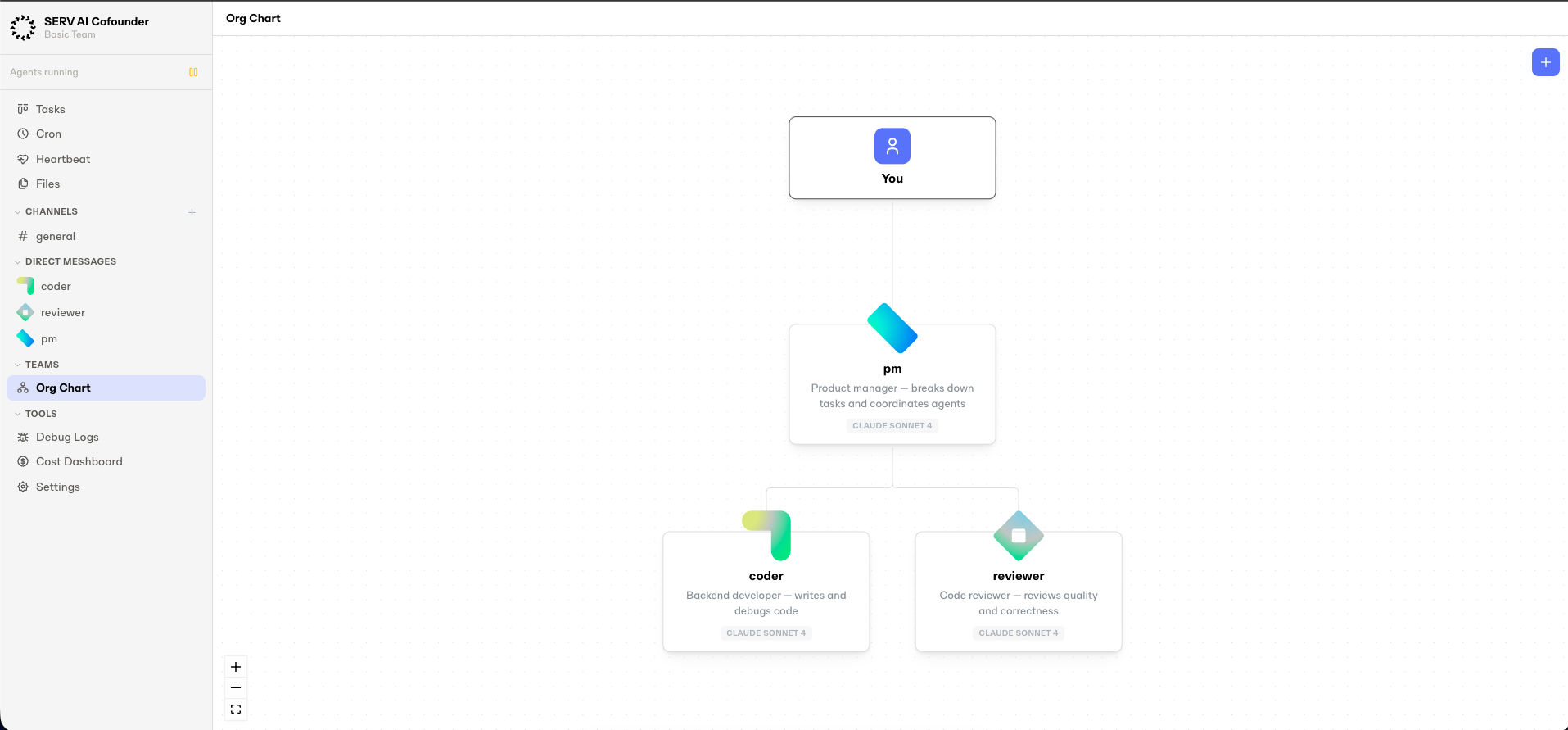
Installation
npm install -g @openserv-labs/ai-cofounderGet Started
ai-cofounder quickstartThat's it. The dashboard URL is printed to your terminal — open it in your browser and pick a template from the lobby to start the office. Log in to your LLM provider via OAuth from the dashboard (or the pre-boot Setup Wizard) — no API keys or manual config needed.
Available templates:
| Template | Description |
| --------------- | ---------------------------------------------------- |
| basic-team | PM, coder, and reviewer (GitHub Copilot OAuth) |
| feature-team | Task-driven development with Kanban board |
| openserv-team | Idea scout, team lead, agent dev, and token launcher |
To skip the lobby and boot a specific template directly, use start with --office:
ai-cofounder start --office basic-teamFor templates that need env vars (e.g. openserv-team), create a .env file in your current directory and fill in the required values before starting.
Stop: Press Ctrl+C in the terminal for graceful shutdown.
Setup Wizard
Important: the wizard prompts you in the terminal window where you launched
ai-cofounder, not in the browser. When you pick an office from the dashboard lobby, the browser will show a "Starting…" spinner while the wizard waits for your input in the terminal — switch back to your terminal to answer the prompts, then the office will finish booting and the dashboard will render.
On first boot, if any agent is missing credentials, an interactive wizard opens in the terminal. It groups agents by the model provider they share, so you authenticate once per provider instead of once per agent.
For each group the wizard offers the auth methods the provider actually supports, plus an option to switch the group to a different provider entirely (handy when the template defaults to a provider you do not have access to):
[setup] 3 agent(s) across 1 credential group(s) need setup.

[setup] github-copilot — needed by 3 agents (coder, reviewer, pm)
  Pick an auth method:
    [1] OAuth — log in to github-copilot (default)
    [2] Use a different provider
    [3] Skip for now
  Choose [1]: 2

  Which provider would you like to use?
    [1] anthropic (OAuth or API key) — Claude — Sonnet / Opus / Haiku
    [2] openai (API key) — GPT-5.4, o4-mini, codex
    [3] openai-codex (OAuth) — ChatGPT Plus/Pro with Codex
    [4] github-copilot (OAuth) — Copilot subscription
    [5] google (API key) — Gemini 2.5
    [6] google-gemini-cli (OAuth) — Google Cloud Code Assist
    [7] xai (API key) — Grok
    [8] mistral (API key)
    [m] more…
  Choose: 1

  anthropic auth method:
    [1] OAuth — log in to anthropic
    [2] ANTHROPIC_API_KEY — paste API key
    [3] Cancel
  Choose: 2
  Paste ANTHROPIC_API_KEY (or Enter to skip): sk-ant-•••
  ANTHROPIC_API_KEY saved to .env
  Applied anthropic:claude-sonnet-4-20250514 to 3 agents
  (Change model from the dashboard Config tab if you want a different one.)
Choices:
- OAuth — runs the provider's login flow (device code or browser). Credentials are written to
~/.ai-cofounder/offices/<id>/oauth/<provider>.jsonand each agent'sauth:field is set tooauth:<provider>. - API key — prompts for the key, appends it to
.envunder the provider's standard env var (e.g.ANTHROPIC_API_KEY), and clears any staleauth: oauth:*field so the env key path is used. - Use a different provider — lists all supported providers and their auth methods; switches the whole group's
model:to the new provider's default (e.g.anthropic:claude-sonnet-4-20250514) and saves credentials accordingly. Pick a specific model afterwards from the dashboard Config tab — the wizard does not walk the 700+ model catalogue. - Skip — the agents stay in an "awaiting credentials" state and auto-spawn later when credentials become available (see Awaiting Credentials).
Pass --no-setup to skip the wizard entirely (useful for CI or non-interactive terminals).
Terminal Controls
While the dashboard is running, the terminal accepts these hotkeys:
u— reprint the current dashboard URL (useful if your terminal scrollback was cleared)n— invalidate the current token and generate a new URL (useful if you want to log in from a different browser, or if you suspect the URL leaked)Ctrl+C— graceful shutdown
The dashboard URL is a one-time link: once you open it, the session is persisted in that browser's cookie. To authenticate a second browser, press n for a fresh URL.
Table of Contents
- Architecture
- Quick Start
- Setup Wizard
- Terminal Controls
- OAuth Authentication
- Multi-Office Architecture
- Sandbox Modes
- Commands
- Agent Tools
- Concepts
- Prompt Inspection
- Cost Tracking
- Web UI
- End-to-End Examples
- License
Architecture
graph TD
    YAML[office.yaml] --> WS
    CLI[CLI + Web UI] --> WS[Workspace]

    WS --> SCH[Scheduler\ntick loop]
    WS --> BUS[MessageBus\ninboxes]
    WS --> WD[Watchdog\nheartbeat]
    WS --> CRON[CronService\nscheduled jobs]
    WS --> TS[TaskService\nKanban board]

    WS -->|in-process| A[Agent A\nPi · tools · skills]
    WS -->|in-process| B[Agent B\nPi · tools · skills]

    WS -->|Docker sandbox| HA[Host API\nHTTP :13000]
    HA <-->|HTTP| SA[Sandbox A\nDocker · Pi · proxy tools]
    HA <-->|HTTP| SB[Sandbox B\nDocker · Pi · proxy tools]

    BUS --> A
    BUS --> B
    BUS --> HA
Core flow: office.yaml (auto-spawn) / CLI / Web UI / Cron / Agent cron tools / Task notifications -> Workspace -> Scheduler tick -> drain inbox -> dispatch to Pi Agent -> agent runs tools -> response streamed to UI.
Each agent is a full Pi coding agent with its own filesystem workspace, skills, and injected tools (message_user, post_channel, message_agent, list_agents, read_agent_file, authenticated_fetch, cron_add, cron_remove, cron_list, task_create, task_update, task_list, task_get, task_delete, read_skill, skill_search, skill_install, skill_remove, skill_create). The scheduler runs a tick loop that serves agents by priority, one message per tick per agent, non-blocking.
Agents can run in-process (default) or inside Docker containers for full process-level isolation.
Quick Start
# Create an office
ai-cofounder office create my-team

# Start (Web UI auto-starts)
ai-cofounder start --office my-team

# Start with Docker sandbox isolation
ai-cofounder start --office my-team --sandbox docker
Create a .env file in your working directory with your provider API keys. Each model requires its corresponding provider key:
# Model API Keys (required for agents using these models)
OPENAI_API_KEY=sk-...                    # For OpenAI models (gpt-4o, etc.)
ANTHROPIC_API_KEY=sk-...                 # For Anthropic models (Claude, etc.)
GEMINI_API_KEY=...                       # For Google Gemini models
XAI_API_KEY=...                          # For xAI Grok models

# Optional: Custom secret refs for office.yaml agents
# MY_GH_TOKEN=ghp_...                     # Host env vars for authenticated_fetch secrets
Authentication: Each model needs credentials. You can use either API keys (.env) or OAuth:
- API keys — set in
.env(e.g.OPENAI_API_KEY=sk-...). Required when the model's provider has no OAuth credentials. - OAuth — log in via the web UI dashboard. OAuth tokens auto-refresh and don't require
.envkeys.
When both OAuth credentials and an API key exist for a provider, you can switch between them per-agent in the Web UI. See OAuth Authentication for details.
See the Dynamic Model Discovery section below for how to browse available models and their requirements in the Web UI.
OAuth Authentication
As an alternative to API keys in .env, agents can authenticate with model providers via OAuth. Credentials can be obtained two ways:
- Pre-boot terminal wizard — the Setup Wizard runs the OAuth flow right in your terminal before agents start.
- Web UI dashboard — open the dashboard and use the OAuth provider list to log in at any time.
Either path saves credentials to the same per-office location. After any successful login, agents that were waiting for those credentials auto-spawn without a restart — so you can start the office with missing credentials, log in from the dashboard, and watch the remaining agents come online.
Supported Providers
| Provider ID | Name | Flow Type | Account needed |
| -------------------- | ----------------- | --------------- | ------------------------------------ |
| anthropic | Anthropic | Code paste | Claude Pro/Max or API billing |
| openai-codex | OpenAI | Callback server | ChatGPT Plus/Pro (Codex access) |
| github-copilot | GitHub Copilot | Device code | GitHub Copilot subscription |
| google-gemini-cli | Google Gemini CLI | Callback server | Google account with Gemini access |
| google-antigravity | Antigravity | Callback server | Google Antigravity access |
Flow types:
- Code paste — the flow opens a URL; after authorizing, the user copies an authorization code from the browser and pastes it back into the prompt.
- Device code — the flow shows a short user code; the user visits a URL, enters the code there, and the client polls until approval completes.
- Callback server — the flow starts a local HTTP server and completes automatically when the browser redirects back.
None of these require a separate CLI tool to be installed; the OAuth handshake runs inside ai-cofounder via @mariozechner/pi-ai.
Web UI Login
OAuth login is managed entirely from the web UI dashboard. Start the office and open the dashboard URL — the OAuth provider list shows connection status and login/logout controls.
Credentials are stored at ~/.ai-cofounder/offices/<id>/oauth/<provider>.json and auto-refresh when tokens expire.
Using OAuth in office.yaml
Set the auth field on an agent to use OAuth instead of an API key:
agents:
  designer:
    model: anthropic:claude-sonnet-4-20250514
    auth: "oauth:anthropic" # use OAuth credentials
  reviewer:
    model: openai:gpt-4o
    auth: "oauth:openai-codex" # use OAuth credentials
  analyst:
    model: google:gemini-2.0-flash
    # no auth field — falls back to GEMINI_API_KEY from .env
The auth field format is oauth:<provider-id>. When set, the agent uses stored OAuth credentials with automatic token refresh instead of a static API key.
Web UI Auth Selector
When OAuth credentials exist for an agent's model provider, the Web UI Config tab shows an Auth selector to switch between "API Key" and "OAuth" modes. The UI also displays all authenticated providers as green badges with one-click removal.
The auth selector only appears when credentials are available — if no OAuth login has been done for a provider, agents use API keys by default.
Multi-Office Architecture
Each office represents a company or team with shared identity, env vars, and secrets. Offices live under ~/.ai-cofounder/offices/<id>/.
Creating an Office
# Create with default display name (same as id)
ai-cofounder office create acme

# Create with a custom display name
ai-cofounder office create acme --name "Acme Corp"
Office IDs must be path-safe: lowercase letters, digits, hyphens, underscores (matching [a-z0-9][a-z0-9_-]*). The display name (office.name in YAML) is free-form.
Office Configuration (office.yaml)
Define your office once in ~/.ai-cofounder/offices/<id>/office.yaml and agents auto-spawn on startup.
# ~/.ai-cofounder/offices/acme/office.yaml
office:
  name: Acme Corp
  description: "We build AI-powered widgets"
  env:
    SHARED_API_URL: https://api.acme.com
  secrets:
    SHARED_TOKEN: ${ACME_TOKEN}
  cron:
    standup:
      schedule: "0 9 * * 1-5"
      report_channel: general
      tasks:
        - title: "Daily standup"
          assignee: pm

agents:
  designer:
    model: anthropic:claude-sonnet-4-20250514
    priority: normal # idle | low | normal | high | critical (or 0-4)
    thinking: low # off | minimal | low | medium | high | xhigh
    description: "Frontend designer — builds HTML/CSS"
    prompt_inline: |
      You are a frontend designer specializing in responsive layouts.
      Focus on clean, semantic HTML and modern CSS.
    skills:
      - nichochar/web-skills
    auth: "oauth:anthropic" # optional — use OAuth instead of API key
    api_key_ref: MY_CUSTOM_KEY # optional — host env var name for model key override
    env: # non-sensitive, passed as Docker --env (agent overrides office)
      LOG_LEVEL: debug
      WORKSPACE_NAME: designer
    secrets: # sensitive, ${VAR} refs only — delivered via authenticated_fetch
      GITHUB_TOKEN: ${MY_GH_TOKEN}
    disclose_secrets: true # show secret names in system prompt (default: false)
    permissions:
      office_cron: true # allow managing office-level cron jobs

  reviewer:
    model: openai:gpt-4.1
    priority: high
    thinking: medium
    description: "Code reviewer"
Office-level env and secrets are inherited by all agents. Agent-level values override office-level.
All agent fields are optional. Agents are spawned sequentially in declaration order; if one fails, the rest still start. Model availability depends on your provider account — replace the model value with your preferred provider:model-id if the default is unavailable.
| Field | Type | Default | Description |
| ------------------ | ---------------- | ------------------------------------------------------ | -------------------------------------------------------------------------------- |
| model | string | anthropic:claude-sonnet-4-20250514 | provider:model-id |
| priority | string | number | normal | Priority name or 0-4 |
| thinking | string | low | off / minimal / low / medium / high / xhigh |
| description | string | "" | Visible to other agents |
| prompt_inline | string | (none) | Custom instructions (inline text, appended to base prompt) |
| cwd | string | ~/.ai-cofounder/offices/<id>/agents/<name>/workspace | Working directory |
| skills | string[] | [] | GitHub sources to auto-install (owner/repo) |
| auth | string | (none — uses API key) | Auth mode: oauth:<provider-id> for OAuth (see OAuth) |
| api_key_ref | string | (auto from provider) | Host env var name for model API key |
| env | map | {} | Non-sensitive env vars (Docker --env, supports ${VAR} refs) |
| secrets | map | {} | Secret refs in ${VAR} format (delivered via authenticated_fetch) |
| disclose_secrets | boolean | false | Show secret names in system prompt |
| cron | map | {} | Named cron jobs (see Cron Jobs) |
| reports_to | string | (none — reports to user) | Name of manager agent (see Hierarchy) |
| permissions | map | {} | Agent permissions (see Permissions, Tool Policy) |
| prompt_mode | string | "full" | full (all blocks) or minimal (base + identity + custom only) |
| on_demand_skills | boolean | true | Advertise skill summaries; load full content on demand via read_skill |
| heartbeat | map | (none) | Proactive heartbeat config (see Heartbeat) |
Task tools (task_create, task_update, task_list, task_get, task_delete) are available to all in-process agents by default. Restrict access via permissions.tools.deny. See Task Management.
Heartbeat
Agents can run proactively via heartbeats — periodic messages that prompt agents to check for work or run maintenance without external triggers.
agents:
  monitor:
    heartbeat:
      interval_ms: 60000
      prompt: "Check for pending work and report status"
      active_hours:
        start: "09:00"
        end: "17:00"
| Field | Required | Default | Description |
| -------------- | -------- | ----------- | -------------------------------------------------------------------------------- |
| interval_ms | yes | — | Interval in milliseconds between heartbeats. Minimum 60000 (1 minute) |
| prompt | no | (default) | Custom prompt text for heartbeat messages |
| active_hours | no | (none) | Restrict heartbeats to a time window with start / end in HH:MM 24-hour form |
active_hours.start must be earlier than active_hours.end on the same day — overnight ranges (e.g. 22:00–06:00) are not supported.
Heartbeat messages are injected with from: "__heartbeat__" and formatted as [Heartbeat]\n<prompt>. Busy agents (status running) are skipped.
Permissions
The permissions field controls which privileged operations an agent may perform:
| Permission | Type | Default | Description |
| ------------- | ------- | ------- | ------------------------------------------------------------------ |
| office_cron | boolean | false | Allow managing office-level cron jobs via cron_add/cron_remove |
Permissions are validated at config parse time. Unknown keys or non-boolean values are rejected.
Tool Policy
The permissions.tools field restricts which tools an agent may use:
agents:
  restricted-bot:
    permissions:
      tools:
        deny: [cron_add, cron_remove] # blacklist — all except these
        # OR
# allow: [message_agent, list_agents] # whitelist — only thesedeny— blacklist: agent has all tools except the listed ones.allow— whitelist: agent has only the listed tools.- Cannot specify both
allowanddeny— validation error at parse time. - Default (no
toolsfield): all tools available. - Server-side enforcement: in Docker sandbox mode, denied tools are also blocked at the host level.
Permission Management
Defaults: office_cron is false; tools are all allowed unless allow or deny is set. Setting both allow and deny is a validation error.
Permissions can be viewed and edited from the Web UI Config tab. Changes are saved to office.yaml and applied on office reload.
Hierarchy
The reports_to field defines a manager for each agent, creating an org tree. Agents without reports_to report directly to the user. The hierarchy is injected into the system prompt so each agent knows its manager, peers, and direct reports.
agents:
  lead:
    description: "Team lead"
  coder:
    reports_to: lead
  reviewer:
    reports_to: lead
Validation rules:
- Must reference a valid agent name (same
[a-zA-Z0-9_-]+format) - Self-reference is rejected
- Cycles are detected and rejected (e.g. A reports to B, B reports to A)
- Unknown agent references are rejected
Hierarchy changes trigger agent restarts (prompts are recomposed with updated context).
Auto-Sync
The Web UI automatically keeps office.yaml in sync:
- Hiring an agent persists it to YAML (use
--ephemeralto skip) - Firing an agent removes it from YAML
- Skill add/remove updates the agent's
skillsarray in YAML (GitHub source model)
skills.sh package installs (skill_search / skill_install tools or UI install) write files under agents/<agent>/skills but do not auto-edit office.yaml.
All writes are atomic (temp file + rename) and serialized through a two-layer lock (in-process queue + cross-process file lock) per office.
Reload
Reload and validation are available through the Web UI Settings page. You can also validate from the CLI without starting a workspace:
ai-cofounder office validate <id>Cron Jobs
Agents can run proactively on schedules via per-agent cron jobs. The host-side CronService manages timers and creates structured tasks via TaskService — giving cron-triggered work full Kanban visibility, dependency chaining, and completion reporting.
Breaking change:
messageandtargetsfields have been replaced by atasksarray. Each task requirestitleandassignee.
# In office.yaml under the agents section:
agents:
  standup-bot:
    model: anthropic:claude-sonnet-4-20250514
    cron:
      daily-standup:
        schedule: "0 9 * * 1-5" # 5-field only (min hour dom month dow)
        timezone: "America/New_York" # optional, default UTC
        catch_up: once # optional: "skip" (default) | "once"
        enabled: true # optional, default true
        report_channel: general # optional, post completion summary to this channel
        tasks:
          - title: "Daily standup report"
            description: "Report your status for today's standup"
            assignee: standup-bot
| Field | Required | Default | Description |
| ---------------- | -------- | -------- | ------------------------------------------------------------------------ |
| schedule | yes | — | 5-field cron expression (@daily/@hourly rejected) |
| tasks | yes | — | Array of task templates; each requires title and assignee |
| timezone | no | UTC | IANA timezone for schedule evaluation |
| catch_up | no | skip | skip = ignore missed fires on restart; once = fire one catch-up task |
| enabled | no | true | Set false to pause without removing |
| report_channel | no | (none) | Channel name to post task completion summaries to |
Each task in the tasks array supports:
| Field | Required | Description |
| ---------------- | -------- | ----------------------------------------------------- |
| title | yes | Task title shown in Kanban board |
| assignee | yes | Agent name to assign the task to |
| description | no | Detailed instructions for the assignee |
| parent_id | no | Parent task ID (T-prefixed) to nest under |
| report_channel | no | Per-task channel override for completion notification |
Job names must match [a-zA-Z0-9_-]+. Each agent can have 0-N named jobs (max 10 per agent via tools).
Task chaining: Multiple tasks in a single cron job are automatically chained — each task depends on the previous one completing. The chain fires with CRITICAL priority.
Catch-up behavior: On restart, if catch_up: once and a fire was missed since the last run, one immediate task chain is created. First-ever run (no prior state) never catches up. State persists to ~/.ai-cofounder/offices/<id>/cron/state.json.
Safety guards: Tasks are always created regardless of agent status — they queue in the agent's inbox. A global dispatch cap of 60 cron jobs per minute prevents misconfigured schedules from flooding the task queue.
Cron Management
Cron jobs are managed through the Web UI Cron page. You can list, add, remove, enable/disable, and trigger jobs. Changes to office.yaml require an office reload to take effect.
Office-Level Cron
In addition to per-agent cron, you can define office-level cron jobs that create task chains across multiple agents:
# In office.yaml under the office section:
office:
  cron:
    standup:
      schedule: "0 9 * * 1-5"
      timezone: "America/New_York"
      report_channel: general
      tasks:
        - title: "Daily standup report"
          description: "Report your status for today's standup"
          assignee: pm
        - title: "Standup review"
          description: "Review and summarize the standup reports"
          assignee: lead
    weekly-review:
      schedule: "0 17 * * 5"
      tasks:
        - title: "Weekly progress summary"
          description: "Summarize this week's progress"
          assignee: pm
| Field | Required | Default | Description |
| ---------------- | -------- | -------- | ------------------------------------------------------------------------ |
| schedule | yes | — | 5-field cron expression |
| tasks | yes | — | Array of task templates; each requires title and assignee |
| timezone | no | UTC | IANA timezone for schedule evaluation |
| catch_up | no | skip | skip = ignore missed fires on restart; once = fire one catch-up task |
| enabled | no | true | Set false to pause without removing |
| report_channel | no | (none) | Channel name to post task completion summaries to |
Assignee names are validated at parse time. Typos fail fast:
[office] office.cron.standup: unknown assignee agent "codre"Activation: YAML edits require an office reload to take effect.
Office-level cron jobs are also managed through the Web UI Cron page. They appear with an [office] scope tag. The global 60/minute dispatch cap applies.
Agent Cron Tools
In addition to operator-managed cron (Web UI/API), agents can self-manage cron jobs via three built-in tools: cron_add, cron_remove, and cron_list. cron_trigger remains operator-only.
Agent scope (default) — agents manage their own jobs with no special permission. Max 10 jobs per agent.
agent calls cron_add:
  name: "nightly-report"
  schedule: "0 22 * * *"
  tasks:
    - title: "Generate nightly summary report"
      assignee: "self"

-> Cron job "nightly-report" saved and activated (At 10:00 PM).
Office scope — requires permissions: { office_cron: true } in office.yaml. Tasks can be assigned to any agent.
agent calls cron_add:
  name: "standup"
  schedule: "0 9 * * 1-5"
  scope: "office"
  tasks:
    - title: "PM standup report"
      description: "Report your status"
      assignee: "pm"
    - title: "Coder standup report"
      description: "Report your status"
      assignee: "coder"

-> Cron job "standup" saved and activated (At 09:00 AM, Monday through Friday).
Visibility: cron_list shows all office-level jobs plus only the calling agent's own agent-scope jobs. No cross-agent visibility.
Error handling: Malformed or invalid office.yaml returns a tool error — no silent success. Validation errors (bad schedule, unknown assignees), parse failures, and permission denials all produce explicit error messages.
Audit trail: Every action (success, denial, or error) is logged to <officeDir>/logs/cron-audit.jsonl and printed to stdout with [cron-audit] prefix.
Security: Agent-scope writes are isolated to the calling agent's YAML section (identity derived from auth token). All mutations run under withOfficeLock with race-free activation from the same parsed document.
Task Management
Agents can create, assign, and track tasks through a shared Kanban-style task system. The TaskService manages task state, enforces status transitions, resolves dependency chains, and dispatches notifications via the message bus.
Task tools (task_create, task_update, task_list, task_get, task_delete) are registered as default tools for all agents. Restrict access per agent via permissions.tools.deny. Task proxy endpoints are available via Host API.
Cron integration: Cron jobs now create tasks instead of sending messages. Tasks fired by cron are tagged with createdBy: "__cron__" and appear in the Kanban board with CRITICAL priority. Use task_list with createdBy: "__cron__" to query them. Task completion can trigger a channel notification via the report_channel field on the task or on the parent cron job definition.
Task Lifecycle
Tasks follow a Kanban status flow with enforced transitions:
waiting → todo → in_progress → done
                             → failed
| Status | Allowed transitions |
| ------------- | ------------------- |
| waiting | todo |
| todo | in_progress |
| in_progress | done, failed |
| done | (terminal) |
| failed | (terminal) |
Tasks can be deleted from any state. Deleting a task cleans up dependency references and auto-unblocks dependent tasks.
Dependency behavior: Tasks created with dependsOn start in waiting regardless of the requested status. When all dependencies reach done, the TaskService auto-transitions the blocked task to todo and sends a [Task Ready] notification to the assignee.
Notifications: New task assignments dispatch [New Task] messages. Dependency resolution dispatches [Task Ready] messages. Both are sent from __task__ via the message bus.
The message bus applies a dedicated higher limit for __task__ notifications (40 messages / 30s) so task events are less likely to be dropped under bursty updates.
Audit trail: All task mutations are logged to <officeDir>/logs/task-audit.jsonl.
Persistence: Task state is stored at <officeDir>/tasks/tasks.json.
Task Agent Tools
Agents interact with tasks via four built-in tools:
agent calls task_create:
  title: "Implement login page"
  description: "Build login form with email/password fields and validation"
  assignee: "coder"
  dependsOn: []

-> Created task T-a1b2c3 (status: todo)
-> [New Task] notification sent to coder
agent calls task_update:
id: "T-a1b2c3"
status: "done"
result: "Implemented login with email/password auth"
-> Task T-a1b2c3 updated to done
-> Dependent tasks auto-transition to todoagent calls task_list:
assignee: "coder"
status: "in_progress"
-> Returns filtered list of tasksagent calls task_get:
id: "T-a1b2c3"
-> Returns full task details (title, description, status, assignee, dependencies, timestamps)Kanban Board
The Web UI includes a Kanban board accessible from the sidebar "Tasks" item. Columns: waiting, todo, in_progress, done. Filter by agent using the segmented control. Click a task card to view full details or delete it.
Migration from agents.yaml
If you have a legacy ~/.ai-cofounder/agents.yaml, migrate to the multi-office format:
# Preview what will happen
ai-cofounder office migrate --name my-team --dry-run

# Run the migration (copies data, renames agents.yaml → agents.yaml.bak)
ai-cofounder office migrate --name my-team

# Verify everything works
ai-cofounder start --office my-team

# Clean up old files (prompts for confirmation)
ai-cofounder office migrate --name my-team --finalize
Starting with a legacy agents.yaml present will fail with a migration prompt.
Sandbox Modes
ai-cofounder supports two execution modes for agents:
In-Process Mode (default)
ai-cofounder start --office my-team                  # or explicitly:
ai-cofounder start --office my-team --sandbox none
Agents run in the same Node.js process as the scheduler. Simple, fast, zero setup. Tools call directly into the message bus and filesystem.
Best for: development, single-user setups, trusted agent code.
Docker Sandbox Mode
ai-cofounder start --office my-team --sandbox dockerEach agent runs inside an isolated Docker container with hardened security. Agents communicate with the host via HTTP through the Host API.
Best for: untrusted agent code, multi-tenant environments, production deployments.
Requirements: Docker must be installed and running.
First start: The first --sandbox docker run builds the pi-sandbox image (pulls the Node base image + runs npm install) — this typically takes 3-5 minutes. Subsequent starts reuse the cached image.
macOS File Sharing: Docker Desktop on macOS only mounts host paths from its File Sharing allowlist. If you see mounts denied: ... is not shared from the host, open Docker Desktop → Settings → Resources → File Sharing and add ~/.ai-cofounder (or ensure /Users is listed). Apply & Restart.
Build tooling: The sandbox image includes python3, make, and g++ so agents can npm install packages with native addons (node-gyp).
How Docker Sandbox Works
Host Process                        Docker Container (per agent)
+---------------------------+       +-----------------------------+
| Workspace                 |       | sandbox-entry.ts            |
| Scheduler + MessageBus    |       | Pi Agent + coding tools     |
| Host API server (:13000)  |<-HTTP>| Proxy tools (HTTP->Host)    |
| DockerProvider            |       | HTTP server (:3100)         |
| Watchdog                  |       | Heartbeat loop (5s)         |
+---------------------------+ +-----------------------------+- Workspace generates a unique auth token per agent and registers it with the Host API.
- DockerProvider builds the
pi-sandboxDocker image (once), then runs a container per agent with:--cap-drop=ALL— no Linux capabilities--security-opt no-new-privileges— no privilege escalation--user 1000:1000— non-root user- Volume mount: host workspace directory ->
/workspacein container
- sandbox-entry.ts (inside container) creates a Pi Agent with:
- Local coding tools (read, write, edit, bash, grep, find, ls) scoped to
/workspace - Proxy tools that forward
message_user,post_channel,message_agent,list_agents,read_agent_file,authenticated_fetch,task_create,task_update,task_list,task_get,task_delete,read_skill,skill_search,skill_install,skill_remove,skill_createto the Host API over HTTP
- Local coding tools (read, write, edit, bash, grep, find, ls) scoped to
- Host API authenticates requests via Bearer token, executes them against the message bus / filesystem, and returns results.
- Prompt flow: Host sends prompt to container -> agent processes -> container notifies host when done.
- Heartbeat: Container sends heartbeat every 5 seconds. Watchdog monitors for stuck detection.
Docker Sandbox Security Model
| Protection | Mechanism |
| ----------------------- | ----------------------------------------------------------------------------------------------------- |
| Process isolation | Separate Docker container per agent |
| No root access | --user 1000:1000, --cap-drop=ALL, no-new-privileges |
| Filesystem isolation | Only the agent's own workspace is mounted |
| Secret isolation | Model API key fetched at boot (memory-only, never in Docker env) |
| Tool secret isolation | Per-agent secrets resolved host-side via authenticated_fetch — never enter container |
| Output redaction | Two-layer: sandbox-side + host-side redaction of secrets in events and fetch responses |
| SSRF protection | Two-layer: literal IP check + DNS resolution (blocks private, loopback, link-local, IPv4-mapped IPv6) |
| Cross-agent file access | Proxied through Host API with path traversal guards |
| Authentication | Unique per-agent Bearer token on all endpoints (except /health) |
| Message integrity | Server derives sender identity from token, never trusts body |
| Idempotency | messageId-based deduplication with 5-minute TTL |
| Request limits | 64 KB message-agent body, 1 MB general body, 1 MB file response |
| Prompt timeout | 5-minute timeout on prompt completion |
Docker Sandbox Example
# Terminal: start with Docker sandbox
ai-cofounder start --office acme --sandbox docker
# → [sandbox] Mode: docker
# → [sandbox] Using cached pi-sandbox image
# → [agent:designer] Started in sandbox (http://localhost:13100)
# → [agent:reviewer] Started in sandbox (http://localhost:13101)
Then, from the dashboard (URL printed in the terminal):
- Open the Hire modal to add agents — or let
office.yamlspawn them on boot. - Pick a model from the provider list (anthropic, openai, github-copilot, …).
- Send messages through the chat input — the agent processes them inside its container and calls proxy tools (
read_agent_file,message_agent,authenticated_fetch, …) that route through the Host API.
Host-side artifacts:
- Agent files persist at
~/.ai-cofounder/offices/acme/agents/<name>/workspace/even when containers restart. - Cross-agent file access is proxied through the Host API with path-traversal guards — agents never mount each other's workspaces.
Verify files created by sandboxed agents persist on the host:
ls ~/.ai-cofounder/offices/acme/agents/designer/workspace/
# index.html  styles.css  ...
All communication between containers and the host uses authenticated HTTP with per-agent Bearer tokens. Model API keys are never passed as Docker env vars — they are fetched at container boot and stored in memory only.
Commands
All runtime operations are managed through the Web UI dashboard:
| Operation | Where in UI | | --------- | ----------- | | Hire agent | Hire button + modal | | Fire agent | Agent menu → Fire | | Send message | Chat input | | Agent config (prompt, env, secrets, permissions) | Agent → Config tab | | Cron management | Cron page | | Task management | Kanban board | | Office reload / validate | Settings page | | Cost tracking | Cost page | | Org chart | Org chart page |
One-shot CLI commands (quickstart, office create, office validate, office migrate, start) are run in the terminal.
Hiring Agents
Agents are created through the Web UI hire modal. Fields supported by the underlying hire command:
| Option | Default | Description |
| -------------- | ------------------------------------ | ---------------------------------------------------------------------- |
| name | — | Agent name (required, [a-z][a-z0-9_-]*) |
| model | anthropic:claude-sonnet-4-20250514 | provider:model-id |
| priority | normal (2) | idle / low / normal / high / critical or 0–4 |
| thinking | low | off / minimal / low / medium / high / xhigh |
| description | "" | Visible to other agents |
| prompt | (none) | Custom system prompt appended to the base prompt |
| cwd | auto | Custom workspace directory |
| icon | (auto) | Numeric icon id used by the UI avatar |
| api_key_ref | (auto) | Host env var for model API key override |
| env | {} | Non-sensitive env vars passed to the agent |
| secret_refs | {} | { varName: HOST_ENV } — delivered via authenticated_fetch only |
| ephemeral | false | Don't persist to office.yaml |
OAuth (auth: oauth:<provider>) is not available as a hire field — it is set on the agent afterward from the Config tab or by editing office.yaml. Heartbeats and permissions are also edited post-hire from the Config tab.
Dynamic Model Discovery
The hire modal in the Web UI displays all available models dynamically, grouped by provider. Instead of a hardcoded list, you can browse:
- 700+ available models from 10+ providers (Anthropic, OpenAI, Google, xAI, Mistral, etc.)
- Model metadata: reasoning capability, context window, input/output costs
- Provider grouping: Easy navigation by provider (anthropic, openai, google, etc.)
How it works:
- Backend fetches available models and groups them by provider
- Models are displayed with metadata for easy selection
- Fallback to default model if fetch fails
When you click "Hire" in the UI, you'll see all models grouped like this (current snapshot from @mariozechner/pi-ai — actual list updates with each pi-ai release):
Anthropic
  └─ Claude Opus 4.7 (reasoning: ✓, context: 1M,    cost: $5-25/MTok)
  └─ Claude Sonnet 4.6 (reasoning: ✓, context: 1M,  cost: $3-15/MTok)
  └─ Claude Haiku 4.5 (reasoning: ✓, context: 200k, cost: $1-5/MTok)

OpenAI
  └─ GPT-5.4 (reasoning: ✓, context: 272k, cost: $2.50-15/MTok)
  └─ GPT-5.4 mini (reasoning: ✓, context: 400k, cost: $0.75-4.50/MTok)
  └─ GPT-5.4 nano / pro, o4-mini, o3, o3-pro …
CLI Flags
ai-cofounder start
  --office <id>             Office to boot immediately (optional; required with --no-ui)
  --tick-interval <ms>      Scheduler tick interval (default: 2000)
  --sandbox <mode>          Sandbox mode: none | docker (default: none)
  --no-ui                   Run headless without the web UI
  --no-setup                Skip the pre-boot interactive credential wizard

ai-cofounder quickstart
  --tick-interval <ms>      Scheduler tick interval (default: 2000)
  --sandbox <mode>          Sandbox mode: none | docker (default: none)
  --no-setup                Skip the pre-boot interactive credential wizard
Without --office, start opens the dashboard lobby so you can pick an office interactively. Pass --office <id> to skip the lobby and boot straight into that office.
With --no-ui, the dashboard is not started — only the scheduler runs headless. In this mode --office is required.
With --no-setup, the Setup Wizard is skipped. Agents missing credentials log as "awaiting credentials" and auto-spawn once the credentials become available (via dashboard OAuth login or a .env edit + restart). --no-setup is also automatically enforced when stdin is not a TTY (CI, piped input).
Agent Tools
Agents communicate through explicit tool calls. Agent text output is internal thinking — not visible to the user. All outward communication uses egress tools (message_user, post_channel), messaging tools (message_agent, list_agents, read_agent_file, authenticated_fetch), cron tools (cron_add, cron_remove, cron_list), task tools (task_create, task_update, task_list, task_get, task_delete), and skill tools (read_skill, skill_search, skill_install, skill_remove, skill_create). Both in-process and sandboxed agents expose the full tool set.
Task Event Notifications
The task system automatically notifies the task creator when a task's status changes. When an agent calls task_update to transition a task, TaskService sends a system message (from __task__) to the creator with the new status, result summary, and task reference. This eliminates "silent completion" without relying on agents to remember to send message_agent manually.
Automatic notifications are sent for these transitions:
| Status | Notification |
| ------------- | ---------------------------------------------------- |
| in_progress | [Task Started] — creator knows work has begun |
| done | [Task Completed] — creator receives result summary |
| failed | [Task Failed] — creator sees the failure reason |
Notifications are skipped when the creator is a system address (whose name starts with __, e.g. __cron__) or when the creator and assignee are the same agent.
Agent-to-agent requests (without the task system) still require the agent to message_agent the requester with results. The base prompt (base-v1.md) instructs agents accordingly.
list_agents
Discover all agents in the workspace with their name, status, and description. Agents are instructed to call this first when given a task to find collaborators.
message_agent
Send a direct message to another agent's inbox. Messages are delivered on the next scheduler tick as a new prompt prefixed with [Message from sender] and a footer [To reply, call message_agent with to="sender"].
Channel context: Messages delivered through public channels include channel context: [Posted in #channel. Other members: agent1, agent2]. This lets agents know they're in a shared conversation and who else can see the message. Channel replies use [To reply in #channel, post in the channel] instead of the direct message_agent footer.
Optional parameters:
| Parameter | Type | Default | Description |
| -------------- | ------ | ------- | ---------------------------------------- |
| originTaskId | string | — | Related task ID for correlation tracking |
Returns delivery confirmation: { queued: true } on success, or { queued: false, reason: "..." } on failure (e.g. rate_limited).
copywriter calls message_agent:
  to: "designer"
  message: "Here's the landing page copy: ..."

-> Message lands in designer's inbox
-> Next tick delivers it as: [Message from copywriter]\nHere's the landing page copy: ...\n\n[To reply, call message_agent with to="copywriter"]
-> Designer starts working
message_user
Send a message to the human user. This is the only way an agent communicates with the user — agent text output is internal thinking and not visible. DMs are persisted via the egress service to both SQLite (dm_messages table) and JSONL (user-dm.jsonl), with idempotency via deterministic egressId (SHA-256 from idempotencyKey).
agent calls message_user:
  message: "The login page is ready for review."

-> DM persisted to SQLite + JSONL
-> state_changed SSE broadcast triggers UI refresh
-> Real-time: tool_execution_end SSE event invalidates React Query cache for immediate display
Idempotency: When called with the same idempotencyKey (derived from the tool call's internal request ID), duplicate writes are prevented. SQLite INSERT OR IGNORE gates the JSONL write, ensuring exactly-once persistence even under retries.
Validation: Empty messages and messages exceeding 64 KB are rejected.
post_channel
Post a message to a named channel. All channel members see the message in their channel-<name>.jsonl session files. Bus notifications are sent to other members (not self). Optional mentions array targets bus delivery to specific members only.
agent calls post_channel:
  channel: "general"
  message: "The API endpoint is deployed."
  mentions: ["reviewer"]

-> JSONL written to all members' sessions/channel-general.jsonl
-> Bus notification sent to reviewer only (not self)
Rate limiting: 5 messages per 30-second window per agent per channel. __user__ posts bypass the rate limit.
Hop count: Messages carry a hopCount field incremented on each delivery. Posts are rejected when hopCount >= 5 to prevent infinite loops.
Role assignment: Posts from __user__ get role: "user", all others get role: "assistant".
read_agent_file
Read files directly from another agent's workspace without needing to ask them. Path traversal is blocked for security.
reviewer calls read_agent_file:
  agent: "designer"
  path: "index.html"

-> Returns contents of ~/.ai-cofounder/offices/<id>/agents/designer/workspace/index.html
In Docker sandbox mode, this tool is proxied through the Host API. The agent sends an HTTP request to the host, which reads the file on disk and returns the content. The sandboxed agent never has direct filesystem access to other agents' workspaces.
authenticated_fetch
Make HTTP requests to external APIs using pre-configured secrets. The secret is injected server-side and never exposed to the agent process — the agent only knows the secret name, not its value.
agent calls authenticated_fetch:
  url: "https://api.github.com/user/repos"
  secretName: "GITHUB_TOKEN"
  method: "GET"

-> Host resolves GITHUB_TOKEN to the actual value from process.env
-> Host injects Authorization: Bearer ghp_... header
-> Host makes the outbound HTTPS request
-> Host redacts secret value from response body
-> Agent receives: HTTP 200 OK\n\n[{"id":1,"name":"my-repo",...}]
How It Works
Configuration — secrets are declared in
office.yamlusing${VAR}refs:agents: my-agent: model: anthropic:claude-sonnet-4-20250514 secrets: GITHUB_TOKEN: ${MY_GH_TOKEN} SLACK_TOKEN: ${MY_SLACK_TOKEN} disclose_secrets: true # agent sees names, never valuesResolution — at spawn time,
${MY_GH_TOKEN}is resolved fromprocess.env. Missing refs fail fast with a clear error. The resolved values are stored in memory on the host, never written to disk or Docker env vars.Tool injection — the
authenticated_fetchtool is automatically added to agents that have at least one secret configured. No secrets = no tool.Execution — when the agent calls the tool:
- In-process: the host tool resolves the secret, validates the request (SSRF, HTTPS, headers), makes the fetch, and redacts the secret from the response.
- Docker sandbox: the proxy tool forwards the request to the host. The host resolves the secret, makes the outbound request, redacts the response, and returns it. The secret never enters the container.
Response redaction — before the response reaches the agent, the secret value is scrubbed from both the response body and headers. This prevents reflection attacks where an upstream endpoint echoes back the
Authorizationheader.
Security Guardrails
| Protection | Detail |
| --------------------- | ------------------------------------------------------------------------------------------------- |
| HTTPS required | Only https:// URLs allowed (localhost exempt in dev) |
| SSRF (literal) | Blocks private IPs: 10.x, 172.16-31.x, 192.168.x, 127.x, 169.254.x, 0.0.0.0 |
| SSRF (DNS) | Resolves hostnames via dns.resolve4/resolve6, checks all IPs — catches evil.com → 127.0.0.1 |
| SSRF (IPv6) | Blocks ::1, fc00::/7, fe80::/10, IPv4-mapped forms (::ffff:7f00:1, ::ffff:127.0.0.1) |
| Auth header injection | Auth header set after user headers — cannot be overridden by the agent |
| Blocked headers | Host, Content-Length, Transfer-Encoding, Connection, Cookie are silently stripped |
| Header name allowlist | Only Authorization, X-API-Key, Api-Key allowed as auth header names |
| Reserved secrets | MODEL_API_KEY cannot be used with authenticated_fetch (prevents exfiltration) |
| Size limits | Request body: 1 MB, Response body: 5 MB |
| Timeout | 30-second timeout on outbound requests |
| Response redaction | Secret value scrubbed from response body and headers before agent sees it |
| Agent isolation | Each agent can only access its own secrets — agent A cannot use agent B's tokens |
secrets vs env — When to Use Which
Secrets are only usable through two host-side paths:
- Model auth —
MODEL_API_KEYis consumed by the agent runtime'sgetApiKey()callback to authenticate with model providers (Anthropic, OpenAI, etc.) - HTTP calls — tool secrets (
GITHUB_TOKEN, etc.) are consumed viaauthenticated_fetch, where the host injects the secret into outbound requests
In both cases, the raw secret value is never exposed to agent code — it's not in process.env, not on disk, and not in Docker env vars. The agent only knows the secret name.
This means if a project inside the agent workspace needs a raw key (e.g. an SDK that reads process.env.X_API_KEY), secrets won't work for that. Use env instead:
| | secrets | env |
| ------------------------ | ----------------------------------- | ------------------------------------- |
| Agent can read value | No | Yes (visible in process.env / bash) |
| Usable by SDKs/CLIs | No — only via authenticated_fetch | Yes — available as env var |
| Appears in Docker env | No | Yes (--env) |
| Redacted from logs | Yes (response + event redaction) | No |
| Requires ${VAR} format | Yes | Yes (supports ${VAR} and literals) |
Rule of thumb: use secrets when the agent only needs to make authenticated HTTP calls (API tokens, webhooks). Use env when workspace code needs the raw value (SDK clients, CLI tools, build scripts) — but accept that the agent can read it.
Auth Modes
The auth parameter controls how the secret is injected into the request:
| Mode | Header value | Example |
| ------------------ | ----------------- | ---------------------------------- |
| bearer (default) | Bearer <secret> | Authorization: Bearer ghp_abc123 |
| token | token <secret> | Authorization: token ghp_abc123 |
| raw | <secret> | X-API-Key: ghp_abc123 |
# Custom auth mode example:
agent calls authenticated_fetch:
  url: "https://api.service.com/data"
  secretName: "SERVICE_KEY"
  auth: { mode: "raw", headerName: "X-API-Key" }

-> Header injected: X-API-Key: <resolved secret value>
cron_add
Add or update a cron job. Agent scope (default) manages the calling agent's own jobs. Office scope requires office_cron permission.
agent calls cron_add:
  name: "daily-check"
  schedule: "0 9 * * *"
  tasks:
    - title: "Run daily health check"
      assignee: "self"

-> Cron job "daily-check" saved and activated (At 09:00 AM).
cron_remove
Remove a cron job by name. Scope defaults to agent.
agent calls cron_remove:
  name: "daily-check"

-> Cron job "daily-check" removed.
cron_list
List active cron jobs. Shows all office-level jobs plus only the calling agent's own agent-scope jobs.
agent calls cron_list:
  scope: "all"

-> [agent] daily-check  0 9 * * * (At 09:00 AM)   next: 2025-01-15T09:00:00.000Z  tasks: 1
   [office] standup     0 9 * * 1-5 (...)          next: 2025-01-13T09:00:00.000Z  tasks: 2
read_skill
Load full skill content on demand (enabled by default; set on_demand_skills: false for eager mode).
When on-demand mode is active, the agent's system prompt contains only skill summaries (name + description). The agent calls read_skill to fetch the full markdown content when needed.
agent calls read_skill:
  name: "web-skills"

-> Returns full SKILL.md content for the skill
-> Errors with list of available skill names if not found
skill_search
Search the skills.sh registry for installable packages.
agent calls skill_search:
  query: "web scraping"
  limit: 5

-> Returns matching packages in owner/repo@skill-name format
skill_install
Install a skills.sh package into the agent's skills directory.
agent calls skill_install:
  package: "owner/repo@skill-name"

-> Skill installed to agents/<agent>/skills/<skill-name>
skill_remove
Remove a project-installed skill by name. Legacy GitHub-sourced skills (declared under an agent's skills: list in office.yaml) cannot be removed through this tool — use the Web UI skill panel or edit office.yaml and reload the office.
agent calls skill_remove:
  name: "skill-name"

-> Skill removed from agents/<agent>/skills/
skill_create
Create a new custom skill scaffold in the agent's skills directory.
agent calls skill_create:
  name: "my-skill"
  description: "Short trigger description"
  instructions: "Step-by-step workflow"
  when_to_use: "When the user asks for X"

-> Skill scaffold created at agents/<agent>/skills/my-skill/
task_create
Create a task with title, description, and assignee. Optional dependsOn array specifies task IDs that must complete first.
agent calls task_create:
  title: "Implement login page"
  description: "Build login form with email/password and validation"
  assignee: "coder"
  dependsOn: ["T-abc123"]

-> Created T-def456 (status: waiting — waiting on T-abc123)
Tasks with unmet dependencies start as waiting. Tasks with no dependencies start as todo.
task_update
Update task status, reassign, or record a result. Status transitions are validated (see Task Lifecycle).
agent calls task_update:
  id: "T-def456"
  status: "done"
  result: "Implemented login with validation"

-> Task updated. Dependent tasks auto-transition to todo.
task_list
List tasks with optional filters by assignee, status, priority, or creator.
agent calls task_list:
  assignee: "coder"
  status: "in_progress"

-> Returns in_progress tasks assigned to coder
agent calls task_list:
createdBy: "__cron__"
-> Returns all tasks created by cron jobstask_get
Get full task details by ID.
agent calls task_get:
  id: "T-def456"

-> Returns: title, description, status, assignee, dependsOn, timestamps, result
task_delete
Delete a task permanently by ID. Cleans up dependency references — any task that depended on the deleted task has that dependency removed and may auto-unblock.
agent calls task_delete:
  id: "T-def456"

-> Task T-def456 deleted. Dependent tasks auto-unblocked.
Tool Architecture
In-process agents call tool implementations directly. Sandboxed (Docker) agents use proxy implementations that forward requests to the Host API over HTTP. Both modes share the same tool contracts and validation to prevent drift.
Prompt System
Every agent receives a layered system prompt composed from seven ordered layers:
- Base prompt — always included, never overridden. Covers:
- Communication model: agent text = internal thinking (not visible to user);
message_user= agent→user;post_channel= agent→channel;message_agent= agent→agent - Agent-to-agent messaging (tools, messaging protocol, reply-loop avoidance, workflow rules, reporting)
- Execution protocol (Plan → Act → Verify → Report)
- Workspace discipline and persistence discipline
- No invented details — do not fabricate external systems, links, IDs, or integrations; ask or state unknown
- Operating context awareness — treat the office as your environment; do not assume facts not in prompt context or tool output
- Quality bar (verify before claiming done, report assumptions)
- Safety constitution (no independent goals, no self-modification, no replication, no exfiltration, safety over completion, human oversight first)
- Instruction precedence (system rules > office config > custom instructions > file injections)
- Communication model: agent text = internal thinking (not visible to user);
- Office context — office name and description (e.g. "You work at Acme Corp. We build AI-powered widgets"). Only present when an office has a display name.
- Hierarchy — manager, peers, and direct reports derived from
reports_tofields. Only present when hierarchy data exists. See Hierarchy. - Runtime context — available e