
@openstatus/react
v0.0.3
Published
Create an account on [openstatus.dev](https://openstatus.dev), start monitoring your endpoints and include your own StatusWidget into your React Application.
Downloads
8,339


Readme
Status Widget
Create an account on openstatus.dev, start monitoring your endpoints and include your own StatusWidget into your React Application.
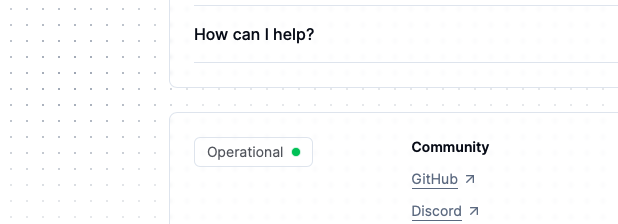
Install
npm install @openstatus/react
pnpm add @openstatus/react
yarn add @openstatus/react
bun add @openstatus/react
How to use the StatusWidget in your Next.js App Router
Include the styles.css
If you are using tailwind, extend your config with:
// tailwind.config.js
module.exports = {
  content: [
    "./app/**/*.{tsx,ts,mdx,md}",
    // OpenStatus Widget
    "./node_modules/@openstatus/react/**/*.{js,ts,jsx,tsx}",
  ],
  theme: {
    extend: {},
  },
  plugins: [],
};
Otherwise, include the styles in your App:
// app/layout.tsx
import "@openstatus/react/dist/styles.css";
The StatusWidget is a React Server Component. Include the slug to your
status-page.
import { StatusWidget } from "@openstatus/react";

export function Page() {
  return <StatusWidget slug="status" />;
}
Headless getStatus utility function
If you would like to style it yourself, you can use the getStatus function to
access the type response of the api call to:
https://api.openstatus.dev/public/status/:slug
Learn more about our supported API endpoints.
import { getStatus } from "@openstatus/react";

// React Server Component
async function CustomStatusWidget() {
  const res = await getStatus("slug");
  // ^StatusResponse = { status: Status }

  const { status } = res;
  // ^Status = "unknown" | "operational" | "degraded_performance" | "partial_outage" | "major_outage" | "under_maintenance"

  return <div>{/* customize */}</div>;
}
export type Status =
| "operational"
| "degraded_performance"
| "partial_outage"
| "major_outage"
| "under_maintenance"
| "unknown"
| "incident";Learn more in the docs.
About OpenStatus
OpenStatus is an open source monitoring services with incident managements.
Follow our journey @openstatusHQ.