
@orth/cli
v0.3.1
Published
CLI to access all APIs and skills on the Orthogonal platform


Readme
Orthogonal CLI
Command-line tool for the Orthogonal platform — discover and call APIs and agent skills from your terminal.
Search for APIs in natural language, call them with a single command, and pay per request from your Orthogonal credit balance.




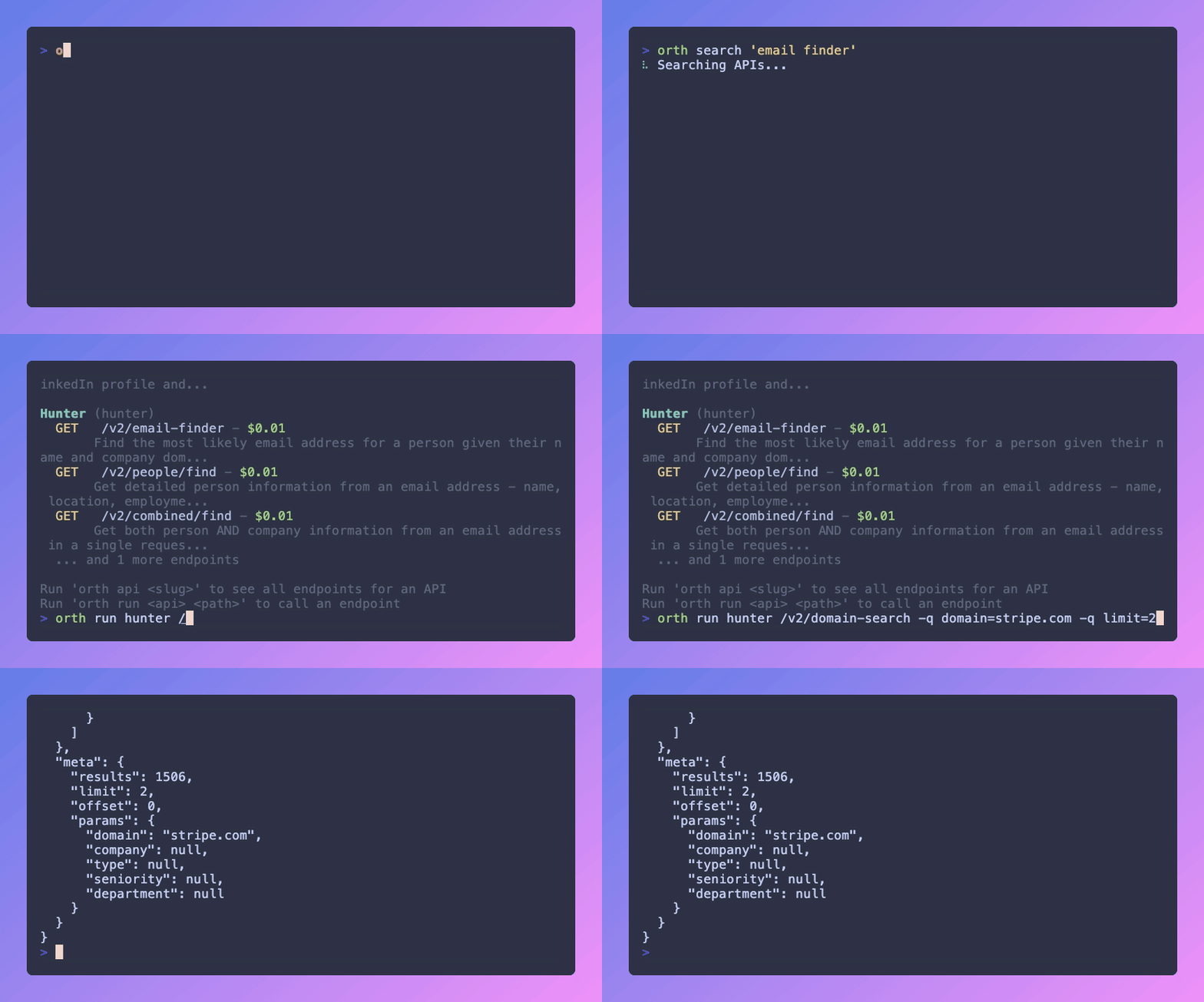
Table of Contents
- Why Orthogonal
- Installation
- Quick Start
- Authentication
- Calling APIs
- Agent Skills
- Account & Usage
- Command Reference
- Configuration
- Programmatic Use
- Development
- License
Why Orthogonal
Orthogonal puts a catalog of APIs and agent skills behind one account and one balance. The CLI lets you — and your AI agents — find and call them without leaving the terminal:
- Discover APIs and skills with natural-language search.
- Call any endpoint with one command — auth, billing, and routing are handled for you.
- Pay per use from a single credit balance instead of juggling dozens of provider subscriptions.
- Script it — clean JSON output (
--raw) pipes straight intojqand shell pipelines.
Installation
Requires Node.js 18+.
# Install globally
npm install -g @orth/cli

# …or run without installing
npx @orth/cli <command>
Verify the install:
orth --versionQuick Start
# 1. Authenticate (get a key at https://orthogonal.com)
orth login --key orth_live_your_key

# 2. Find an API in plain English
orth api search "search the web"

# 3. Call an endpoint
orth run tavily /search -q query="latest AI news"

# 4. See what it cost
orth balance
Authentication
# Log in with your API key (stored in your OS user-config directory)
orth login --key orth_live_your_key

# …or use an environment variable (takes precedence — great for CI)
export ORTHOGONAL_API_KEY=orth_live_your_key

# Show the current identity
orth whoami

# Remove the stored key
orth logout
Get an API key from your Orthogonal dashboard.
Calling APIs
Discover & inspect
# Natural-language search across the catalog
orth api search "generate images"

# List every available API
orth api list

# Show an API's endpoints
orth api show tavily

# Show one endpoint's parameters, pricing, and schema
orth api show tavily /search
Call an endpoint
# GET with query params
orth run fantastic-jobs /v1/active-ats -q time_frame=1h -q limit=10

# Query params can also be passed as a single string
orth run fantastic-jobs /v1/active-ats -q "time_frame=1h&limit=10"

# POST with a JSON body
orth run some-api /v1/generate -X POST -b '{"prompt":"a red bicycle"}'

# Estimate the cost without spending credits
orth run some-api /v1/generate --dry-run

# Save a binary response (image, audio, PDF, …) to a file
orth run image-api /v1/render -q prompt="sunset" -o out.png

# Machine-readable output for pipelines
orth run tavily /search -q query="orthogonal" --raw | jq '.results[0].url'
Generate integration code
Scaffold a ready-to-run snippet for any endpoint:
orth api code tavily /search                 # TypeScript (default)
orth api code tavily /search --lang python   # Python
orth api code tavily /search --lang curl     # cURL
Request a new API
orth api request https://docs.example.com/apiAgent Skills
Skills are packaged capabilities your AI agents can install and run. Browse the library, publish your own, and sync them to your local agent directories.
# Browse & search
orth skills list                     # verified, discoverable skills
orth skills search "web scraping"
orth skills show <slug>              # details + files

# Install into your local agent skill directories
orth skills add <slug>              # alias: orth skills install <slug>

# Author & publish
orth skills init [name]             # scaffold a SKILL.md template
orth skills create <owner/repo>    # create a skill from a GitHub repo
orth skills submit [path]          # submit a local skill
orth skills push <slug> [path]     # push local changes to the platform
orth skills update <slug> [path]   # pull the latest version locally
orth skills mine                   # list your skills
orth skills request-verification <slug>
orth skills request <input>        # request a skill by URL or description
Verification workflow: to make a skill discoverable to others, go init/create → submit → request-verification. Once approved, it becomes discoverable in the library.
Account & Usage
orth balance   # current credit balance
orth usage     # recent API usage
Command Reference
| Command | Description |
| --- | --- |
| orth login / logout / whoami | Manage authentication |
| orth balance / usage | Credit balance and recent usage |
| orth api list | List available APIs |
| orth api search <query> | Natural-language API search |
| orth api show <slug> [path] | Show endpoints / endpoint details (alias: info) |
| orth api run <slug> <path> | Call an endpoint |
| orth api code <slug> <path> | Generate integration code |
| orth api request <docsUrl> | Request an API to be added |
| orth skills … | Browse, install, author, and publish skills |
Shorthand aliases for the most common commands:
orth search <query>       # → orth api search
orth run <slug> <path>    # → orth api run
orth code <slug> <path>   # → orth api code
Run orth <command> --help for the full options on any command.
run options
| Flag | Description |
| --- | --- |
| -X, --method <method> | HTTP method (default GET) |
| -q, --query <k=v...> | Query params (repeatable, or one a=1&b=2 string) |
| -b, --body <json> / -d, --data <json> | JSON request body |
| -o, --output <file> | Save the response to a file (auto-detects binary) |
| --raw | Print raw JSON (ideal for piping) |
| --dry-run | Estimate the cost without executing |
Configuration
| Environment variable | Purpose |
| --- | --- |
| ORTHOGONAL_API_KEY | API key; overrides the stored credential (use in CI) |
| ORTH_API_URL | Override the API base URL (advanced) |
Credentials from orth login are stored in your OS user-config directory (managed automatically); use orth logout to remove them.
Programmatic Use
Building an application instead of scripting the terminal? Use one of the official SDKs:
Development
git clone https://github.com/orthogonal-sh/cli.git
cd cli
npm install

npm run build      # compile TypeScript to dist/
npm run dev        # compile in watch mode
npm test           # run the test suite (vitest)
npm start          # run the built CLI
Contributions are welcome — please open an issue or a pull request.
License
MIT © Orthogonal