
@ozonecloud/plugin-ozone
v1.0.2
Published
Welcome to the ozone plugin!


Readme
ozone
Welcome to the ozone plugin!
Setup
Generate the service account token
Create a role for your service account with the following permissions
Applications.ListApplications.GetPipelines.ListPipelines.GetPipelines.ExecuteReleases.ListReleases.GetReleases.ExecutePipelineRun.ListPipelineRun.GetReleaseRun.ListReleaseRun.GetRegistries.ListRegistries.GetRepositories.ListRepositories.Get
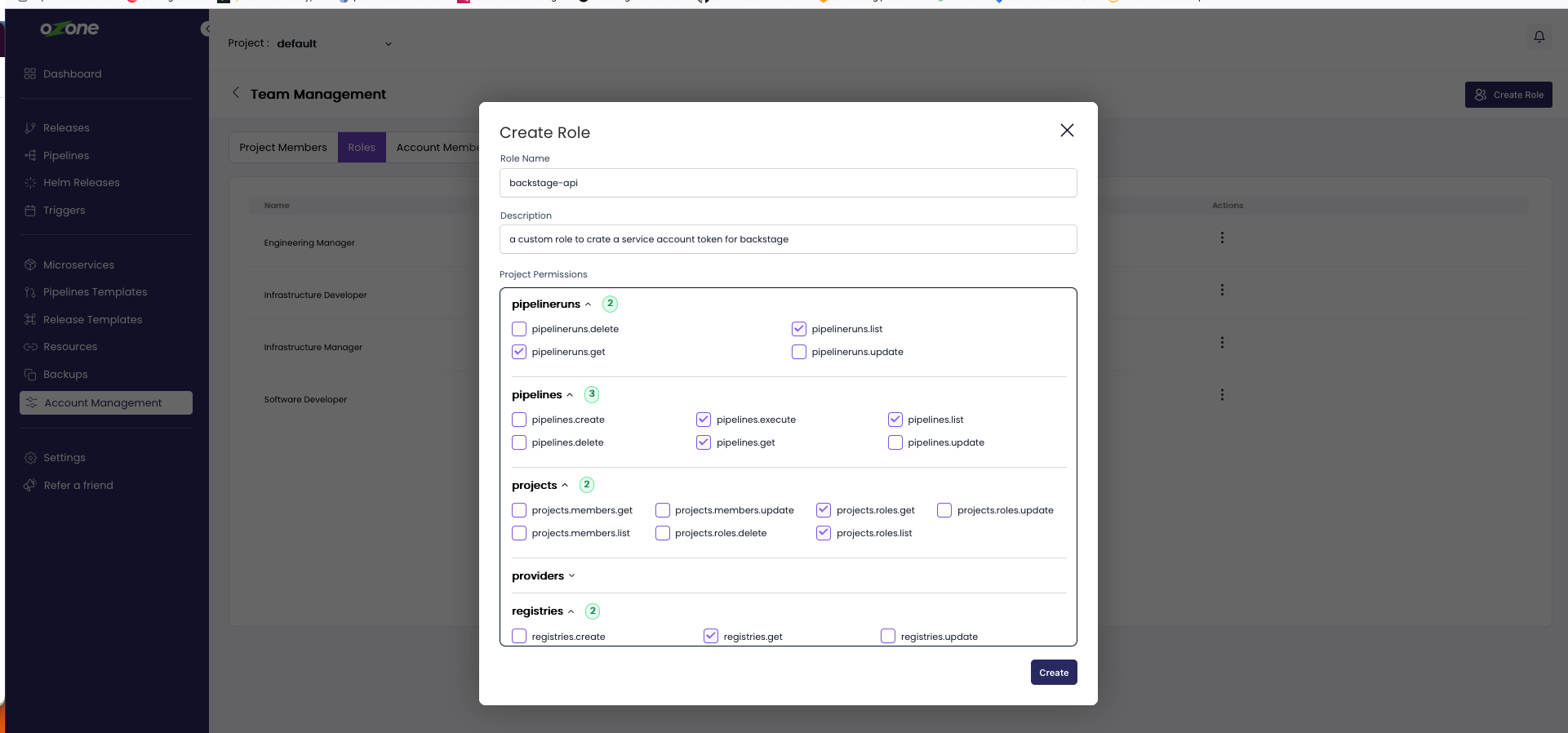
Create a Service Account token From the ozone website, click on the
Account Managementon the sidebar and navigate to theService Account tokentab, Click on theCreate Service Accountbutton and choose the above created role, this will create a token.
Use the token generated in your backstage configuration

Add the dependency for ozone plugin
# From your Backstage root directory
yarn add --cwd packages/app @ozonecloud/plugin-ozone- Add proxy config
use the following proxy format to expose your api token
proxy:
  ### Example for how to add a proxy endpoint for the frontend.
  ### A typical reason to do this is to handle HTTPS and CORS for internal services.
  # '/test':
  #   target: 'https://example.com'
  #   changeOrigin: true
  '/ozone':
    target: 'https://cd.ozone.one/api/service-account'
    headers:
      'authorization': '<your auth-token>'
    allowedHeaders:
      - x-workspace-id
Usage
PipelineRun List plugin
Add the EntityOzonePipelineRunContent extension to the entity page in your app:
// In packages/app/src/components/catalog/EntityPage.tsx
import {EntityOzonePipelineRunContent,isPipelinesAvailable} from '@ozonecloud/plugin-ozone';

// For example in the CI/CD section
const cicdContent = (
  <EntitySwitch>
    <EntitySwitch.Case if={isPipelinesAvailable}>
      <EntityOzonePipelineRunContent />
    </EntitySwitch.Case>
Add the annotation ozone.com/microservice-slug in your catalog
---
apiVersion: backstage.io/v1alpha1
kind: Component
metadata:
  namespace: default
  annotations:
    ozone.com/microservice-slug: hell-world-app
  name: hello-world-app
  description: 'A hello world application maintained on backstage'
spec:
  type: service
  lifecycle: production
  owner: user:guest
Screenshots


Ozone Resource Plugin
Ozone plugin outside the catalog
- This will be dependent on the workspace selection
- This component will have Tabs of
Microservice,Repository,Registry,pipelines - On click of tabs will route to the lists accordingly
Screenshots


Features
- Lists all the Builds,microservices,registry,repository for particular workspace
- Dive into one build to see the tasks and steps
- logs