
@p2play-js/p2p-game
v0.2.1
Published
Modular TypeScript library for browser-based P2P (WebRTC) multiplayer games with state sync and consistency strategies
Downloads
347

Maintainers
 aguiran
Readme
@p2play-js/p2p-game
Modular TypeScript library to build browser-based P2P (WebRTC) multiplayer games, with state synchronization and consistency strategies.


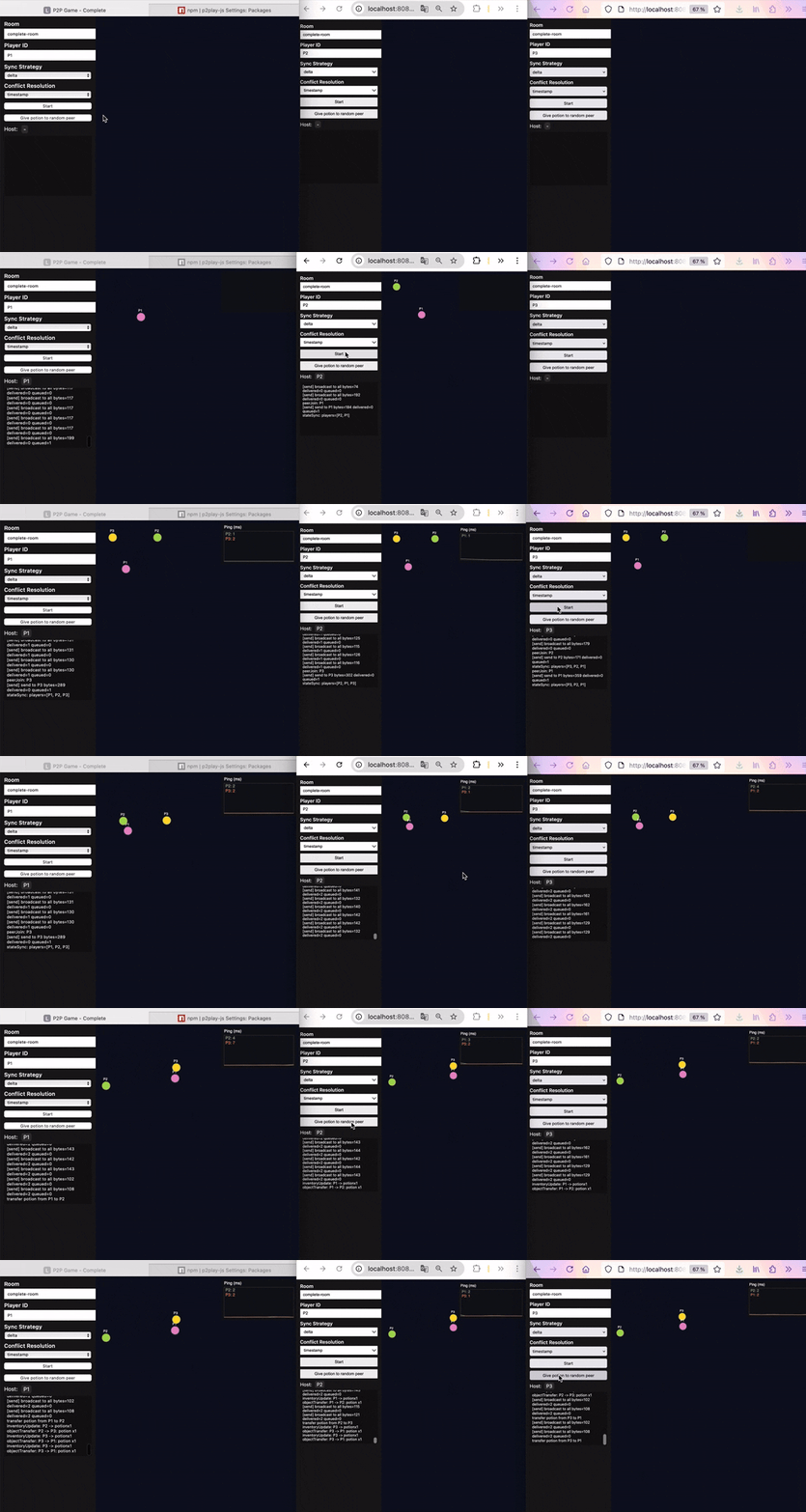
Visual Example / Demo
Installation
npm install @p2play-js/p2p-gameThis library targets browser runtimes (RTCPeerConnection, DOM). Timers use global setInterval/clearInterval for Node-based testing, but the runtime is not designed for SSR or production Node servers.
Quick API
import { P2PGameLibrary, WebSocketSignaling } from "@p2play-js/p2p-game";

const signaling = new WebSocketSignaling("playerA", "room-42", "ws://localhost:8787");
const multiplayer = new P2PGameLibrary({
  maxPlayers: 4,
  conflictResolution: "timestamp",
  pingOverlay: { enabled: true, position: "top-right" },
  signaling,
  // Optional:
  // serialization: 'binary-min',
  // cleanupOnPeerLeave: true,
  // backpressure: { strategy: 'coalesce-moves', thresholdBytes: 262144 },
  // timing: { pendingOfferTimeoutMs: 30000, pingIntervalMs: 2000 }, // override P2P timing (use positive values)
  // debug: {
  //   enabled: true,
  //   onSend(info) {
  //     console.log('[send]', info.type, 'to', info.to, 'channel=', info.channel, 'bytes=', info.payloadBytes, 'delivered=', info.delivered, 'queued=', info.queued);
  //   }
  // },
  // movement: {
  //   maxSpeed: 500,
  //   smoothing: 0.25,
  //   extrapolationMs: 140,
  //   worldBounds: { width: 4000, height: 3000, depth: 500 },
  //   playerRadius: 20
  // },
  // iceServers: [
  //   { urls: ['stun:stun.l.google.com:19302'] },
  //   { urls: ['turn:turn.example.com:3478'], username: 'user', credential: 'pass' }
  // ],
});

await multiplayer.start();

// Mutation events fire on the sender and on receiving peers (since v0.2.1),
// so the same handler can drive every UI in the room.
multiplayer.on("playerMove", (playerId, pos) => {});
multiplayer.on("inventoryUpdate", (playerId, items) => {});
multiplayer.on("objectTransfer", (from, to, item) => {});
multiplayer.on("stateSync", (full) => {});
multiplayer.on("stateDelta", (delta) => {});
multiplayer.on("sharedPayload", (from, payload, channel) => {});

multiplayer.on("hostChange", (hostId) => {
  console.log("New host:", hostId);
});
FULL API
📚 Full documentation available at: https://www.getlost.ovh
Comprehensive guide covering complete API reference with all methods and types, detailed architecture explanations (WebRTC full-mesh topology, state synchronization strategies), networking specifics (signaling protocols, STUN/TURN configuration, backpressure handling), advanced movement system (interpolation, extrapolation, collision detection), real-world examples and game workflow patterns, plus production deployment best practices and troubleshooting guides
Sending actions
multiplayer.broadcastMove("playerA", { x: 10, y: 5, z: 0 }, { x: 1, y: 0, z: 0 });

multiplayer.updateInventory("playerA", [{ id: "potion", type: "heal", quantity: 1 }]);

multiplayer.transferItem("playerA", "playerB", { id: "potion", type: "heal", quantity: 1 });

// State sync
multiplayer.broadcastFullState("playerA");

multiplayer.broadcastDelta("playerA", ["players.playerA.position"]);

// Generic payload sharing
multiplayer.broadcastPayload("playerA", { hp: 37, pos: { x: 120, y: 80 }, headYaw: 91 }, "status");
multiplayer.sendPayload("playerA", "playerB", { waypoint: { x: 500, y: 200 } }, "waypoint");

// If you want to persist some payload (e.g., HP) into shared state, mutate and broadcast a delta:
multiplayer.setStateAndBroadcast("playerA", [
  { path: "objects.playerStatus.playerA", value: { id: "playerStatus.playerA", kind: "playerStatus", data: { hp: 37 } } }
]);
Implemented concepts
- WebRTC DataChannels (P2P) synchronization + WebSocket signaling (rooms)
- Dual DataChannels per peer: automatic routing between a fast unreliable channel (move/ping) and a reliable channel (inventory, transfers, state sync, payloads)
- Global shared state: players, inventories, objects, tick.
getState()returns a deep copy so mutations do not affect internal state; usebroadcastMove(),setStateAndBroadcast(), etc. to mutate and sync. - Sync strategies: the library handles both full snapshots (
state_full) and delta updates (state_delta). Your app decides when to send each viabroadcastFullState()orbroadcastDelta(). - Consistency strategy:
timestamp - Event handling: movement, inventories, transfers, shared payloads
- Ping overlay: per-peer latency, simple chart
Dual DataChannels (reliable / unreliable)
Each peer connection uses two separate DataChannels for optimal performance and reliability:
| Channel | Label | Config | Message types |
|---------|-------|--------|---------------|
| Unreliable | game-unreliable | ordered: false, maxRetransmits: 0 | move, ping, pong |
| Reliable | game-reliable | ordered: true (SCTP default = reliable) | inventory, transfer, state_full, state_delta, payload |
Routing is automatic based on message type. You can override it for normally-reliable messages by passing { unreliable: true }:
// Sent via reliable channel (default for payloads)
multiplayer.broadcastPayload("playerA", { hp: 37 }, "status");

// Force unreliable channel (lower latency, no retransmission)
multiplayer.broadcastPayload("playerA", { cursor: { x: 100, y: 200 } }, "cursor", { unreliable: true });

// Same override available on:
multiplayer.updateInventory("playerA", items, { unreliable: true });
multiplayer.transferItem("playerA", "playerB", item, { unreliable: true });
multiplayer.sendPayload("playerA", "playerB", data, "channel", { unreliable: true });
broadcastMove always uses unreliable (by design). broadcastFullState and broadcastDelta always use reliable (critical data).
Network and signaling
Minimal WS server for signaling (rooms + roster + targeted routing via
to).Process:
register()→ the server adds the player to the room and broadcasts theroster(list ofplayerId).- Deterministic full‑mesh: each client initiates offers to
playerIdstrictly greater than its own (avoids collisions). - SDP/ICE are sent with
to=peerIdfor targeted routing. - DataChannels open P2P; application messages are no longer relayed.
STUN/TURN: Google public STUN by default. For strict networks, provide a TURN server in
createRTCPeerConnection(adapt as needed).
STUN vs TURN
- STUN (directory service): helps two browsers discover their public address to attempt a direct connection. Often enough at home/4G.
- TURN (relay): when direct connection fails (enterprise networks, hotels, very strict NAT), data is relayed by a server. More reliable but adds latency and uses server bandwidth.
Configure ICE servers (TURN) via options:
const multiplayer = new P2PGameLibrary({
  signaling,
  iceServers: [
    { urls: ['stun:stun.l.google.com:19302'] }, // dev: convenient STUN
    {
      urls: ['turn:turn.example.com:3478?transport=udp'], // your TURN
      username: 'user',
      credential: 'pass',
    },
    // Prod (TLS) example:
    // { urls: ['turns:turn.example.com:5349?transport=tcp'], username: 'user', credential: 'pass' },
  ],
  // ... other options ...
});
await multiplayer.start();
Dev vs Prod note
- Dev: using a public STUN such as
stun:stun.l.google.com:19302is convenient to get started locally. STUN only helps peers discover routes; it does not carry your game data. - Prod: provide your own ICE servers (STUN/TURN), e.g., a managed TURN or a self‑hosted coturn, to ensure reliability on strict networks and to avoid third‑party limits.
Tip: deploy a TURN server (e.g., coturn) if your users are often behind strict networks.
Movement: interpolation, extrapolation and collisions (2D/3D)
MovementSystemapplies light interpolation and capped extrapolation fromvelocity.- 2D/3D support: positions/velocities accept an optional
z. UseworldBounds.depthto constrain Z. - Simplified collision resolution: circles (2D) or spheres (3D). Resolution is local-only: only the local player is nudged away from overlaps, remote positions are not mutated locally.
Movement configuration
Configure interpolation/extrapolation and collisions via the movement option passed to P2PGameLibrary.
- maxSpeed: maximum speed bound in units/second when integrating velocity.
- smoothing: smoothing factor [0..1]. Higher reduces jitter but adds visual inertia.
- extrapolationMs: max extrapolation window (ms). Limits how long we project a position when updates are late.
- worldBounds:
{ width, height, depth? }to avoid leaving the map (Z optional). - ignoreWorldBounds: if
true, disables all clamping againstworldBounds(infinite/open world). Collisions remain player-vs-player only; no boundary collisions are applied. - playerRadius: radius used for circle/sphere collision detection/resolution.
Integration principle (per axis): position += clamp(velocity, ±maxSpeed) * dt * smoothing, with dt capped by extrapolationMs. Timestamps are fed on every playerMove to keep extrapolation consistent.
Defaults and behaviors:
- If you provide
movement.worldBounds, it will be used for XY clamping and optionally Z ifdepth > 0. - If you omit
movement.worldBounds, defaults are applied:{ width: 2000, height: 2000 }and Z is unbounded unlessdepthis provided. - If you set
movement.ignoreWorldBounds: true, no coordinate clamping is applied on X/Y/Z even ifworldBoundsis present.
Example:
const multiplayer = new P2PGameLibrary({
  signaling,
  movement: {
    maxSpeed: 500,
    smoothing: 0.25,
    extrapolationMs: 140,
    worldBounds: { width: 4000, height: 3000, depth: 500 },
    // or disable bounds entirely for open worlds:
    // ignoreWorldBounds: true,
    playerRadius: 20,
  },
});
Consistency model
- Sender-owned behavior: each sender owns updates for its own movement and inventory messages.
- Transfers are validated against the sender inventory (item existence and quantity checks).
- Ordering & deduplication: each application message carries
seq(per-sender monotonic counter). Receivers ignore anyseqlower or equal to the last applied value for that sender. - Last-Writer-Wins (LWW): the latest
seqper sender wins. - No echo relay: peers never re-broadcast application messages.
Serialization / compression
serialization: "json" | "binary-min". Default:json.- To enable binary:
const multiplayer = new P2PGameLibrary({ signaling, serialization: 'binary-min' });binary-mintransports JSON payloads as UTF-8ArrayBuffer(binary SCTP path onRTCDataChannel). The wire format is stable and future encoders (CBOR, FlatBuffers, MessagePack) may be added behind the same option.
Rooms, full‑mesh and host migration
- Rooms: group isolation via the WS server.
- Full‑mesh: every peer establishes a direct link to all others (deterministic initiation via roster and IDs).
- Deterministic host election: numeric order for digit-only IDs (e.g.
"2"before"10"), strict binary order otherwise. Automatic migration on host loss viahostChange. - Host sends
state_fullon join/migration to realign everyone.
WebSocket signaling
Use WebSocketSignaling(localId, roomId, serverUrl) to relay offers/answers/ICE via a minimal WS server.
Automatic reconnection (opt-in): Pass { reconnect: true } as a fourth argument to enable reconnection after a network drop:
const signaling = new WebSocketSignaling("playerA", "room-42", "ws://localhost:8787", { reconnect: true });When enabled, the client will reconnect with exponential backoff (base 1s, max 30s, 0–25% jitter), re-join the room and receive a fresh roster; the library clears peers on disconnect and resyncs state from the host when reconnected. Calling signaling.close() (e.g. when the user stops the game) disables any further reconnection. The default is reconnect: false so existing apps are unchanged. You can override backoff with reconnectOptions: { baseMs: 1000, maxMs: 30000 } (defaults; use positive values).
Room token (optional): When your signaling server requires a room token (REQUIRE_ROOM_TOKEN=1), pass it in options so the client sends it on register:
const signaling = new WebSocketSignaling("playerA", "room-42", "ws://localhost:8787", {
  reconnect: true,
  reconnectOptions: { baseMs: 1000, maxMs: 30000 }, // optional; defaults shown
  roomToken: "eyJhbGc...", // JWT from your auth backend
});
Signaling security (dev vs prod)
The reference WS server (examples/server/ws-server.mjs) supports optional security features via environment variables. By default, all are off so dev/demo behavior is unchanged.
| Option | Default | Effect when enabled |
|--------|--------|----------------------|
| ENFORCE_SESSION_IDENTITY=1 | off | Server overwrites from with the session identity when relaying; clients cannot spoof another peer’s id. With token auth, identity can be taken from the JWT sub claim at register. |
| REQUIRE_ROOM_TOKEN=1 | off | Register requires a valid JWT; missing or invalid token is rejected. Requires ROOM_TOKEN_SECRET to be set (server exits otherwise). |
| STRICT_ENVELOPES=1 | off | Server validates message shape (required fields, allowed kind); invalid messages are rejected and the connection is closed. |
Default (dev): No token, no strict validation, server trusts client from for roster/relay. Suitable for local development and demos.
Token format (when REQUIRE_ROOM_TOKEN=1): JWT signed with HS256. Expected claims: sub (string, player id), optionally roomId (string), exp (numeric timestamp). Secret is read from ROOM_TOKEN_SECRET. Generate the JWT with your auth backend (e.g. jsonwebtoken or Node crypto.createHmac('sha256', secret)); the server verifies signature and uses sub as session identity when ENFORCE_SESSION_IDENTITY=1. If the JWT contains a roomId claim, it must match the register message’s roomId or the server rejects the register with auth_required.
Rejection behavior: On register or envelope failure the server sends a single message { sys: 'error', code: 'auth_required' } or { sys: 'error', code: 'invalid_envelope' } then closes the connection. The client can handle close/error to show a message or attempt reconnection.
Envelope schema (when STRICT_ENVELOPES=1): Every message must have roomId (string) and kind in ['register', 'desc', 'ice']. Register messages must also have announce and from. Processing order: 1) validate envelope, 2) resolve identity / register, 3) validate token if required.
Example prod-like config:
ENFORCE_SESSION_IDENTITY=1 REQUIRE_ROOM_TOKEN=1 ROOM_TOKEN_SECRET=your-secret STRICT_ENVELOPES=1 PORT=8787 node examples/server/ws-server.mjsClient must then pass a valid roomToken in WebSocketSignaling(..., { roomToken }).
Examples
Basic WebSocket Test: examples/basic/index.html
A standalone WebSocket testing tool to verify connectivity with your signaling server before implementing full P2P logic.
Purpose:
- Connectivity testing: Validates that your WebSocket signaling server is accessible and working correctly
- Network debugging: Diagnoses connection issues (firewall, proxy, TLS certificates)
- Protocol understanding: Visualizes signaling message exchanges (roster, routing)
- STUN/TURN configuration: Tests different servers before P2P integration
Features:
- WebSocket connection with detailed error handling and timeout
- Automatic support for ws:// and wss:// schemes
- Interface to join rooms and announce presence
- Send arbitrary JSON messages or simple text
- WebSocket error code display with explanations
- Detailed exchange logging (timestamp, direction, content)
Usage:
- Open
examples/basic/index.htmlin your browser - Configure your server URL (default:
wss://wss.getlost.ovh) - Click "Connect" to establish the WebSocket connection
- Enter a Room ID and Player ID, then click "Join Room"
- Send messages to test communication
Public test server:
- URL:
wss://wss.getlost.ovh - Status: Free signaling server for testing purposes only
- Limitations: No authentication, no persistence, best-effort service
- Security: Do not send sensitive data, TLS transport encryption only
Complete Demo: examples/complete/index.html
Comprehensive P2P multiplayer game demonstrating the library's core capabilities:
Architecture showcase:
- State management: Comparison of sync strategies (delta vs full)
- Consistency model: Timestamp ordering with per-sender sequence deduplication
- Network topology: Full-mesh P2P with deterministic host election
- Movement system: Interpolation, extrapolation, and collision detection in action
Advanced features:
- Resilience: Automatic host migration when players disconnect
- Performance: State delta updates and basic backpressure handling
- Debugging: Real-time event logging and network diagnostics
- Scalability: Multi-player synchronization; configurable player limits
See the "Local dev servers" section below for setup and usage instructions. In the demo UI, configure your room/player/signaling and click Start.
Events
Since v0.2.1, mutation events fire on the sender and on receiving peers (the same listener handles both).
| Event | Signature | Description |
|------------------|----------------------------------------------------|--------------------------|
| playerMove | (playerId, position) | Movement applied (sender + receivers) |
| inventoryUpdate | (playerId, items) | Inventory updated (sender + receivers) |
| objectTransfer | (from, to, item) | Object transferred (sender + receivers) |
| sharedPayload | (from, payload, channel?) | Generic payload (sender for broadcastPayload; receiver for sendPayload; local emit for self-targeted sendPayload) |
| stateSync | (state) | Full snapshot applied (sender + receivers) |
| stateDelta | (delta) | State delta applied (sender + receivers) |
| peerJoin | (playerId) | Peer connected |
| peerLeave | (playerId) | Peer disconnected |
| hostChange | (hostId) | New host |
| ping | (playerId, ms) | RTT to peer |
| maxCapacityReached | (maxPlayers) | Capacity reached; new connections refused |
Lifecycle & presence
- Presence:
announcePresence(playerId)broadcasts the joiner's initial position to other peers so they render the player immediately. Sincev0.2.1, the host also registers every new peer in its ownstate.players(with position{x:0,y:0}) and emits a localstateDeltaas soon as thepeerJoinfires, so the host's UI is never stuck waiting for the joiner's first move. The host does not re-broadcast this entry: each peer remains the sender‑owned authority for its ownplayers.<id>path, and the joiner'sannouncePresence(or any subsequent move) updates other peers directly. peerJoin/peerLeave: the UI can show/hide entities. Host‑side cleanup can be automated by enablingcleanupOnPeerLeave: trueinP2PGameLibraryoptions: the host removes the leaving player's entries and broadcasts a delta accordingly.- Capacity limit: set
maxPlayersto cap the room size. When capacity is reached, the library will not initiate new connections and will ignore incoming offers; it emitsmaxCapacityReached(maxPlayers)so you can inform the user/UI.
Performance & best practices
- Prefer deltas, use occasional full snapshots (join/migration, catch‑up): practically “hybrid”.
- Limit update frequency (tick) and consider batching deltas.
- Monitor
RTCDataChannel.bufferedAmountto avoid bursts saturating the channel.
Shared payloads
broadcastPayload(playerId, payload, channel?)sends an arbitrary object to all peers. The sender also receives a localsharedPayloadevent.sendPayload(playerId, to, payload, channel?)sends an arbitrary object to a single peer. Self-targeted (to === playerId) short-circuits to a localsharedPayloademit (no DataChannel to self).sharedPayloadsignature:(from, payload, channel?).- No schema constraints; your app should type/validate the payload.
- Do not send secrets; payload is visible to the recipients.
Making a payload persistent (e.g., HP)
- Payloads are ephemeral by default (not included in
state_full/state_delta). - If you want persistence (e.g., hit points), store it in your own state schema (e.g.,
objects) and broadcast a delta:
multiplayer.on("sharedPayload", (from, payload, channel) => {
  if (channel === "status" && payload && typeof payload === "object" && "hp" in (payload as any)) {
    // Write into global state
    multiplayer.setStateAndBroadcast(multiplayer.getHostId()!, [
      { path: `objects.playerStatus.${from}`, value: { id: `playerStatus.${from}`, kind: "playerStatus", data: { hp: (payload as any).hp } } }
    ]);
  }
});
Notes:
- The schema under
objects.*is application-defined.
Useful scripts
npm run serve:wsstarts the signaling WS server (port 8787).npm run serve:httpserves/examplesand/dist(port 8080).npm run prepublishOnlycleans and rebuilds before publishing.
Local dev servers: http-server and ws-server
This repo ships two tiny servers to run the demo locally:
examples/server/ws-server.mjs(WebSocket signaling)- Purpose: WebRTC peers need an out-of-band channel to exchange SDP offers/answers and ICE candidates before the P2P DataChannel can open.
- What it does: room join/leave, roster broadcast, and targeted relay of signaling messages using a
tofield. - Port:
8787by default. You can override withPORT=9000 node examples/server/ws-server.mjs. - Dev-only: in production, deploy your own HTTPS/WSS signaling (e.g., behind a reverse proxy) and configure TURN.
examples/server/http-server.cjs(static HTTP)- Purpose: serve the demo UI (
/examples) and the built library (/dist) locally. - Port:
8080(fixed, simple dev server). - Dev-only: your real app will be served by your own web server or bundler.
- Purpose: serve the demo UI (
How to run the demo locally
- Build the library once:
npm run build - Start signaling:
npm run serve:ws(listens on ws://localhost:8787) - In another terminal, start HTTP:
npm run serve:http(serves http://localhost:8080) - Open
http://localhost:8080/examples/complete/index.html - In two browser tabs:
- Choose the same room, different Player IDs
- Click Start in both tabs
- Move with arrows/WASD; transfer a potion; observe host and ping overlay
Notes
- The demo uses a public STUN (Google) by default for convenience in dev. For production, provide your own ICE (STUN/TURN) and secure signaling over WSS.
- If you change signaling port/host, update the
WebSocketSignaling(..., serverUrl)in the demo accordingly.
Notes
- Signaling: targeted (field
to) via WS;rosteris broadcast on each join/leave. - Full‑mesh: each peer establishes a DataChannel with all others (initiation: smaller id → larger id).
- Host: deterministically elected; sends
state_fullon join and on migration. - Consistency: LWW by
seq(per sender). - Sync: frequent deltas, occasional full (hybrid = combined usage).
License
MIT