
@page-composer/vue
v0.7.1
Published
Vue editor and renderer for Page Composer: PageComposer authoring surface and ComposedPage runtime.


Readme
@page-composer/vue
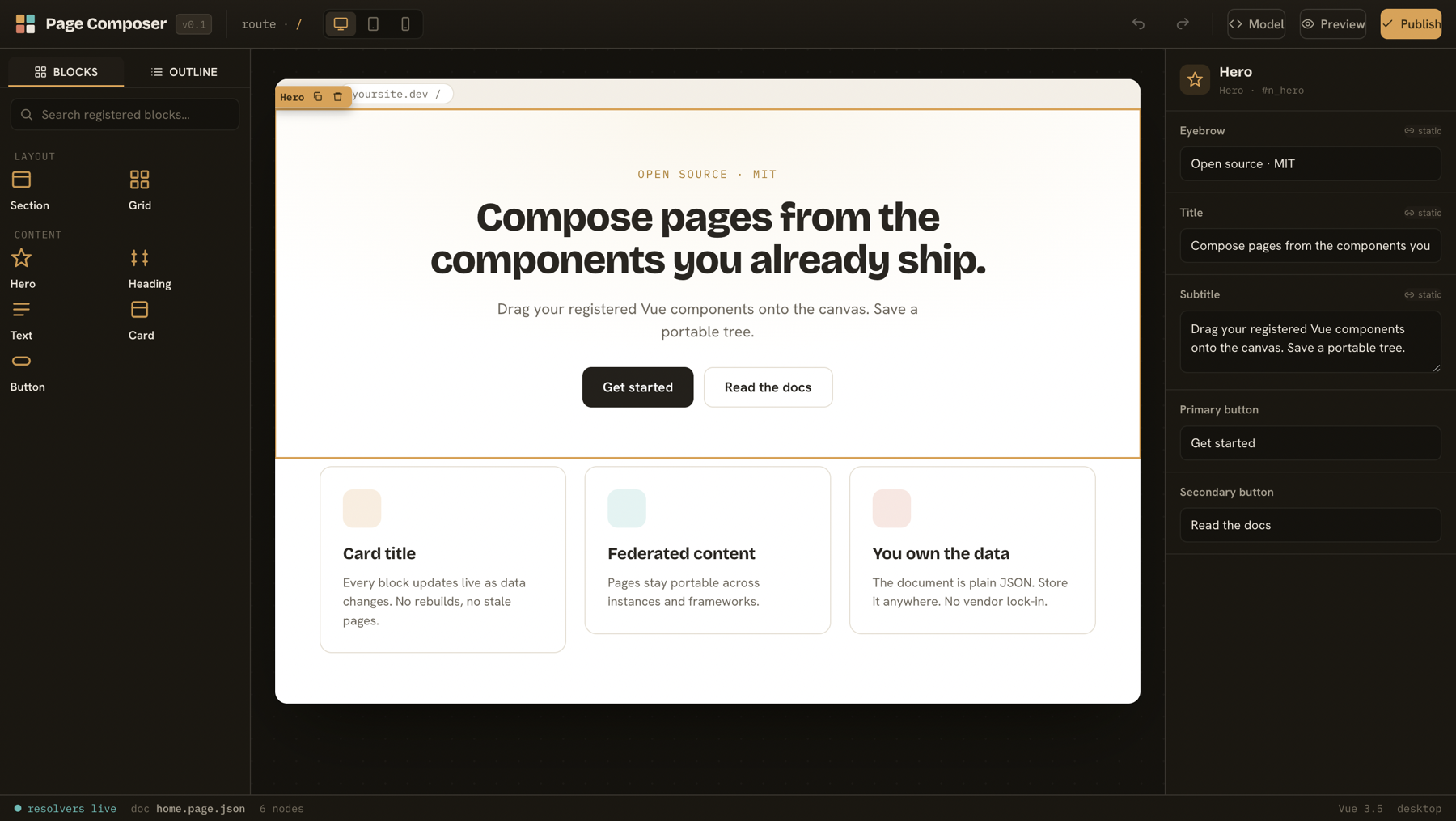
The Vue editor and renderer for Page Composer. Register the components you already ship, compose pages on a canvas, and render the saved document on any route.
The unscoped vue-page-composer package is the friendly alias for this one. Install whichever name you prefer; the API is identical.
Install
pnpm add @page-composer/vueimport '@page-composer/vue/styles.css'Render a saved page
<script setup lang="ts">
import { ComposedPage, definePageConfig } from '@page-composer/vue'
import { Hero, Card, Grid } from '@/components'
import doc from './home.page.json'

const config = definePageConfig({
  components: {
    Hero: { label: 'Hero', render: Hero, fields: { title: { type: 'text' } } },
    Grid: { label: 'Grid', render: Grid, zones: ['items'] },
    Card: { label: 'Card', render: Card, fields: { title: { type: 'text', bindable: true } } },
  },
})
</script>

<template>
  <ComposedPage :config="config" :model="doc" :data="{ feature: { title: 'Live' } }" />
</template>
ComposedPage walks the document, mounts each node with <component :is>, maps zones to slots, and resolves bound props through the data context. It is the same renderer the editor canvas runs, so what you author is what ships.
Author pages
<script setup lang="ts">
import { ref } from 'vue'
import { PageComposer } from '@page-composer/vue'
import type { ComposedDocument } from '@page-composer/vue'
import { config } from './page-config'

const doc = ref<ComposedDocument>(/* load from your store */)
</script>

<template>
  <PageComposer v-model="doc" :config="config" @change="save" />
</template>
PageComposer is a controlled component. It emits the document on every change and leaves persistence to you.
Editor features
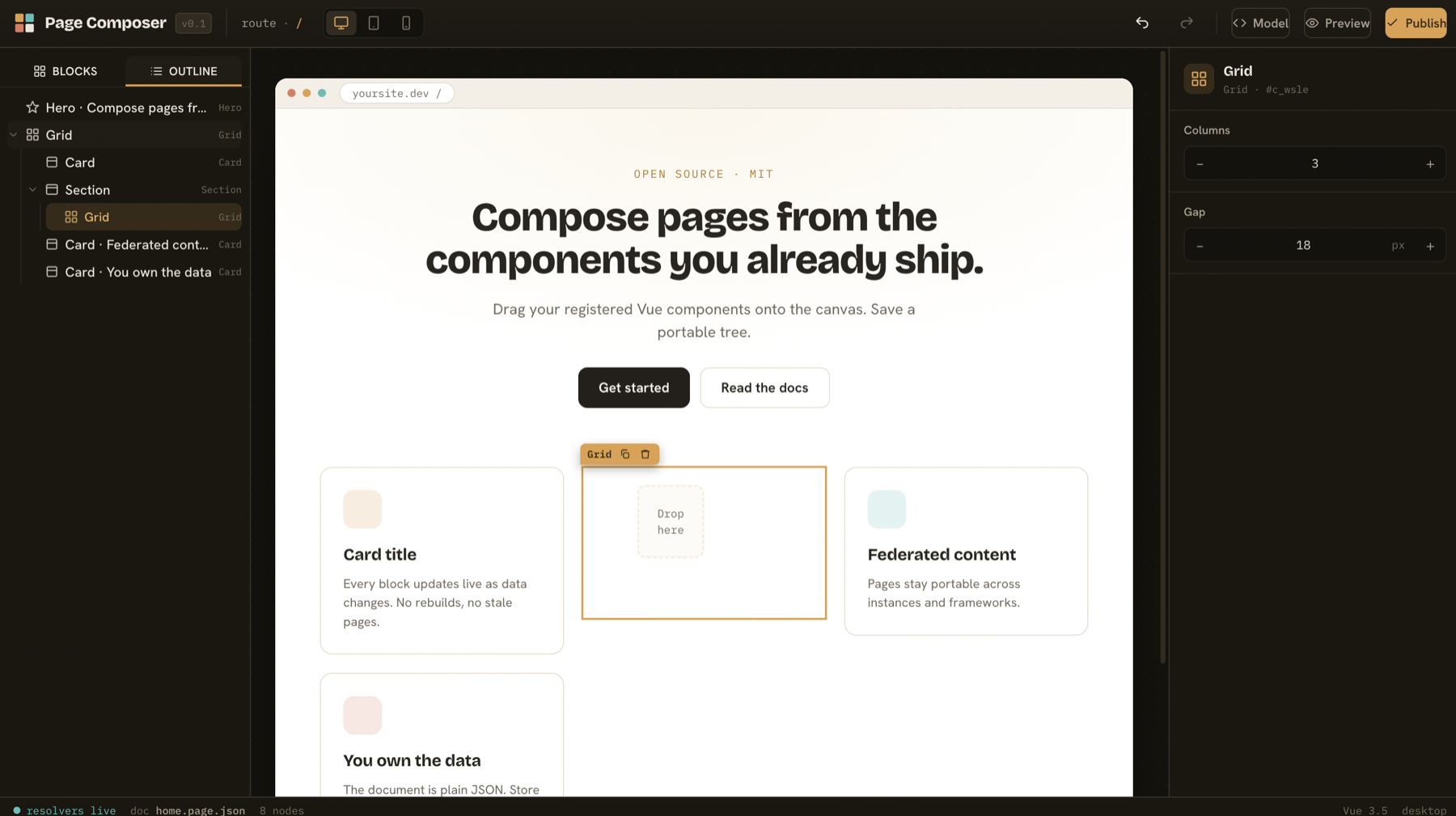
- Searchable palette grouped by category. Click to add or drag to the canvas.
- Live canvas with selection, a drag handle, and an axis-aware drop indicator (a line between items in a stack, a vertical line in a grid, a filled highlight over an empty zone).
- Auto-generated inspector with a per-field binding toggle.
- Accessible outline tree (WAI-ARIA tree pattern, arrow-key navigation) synced with the canvas.
- Undo and redo, copy and paste of a subtree, duplicate, keyboard reorder, viewport preview, and a portable JSON view. Press
?for the shortcut list. - Optional isolated canvas: pass
:isolate="true"to render the page in an iframe for true CSS isolation, where width-based media queries respond to the device width rather than the editor window.
Field types
text, textarea, number, boolean, select, segment, color, nested object and array (add, remove, reorder), and custom for host-registered inspector components. Mark a scalar field bindable: true to expose the binding toggle. Repeaters (repeat: { zone, source }) clone a zone's template once per record in a bound list.
Theming
One token file is the source of truth. Components consume var(--pc-*). Add pc-theme-light next to the editor root to flip the chrome to light by swapping token values.
Documentation
See the docs folder: getting started, configuration, data binding, keyboard shortcuts, and a comparison with other tools.
License
MIT. Copyright Moheeb Zara.