
@para-space-dev/cli
v0.1.7
Published
Parallel git worktree and multi-repo workspace orchestrator CLI with shared dependencies, per-worktree ports, and MCP server

Maintainers
 sarthak_jain
Readme
@para-space-dev/cli
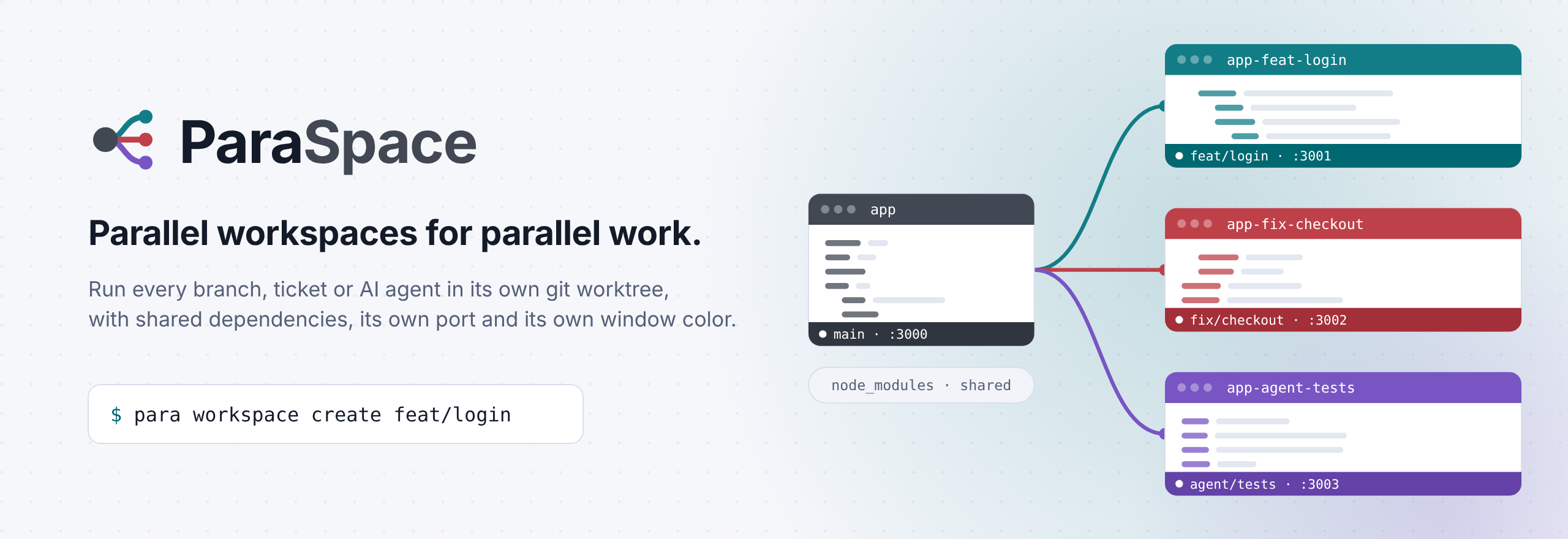
Parallel workspace orchestrator CLI (para) and MCP server for multi-agent and multi-task workflows.
Provision isolated Git worktrees and multi-repository workspaces in milliseconds—with zero-duplication dependency sharing (node_modules, .venv), per-worktree dev server ports (.env.local), OKLCH Peacock window coloring, and a built-in Model Context Protocol (MCP) server for AI coding agents.
Installation
Requires Node.js ≥ 18 and Git ≥ 2.31.
# npm
npm install -g @para-space-dev/cli

# pnpm
pnpm add -g @para-space-dev/cli

# yarn
yarn global add @para-space-dev/cli

# bun
bun add -g @para-space-dev/cli
Quick Start
# Create a parallel worktree at ../<repo>-feat-TK-101 with shared dependencies & dedicated port
para create feat/TK-101 --base main -r "Auth redesign"

# Create a multi-repository workspace across multiple repos and generate a .code-workspace file
para workspace create feat/TK-101 -r "Full-stack auth redesign"

# Add another repository (e.g. mobile) to an existing multi-repository workspace
para workspace add feat/TK-101 --repo ./mobile -r "Include mobile app"

# List and reopen multi-repository workspaces
para workspace list
para workspace open feat/TK-101

# List active worktrees, assigned ports, and dependency link status
para list

# Check whether any worktree's package manifests have diverged from main
para check

# Break away shared symlinks into an independent copy (APFS CoW clone on macOS, fresh install elsewhere)
para isolate feat/TK-101 -r "Added new auth SDK dependency"

# Remove a worktree cleanly (unlinks shared dependencies first so main's node_modules is never harmed)
para remove feat/TK-101 --delete-branch
Multi-Repository Workspaces Workflow (para workspace / para ws)
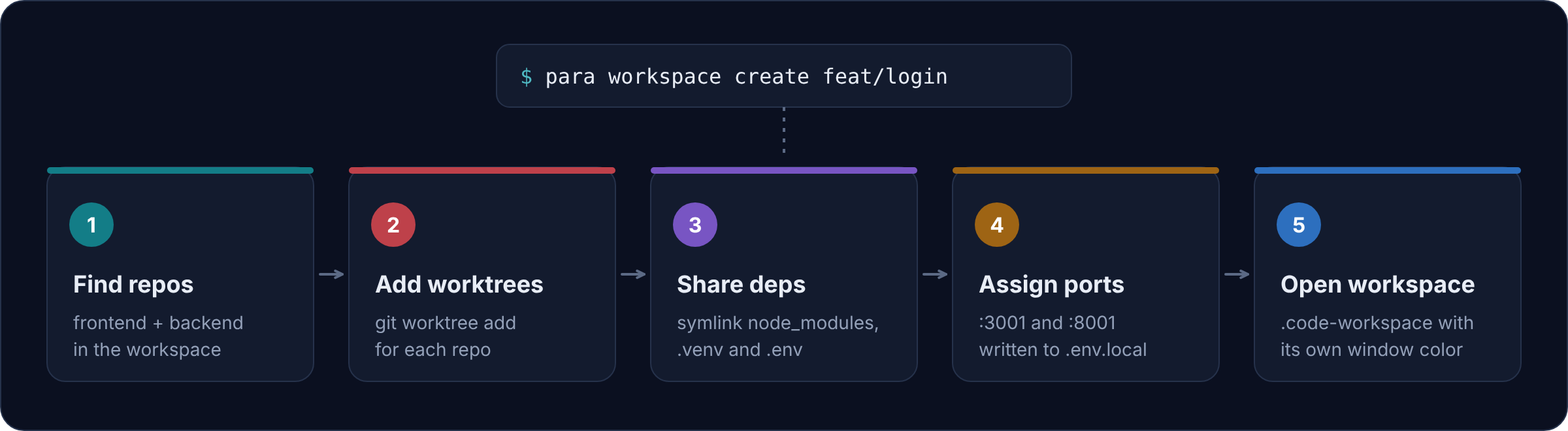
When working across multiple repositories (e.g., frontend and backend in a parent folder), para workspace coordinates worktrees across all of them:
- Discover or Specify Repositories:
- Run
para workspace createinside a parent container directory or a directory with a.code-workspacefile to automatically discover all child Git repositories, or pass--repo <path...>explicitly:para workspace create feat/TK-101 --repo ./frontend --repo ./backend -r "Full-stack auth"
- Run
- Shared or Per-Repository Branches:
- By default, checks out or creates the same branch across all selected repositories.
- Pass
--per-repo(or choose Advanced interactively) to pick or create a distinct branch and base ref per repository.
- Unified
.code-workspace& Rollback Safety:- Provisions each worktree with symlinked dependencies and unique dev ports. If any repository fails, earlier worktrees from the run are automatically rolled back.
- Generates a
<name>-<branch-slug>.code-workspacefile with an OKLCH Peacock window color profile injected into workspace settings and records it in~/.para-space/state.json.
- List & Reopen Workspaces:
para workspace list               # View all tracked & discovered multi-repo workspaces
para workspace list --json        # Machine-readable JSON output
para workspace open feat/TK-101   # Launch the .code-workspace in VS Code
Commands
| Command | Description |
| :--- | :--- |
| para create <branch> | Create a parallel worktree with shared node_modules/.venv, .env.local port, and optional IDE colors |
| para workspace create [branch] | Create synchronized worktrees across multiple repos and emit a .code-workspace file (alias: para ws) |
| para workspace add [target] | Add one or more repositories to an existing multi-repository workspace (alias: para ws add-repo) |
| para workspace list | List tracked and discovered multi-repository workspaces |
| para workspace open <target> | Open a multi-repository workspace in VS Code |
| para list (para ls) | List worktrees, ports, link status, and divergence state |
| para check [target] | Check if dependency manifests (package.json, lockfiles, pyproject.toml, etc.) diverged from main |
| para isolate <target> | Convert shared dependency symlinks into an isolated local copy |
| para remove <target> (para rm) | Safely unlink shared dependencies and remove a worktree |
| para config | Configure repository port strategy (offset, scan, pool, passthrough) in .para-space.json |
| para setup-agent (para init-agent) | Register the ParaSpace MCP server in Claude Code, Cursor, Windsurf, and Claude Desktop |
| para mcp | Run the ParaSpace MCP server over stdio |
AI Coding Agent & MCP Setup
Register ParaSpace globally with your local AI coding agents (Claude Code, Cursor, Windsurf, Claude Desktop) in one command:
para setup-agentOr run commands non-interactively with --yes and --json:
para create feat/TK-101 --base main --yes -r "Implement feature TK-101" --json
para workspace create feat/TK-101 --yes -r "Full-stack feature TK-101" --json