
@particular-labs/codestory
v0.4.0
Published
Living journey maps for codebases — journeys chain flows end-to-end, agents maintain them, a local viewer presents them.

Maintainers
 vehler
Readme
codestory
Living journey maps for codebases. Journeys are flows — a sequence of steps, decisions, and exits. Journeys chain into an end-to-end map by wiring one journey's exit ports to another journey's entries. Agents keep the journeys in sync with the code they describe, and a local viewer presents them.
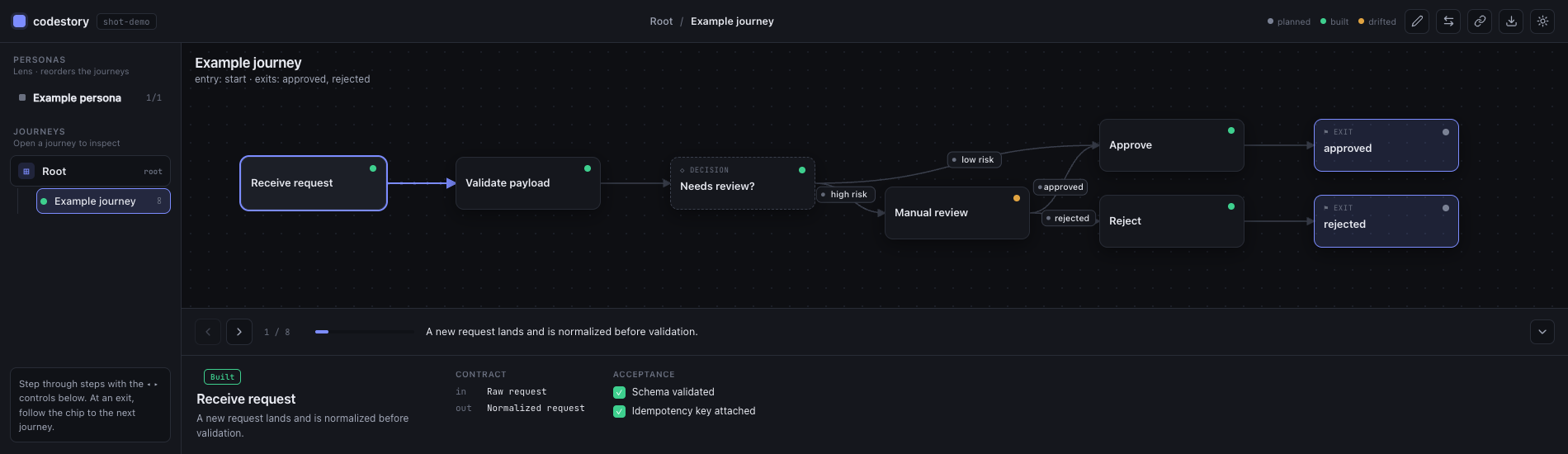
Quickstart
npx @particular-labs/codestory init      # scaffold .codestory/ with an example journey
npx @particular-labs/codestory validate   # parse + referential checks (exit 0 = clean)
npx @particular-labs/codestory migrate     # upgrade .codestory files to the latest format version
npx @particular-labs/codestory present     # serve the viewer at http://localhost:4747
The file format is versioned via each file's $schema (e.g. codestory/journey.v1).
When codestory ships a new format, migrate walks old files up the version chain to
the latest, so journeys authored against an earlier release keep opening.
Requires Node >= 20. present --no-open skips launching the browser; --port changes the port.
How it works
.codestory/codestory.json— the manifest: project name + named personas (entry lenses into the graph)..codestory/<id>.journey.json— one journey per flow:steps(action / decision / exit),edges, declaredentries/exits, andlinksthat connect an exit port to another journey's entry.validateenforces the contract: links/personas point at real journeys and entries, exit steps use declared ports,builtsteps carry tests,refsresolve on disk, ids are unique, and variant journeys keep the same ports as their base.
Schema
The zod schemas in src/schema.ts are the source of truth for the manifest and journey formats (codestory/manifest.v0, codestory/journey.v0).
License
MIT © Particular Labs