
@peekm/peekm
v0.1.27
Published
See what AI coding agents change across all your projects

Maintainers
 razvandimescu
Readme
peekm
peekm.dev — Real-time observability for AI coding sessions.
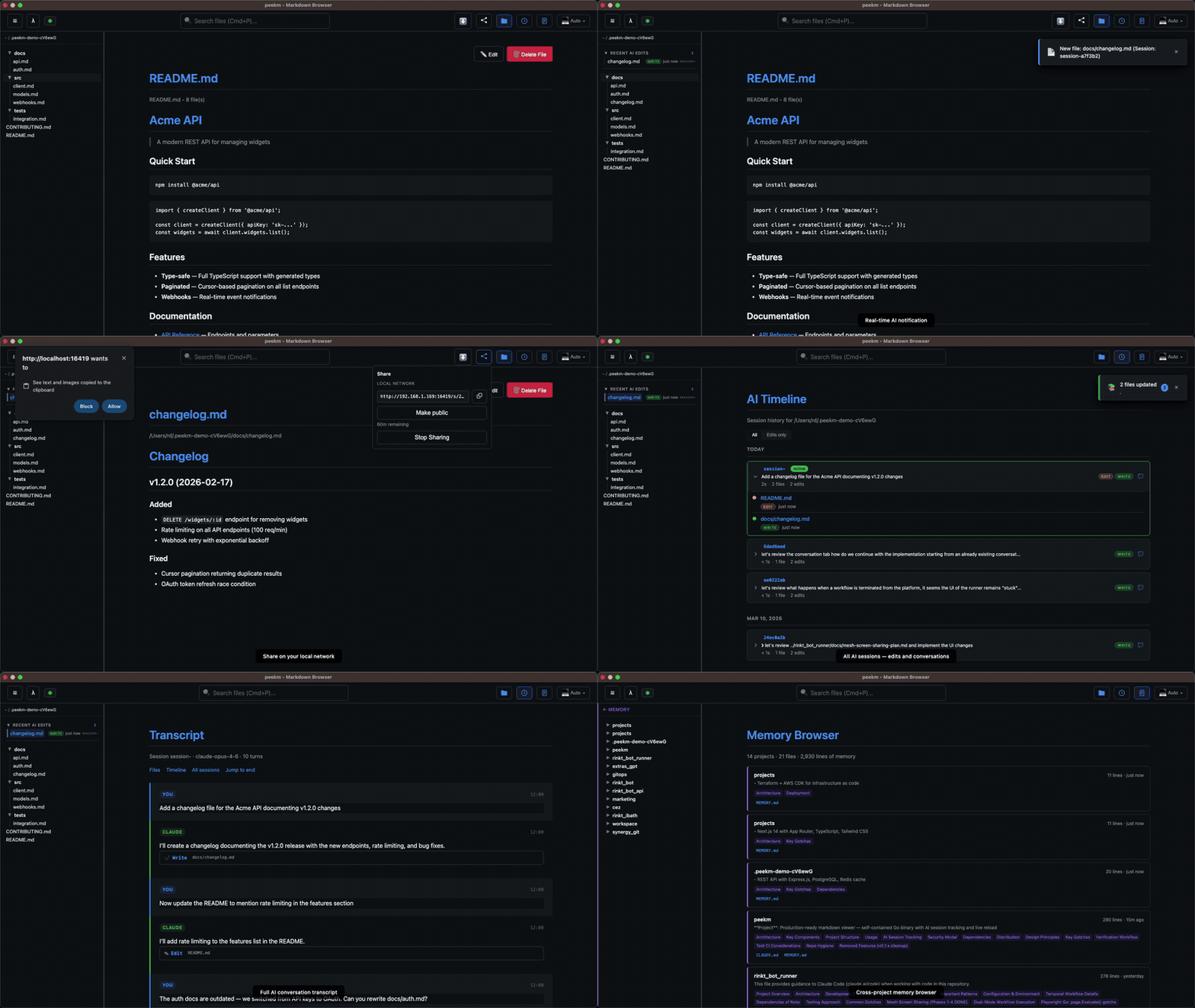
Claude Code edits 50+ files in a single session. All you get is a git diff.
peekm gives you a live timeline of every session, every file edit, and every AI conversation — across all your projects, from one local UI.
All data stays local. No accounts. No telemetry. Open source (Apache 2.0).
Getting Started
npx @peekm/peekm .Or install globally:
npm install -g @peekm/peekmRequires Claude Code for AI tracking. Setup is automatic on first run.
Start a Claude Code session in any project and watch the timeline update in real time.
AI Session Tracking
Works with Claude Code today (connects automatically on first run):
- Timeline — every AI session across all projects, grouped by day. Duration, file counts, tool breakdown, All/Edits-only filter
- Transcript viewer — read the full AI conversation for any session. Tool calls, code diffs, and reasoning rendered inline
- Memory browser — see what Claude remembers about each of your projects
- Real-time notifications — instant toast the moment AI modifies a file
- Smart folders — "Recent AI Edits" surfaces files touched by AI in the last 24 hours
Markdown Viewer
VS Code-style sidebar, live reload, fuzzy search (Cmd/Ctrl+P), in-browser editing, syntax highlighting, light/dark/auto themes. Supports Markdown, HTML, SVG, and TXT.
Sharing
Share any file via LAN or public URL (share.peekm.dev). One click, 1-hour TTL, no account needed.
Usage
peekm .                 # browse a directory — AI tracking auto-starts
peekm README.md         # view a single file
peekm -port 8080 .      # custom port
Supports macOS, Linux, and Windows (ARM64 and x64).
Works with Claude Code today. More agents coming — open an issue to request yours.
License
Apache 2.0
More Information
Visit peekm.dev or github.com/razvandimescu/peekm for full documentation.
Try it now: npx @peekm/peekm .