
@pensketch/core
v0.6.0
Published
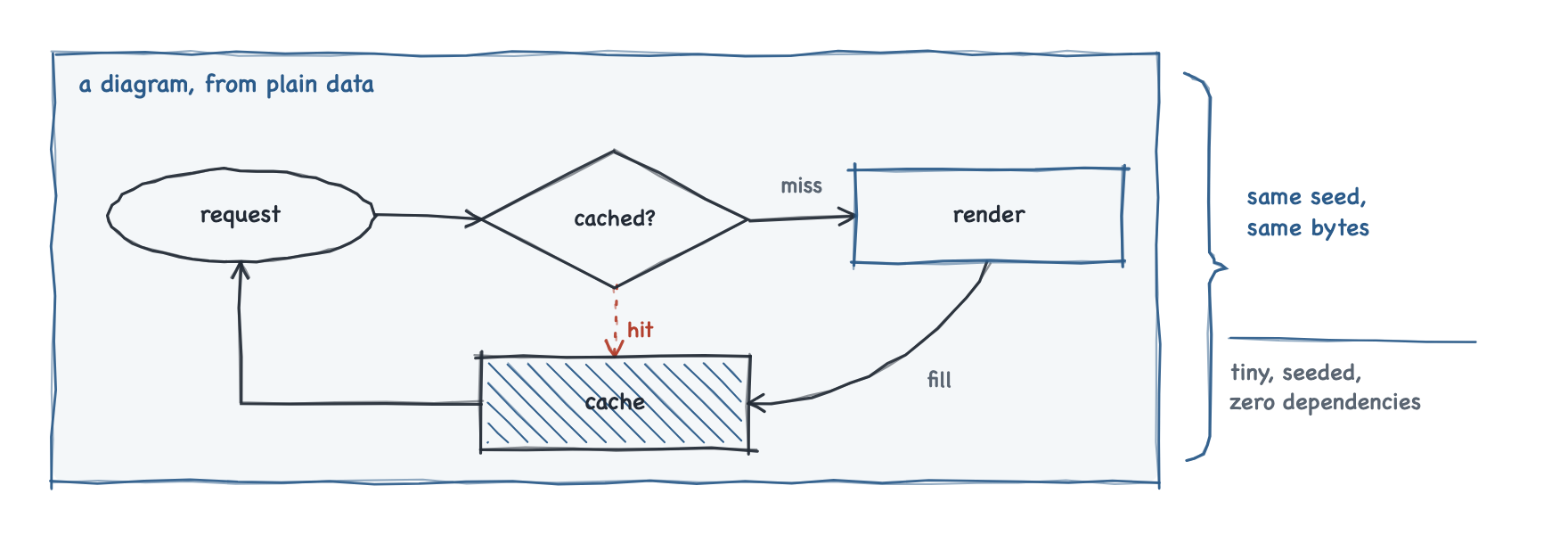
Hand-sketched SVG diagrams from plain data. Tiny, seeded, zero dependencies.

Maintainers
 alpha-nu
Readme
@pensketch/core
Hand-sketched SVG diagrams from plain data. Tiny, seeded, zero dependencies.
Install
npm install @pensketch/coreQuickstart
<svg id="flow" viewBox="0 0 700 150" role="img" aria-label="Request flow"></svg>
<script type="module">
  import { draw } from '@pensketch/core';

  draw(document.getElementById('flow'), {
    nodes: [
      { id: 'in',   shape: 'pill',    x: 40,  y: 50, w: 160, h: 50, lines: ['request'] },
      { id: 'gate', shape: 'diamond', x: 260, y: 35, w: 150, h: 80, lines: ['allowed?'] },
      { id: 'work', shape: 'box',     x: 480, y: 50, w: 180, h: 50, lines: ['do the work'], accent: true },
    ],
    edges: [
      { from: ['in', 'r'],   to: ['gate', 'l'] },
      { from: ['gate', 'r'], to: ['work', 'l'], label: 'yes', lx: 445, ly: 60 },
      { from: ['gate', 'b'], to: ['in', 'b'], via: [[335, 135], [120, 135]],
        dotted: true, label: 'no', lx: 225, ly: 122 },
    ],
  }, { seed: 7 });
</script>
draw empties the <svg> first, so calling it again is a redraw. Give it the
same diagram and the same seed and you get the same picture, down to the
bytes: nothing here reads Math.random, the clock, or the locale.
The pen
pen(svg, options) returns the drawing surface draw uses internally. Reach
for it when a picture is not a diagram, or when a diagram needs one thing the
data model does not describe - the same pen is handed to every callback in a
diagram's raw array.
| Method | Draws |
|---|---|
| stroke(pts, opts?) | A polyline through the points, jittered and traced twice. |
| arrow(pts, opts?) | The same, plus two barbs at the last point. |
| rect(x, y, w, h, opts?) | Four independent sides, each overshooting its corners. |
| pill(x, y, w, h, opts?) | An ellipse inscribed in the box. |
| arc(cx, cy, rx, ry, from, to, opts?) | An elliptical arc around a centre point, swept between two angles in radians. |
| diamond(x, y, w, h, opts?) | A diamond through the midpoints of the box's sides. |
| hatch(x, y, w, h, color?, clip?) | Diagonal shading across the box, clipped to it — or to clip, a polygon of your own, which is how a pill and a diamond are shaded inside themselves. |
| label(x, y, lines, opts?) | One <text> per line, centered on the point. |
| wash(x, y, w, h, fill?) | A plain rounded background rect. |
| rng() | The pen's seeded PRNG; calling it advances the sequence. |
Theming
Colors are written into the SVG as var(--ps-*, fallback) references, so a
page restyles a diagram that is already on screen - dark mode included - just
by redefining the variables. The package ships no CSS of its own.
| Variable | Default | Used for |
|---|---|---|
| --ps-ink | #232B36 | Primary strokes and labels |
| --ps-pen | #2B5B8A | Group borders and accent nodes |
| --ps-accent | #B3402E | Dotted edges and notes |
| --ps-muted | #5A6572 | Secondary labels |
| --ps-wash | rgba(43,91,138,.05) | Group backgrounds |
Labels inherit the page's font, and the hand-drawn look leans on a handwriting
stack for svg text: "Chalkboard SE", "Bradley Hand", "Segoe Print",
"Comic Sans MS", cursive.
Validating a diagram
A diagram is data, so it can be checked before anything is drawn. The package ships a JSON Schema generated from its own types - always describing the version you installed, never a copy that has drifted:
import schema from '@pensketch/core/schema.json' with { type: 'json' };It covers the JSON-serialisable half: raw holds functions, which no file
carries, so the schema rejects it.
The schema catches malformed data. It cannot catch a valid diagram that draws
badly - a box over another box, a label with a connector through it, text too
wide for its box. check does, from its own subpath, so a page that never
imports it ships none of it:
import { check } from '@pensketch/core/check';

for (const f of check(diagram, { viewBox: [0, 0, 880, 340] }))
  console.log(f.severity, f.rule, f.message, f.at);
| rule | fires when | default |
|---|---|---|
| duplicate-id | two nodes share an id | error |
| node-overlap | two node boxes share area | error |
| out-of-bounds | a box, a point along the line an edge or a brace draws, or a label lies outside the viewBox | error |
| label-collision | a label sits within clearance of a connector or a brace | warning |
| text-overflow | the widest line is wider than its box allows | warning |
| group-escape | a node is half inside a group | warning |
| orphan-node | no edge names a node | warning |
| edge-overlap | two edges draw as one line: the whole way, or along a run of 40px out of a shared anchor | warning |
Raise, lower or silence any of them with
check(diagram, { rules: { 'orphan-node': 'off' } }). It never renders, never
touches a DOM, and never changes the diagram - a finding says where the
problem is and leaves the fix to you.
out-of-bounds measures the line that gets drawn: a loop, a bow and a brace
are sampled, so a curve that swings out of the frame is reported where it
leaves, rather than passing because both its ends are inside.
Text is never measured, so text-overflow and label-collision rest on an
estimate of length × fontSize × 0.55. It over-states on purpose, and any
finding depending on it carries estimated: true.
Rendering without a browser
draw needs an <svg> element. Where there is no DOM at all - a build step,
a CI job, a server - renderToString returns the same markup, drawn by the
same renderer through a DOM shim the size of what it actually touches. No
jsdom, no browser, still no dependencies.
import { renderToString } from '@pensketch/core/server';

const svg = `<svg xmlns="http://www.w3.org/2000/svg" viewBox="0 0 700 150"
  role="img" aria-label="Request flow">${renderToString(diagram, { seed: 7 })}</svg>`;
You supply the wrapper, exactly as draw needs one supplied: what comes back
is its contents. Byte-for-byte what a browser produces for the same diagram
and seed, and a test asserts it against a real DOM on every run.
Repository
Full documentation, runnable examples and the React bindings live at https://github.com/alpha-nu/pensketch.