
@pesuto/demotale
v0.3.1
Published
Product demos that don't go stale. Write the walkthrough once; ship a video, a gif, or pictures. CI films it again when the UI changes.

Maintainers
 pesuto
Readme
demotale
Product demos that don't go stale.
Write the walkthrough once. Ship a video for the pitch, a gif for the README, or pictures for the docs. When someone moves a button, CI films the same path again. On your machine. No account.
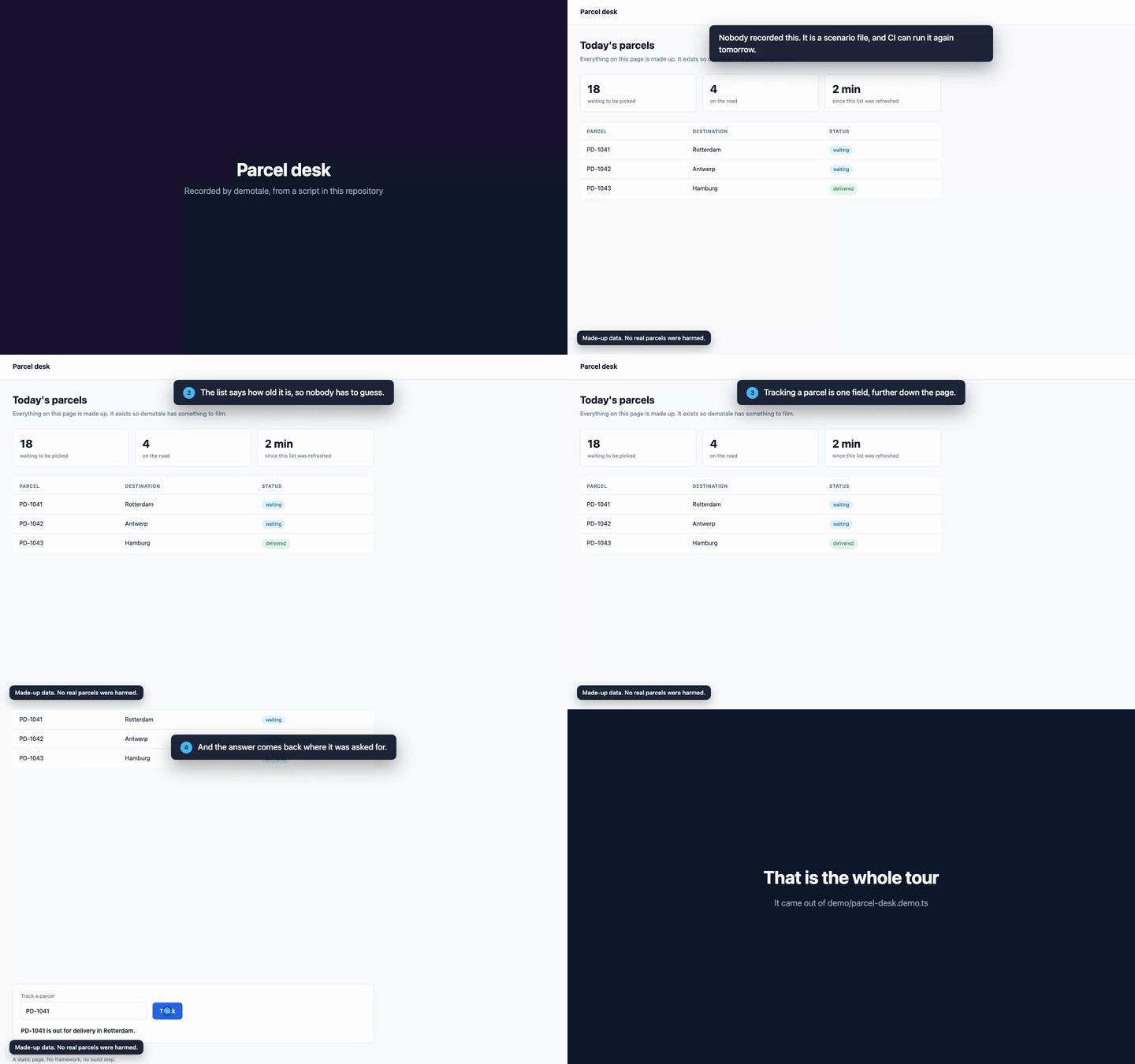
Not a screen grab. A walkthrough CI can run again. That gif is
examples/basic/demo/parcel-desk.demo.ts, recorded by this package, the same path CI runs on every
push.
Why
- One walkthrough. Three things you can ship. A video for the pitch, a gif for the README, or
pictures of the real UI with no overlay. Same scenario; you pick the artefact (
video,gif,images). - CI films the same path again.
demotale recordin CI, so the demo stays current without a hand-filmed remake. - Text on screen, no microphone. A UI change costs you one command instead of another afternoon of re-recording.
- For the agent you already have. After
init, five lines inAGENTS.mdpoint atdemotale agent-guide. The agent writes the scenario; demotale is the motor and the feedback (check, then onevideo/gif/images). - On your machine. No account. Playwright and Chromium come with the package. ffmpeg is a
system install, or
ffmpeg-staticif you add it. No upload, no service. - Honest by default.
note()puts "seeded data, no real customer" on screen and keeps it there, andredactguarantees an element is never in frame. Both exist so the video is one you dare show a customer.
Install
npm i -D @pesuto/demotale
npx demotale init
Needs Node 22.12 or later. That install downloads Chromium (postinstall). A system ffmpeg on your
PATH is used when present (brew install ffmpeg, apt install ffmpeg, winget install ffmpeg).
You can also add a bundled binary with npm i -D ffmpeg-static. Without any ffmpeg the recording
still happens and you keep the webm; you just do not get an mp4.
If npm i ran with --ignore-scripts, or doctor reports a missing browser: npx demotale setup.
Not sure whether the machine is ready? npx demotale doctor checks everything that can be missing,
in ten seconds, and says what to do about each thing. It installs nothing itself.
For your coding agent
After init, five lines in AGENTS.md point at the real instructions. When you ask for a
demo, the agent should run this and follow it, not invent a scenario from memory:
npx demotale agent-guideThe loop is: point the config at your app → write demo/<thing>.demo.ts → npx demotale check
(open the frames) → npx demotale video (or gif / images N). record is what CI runs.
Write a scenario
demo/tour.demo.ts:
import { test, expect } from '@pesuto/demotale';

test('A guided tour', async ({ page, demo }) => {
  await page.goto('/');
  await demo.step('Opening it fetches the order live.', async () => {
    await demo.click(page.getByRole('link', { name: 'Open' }));
    await expect(page.getByRole('heading', { name: 'Order' })).toBeVisible();
  });
});
It is a Playwright test. Anything you can do in a test, you can do in a scenario.
Record it
npx demotale videoYou get demo/output/a-guided-tour.mp4, plus a .vtt subtitle track and a markdown transcript
with timestamps. For a gif: npx demotale gif. For docs pictures, mark moments with demo.still()
and run npx demotale images 8.
Keep it current in CI
npx demotale init --ci writes a GitHub Actions workflow that does this, and never overwrites one
that is already there. doctor will say so if the file is missing.
- run: npx playwright install --with-deps chromium
- run: sudo apt-get update && sudo apt-get install -y ffmpeg
- run: npx demotale record
- uses: actions/upload-artifact@v4
  with: { name: demo, path: demo/output/* }
--with-deps installs the OS libraries Chromium needs on Linux runners. The package postinstall
already downloads the browser itself. GitHub-hosted Ubuntu does not ship ffmpeg; install it in the
job (sudo apt-get install -y ffmpeg) or the recording stays a webm.
The scenario API
| | |
| --- | --- |
| card(title, subtitle?, holdMs?) / hideCard() | Full-screen title card |
| say(text, { badge?, hold? }) / hide() | A subtitle, held for as long as it takes to read |
| step(text, body?) | A numbered step: show the text, let it be read, then act |
| spotlight(locator, holdMs?) / clearSpotlight() | Scroll there, measure, frame it, dim the rest |
| click(locator) | Move the pointer there in steps, pause, click |
| type(locator, text) | Visible keystrokes |
| note(text) / note() | A standing label in the corner |
| still(name) | A docs picture of the page as it is now, without the overlay. Only demotale images writes it |
| wait(label, promise) | A named long wait; the transcript records how long it really took |
| chapter(title) | A marker for the transcript and the subtitles |
| redact(locator) | Take this element out of the picture |
| pause(ms) | A pause, scaled by speed |
Configure it
demotale.config.ts:
import { defineConfig } from '@pesuto/demotale';

export default defineConfig({
  baseUrl: 'http://localhost:3000',
  webServer: { command: 'npm start', url: 'http://localhost:3000', reuseExistingServer: false },
  speed: 1,
  redact: ['[aria-label="Account"]', '.org-switcher'],
  video: { formats: ['mp4', 'gif'] },
  theme: { base: 'dark', accent: '#38bdf8' },
  stills: { dir: './demo/stills', number: true },
});
Every key has a working default, so defineConfig({}) is a valid config. A wrong one is a sentence
naming the key, not a stack trace, and an unknown key is an error rather than something silently
ignored.
Apps behind a login
Some applications cannot be signed into with a token, only with a real browser session. Do it once:
npx demotale auth https://app.example.com/private --out .auth/session.jsonA browser opens, you sign in, and the session is saved the moment it is real and then verified in a
fresh browser before the command claims it worked. If the check fails the file is deleted rather
than left to break a recording twenty minutes in. Point storageState at it and later recordings
need nobody.
That file is a signed-in session for a real account, in plain JSON, on disk. Treat it as a
credential; demotale init puts it in your .gitignore and says why.
Commands
| | |
| --- | --- |
| demotale init | Config, an example scenario, AGENTS.md, gitignore lines and npm scripts. Never overwrites. --ci writes a GitHub Actions workflow that re-records. --no-agent skips AGENTS.md |
| demotale agent-guide | Print the one page of instructions for whatever writes the scenarios |
| demotale setup | Download Chromium when postinstall was skipped, and say whether ffmpeg is available |
| demotale check [file] | Play the click path without filming it. A frame per subtitle, and what the page held when a locator missed |
| demotale video [file] | Record and write an mp4 (plus subtitles and a transcript) |
| demotale gif [file] | Write a gif. Reuses the last recording unless you name a scenario file |
| demotale images N [file] | Write exactly N docs pictures from demo.still() in the scenario. Nothing is written if the count does not match |
| demotale record [file] | Record and render whatever the config lists. What CI runs |
| demotale render | Re-render what was recorded |
| demotale join a.mp4 b.mp4 out.mp4 | Join two parts without re-encoding |
| demotale auth <url> | Save a browser session, once |
| demotale doctor | Check node, ffmpeg, browsers, config, the dev-server command and baseUrl in ten seconds. Installs nothing |
check, record, video, gif, images, render and doctor take --json. Same envelope:
{ demotale, command, ok, problems, result }, with problems naming the scenario, the step and the
locator where there is one. In JSON mode stdout carries the document and nothing else.
Documentation
- Getting started
- Writing a scenario
- Recipes: apps behind a login, two-part recordings, CI
- Traps: what actually goes wrong when you record a browser, and why
- AGENTS.md / llms.txt: for coding agents discovering this repo
What it does not do
No audio and no spoken commentary. That is a choice, not a gap: a narrated video has to be re-recorded by a person on every change, and text overlays roll out again by themselves. No hosting, no account, no upload. Everything happens on your machine.
License
Apache-2.0 © Ben van den Berge. See NOTICE for third-party notices. A bundled FFmpeg
binary from ffmpeg-static (if you install that yourself) is GPL.
The Pesuto name and logo are not covered by the license.