
@pictify/agent-skill
v1.0.3
Published
Agent skills for Pictify — generate images from HTML/CSS with AI agents. OG images, social cards, banners, screenshots, certificates, and more.

Maintainers
 suyash-thakur
Readme
Pictify Skills
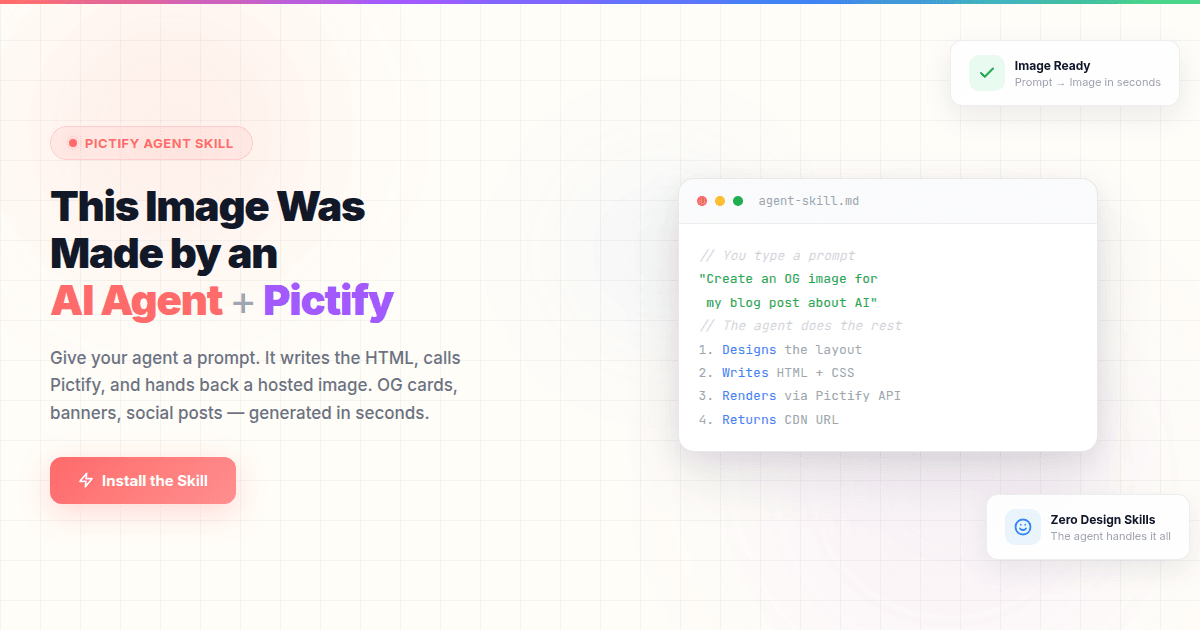


Agent skills for Pictify — generate images from HTML/CSS with AI agents.
OG images, social cards, banners, screenshots, certificates, product images, email headers, and presentation slides — all from natural language.
Works with Claude Code, Cursor, Windsurf, and any agent that supports the open skills standard.
Install
Claude Code
Option 1 — Skills CLI (recommended)
npx skills add pictify-io/skillsOption 2 — Direct install via npm
npx @pictify/agent-skillOption 3 — Project-local (installs to .claude/skills/ in your project)
npx @pictify/agent-skill --projectCursor
npx @pictify/agent-skillThe skill installs to ~/.claude/skills/pictify/. Cursor picks it up automatically if you have skills discovery enabled.
Windsurf
npx @pictify/agent-skillUninstall
npx @pictify/agent-skill --uninstallSetup
Get your Pictify API key:
- Sign up at pictify.io
- Go to API Tokens
- Create a token
Set it in your environment:
export PICTIFY_API_KEY=your_token_hereThe skill automatically detects the key from the environment. No additional configuration needed.
What it does
Once installed, your AI agent gets design-aware guidance for generating images with the Pictify API. Just ask:
- "Create an OG image for my blog post about serverless functions"
- "Make a Twitter card announcing our new pricing"
- "Screenshot stripe.com at desktop and mobile viewports"
- "Generate a certificate for course completion"
- "Create a product card for our headphones at $149"
The skill handles:
- Design clarification — asks about visual style, color palette, and layout before generating, with context-aware suggestions (not generic lists)
- Pre-render validation — 8-point checklist that catches wrong dimensions, missing fonts, and broken images before the API call
- Platform dimensions — correct sizes for every platform (OG 1200x630, Instagram 1080x1080, Twitter 1200x675, etc.)
- CSS patterns — reliable patterns for gradients, flexbox layouts, glassmorphism, text clamping, and more
- Typography — Google Fonts loading, font pairings, and type scales for each image size
- Error handling — actionable recovery for every API error code
What's included
| File | Purpose |
|------|---------|
| Use cases | |
| rules/og-image.md | Open Graph images for link previews |
| rules/social-card.md | Twitter, LinkedIn, Facebook, Instagram cards |
| rules/marketing-banner.md | Ads, hero images, promotional graphics |
| rules/screenshot.md | URL screenshot capture with viewport control |
| rules/certificate-badge.md | Certificates, badges, ID cards, event passes |
| rules/product-image.md | E-commerce product images, catalogs |
| rules/email-header.md | Email banners with dark mode and retina support |
| rules/presentation-slide.md | Slides, pitch decks, social carousels |
| References | |
| rules/validation-checklist.md | Pre-render validation (8-point checklist) |
| rules/dimensions-reference.md | Platform dimension presets and safe zones |
| rules/css-patterns.md | CSS that renders reliably in Pictify |
| rules/fonts-and-typography.md | Font loading, pairings, and type scales |
How it works
The skill uses the Pictify HTML-to-Image API (POST https://api.pictify.io/image). It instructs the AI agent to:
- Clarify design intent (colors, layout, typography — not copy)
- Generate HTML/CSS following proven rendering patterns
- Validate against an 8-point checklist before calling the API
- Handle errors with specific recovery actions
No MCP server required. The skill makes direct HTTP calls to the Pictify API.
Links
- Pictify — Image generation API
- API Docs — Get your API key
- npm — Package on npm
- skills.sh — Open agent skills ecosystem
- @pictify/mcp-server — Pictify MCP server (for full API access including templates, GIFs, PDFs, and A/B testing)
License
MIT