
@pipex/core
v1.1.0
Published
process data like a pipeline

Maintainers
 lengfangbing
Readme
@pipex/core


What is @pipex/core?
process data like a pipeline
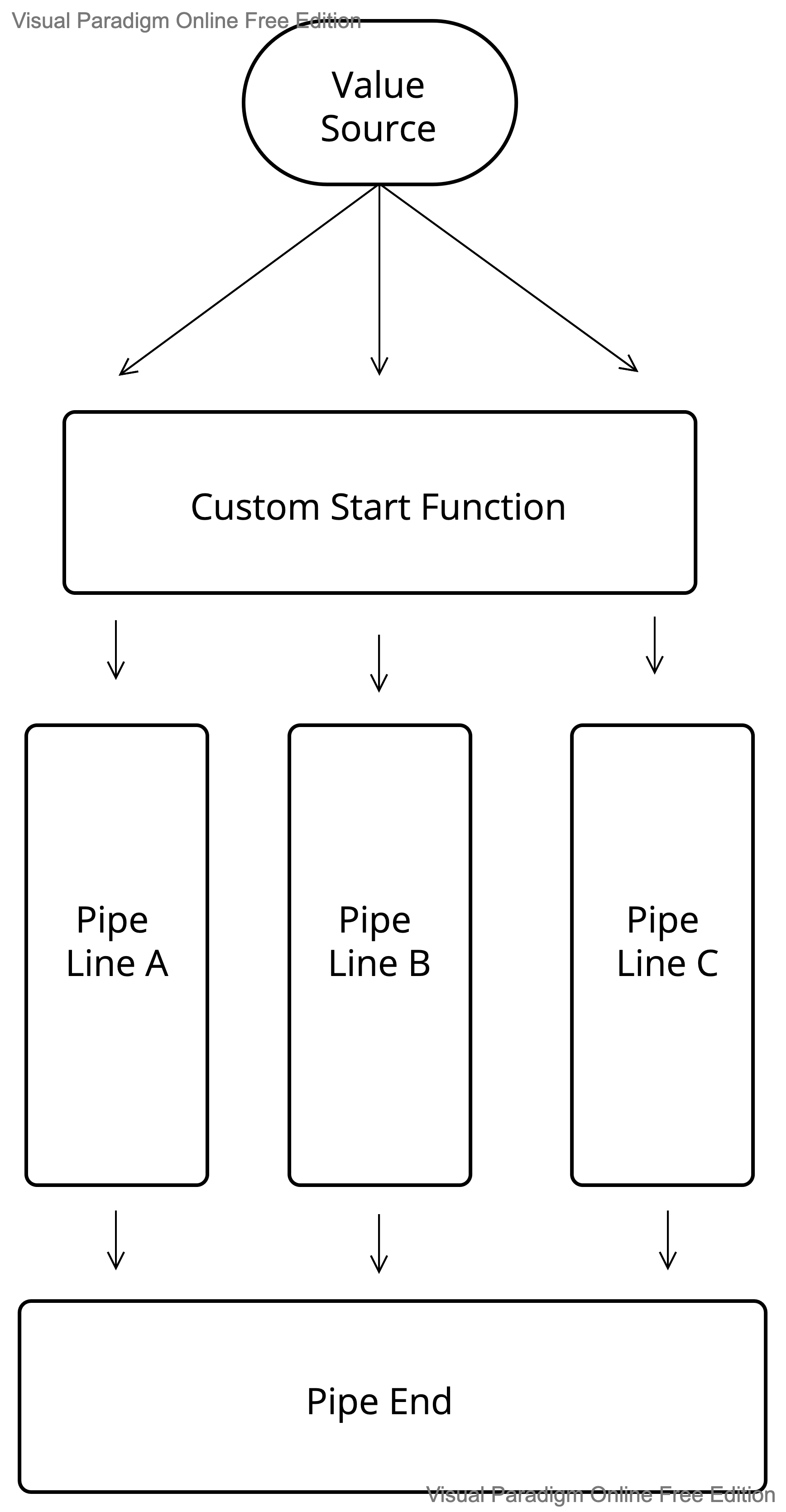
Design
Usage
const value = {
    name: '@pipex/core',
    loading: false
};
const customStart = {
    getName(value) {
	return `custom returned ${value.name}`;
    },
    getLoading(value) {
	return value.loading;
    },
    getValue(value) {
	return value;
    }
}
simple example
const pipeCore = createPipeCore(value, customStart);
await pipeCore
    .getName(name => {
         // name === 'custom returned @pipex/core'
         return '123';
     })
     .pipe<string>(name => {
         // name === '123'
     })
     .getName(name => {
	 // name === 'custom returned @pipex/core'
      })
     .pipeEnd();
use piecePipe
const pipeCore = createPipeCore(value, customStart);
await pipeCore
    .getName((name, piecePipe) => {
        // name === 'custom returned @pipex/core'
        piecePipe
	   .getLoading((loading, _, set) => {
		// loading === false
		// update loading value to true
	        set({ loading: true });
	    })
       return '123';
    })
    .pipe<string>((name, piecePipe) => {
        // name === '123'
        piecePipe
	    .getLoading((loading, _, set) => {
		// loading === true
	    })
     })
     .pipeEnd();
use instance()
const pipeCore = createPipeCore(value, customStart);
const testInstance = async () => {
    await pipeCore
        .instance()
	.getValue(async (_, __, set) => {
	    // update loading to true
	    set({ loading: true });
	    await testNewInstance();
	})
	.pipeEnd();
}
const testNewInstance = async () => {
    await pipeCore
      .instance(true)
      .getValue((_, __, set) => {
        // update name
        set({ name: 'instance @pipex/core' });
      })
      .pipeEnd();
};
await pipeCore
    .getName((name, piecePipe) => {
        // name === 'custom returned @pipex/core'
	piecePipe
	    .getLoading(async (loading, _piecePipe, set) => {
		// loading === false
		// update loading value to true
		await testInstance();
		_piecePipe
		    .getName(_name => {
                       // name === 'custom returned @pipex/core',instance(true) not reference value to source PipeCore
                    })
		    .getLoading(loading => {
		        // loading === true
			// instance always called before _piecePipe, so loading is true
		    })
	    })
     })
     .pipeEnd();
API
createPipeCore(value: Record<string, string>, config: Record<string, (value: Value) => any>): PipeCore
createPipeCorewill create one PipeCore.valuemeans the origin Record value source.configmeans the pipeline start function.
instance(createOneFreshValue?: boolean): PipeCore
instancewill create one new pipeline to call.createOneFreshValuemeans need create one independent PipeCore.
piecePipe: PiecePipeCore
piecePipemeans if you do sth in line A, you could usepiecePipeto do sth in other line includes line A
pipeEnd(): void;
pipeEndmeans call all functions, only called in PipeCore, not in PiecePipeCore
Annotation
- Both
instance()andpiecePipecould do sth in other line, theinstance()would call beforepiecePipein everyPipeCorefunction.
TODO
support for React state