
@plusify/ngx-markdown-editor
v0.1.1
Published
A customizable Markdown editor for Angular with KaTeX support, syntax highlighting, and a modern toolbar.

Maintainers
 rockycott
Readme
Plusify Markdown Editor
A lightweight, extensible, and user-friendly Markdown Editor built with Angular. It features a custom toolbar, live preview, support for KaTeX, copy to clipboard, and interactive popovers for inserting images, links, and headings.
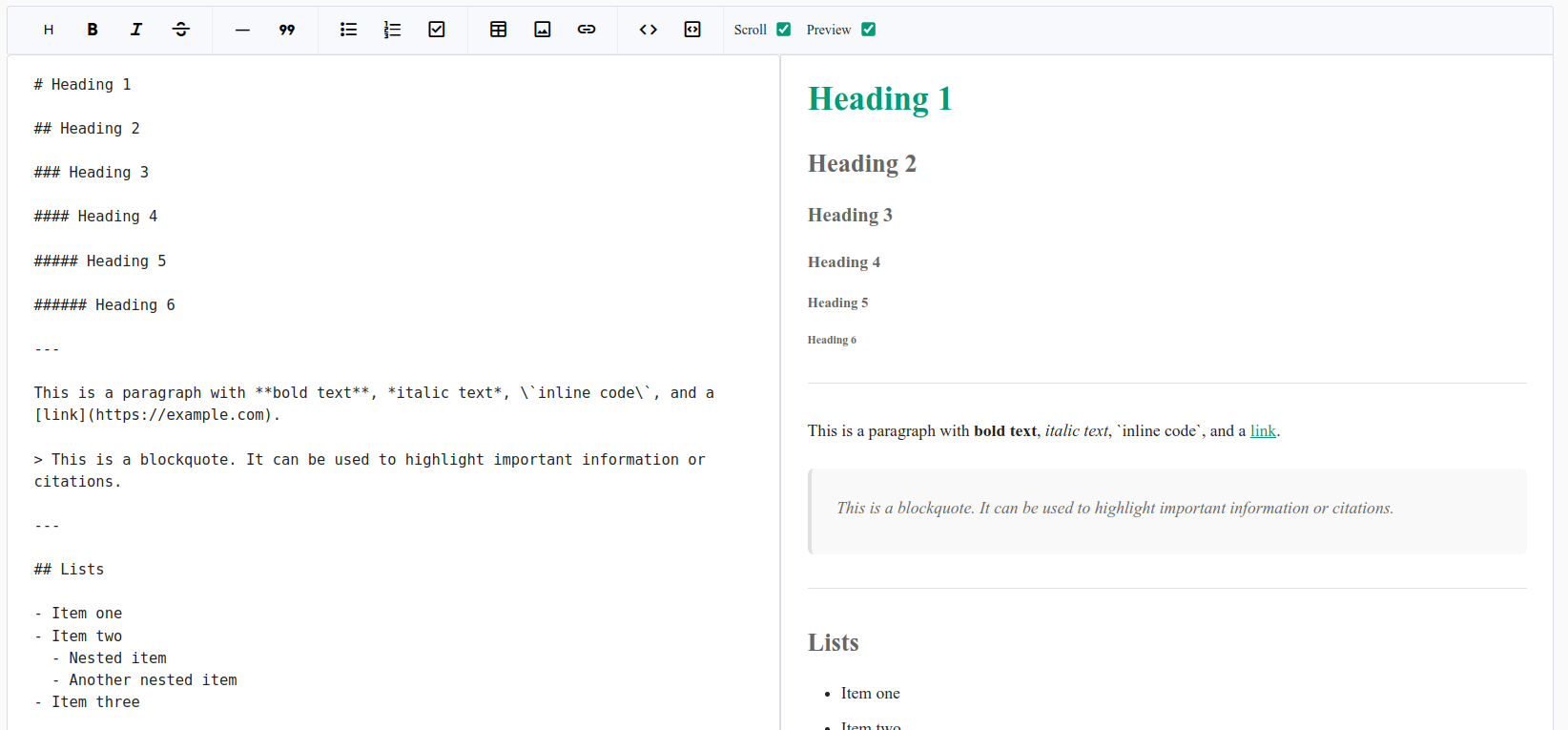
✨ Features
- Modular architecture with reusable components.
- Markdown input with syntax helpers (bold, italic, lists, etc.).
- Insert links and images through popovers.
- Select heading levels with a quick menu.
- Synchronized scrolling (optional).
- Live preview powered by
ngx-markdownand KaTeX. - Customizable theme with CSS variables.
Getting Started
1. Install Required Dependencies
Run the following command to install @plusify/ngx-markdown-editor along with its peer dependencies:
npm install @plusify/ngx-markdown-editor ngx-markdown marked prismjs katex clipboard2. Configure angular.json
Add the following entries in your angular.json under the corresponding build and test targets:
"styles": [
  "node_modules/prismjs/themes/prism-okaidia.css",
  "node_modules/katex/dist/katex.min.css"
],
"scripts": [
  "node_modules/prismjs/prism.js",
  "node_modules/clipboard/dist/clipboard.min.js",
  "node_modules/katex/dist/katex.min.js",
  "node_modules/katex/dist/contrib/auto-render.min.js"
]
Note: Angular CLI does not automatically apply these configurations. You must add them manually to enable syntax highlighting and KaTeX rendering.
3. Use the Component
<plusify-markdown-editor
  [config]="config"
  [customTheme]="{ '--color-primary': '#4caf50' }"
  (valueChange)="handleValueChange($event)">
</plusify-markdown-editor>
config: MarkdownEditorConfig = {
showPreview: false,
readonly: false,
};
handleValueChange(newValue: string) {
console.log('Updated Markdown:', newValue);
}Components Overview
<plusify-markdown-editor>
The main editor wrapper. Provides toolbar, textarea, and live preview.
| Input | Type | Description |
| ------------- | ------------------------ | ----------------------------------- |
| themeClass | string | Optional theme class. |
| customTheme | Record<string, string> | CSS variable overrides. |
| config | MarkdownEditorConfig | Initial config options. |
🎨 Theming
Customize using CSS variables:
:root {
  --color-primary: #009b77;
  --color-on-primary: #fff;
  --color-outline: #ccc;
  --color-on-surface: #222;
}
Or override directly:
<plusify-markdown-editor
  [customTheme]="{ '--color-primary': '#4caf50' }">
</plusify-markdown-editor>
📦 Dependencies
🙌 Contributing
Pull requests are welcome! If you want to add new features or improve the existing ones, feel free to fork the project and submit a PR.