
@psycheqow/discord-webhook-builder
v1.0.0
Published
Lightweight Discord webhook message builder. Send embeds, buttons, Components V2, polls, and more. Zero dependencies.

Maintainers
 psycheqow
Readme
discord-webhook-builder




Lightweight, zero-dependency Node.js library for sending Discord webhook messages with embeds, buttons, polls, and Components V2 support.
Built by the team behind Discord Webhook Builder -- the free online tool for creating and sending Discord webhook messages.
Features
- Zero dependencies -- uses native
fetch(Node 18+) - Chainable API -- fluent builder pattern for embeds, buttons, and polls
- Full TypeScript support -- included
.d.tsdefinitions - ESM + CommonJS -- works with
require()andimport - Lightweight -- under 8 KB, single file
- Complete -- send, edit, delete messages, embeds, components, polls
Installation
npm install discord-webhook-builderyarn add discord-webhook-builderpnpm add discord-webhook-builderQuick Start
const { WebhookClient, EmbedBuilder } = require('discord-webhook-builder');

const client = new WebhookClient('https://discord.com/api/webhooks/YOUR_ID/YOUR_TOKEN');

// Send a simple text message
await client.send({ content: 'Hello from discord-webhook-builder!' });

// Send a rich embed
const embed = new EmbedBuilder()
  .setTitle('Hello World')
  .setDescription('Sent with [discord-webhook-builder](https://discord-webhook.com)')
  .setColor('#5865f2')
  .setTimestamp();

await client.send({ embeds: [embed] });
ESM Import
import { WebhookClient, EmbedBuilder } from 'discord-webhook-builder';Visual Builder
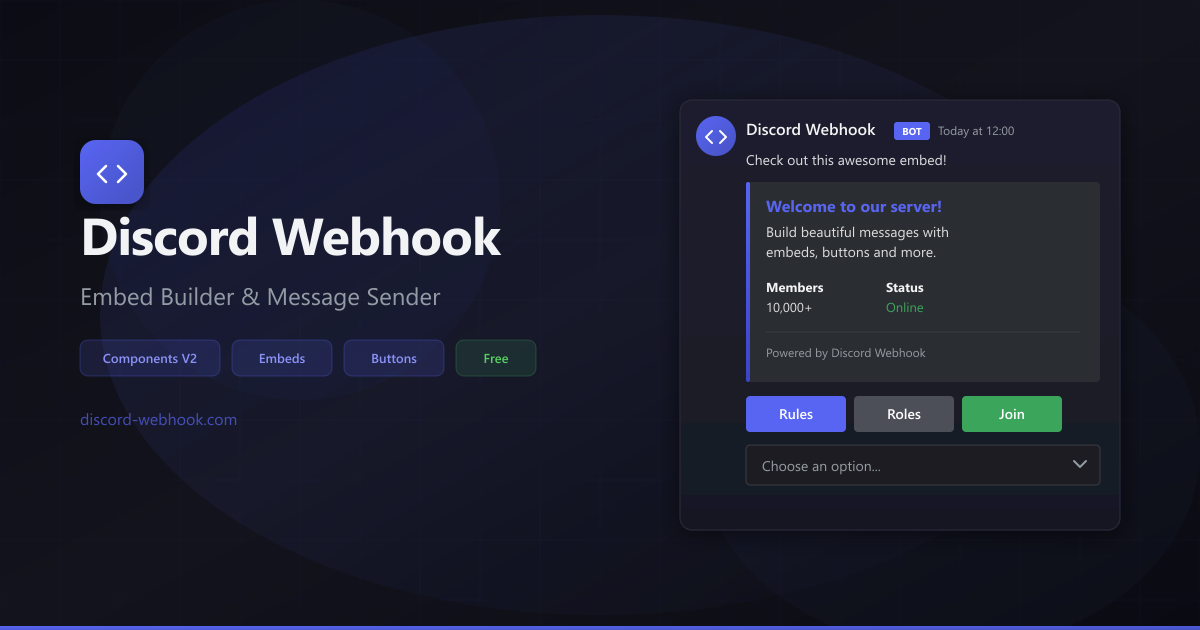
Prefer a visual editor? Try Discord Webhook Builder -- free online tool with drag-and-drop interface, live preview, and Components V2 support. Build your message visually, then export it as JSON or send it directly.
API Reference
WebhookClient
The main class for interacting with a Discord webhook.
const client = new WebhookClient(url, options?)Constructor Parameters
| Parameter | Type | Description |
|-----------|------|-------------|
| url | string | Full Discord webhook URL (required) |
| options.username | string | Override the default webhook username |
| options.avatarURL | string | Override the default webhook avatar |
| options.threadId | string | Send messages to a specific thread |
Methods
client.send(payload)
Send a new message through the webhook.
const message = await client.send({
  content: 'Hello!',
  embeds: [embed],
  components: [actionRow],
  username: 'Custom Name',
  avatar_url: 'https://example.com/avatar.png',
  tts: false,
});

console.log('Message ID:', message.id);
Returns: Promise<object> -- the created message object from Discord.
client.edit(messageId, payload)
Edit a previously sent webhook message.
await client.edit(message.id, {
  content: 'Updated message!',
  embeds: [updatedEmbed],
});
Returns: Promise<object> -- the updated message object.
client.delete(messageId)
Delete a previously sent webhook message.
await client.delete(message.id);Returns: Promise<null>
client.fetchInfo()
Fetch information about the webhook (name, avatar, channel, guild).
const info = await client.fetchInfo();
console.log('Webhook name:', info.name);
console.log('Channel:', info.channel_id);
Returns: Promise<object> -- webhook info object.
EmbedBuilder
Chainable builder for Discord embed objects.
const embed = new EmbedBuilder()Methods
All methods return this for chaining.
| Method | Parameters | Description |
|--------|-----------|-------------|
| setTitle(title) | string | Set the embed title (max 256 chars) |
| setDescription(desc) | string | Set the embed description (max 4096 chars) |
| setURL(url) | string | Set the embed title URL |
| setColor(color) | string \| number \| [r,g,b] | Set the embed color |
| setTimestamp(date?) | Date (optional) | Set the embed timestamp (defaults to now) |
| setFooter(text, iconURL?) | string, string? | Set the embed footer |
| setImage(url) | string | Set the embed image |
| setThumbnail(url) | string | Set the embed thumbnail |
| setAuthor(name, iconURL?, url?) | string, string?, string? | Set the embed author |
| addField(name, value, inline?) | string, string, boolean? | Add a single field |
| addFields(...fields) | Array<{name, value, inline?}> | Add multiple fields at once |
| toJSON() | -- | Serialize to a plain object |
Color Formats
The setColor() method accepts multiple formats:
embed.setColor('#5865f2');      // Hex string
embed.setColor('5865f2');       // Hex without #
embed.setColor(0x5865f2);      // Number
embed.setColor([88, 101, 242]); // RGB array
ButtonBuilder
Build interactive buttons for your webhook messages.
const button = new ButtonBuilder()Methods
| Method | Parameters | Description |
|--------|-----------|-------------|
| setCustomId(id) | string | Set the button custom ID (for non-link buttons) |
| setLabel(label) | string | Set the button label text |
| setStyle(style) | ButtonStyle | Set the button style |
| setURL(url) | string | Set a URL (automatically sets style to Link) |
| setEmoji(emoji) | string \| object | Set button emoji |
| setDisabled(disabled?) | boolean | Disable/enable the button |
| toJSON() | -- | Serialize to a plain object |
ButtonStyle Constants
const { ButtonStyle } = require('discord-webhook-builder');

ButtonStyle.Primary   // 1 - Blurple
ButtonStyle.Secondary // 2 - Grey
ButtonStyle.Success   // 3 - Green
ButtonStyle.Danger    // 4 - Red
ButtonStyle.Link      // 5 - Grey with link icon
ActionRowBuilder
Container for buttons and other components. Each action row holds up to 5 buttons.
const row = new ActionRowBuilder()Methods
| Method | Parameters | Description |
|--------|-----------|-------------|
| addComponents(...components) | ButtonBuilder[] | Add buttons to the row |
| toJSON() | -- | Serialize to a plain object |
PollBuilder
Create polls in Discord messages.
const poll = new PollBuilder()Methods
| Method | Parameters | Description |
|--------|-----------|-------------|
| setQuestion(text) | string | Set the poll question |
| addAnswer(text, emoji?) | string, string? | Add an answer option |
| setDuration(hours) | number | Set poll duration in hours |
| setMultiselect(allow?) | boolean | Allow multiple selections |
| toJSON() | -- | Serialize to a plain object |
Examples
Simple Text Message
const { WebhookClient } = require('discord-webhook-builder');

const client = new WebhookClient('https://discord.com/api/webhooks/ID/TOKEN');

await client.send({
  content: 'Hello, Discord!',
});
Rich Embed
const { WebhookClient, EmbedBuilder } = require('discord-webhook-builder');

const client = new WebhookClient('https://discord.com/api/webhooks/ID/TOKEN');

const embed = new EmbedBuilder()
  .setTitle('Server Status')
  .setDescription('All systems operational.')
  .setColor('#57f287')
  .setThumbnail('https://example.com/logo.png')
  .addField('Uptime', '99.9%', true)
  .addField('Response Time', '42ms', true)
  .addField('Region', 'US East', true)
  .setFooter('Last checked')
  .setTimestamp();

await client.send({ embeds: [embed] });
Multiple Embeds
const embed1 = new EmbedBuilder()
  .setTitle('Update 1.2.0')
  .setDescription('New features and improvements.')
  .setColor('#5865f2');

const embed2 = new EmbedBuilder()
  .setTitle('Bug Fixes')
  .setDescription('Resolved 12 reported issues.')
  .setColor('#ed4245');

await client.send({ embeds: [embed1, embed2] });
Buttons with Action Rows
const {
  WebhookClient,
  EmbedBuilder,
  ActionRowBuilder,
  ButtonBuilder,
  ButtonStyle,
} = require('discord-webhook-builder');

const client = new WebhookClient('https://discord.com/api/webhooks/ID/TOKEN');

const embed = new EmbedBuilder()
  .setTitle('Discord Webhook Builder')
  .setDescription('Create beautiful webhook messages with ease.')
  .setColor('#5865f2');

const row = new ActionRowBuilder().addComponents(
  new ButtonBuilder()
    .setLabel('Visit Website')
    .setURL('https://discord-webhook.com')
    .setEmoji('🌐'),
  new ButtonBuilder()
    .setLabel('Documentation')
    .setURL('https://discord-webhook.com/en/blog/discord-webhook-javascript/')
    .setEmoji('📖'),
);

await client.send({
  embeds: [embed],
  components: [row],
});
Poll
const { WebhookClient, PollBuilder } = require('discord-webhook-builder');

const client = new WebhookClient('https://discord.com/api/webhooks/ID/TOKEN');

const poll = new PollBuilder()
  .setQuestion('What feature should we build next?')
  .addAnswer('More embed options', '🎨')
  .addAnswer('File uploads', '📁')
  .addAnswer('Scheduled messages', '⏰')
  .addAnswer('Message templates', '📋')
  .setDuration(24)
  .setMultiselect(false);

await client.send({ poll });
Custom Username and Avatar
const client = new WebhookClient('https://discord.com/api/webhooks/ID/TOKEN', {
  username: 'Deploy Bot',
  avatarURL: 'https://example.com/deploy-bot.png',
});

await client.send({
  content: 'Deployment to **production** completed successfully.',
});
Send to a Thread
const client = new WebhookClient('https://discord.com/api/webhooks/ID/TOKEN', {
  threadId: '1234567890',
});

await client.send({
  content: 'This message goes to a specific thread.',
});
Edit and Delete Messages
const client = new WebhookClient('https://discord.com/api/webhooks/ID/TOKEN');

// Send a message
const message = await client.send({ content: 'Processing...' });

// Edit it later
await client.edit(message.id, {
  content: 'Done! Processed 42 items.',
  embeds: [
    new EmbedBuilder()
      .setTitle('Results')
      .setDescription('All items processed successfully.')
      .setColor('#57f287'),
  ],
});

// Or delete it
await client.delete(message.id);
Error Handling
const client = new WebhookClient('https://discord.com/api/webhooks/ID/TOKEN');

try {
  await client.send({ content: 'Hello!' });
} catch (error) {
  console.error('Status:', error.status);
  console.error('Response:', error.body);
}
How to Get a Webhook URL
- Open your Discord server
- Go to Server Settings > Integrations > Webhooks
- Click New Webhook
- Choose a channel, set a name, and click Copy Webhook URL
For a detailed walkthrough, see the Discord Webhook Setup Guide.
Related Resources
- Discord Webhook Builder -- Free online visual editor for webhook messages
- How to Send Discord Webhooks with JavaScript -- Step-by-step tutorial
- Discord Webhook Setup Guide -- Complete guide to creating and configuring webhooks
- Discord Embed Builder Guide -- Master rich embeds
- Discord Components V2 Guide -- Buttons, selects, and interactive components
Requirements
- Node.js 18.0.0 or later (uses native
fetch)
TypeScript
Full TypeScript definitions are included out of the box. No need to install @types packages.
import { WebhookClient, EmbedBuilder, ButtonStyle } from 'discord-webhook-builder';

const client = new WebhookClient('https://discord.com/api/webhooks/ID/TOKEN');

const embed: EmbedBuilder = new EmbedBuilder()
  .setTitle('Typed Embed')
  .setColor('#5865f2');

await client.send({ embeds: [embed] });
FAQ
How is this different from discord.js?
This library is focused exclusively on webhooks. It has zero dependencies, weighs under 8 KB, and does not require a bot token or gateway connection. If you only need to send webhook messages, this is a much lighter alternative.
Can I use this in the browser?
No. This library is designed for Node.js server-side usage. For browser-based webhook sending, use the Discord Webhook Builder web app.
Does this support file uploads?
Not yet. File uploads via webhooks require multipart/form-data, which will be added in a future release.
Does this support Components V2?
Yes. You can use ActionRowBuilder and ButtonBuilder to create Components V2 messages. See the Components V2 Guide for more details.
Contributing
Contributions are welcome! Please open an issue or submit a pull request on GitHub.
License
MIT -- Copyright (c) 2025-present RootCore
Built with care by the discord-webhook.com team.