@purus/tween.js
v25.0.1
Published
Simple and fast tweening engine with optimised Robert Penner's equations.


Readme
tween.js
JavaScript (TypeScript) tweening engine for easy animations, incorporating optimised Robert Penner's equations.




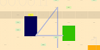
<div id="box"></div>

<style>
	#box {
		background-color: deeppink;
		width: 100px;
		height: 100px;
	}
</style>

<script type="module">
	import {Tween, Easing} from 'https://unpkg.com/@tweenjs/[email protected]/dist/tween.esm.js'

	const box = document.getElementById('box') // Get the element we want to animate.

	const coords = {x: 0, y: 0} // Start at (0, 0)

	const tween = new Tween(coords, false) // Create a new tween that modifies 'coords'.
		.to({x: 300, y: 200}, 1000) // Move to (300, 200) in 1 second.
		.easing(Easing.Quadratic.InOut) // Use an easing function to make the animation smooth.
		.onUpdate(() => {
			// Called after tween.js updates 'coords'.
			// Move 'box' to the position described by 'coords' with a CSS translation.
			box.style.setProperty('transform', 'translate(' + coords.x + 'px, ' + coords.y + 'px)')
		})
		.start() // Start the tween immediately.

	// Setup the animation loop.
	function animate(time) {
		tween.update(time)
		requestAnimationFrame(animate)
	}
	requestAnimationFrame(animate)
</script>Features
- Does one thing only and does it well: tweens properties of an object
- Doesn't take care of CSS units (e.g. appending
px) - Doesn't interpolate colors
- Easing functions are reusable outside of Tween
- Can also use custom easing functions
- Doesn't make its own animation loop, making it flexible for integration into any animation loop.
Examples
Installation
The recommended method is to use import syntax. Here we've listed various
install methods starting roughly with the most recommended first and least
desirable last. Evaluate all of the following methods to pick what is most
suitable for your project.
With npm install and import from node_modules
You can add tween.js as an npm dependency:
npm install @tweenjs/tween.jsWithout a build tool
Installed locally
You can import from node_modules if you serve node_modules as part of your
website, using a standard importmap script tag. First, assuming node_modules
is at the root of your website, you can write an import map like so in your HTML
file:
<script type="importmap">
	{
		"imports": {
			"@tweenjs/tween.js": "/node_modules/@tweenjs/tween.js/dist/tween.esm.js"
		}
	}
</script>
Now in any of your module scripts you can import Tween.js by its package name:
<script type="module">
	import {Tween} from '@tweenjs/tween.js'
</script>
Import from CDN
Note that, without the importmap, you can import directly from a CDN as with the first example above, like so:
<script type="module">
	import {Tween} from 'https://unpkg.com/browse/@tweenjs/[email protected]/dist/tween.esm.js'
</script>
You can also link your importmap to the CDN instead of a local node_modules folder, if you prefer that:
<script type="importmap">
	{
		"imports": {
			"@tweenjs/tween.js": "https://unpkg.com/browse/@tweenjs/[email protected]/dist/tween.esm.js"
		}
	}
</script>

<script type="module">
	import {Tween} from '@tweenjs/tween.js'
</script>
With a build tool
If you are using Node.js,
Parcel, Webpack,
Rollup, Vite, or another build
tool, then you can install @tweenjs/tween.js with npm install
@tweenjs/tween.js, and import the library into your JavaScript (or
TypeScript) file, and the build tool will know how to find the source code from
node_modules without needing to create an importmap script:
import * as TWEEN from '@tweenjs/tween.js'However, note that this approach requires always running a build tool for your
app to work, while the importmap approach will simply work without any build
tools as a simple static HTML site.
Manual build
Another approach is to download the source code with git, manually build the library, then place the output in your project. Node.js is required for this.
git clone https://github.com/tweenjs/tween.js
cd tween.js
npm install
npm run build
This will create some builds in the dist directory. There are currently two different builds of the library:
- ES6 Module in
/dist/tween.esm.js(recommended) - UMD in
/dist/tween.umd.js(deprecated, will be removed in a future major version)
You are now able to copy one of those two files into your project, and use like this (recommended):
<script type="module">
	import {Tween} from 'path/to/tween.esm.js'
</script>
or (deprecated, to be removed in future major):
<script src="path/to/tween.umd.js"></script>
<script>
	const {Tween} = TWEEN
</script>
where path/to is replaced with the location where you placed the file.
[!Note] You can also download these files from unpkg, for example here: https://unpkg.com/browse/@tweenjs/[email protected]/dist/
Global variable from CDN (deprecated)
[!Note] This method is deprecated and will be removed in a future major version!
Install a global TWEEN variable from a content-delivery network (CDN) using the UMD file.
From cdnjs:
<script src="https://cdnjs.cloudflare.com/ajax/libs/tween.js/23.1.3/tween.umd.js"></script>Or from unpkg.com:
<script src="https://unpkg.com/@tweenjs/tween.js@^23.1.3/dist/tween.umd.js"></script>Then use the TWEEN variable in any script:
<script>
	const {Tween, Easing, Group /*, ...*/} = TWEEN

	const tween = new Tween(someObject)
	// ...
</script>
[!Note] unpkg.com supports a semver version in the URL, where the
^in the URL tells unpkg to give you the latest version 20.x.x.
CommonJS (deprecated)
Skip this section if you don't know what CommonJS is!
[!Note] This method is deprecated and will be removed in a future major version!
Any of the above methods work in older systems that still use CommonJS. Repeat
any of the above methods but using dist/tween.cjs instead of
dist/tween.esm.js or dist/tween.umd.js.
Documentation
- User guide
- Contributor guide
- Tutorial using tween.js with three.js
- Also: libtween, a port of tween.js to C by jsm174
Tests
You need to install npm first--this comes with node.js, so install that one first. Then, cd to tween.js's (or wherever you cloned the repo) directory and run:
npm installTo run the tests run:
npm testIf you want to add any feature or change existing features, you must run the
tests to make sure you didn't break anything else. Any pull request (PR) needs
to have updated passing tests for feature changes (or new passing tests for new
features or fixes) in src/tests.ts to be accepted. See
contributing for more information.
People
Maintainers: Joe Pea (@trusktr).