
@pyyupsk/pixelarticons
v1.0.5
Published
Modern CLI tool to generate React components from the original Pixelarticons library by Gerrit Halfmann. Built with TypeScript and comprehensive testing.

Maintainers
 pyyupsk
Readme
@pyyupsk/pixelarticons
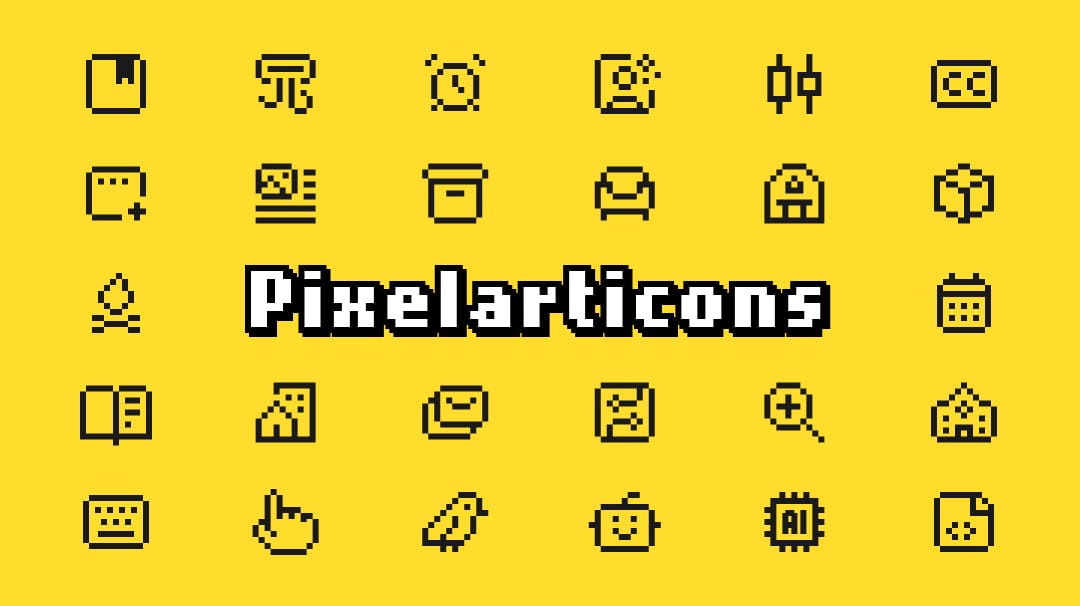
🎨 CLI tool to generate React components from the beautiful Pixelarticons library






A modern CLI tool that generates React components from the original Pixelarticons by Gerrit Halfmann. This tool provides an easy way to integrate the 486 handmade pixel art icons into your React projects with full TypeScript support and tree-shaking capabilities.
Note: This is a standalone CLI tool that uses the original Pixelarticons SVG assets. All icon designs are © Gerrit Halfmann and licensed under MIT. For the original icon library, visit pixelarticons.com.
Features
✨ Generate React components from 486 handmade pixel art icons
🎯 On-demand generation - only create the icons you need
📦 Tree-shakeable - optimal bundle sizes
🔧 TypeScript & JavaScript support
⚙️ Configurable via .pixelarticonsrc.json or environment variables
🛡️ Safe overwrites - prompts before replacing existing components
🔗 Path alias support - automatically resolves @, ~, # from tsconfig
🚀 Fast - built with Bun
📚 Comprehensive - detailed CLI guide included
Installation
npm install @pyyupsk/pixelarticons
# or
yarn add @pyyupsk/pixelarticons
# or
bun add @pyyupsk/pixelarticons
Quick Start
1. Initialize Configuration
npx @pyyupsk/pixelarticons initThis creates a .pixelarticonsrc.json file in your project root with default settings.
2. List Available Icons
# List all 486 icons
npx @pyyupsk/pixelarticons list

# Filter by name
npx @pyyupsk/pixelarticons list --filter arrow
3. Generate Components
# Generate specific icons
npx @pyyupsk/pixelarticons add archive calendar camera

# Generate all icons
npx @pyyupsk/pixelarticons add --all
4. Use in Your Code
TypeScript:
import { Archive, Calendar } from "@/components/icons";

function App() {
  return (
    <div>
      <Archive size={24} />
      <Calendar size={48} className="text-blue-500" />
    </div>
  );
}
JavaScript:
import { Archive, Calendar } from "@/components/icons";

function App() {
  return (
    <div>
      <Archive size={24} />
      <Calendar size={48} className="icon" />
    </div>
  );
}
CLI Commands
init - Initialize Configuration
npx @pyyupsk/pixelarticons init [options]

Options:
  -o, --output <path>    Output directory (default: "@/components/icons")
  --typescript           Use TypeScript (default: true)
  --no-typescript        Use JavaScript
  -f, --force            Overwrite existing config
list - List Available Icons
npx @pyyupsk/pixelarticons list [options]

Options:
  -f, --filter <pattern>  Filter icons by name pattern
add - Generate Components
npx @pyyupsk/pixelarticons add [icons...] [options]

Options:
  -a, --all              Generate all 486 icons
  -o, --output <path>    Override output directory
  --typescript           Generate TypeScript components
  --no-typescript        Generate JavaScript components
  -c, --config <path>    Custom config file path
  -f, --force            Force overwrite existing components without prompting
  -v, --verbose          Enable verbose logging
Overwrite Behavior
When regenerating existing components, the CLI will prompt you:
npx @pyyupsk/pixelarticons add home

⚠ 1 component(s) already exist:
  - home
? Overwrite existing components? (y/N)- Choose No (default): Skip existing components, only generate new ones
- Choose Yes: Overwrite all existing components
- Use
--force: Skip prompt and overwrite directly
# Force overwrite without prompt (useful for CI/CD)
npx @pyyupsk/pixelarticons add home --force
Configuration
Create .pixelarticonsrc.json in your project root:
{
  "output": "@/components/icons",
  "typescript": true,
  "extension": "tsx",
  "indexFile": true
}
Configuration Options
| Option | Type | Default | Description |
| ------------ | ------- | ---------------------- | ----------------------------------------------------------------- |
| output | string | "@/components/icons" | Output directory for generated components (supports path aliases) |
| typescript | boolean | true | Generate TypeScript (.tsx) or JavaScript (.jsx) |
| extension | string | "tsx" | File extension ("tsx" or "jsx") |
| indexFile | boolean | true | Generate barrel export file (index.ts/index.js) |
Path Alias Support
The CLI automatically resolves path aliases from your tsconfig.json or jsconfig.json:
// tsconfig.json
{
  "compilerOptions": {
    "baseUrl": ".",
    "paths": {
      "@/*": ["./src/*"],
      "~/*": ["./*"]
    }
  }
}
With this configuration:
@/components/icons→ resolves to./src/components/icons~/lib/icons→ resolves to./lib/icons
Supported aliases: @, ~, #, and any custom aliases you define.
Environment Variables
Override configuration using environment variables:
PIXELARTICONS_OUTPUT=./icons npx @pyyupsk/pixelarticons add archive
PIXELARTICONS_TYPESCRIPT=false npx @pyyupsk/pixelarticons add calendar
Available variables:
PIXELARTICONS_OUTPUTPIXELARTICONS_TYPESCRIPTPIXELARTICONS_EXTENSIONPIXELARTICONS_INDEX_FILE
Component API
All generated components accept standard SVG props plus a size prop:
interface IconProps extends SVGProps<SVGSVGElement> {
  size?: number | string; // Width and height (default: 24)
}
Examples
// Basic usage
<Archive />

// Custom size
<Archive size={48} />
<Archive size="3rem" />

// With styling
<Archive className="text-blue-500 hover:text-blue-700" />
<Archive style={{ color: 'red', cursor: 'pointer' }} />

// With event handlers
<Archive onClick={() => console.log('clicked')} />

// All combined
<Archive
  size={32}
  className="icon"
  style={{ marginRight: '8px' }}
  onClick={handleClick}
  aria-label="Archive icon"
/>
Documentation
For developers and AI assistants working with this codebase, see llms.txt for comprehensive technical documentation including:
- Internal architecture and pipeline details
- Configuration system and path alias resolution
- Component generation templates and philosophy
- Performance benchmarks and testing strategy
- Security considerations and design decisions
Development
This repository uses the original Pixelarticons SVG assets as a git submodule.
# Clone with submodules
git clone --recursive https://github.com/pyyupsk/pixelarticons.git

# Or initialize submodules after cloning
git submodule update --init --recursive

# Build the CLI
bun install
bun run build

# Test locally
bun run dev init
bun run dev list
bun run dev add archive
Credits & Attribution
This project would not be possible without the amazing work of:
Original Icon Library
Pixelarticons by Gerrit Halfmann (@halfmage)
- 486 carefully handmade pixel art icons
- Based on 24×24 grid with currentColor fills
- Licensed under MIT License
- Copyright © 2019 Gerrit Halfmann
CLI Tool
@pyyupsk/pixelarticons by @pyyupsk
- React component generator
- TypeScript/JavaScript support
- Modern CLI with comprehensive testing
License
This CLI tool is licensed under the MIT License]. The original Pixelarticons SVG assets are also licensed under the MIT License by Gerrit Halfmann.
Original Pixelarticons License
MIT License

Copyright (c) 2019 Gerrit Halfmann

Permission is hereby granted, free of charge, to any person obtaining a copy
of this software and associated documentation files (the "Software"), to deal
in the Software without restriction, including without limitation the rights
to use, copy, modify, merge, publish, distribute, sublicense, and/or sell
copies of the Software, and to permit persons to whom the Software is
furnished to do so, subject to the following conditions:

The above copyright notice and this permission notice shall be included in all
copies or substantial portions of the Software.
For the complete license text, see halfmage/pixelarticons/LICENSE.