
@qburst.com/ai-image-metadata-generator
v1.0.2
Published
Generate alt text and captions for media library images using OpenAI vision, with batch processing and keyword support.
Downloads
457


Readme
AI Image Metadata Generator
Generate alt text and captions for your Strapi Media Library images with OpenAI vision — review, refine, and save without leaving the admin panel.
Compatible with Strapi 5+.
Features
- Dual AI generation — create alt text and captions together in one pass
- Keyword-aware prompts — add brand, product, or context keywords for sharper results
- Review before save — edit AI output in a preview modal, then write back to the Media Library
- Batch processing — run selected images, or process everything still missing metadata
- Live progress — track batch status and cancel mid-run when needed
- Folder browsing — navigate your Media Library folders without leaving the plugin
- Flexible browsing — switch between list and grid views
- Smart filters — search by name and focus on images that still need metadata
- Accessibility & SEO ready — fill the fields that help screen readers and search engines
How it works

- Open AI Alt Text Generator from the admin sidebar
- Pick an image (or select many for a batch)
- Optionally add keywords for context
- Generate, review, edit, and save
See it in action
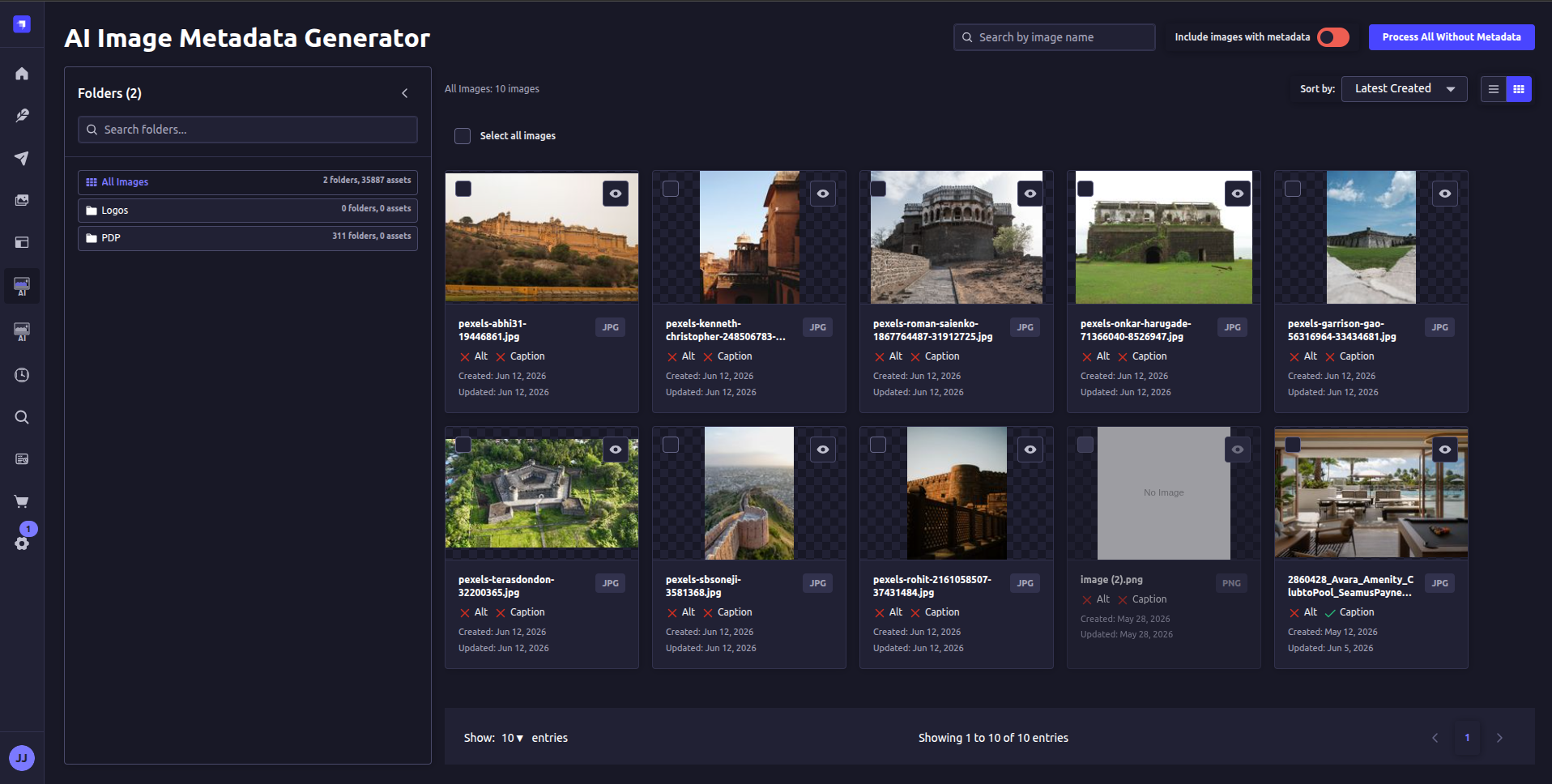
Media library browser
Browse, filter, and batch-process images in list or grid view.
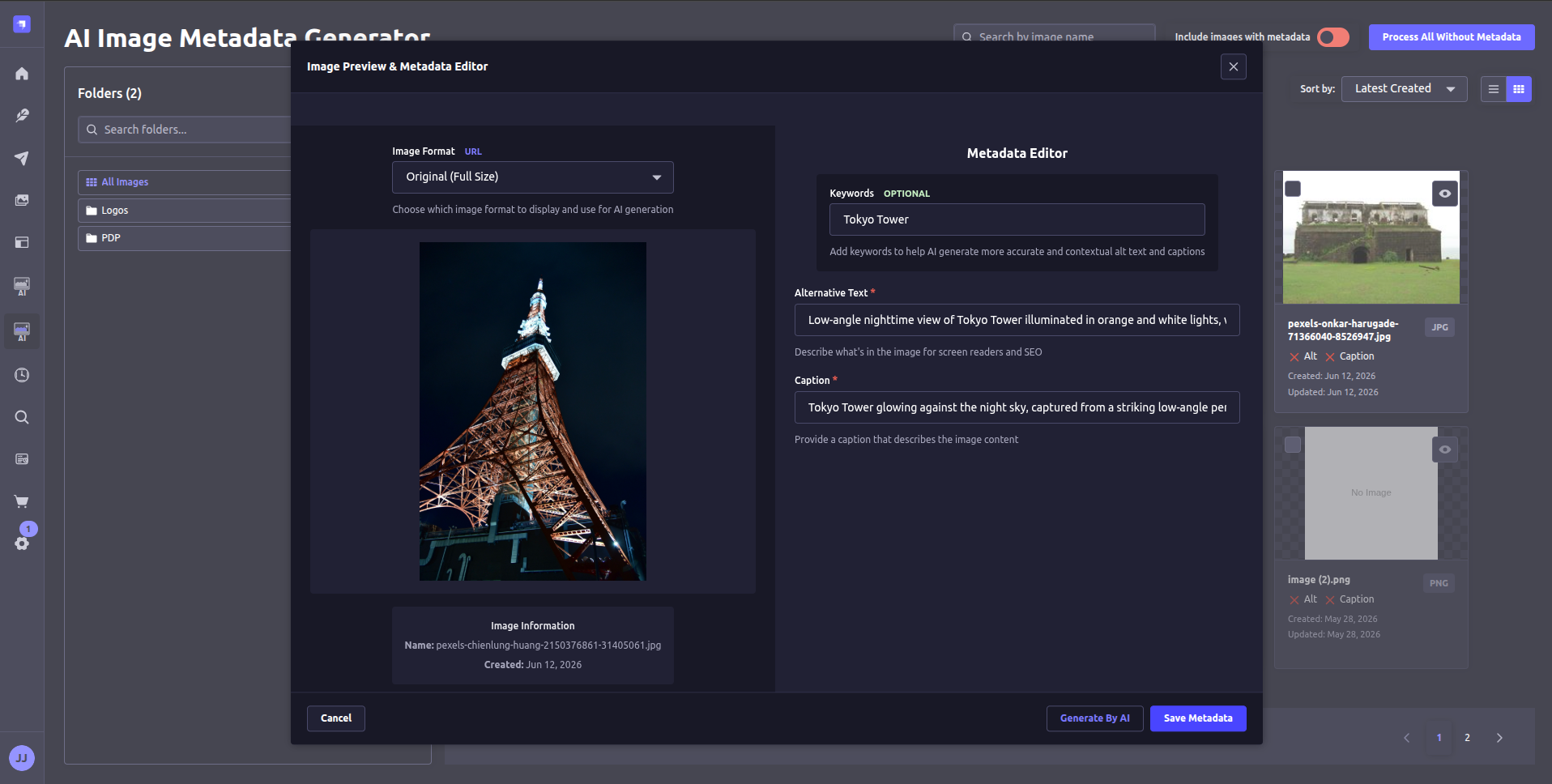
Preview & edit
Review AI-generated alt text and captions, refine with keywords, then save.
Requirements
- Strapi 5+
- Node.js
18–22 - An OpenAI API key with a vision-capable model (default:
gpt-4o-mini)
Installation
yarn add @qburst.com/ai-image-metadata-generator
# or
npm install @qburst.com/ai-image-metadata-generator
Enable the plugin in config/plugins.ts (or config/plugins.js):
export default ({ env }) => ({
  'ai-image-metadata-generator': {
    enabled: true, // required
    config: {
      openai: {
        apiKey: env('OPENAI_API_KEY'), // required
        url: env('OPENAI_URL', 'https://api.openai.com/v1'), // optional
        model: env('OPENAI_MODEL', 'gpt-4o-mini'), // optional
      },
      // optional
      ui: {
        alertAutoClose: 5000, // optional
      },
      // optional
      processing: {
        batchSize: 10, // optional
        maxConcurrent: 3, // optional
        timeout: 60000, // optional
      },
    },
  },
});
Rebuild or restart Strapi, then grant access under Settings → Administration panel → Roles.
Configuration
Environment variables
OPENAI_API_KEY=your-openai-api-key-here   # required
OPENAI_URL=https://api.openai.com/v1      # optional
OPENAI_MODEL=gpt-4o-mini                  # optional
Options
| Option | Required | Description |
| --- | --- | --- |
| openai.apiKey | yes | OpenAI API key |
| openai.url | no | API base URL (defaults to OpenAI) |
| openai.model | no | Vision-capable model |
| ui.alertAutoClose | no | Alert auto-dismiss duration (ms) |
| processing.batchSize | no | Images per batch |
| processing.maxConcurrent | no | Max concurrent AI requests |
| processing.timeout | no | Request timeout (ms) |
Troubleshooting
API key not set — Confirm OPENAI_API_KEY is set and mapped into plugin config, then restart Strapi.
Images not processing — Check API credits, that image URLs are reachable from the server, and that formats are PNG, JPEG, or WebP.
Rate limiting — Lower batchSize / maxConcurrent and respect OpenAI rate limits.
License
MIT © Joyal James. See LICENSE.