@qcc-design/openapi-mcp-server
v0.0.9
Published
MCP server for using the QCC Open API


Readme
QCC Open API MCP Server
MCP Server for the QCC Open API.
Setup
API Key
Get key: https://openapi.qcc.com/.
Usage
To use with Desktop APP, such as Claude, VSCode, Cline, Cherry Studio, Cursor, and so on, add the MCP server config below.
STDIO
On Mac system:
{
  "mcpServers": {
    "qcc-openapi-mcp": {
      "command": "npx",
      "args": [
        "-y",
        "@qcc-design/openapi-mcp-server"
      ],
      "env": {
        "QCC_OPEN_API_KEY": "<YOUR_API_KEY>",
        "QCC_OPEN_API_SECRET_KEY": "<YOUR_API_SECRET_KEY>"
      }
    }
  }
}
On Window system:
{
  "mcpServers": {
    "qcc-openapi-mcp": {
      "command": "cmd",
      "args": [
        "/c",
        "npx",
        "-y",
        "@qcc-design/openapi-mcp-server"
      ],
      "env": {
        "QCC_OPEN_API_KEY": "<YOUR_API_KEY>",
        "QCC_OPEN_API_SECRET_KEY": "<YOUR_API_SECRET_KEY>"
      }
    }
  }
}
Streamable
To use Streamable mode, start the server with the dev:web command and specify the port:
{
  "mcpServers": {
    "qcc-openapi-mcp": {
      "url": "http://localhost:8401/mcp"
    }
  }
}
SSE (Deprecated)
To use SSE mode, start the server with the dev:web command and specify the port:
{
  "mcpServers": {
    "qcc-openapi-mcp": {
      "url": "http://localhost:8401/sse"
    }
  }
}
Example
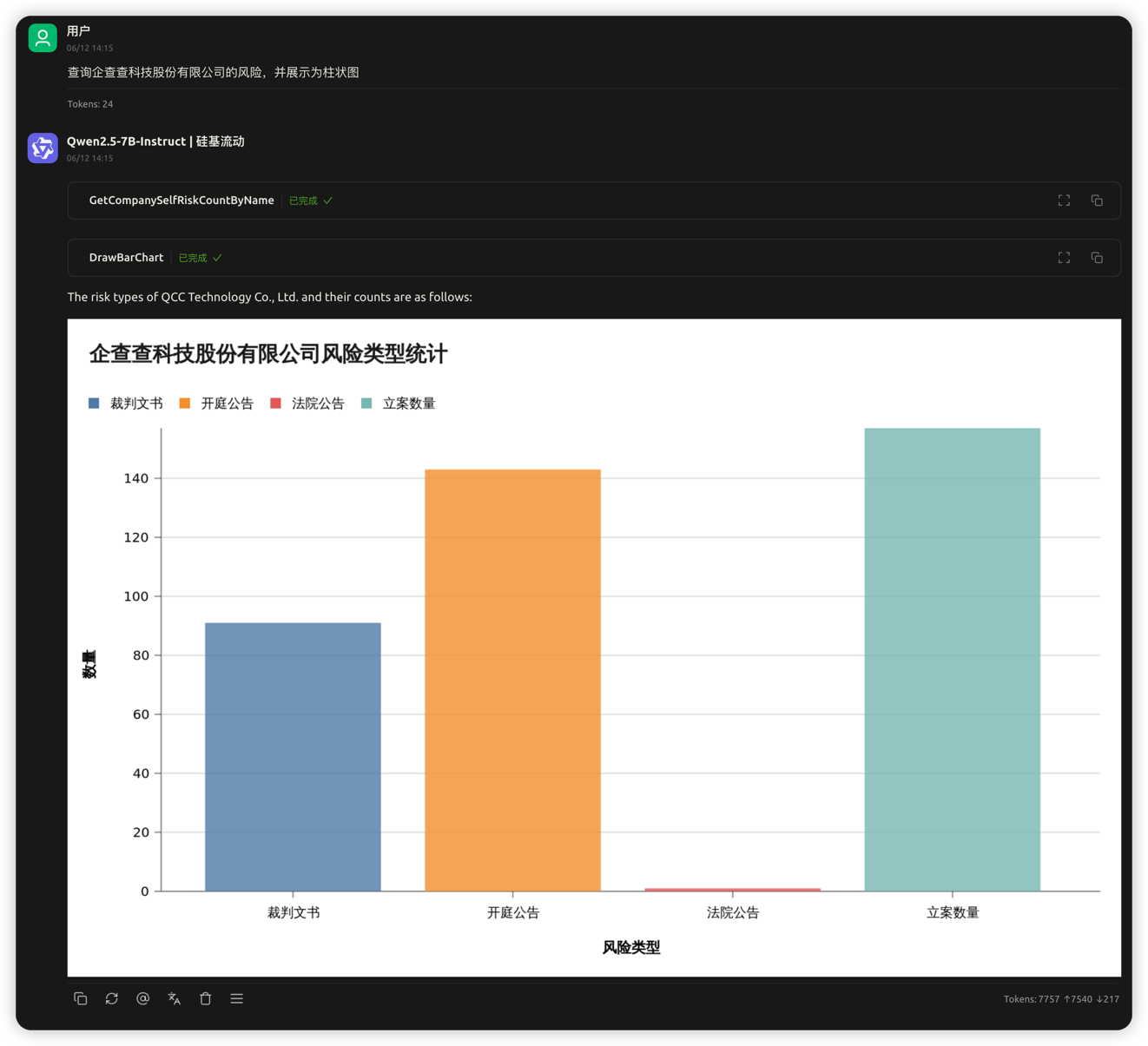
1. 查询企业风险信息并展示为柱状图
企业名称:企查查科技股份有限公司
展示效果:
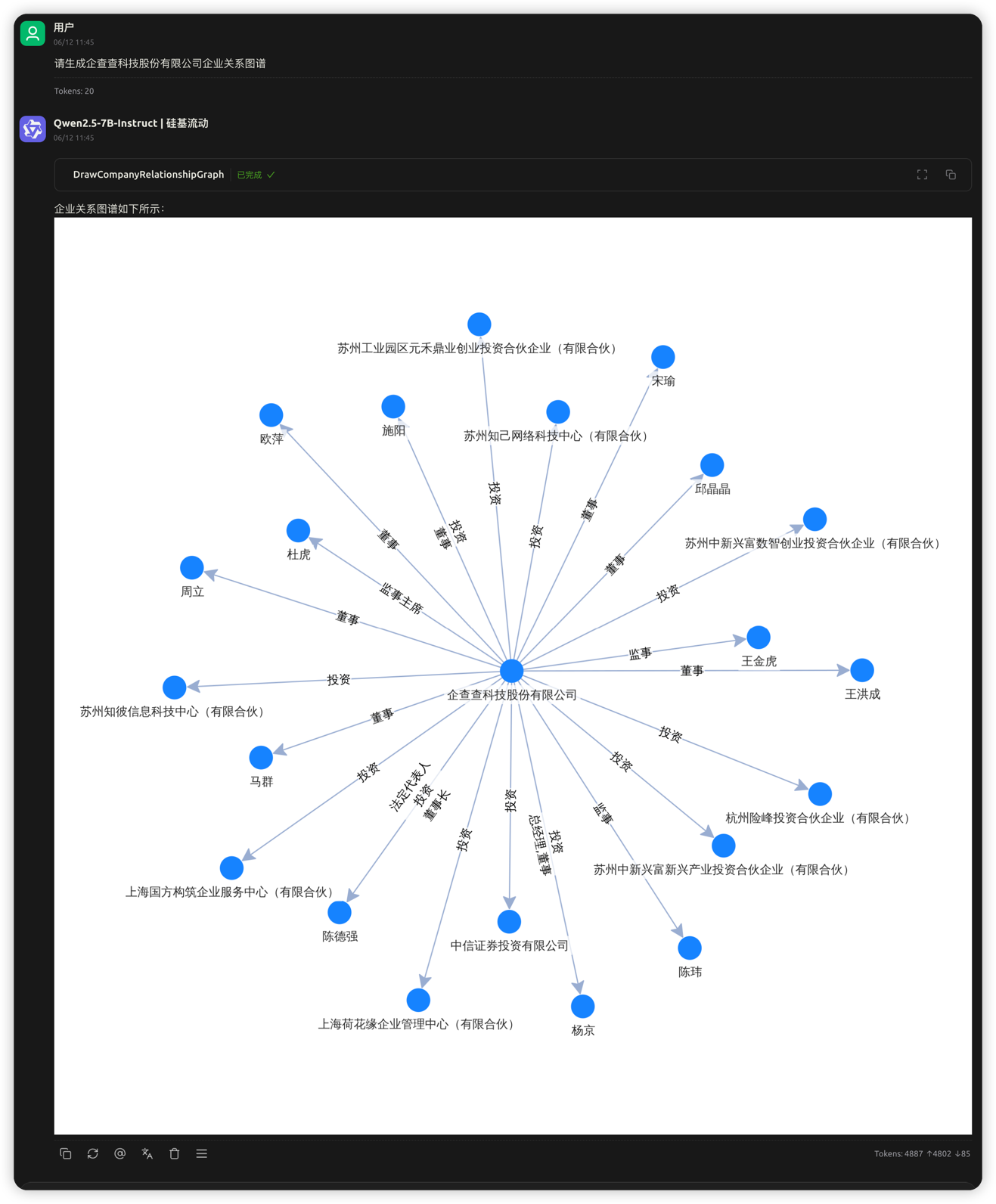
2. 生成企业关系图谱
企业名称:企查查科技股份有限公司
展示效果:
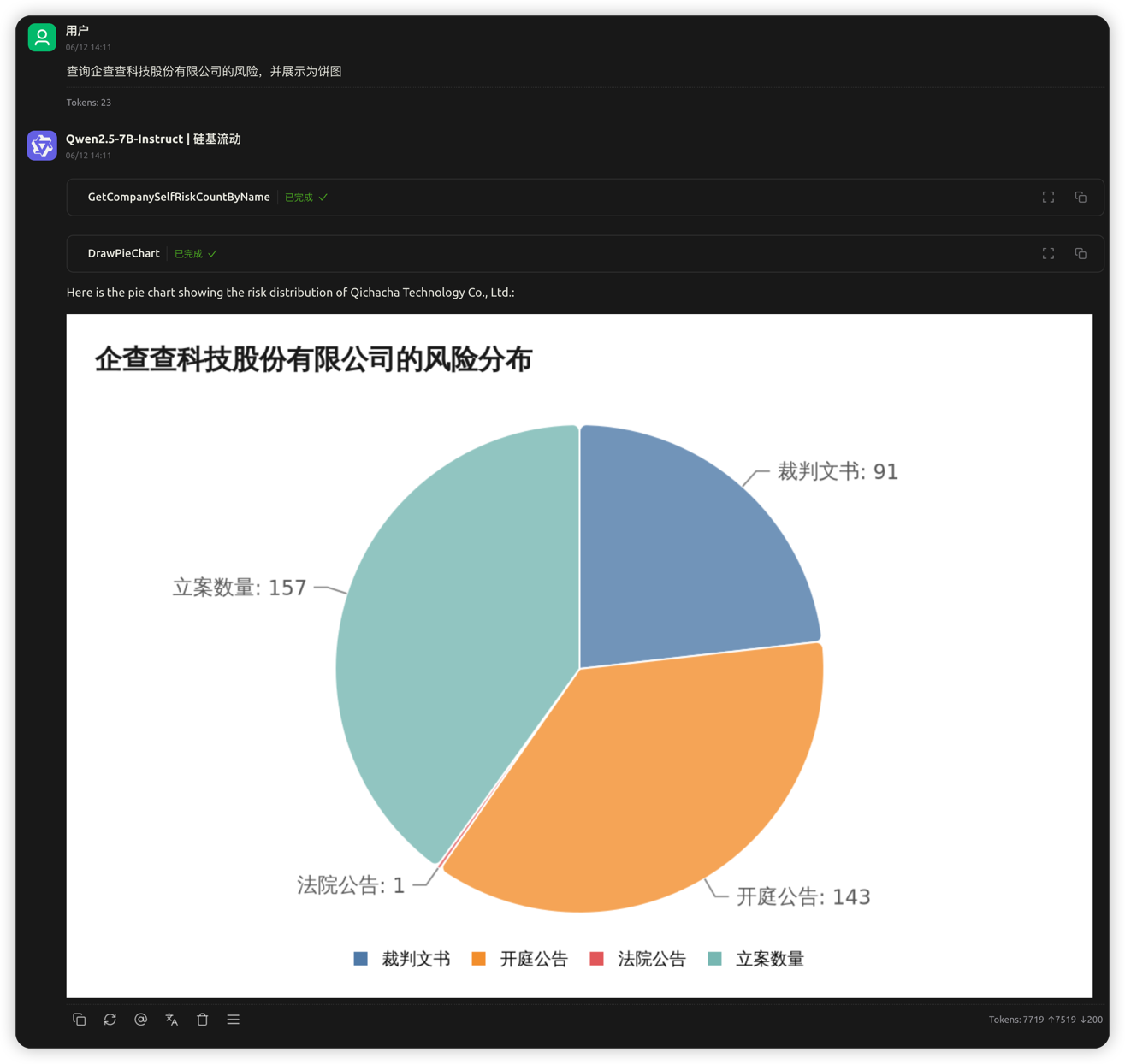
3. 查询企业风险信息并展示为饼图
企业名称:企查查科技股份有限公司
展示效果:
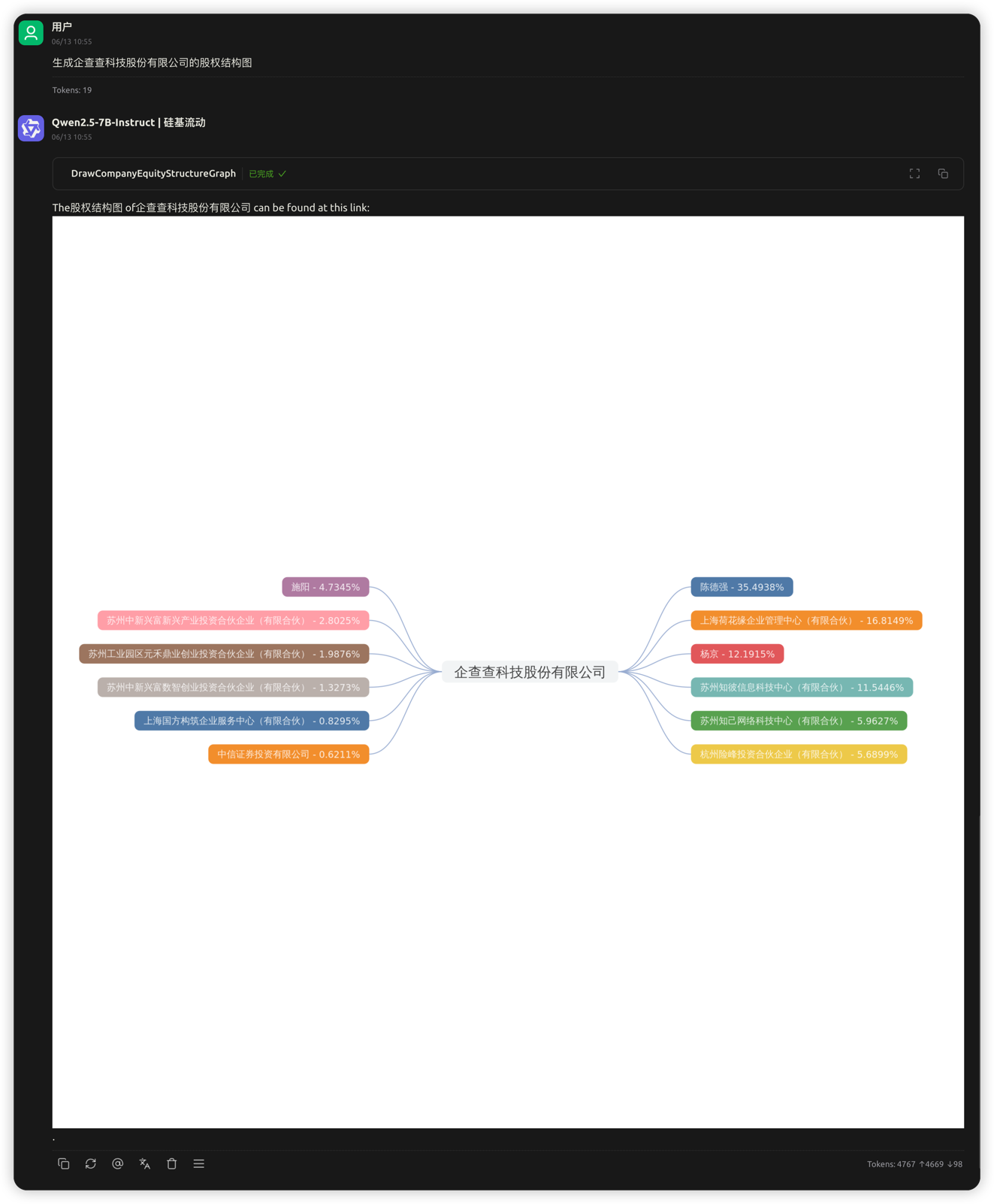
4. 生成企业股权结构图
企业名称:企查查科技股份有限公司
展示效果:
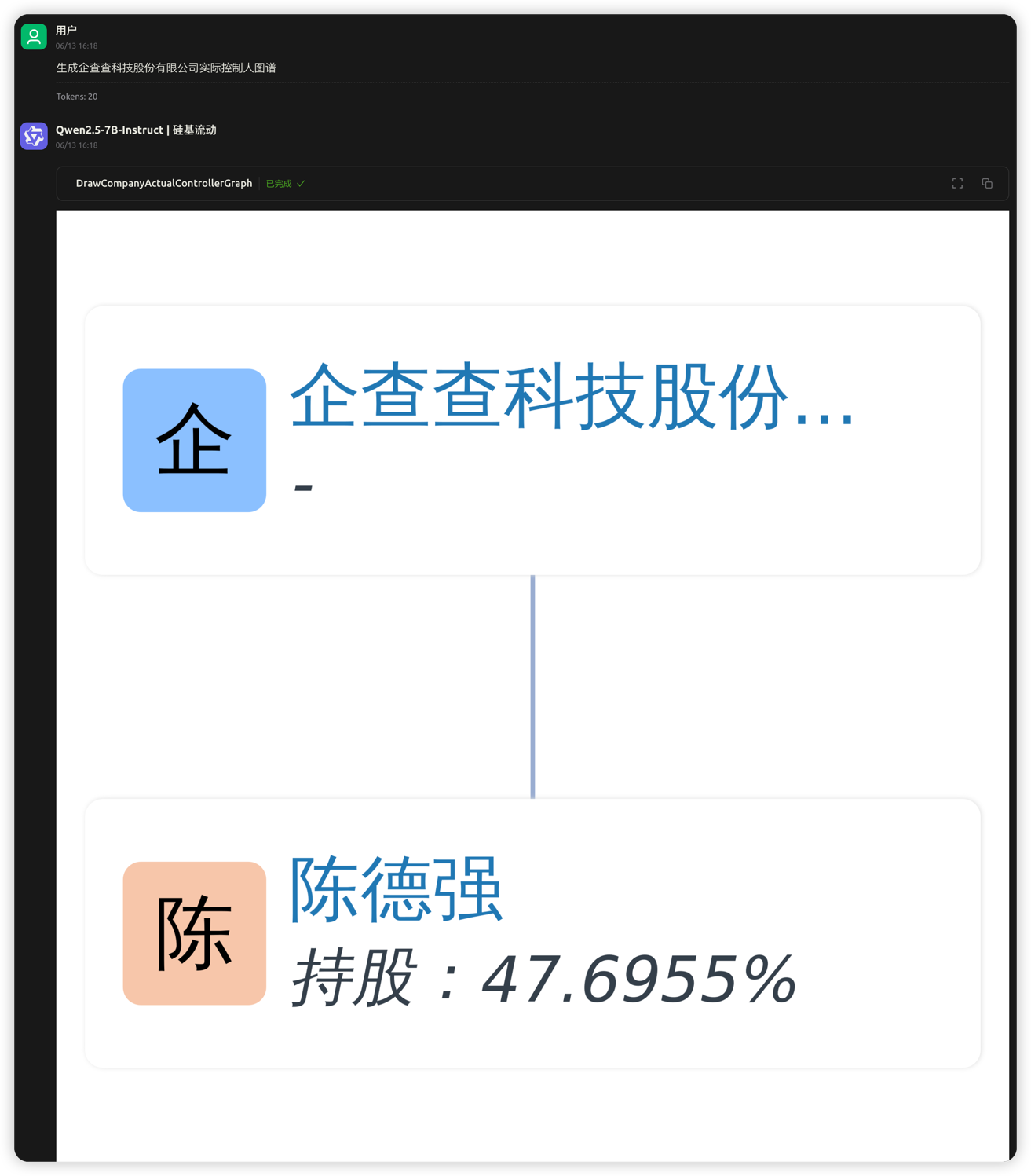
5. 生成企业实际控制人图谱
企业名称:企查查科技股份有限公司
展示效果:
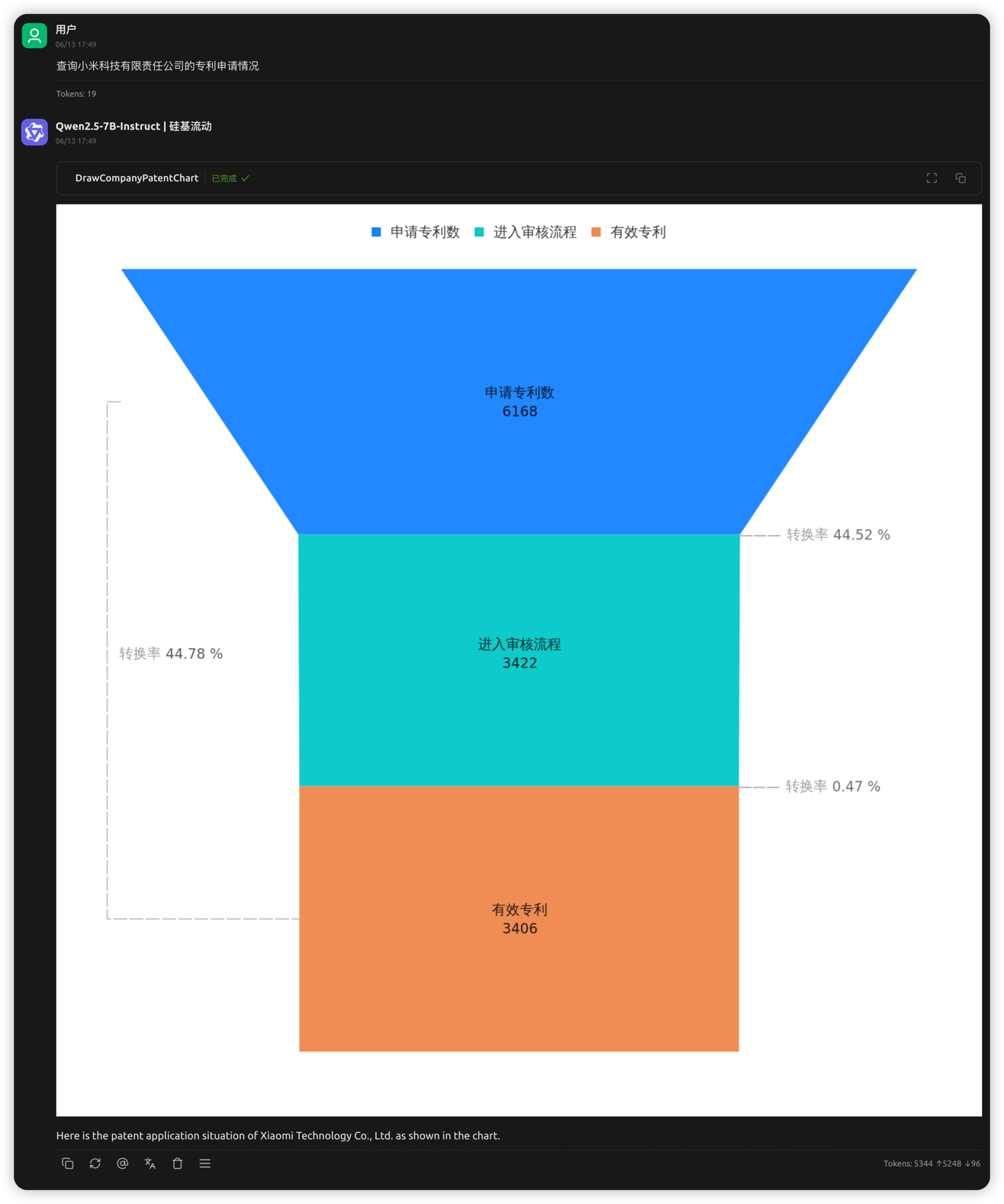
6. 查询企业专利申请情况
企业名称:小米科技有限责任公司
展示效果: