
@quickstat/koa
v0.0.4
Published
Effortlessly monitor koa rest metrics and export them to Prometheus for visualization in Grafana
Downloads
17

Maintainers
 dxloop
Readme
QuickStat Koa Plugin
The QuickStat Koa Plugin provides seamless integration for monitoring REST metrics in Koa applications. It exports these metrics to Prometheus, enabling visualization in Grafana dashboards.
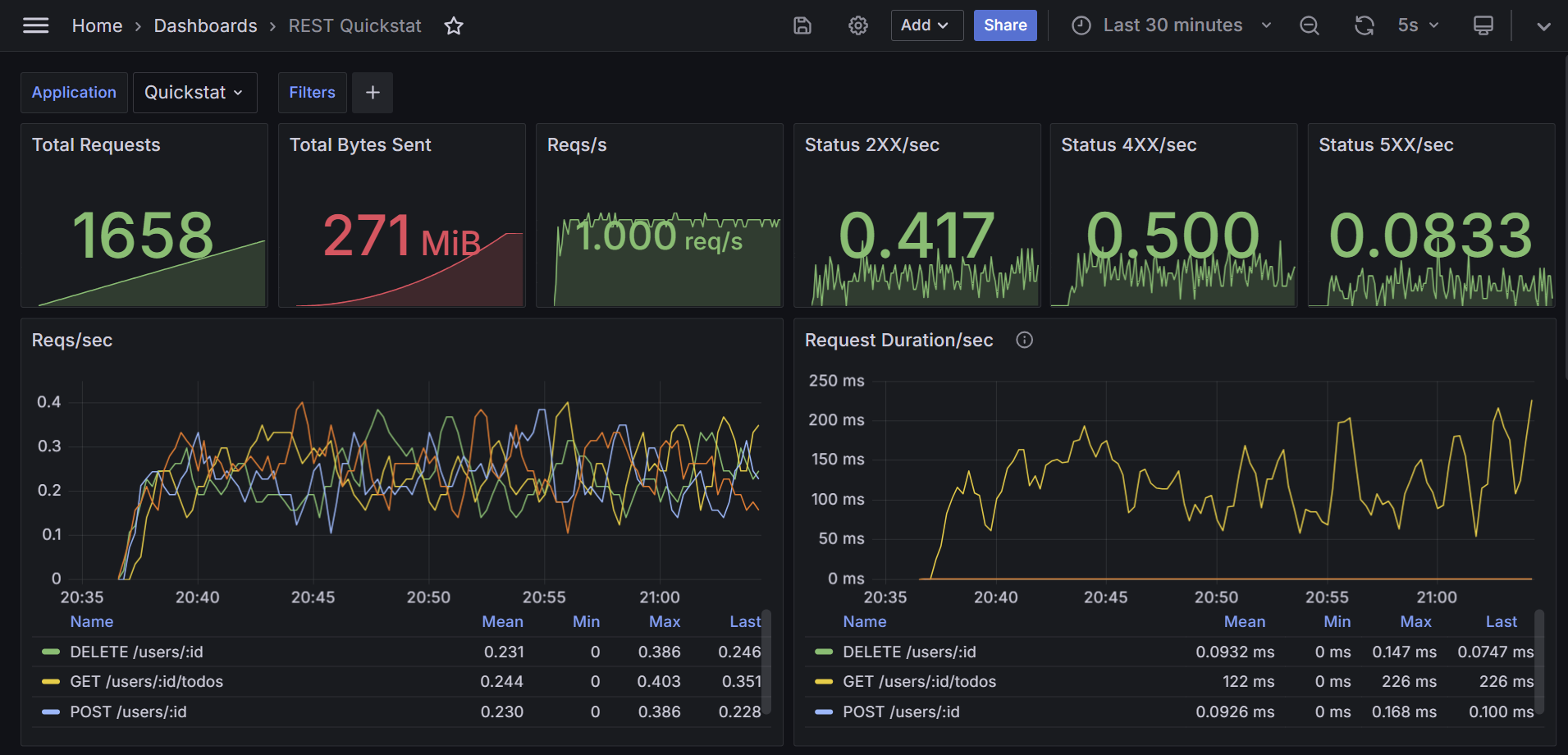
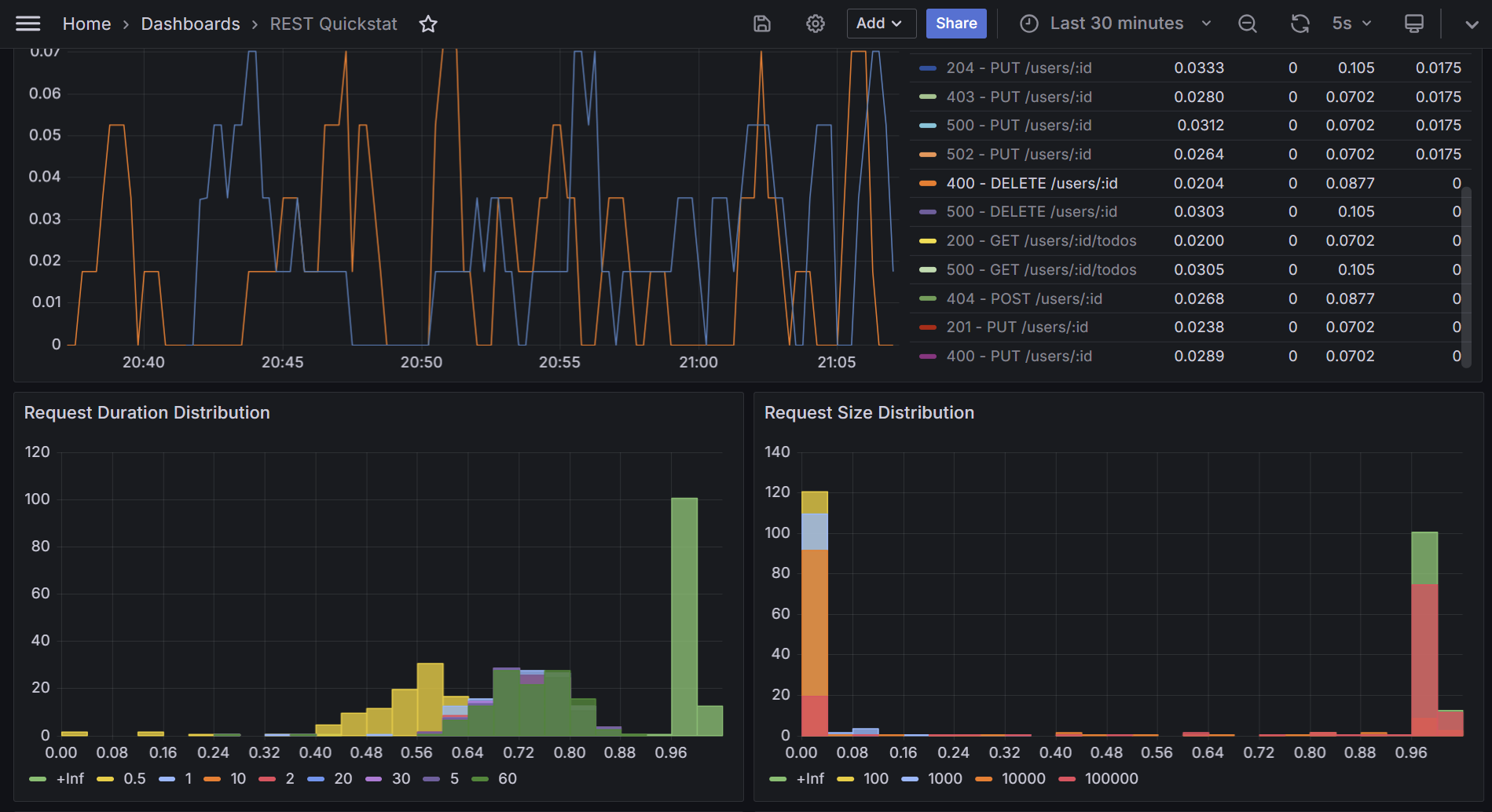
If you are new to QuickStat and its components, feel free to check the official documentation for a detailed breakdown.
If one of the following frameworks is being used, the dedicated plugins should be used instead of the Koa plugin:
Installation
Install the QuickStat core package, the Prometheus data source, and the Koa plugin:
npm install @quickstat/core
npm install @quickstat/prometheus
npm install @quickstat/koa
Getting Started
If you use Docker and want to get started quickly, check out the docker-setup for a streamlined setup. Once Docker is configured, proceed to Step 3.
For manual setup or if you are unfamiliar with QuickStat's plugins, follow these steps:
1. Setup Prometheus and Grafana
- Install Prometheus: Follow the official documentation to install Prometheus.
- Install Grafana: Refer to the official documentation for Grafana installation.
- Configure Prometheus Data Source in Grafana: After installing Grafana, add Prometheus as a data source by specifying its URL.
2. Import Dashboard to Grafana
Add the dashboard to Grafana by navigating to the dashboard page, clicking "Import," and pasting the dashboard template URL. Customize the dashboard based on your needs.
3. Expose Koa Metrics
To expose metrics to Prometheus using the QuickStat Koa Plugin, use the following code snippet:
import Koa from 'koa'
import Router from 'koa-router'
import { Client as QuickStatClient } from '@quickstat/core'
import { KoaPlugin } from '@quickstat/koa'
import { PrometheusDataSource, ScrapeStrategy } from '@quickstat/prometheus'
import http from 'http'

const app = new Koa()
const router = new Router()

// Create QuickStat Client
const quickStatClient = new QuickStatClient<PrometheusDataSource<ScrapeStrategy>>({
  metrics: [],
  plugins: [
    // Register Koa Plugin
    new KoaPlugin({ app }),
  ],
  // Register the data source
  dataSource: new PrometheusDataSource({
    strategy: new ScrapeStrategy(),
  }),
})

router.put('/users/:id', async (ctx) => {
  ctx.status = 200
  ctx.body = 'User updated'
})

// Use the router middleware
app.use(router.routes()).use(router.allowedMethods())

// Start Koa server
app.listen(3034, () => {
  console.log('Server started at http://localhost:3034')
})

// Let Prometheus scrape the metrics at http://localhost:3242
// WARNING: On production, properly secure the endpoint (if open)
http.createServer(async (req, res) => {
  const response = await quickStatClient.dataSource?.strategy?.getResponse()

  // Write the Prometheus response file
  if (response) {
    res.writeHead(200, response.headers)
    res.end(response.file)
  }
}).listen(3242)
4. Start the Application
After setting up the code, start the application. The metrics will be available at http://localhost:3242 in Prometheus format and will be scraped by Prometheus, which will then be used for visualization in Grafana.
Configuration
DataSource
The example uses the PrometheusDataSource with the ScrapeStrategy. This strategy exposes the Prometheus file on a specified endpoint for scraping by Prometheus. Alternatively, use the PushGatewayStrategy to push metrics to the Prometheus PushGateway.
For other data sources, refer to the available options in the @quickstat/core package.
Plugin Options
| Option | Description | Default | | -------------- | --------------------------- | -------- | | app | Koa application | required | | excludeMetrics | Array of metrics to exclude | [] |
Contributing and Issues
For issues or feature requests, feel free to open an issue on the GitHub repository.