
@rdlabo/ionic-theme-ios26
v9.4.1
Published
iOS26 Theme for Ionic Framework


Readme
Ionic Theme iOS26
A CSS/JS theme library that applies iOS26 design system to Ionic applications.
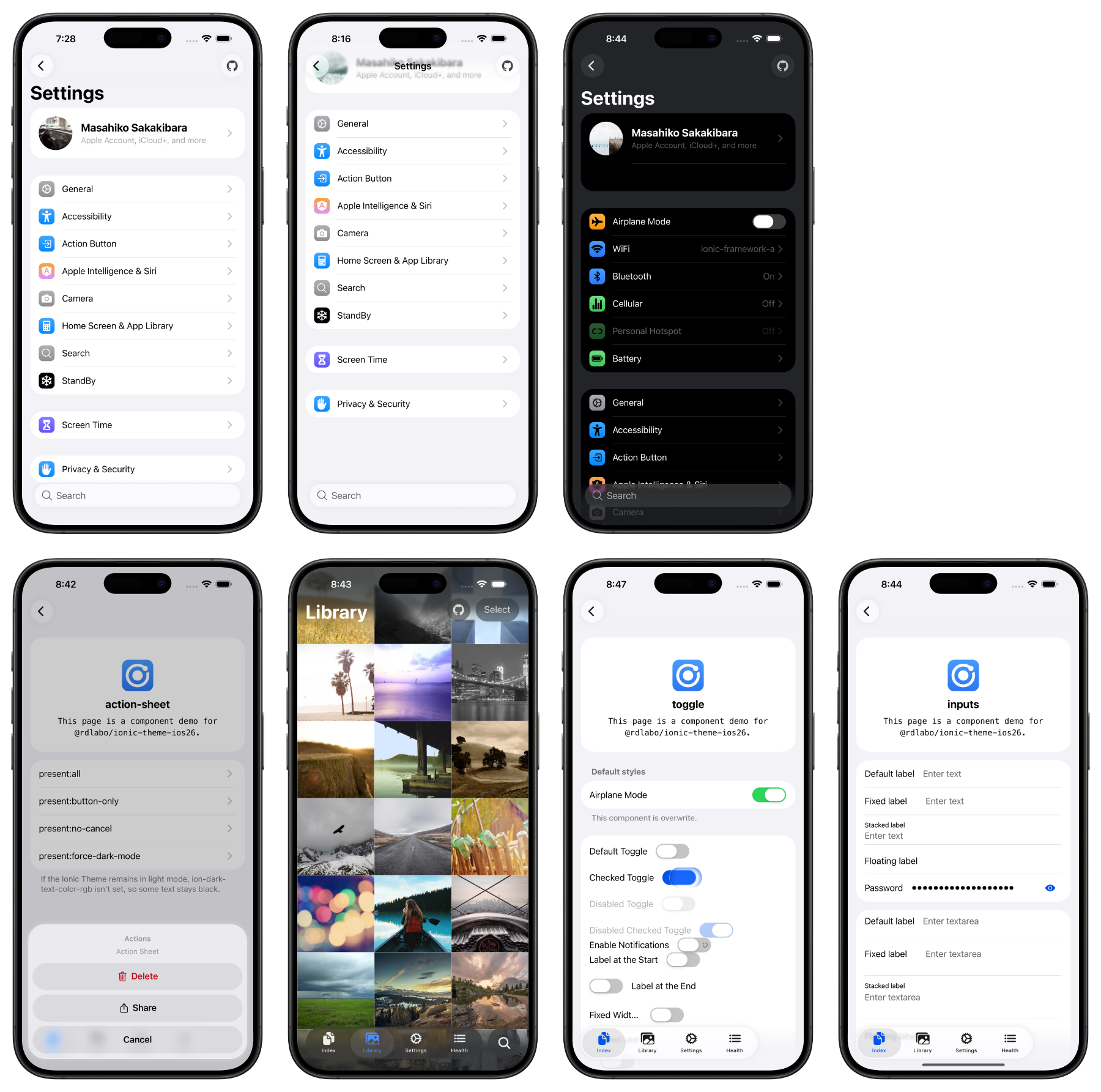
DEMO is here: https://ionic-theme-ios26.rdlabo.dev/
Installation
In an existing Ionic project:
npm install @rdlabo/ionic-theme-ios26Note: If you use @ionic/core@ < 8.8.1, use @rdlabo/[email protected].
And import the theme in your project's main CSS file (e.g., src/styles.scss).
@import '@rdlabo/ionic-theme-ios26/dist/css/default-variables.css';
@import '@rdlabo/ionic-theme-ios26/dist/css/ionic-theme-ios26.css';

/**
 * This file is to eliminate the impact of class name changes for iOS26.
 * For example, `ion-buttons ion-button[fill=default]` is not normally implemented, but may be required for iOS26.
 * This file is to eliminate such effects.
 * Note: This stylesheet is not included in `@rdlabo/ionic-theme-md3`.
 */
@import '@rdlabo/ionic-theme-ios26/dist/css/md-remove-ios-class-effect.css';

/**
 * If you will use the design of ion-item-group with ion-list on Android as well, import it.
 * More info: https://docs.rdlabo.dev/projects/ionic-theme-ios26/docs/using-ion-item-group
 * Note: This stylesheet is included in `@rdlabo/ionic-theme-md3`.
 * @import '@rdlabo/ionic-theme-ios26/dist/css/md-ion-list-inset.css';
 */

/*
 * Support Dark Mode
 * We support Ionic Dark Mode. More information is here: https://ionicframework.com/docs/theming/dark-mode
 * use Always:    @import '@rdlabo/ionic-theme-ios26/dist/css/ionic-theme-ios26-dark-always.css'
 * use System:    @import '@rdlabo/ionic-theme-ios26/dist/css/ionic-theme-ios26-dark-system.css'
 * use CSS Class: @import '@rdlabo/ionic-theme-ios26/dist/css/ionic-theme-ios26-dark-class.css'
 */
Configure animations
If you installed only the iOS 26 theme, configure its animations as follows.
import { isPlatform } from '@ionic/core'; // or @ionic/angular (Ionic 9), @ionic/angular/standalone (Ionic 8), @ionic/react, @ionic/vue
import { iosTransitionAnimation, popoverEnterAnimation, popoverLeaveAnimation } from '@rdlabo/ionic-theme-ios26';

// Angular
provideIonicAngular({
    ...
    navAnimation: isPlatform('ios') ? iosTransitionAnimation: undefined,
    popoverEnter: isPlatform('ios') ? popoverEnterAnimation: undefined,
    popoverLeave: isPlatform('ios') ? popoverLeaveAnimation: undefined,
});

// React
setupIonicReact({
    ...
    navAnimation: isPlatform('ios') ? iosTransitionAnimation: undefined,
    popoverEnter: isPlatform('ios') ? popoverEnterAnimation: undefined,
    popoverLeave: isPlatform('ios') ? popoverLeaveAnimation: undefined,
});

// Vue
createApp(App)
    .use(IonicVue, {
        ...
        navAnimation: isPlatform('ios') ? iosTransitionAnimation: undefined,
        popoverEnter: isPlatform('ios') ? popoverEnterAnimation: undefined,
        popoverLeave: isPlatform('ios') ? popoverLeaveAnimation: undefined,
})
Check the theme
Test on iOS. When previewing on desktop, set Ionic mode to ios in your existing framework initialization config (for example mode: 'ios').
Use this markup to preview the inset grouped list look. For the list structure the theme expects, see Using ion-item-group.
<ion-list mode="ios" inset="true">
  <ion-item-group>
    <ion-item><ion-label>Notifications</ion-label></ion-item>
    <ion-item><ion-label>Appearance</ion-label></ion-item>
  </ion-item-group>
</ion-list>
Optional: use the iOS 26 and MD3 themes together
Install the MD3 theme to style both Ionic modes from the same application.
The current releases of both themes require @ionic/core 8.8.1 or later.
npm install @rdlabo/ionic-theme-md3When your global stylesheet uses Sass, initialize the themes in this order:
@use '@rdlabo/ionic-theme-ios26/src/styles/default-variables.scss' as ios26-vars;
@use '@rdlabo/ionic-theme-ios26/src/styles/ionic-theme-ios26.scss';
@use '@rdlabo/ionic-theme-ios26/src/styles/ionic-theme-ios26-dark-class.scss';
@use '@rdlabo/ionic-theme-ios26/src/styles/md-remove-ios-class-effect.scss';
@use '@rdlabo/ionic-theme-md3/dist/css/default-variables.css' as md3-vars;
@use '@rdlabo/ionic-theme-md3/dist/css/ionic-theme-md3.css';
The example uses Ionic's class-based dark mode. Your global stylesheet must also load Ionic's matching dark palette, such as @ionic/angular/css/palettes/dark.class.css for Angular. When using dark-system or dark-always, select the same variant for both Ionic's palette and the iOS 26 theme. See Ionic's Dark Mode documentation. The explicit ios26-vars and md3-vars namespaces prevent the two variable modules from using the same default namespace.
Configure both transition implementations when both themes are installed:
import { isPlatform } from '@ionic/core'; // or @ionic/angular (Ionic 9), @ionic/angular/standalone (Ionic 8), @ionic/react, @ionic/vue
import { iosTransitionAnimation, popoverEnterAnimation, popoverLeaveAnimation } from '@rdlabo/ionic-theme-ios26';
import { mdTransitionAnimation } from '@rdlabo/ionic-theme-md3';

// Angular
provideIonicAngular({
    ...
    navAnimation: isPlatform('ios') ? iosTransitionAnimation : mdTransitionAnimation,
    popoverEnter: isPlatform('ios') ? popoverEnterAnimation : undefined,
    popoverLeave: isPlatform('ios') ? popoverLeaveAnimation : undefined,
});

// React
setupIonicReact({
    ...
    navAnimation: isPlatform('ios') ? iosTransitionAnimation : mdTransitionAnimation,
    popoverEnter: isPlatform('ios') ? popoverEnterAnimation : undefined,
    popoverLeave: isPlatform('ios') ? popoverLeaveAnimation : undefined,
});

// Vue
createApp(App)
    .use(IonicVue, {
        ...
        navAnimation: isPlatform('ios') ? iosTransitionAnimation : mdTransitionAnimation,
        popoverEnter: isPlatform('ios') ? popoverEnterAnimation : undefined,
        popoverLeave: isPlatform('ios') ? popoverLeaveAnimation : undefined,
    });
Documentation
- Using ion-item-group — required markup for inset lists.
- Special markup and classes — opt-in markup and utility classes used by the theme.
- ESLint — check list structure with ESLint rules.
- Features — CSS variables, Liquid Glass, selective imports, and dark mode.
- Experimental Animation — tab bar and searchable effects.
- iOS 18 — load the theme only on iOS 26.
- Migration — required changes when upgrading major versions.
Full documentation: https://docs.rdlabo.dev/projects/ionic-theme-ios26
Development & Testing
JavaScript module builds
Keep relative imports in TypeScript source extensionless, matching Ionic's source
style. The shared rdlabo-build-theme CLI from @rdlabo/ionic-theme-utils uses
tsdown to resolve imports when generating ESM JavaScript and type declarations.
Dependencies remain external, and source files are not rewritten.
Run npm run build && npm run test:esm to build and verify the npm tarball with
the shared rdlabo-check-esm CLI. Public JavaScript entry points can be imported
in Node.js without a DOM; UI operations still require a browser or a supported
native environment. The package ships ESM only.
Demo Application
The same demo is deployed against both supported Ionic versions:
- Ionic 9 demo — canonical
- Ionic 8 demo — compatibility
The demo/ directory contains the Angular application used by both deployments. To run it locally:
cd demo
npm install
npm start
Visual Regression Testing
We use Playwright for visual regression testing to ensure consistent styling across all components. The test suite automatically captures screenshots of all routes in both light and dark modes.
Running Tests
cd demo

# Run all E2E tests
npm run test:e2e

# Run tests in UI mode (interactive)
npm run test:e2e:ui

# Debug tests
npm run test:e2e:debug

# Update baseline screenshots (when intentionally changing UI)
npm run test:e2e:update
Prerelease channels
An open, non-draft pull request can be published to the npm beta dist-tag after its Lint, E2E Screenshot Tests Pull Request, and Package Candidate workflows pass. A repository owner or maintainer must add a comment whose entire body is:
/betaThe request authorizes only the pull request head SHA and base branch that existed when the comment was added. The workflow revalidates the owner or maintainer permission, head SHA, and base branch immediately before publishing. Any new commit or retargeting invalidates the request; the new state must pass CI and receive a fresh owner or maintainer /beta comment. Fork pull requests are supported. Pull requests that change a release-gating workflow cannot be beta-published until those workflow changes land on their target branch.
Beta versions use <base>-beta.pr<PR number>.sha<12-character SHA>. The pull request receives a comment containing the immutable version and exact npm install command.
When a pull request is merged into main or ios26, it is automatically published to the npm beta dist-tag only after Lint, E2E Screenshot Tests, and Package Candidate all succeed for that exact merge commit. Direct pushes do not publish a candidate. Merge candidates use <base>-beta.pr<PR number>.sha<12-character SHA> and the merged pull request receives the exact install command.
Candidate code is built in a read-only workflow without npm publishing credentials. The privileged release workflow never checks out or executes pull request code; it revalidates the source workflow and package identity, then publishes only the immutable packed artifact with lifecycle scripts disabled. The install-command comment is a separate best-effort notification and cannot invalidate a successful npm publish.
Only npm run release can create a release tag. Stable ios26-vX.Y.Z tags (major, minor, or patch releases) publish to npm latest; revision/prerelease tags publish to next. Neither beta nor next publishing changes the npm latest dist-tag.