
@react-native-nitro-geolocation/rozenite-plugin
v2.0.0
Published
react-native-nitro-geolocation devtools plugin with rozenite

Maintainers
 jingjing2222
Readme
@react-native-nitro-geolocation/rozenite-plugin
Rozenite DevTools Plugin for react-native-nitro-geolocation. Mock geolocation data in development with an interactive map interface.
⚠️ Prerequisites: This plugin requires Rozenite 2.2 or newer to be set up in your project. Follow the Rozenite installation guide to configure DevTools before using this plugin.
ℹ️ API Compatibility: This DevTools plugin only works with
react-native-nitro-geolocation. It does not support the Compat API (react-native-nitro-geolocation/compat).
Demo
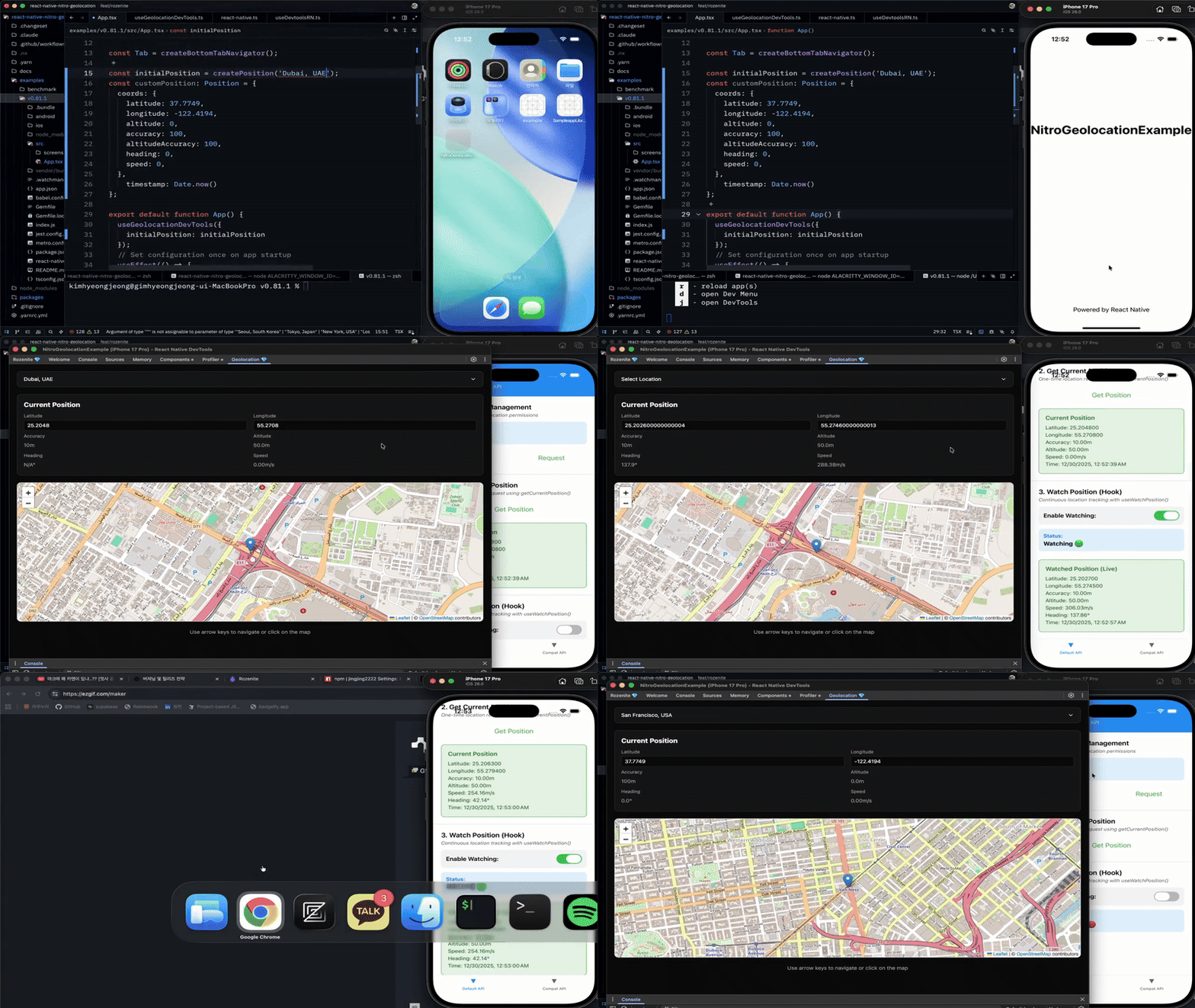
Features
- 🗺️ Interactive map-based position control
- 📍 Click on map to set location
- ⌨️ Arrow key navigation for precise adjustments
- 🏙️ 20 pre-configured city locations
- ✏️ Manual latitude/longitude input
- 📊 Real-time heading, speed, and accuracy calculation
- 🎯 Per-watch distance filters and Android interval/update limits
- 🌓 Dark mode support
Installation
npm install @react-native-nitro-geolocation/rozenite-plugin
# or
yarn add @react-native-nitro-geolocation/rozenite-plugin
Usage
Add the devtools hook to your app:
import { useGeolocationDevTools } from "@react-native-nitro-geolocation/rozenite-plugin";

function App() {
  useGeolocationDevTools();

  return <YourApp />;
}
With initial position
Using city presets
import {
  useGeolocationDevTools,
  createPosition,
} from "@react-native-nitro-geolocation/rozenite-plugin";

function App() {
  useGeolocationDevTools({
    initialPosition: createPosition("Dubai, UAE"),
  });

  return <YourApp />;
}
Using custom coordinates
import {
  useGeolocationDevTools,
  type Position,
} from "@react-native-nitro-geolocation/rozenite-plugin";

const customPosition: Position = {
  coords: {
    latitude: 37.7749,
    longitude: -122.4194,
    altitude: 0,
    accuracy: 100,
    altitudeAccuracy: 100,
    heading: 0,
    speed: 0,
  },
  timestamp: Date.now(),
};

function App() {
  useGeolocationDevTools({
    initialPosition: customPosition,
  });

  return <YourApp />;
}
Available city presets
Seoul, Tokyo, New York, Los Angeles, San Francisco, London, Paris, Berlin, Sydney, Singapore, Hong Kong, Shanghai, Beijing, Dubai, Mumbai, Bangkok, Toronto, São Paulo, Mexico City, Moscow
Opening DevTools
- Start your React Native app with Metro
- Press
jin the Metro terminal - Enable the Geolocation plugin in DevTools
- Start mocking locations!
Controls
- Click map: Set location instantly
- Arrow keys: Move position precisely
- Input fields: Enter exact coordinates
- Dropdown: Select city preset
License
MIT License.