
@readystack/pci-payment-page-script-audit
v0.1.8
Published
PCI DSS 4.0.1 requirements 6.4.3 and 11.6.1 have been mandatory since 2025-03-31, and the PCI SSC revised FAQ 1331 on 2026-08-04 so a QSA agreement alone no longer marks them not applicable. This read

Maintainers
 readystack
Readme
PCI Payment Page Script Audit: requirement 6.4.3 and 11.6.1 on your checkout markup
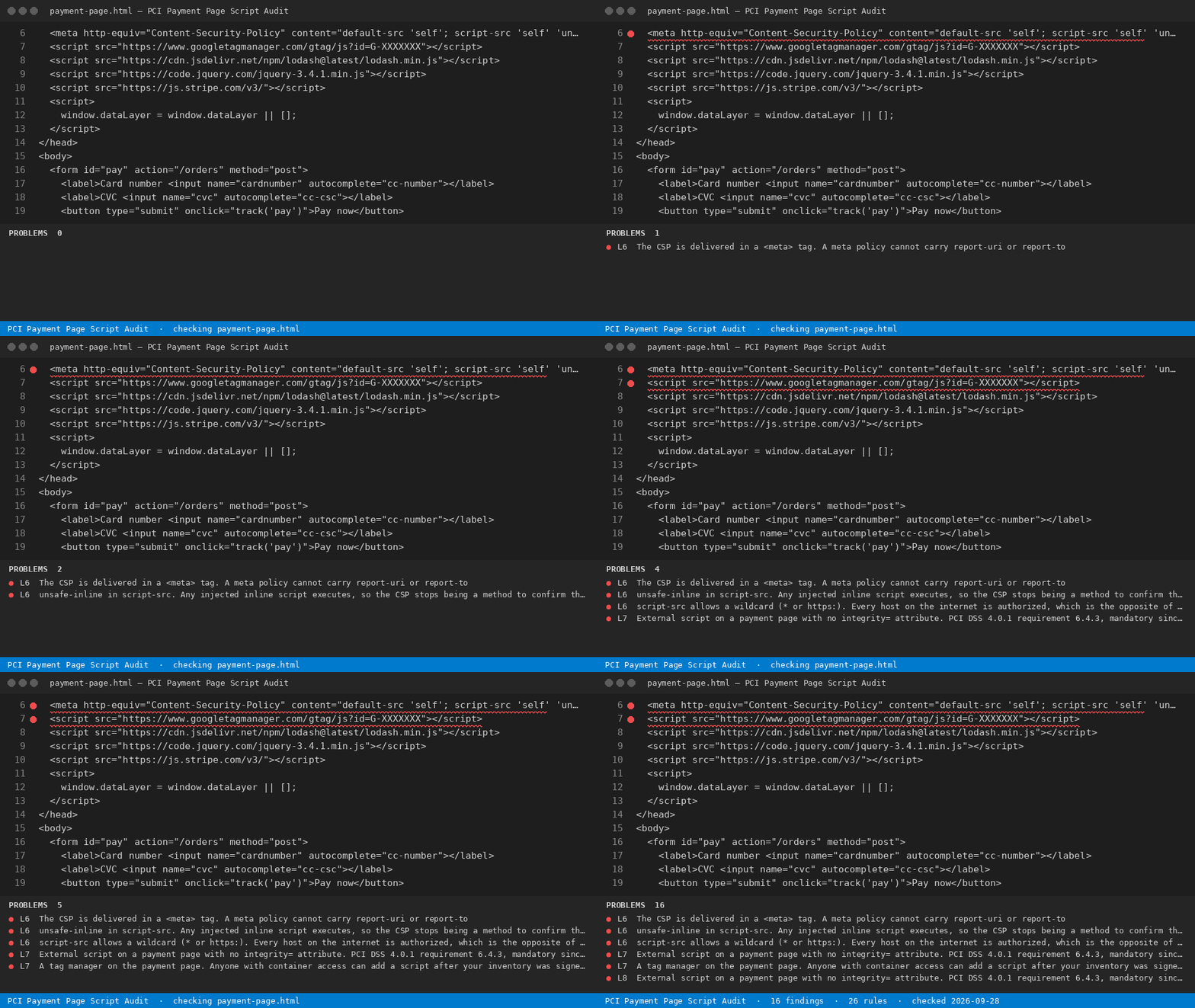
PCI DSS 4.0.1 requirements 6.4.3 and 11.6.1 have been mandatory since 2025-03-31, and the PCI SSC revised FAQ 1331 on 2026-08-04 so a QSA agreement alone no longer marks them not applicable. This reads a checkout page and names every script that has no authorization method, no integrity method and no inventory row.
Install
npx @readystack/pci-payment-page-script-audit fileNode 18+. The same 26 rules as the VS Code extension, from a terminal or CI.
Free
- Audit the checkout page you have open against all 26 PCI script-security rules - every script, every line, the requirement each one fails and the fix, no key asked.
--ruleslists every rule
With a licence ($29 once)
- Export the dated 6.4.3 script inventory as the evidence file you hand the assessor, across every payment page in the repository, with CI output that fails a build when an unauthorized script appears.
@readystack/pci-payment-page-script-audit --dir ./templates --report html --out report.htmlA PCI consultant bills about $76/hour in the US in 2026 (Salary.com, August 2026) and a QSA-assisted SAQ runs $5,000-$20,000; building the script inventory by hand is the part you are paying for.
Use from an AI agent (MCP)
Claude Code · Cursor · Windsurf · any MCP client - add to your MCP config:
{ "mcpServers": { "pci-payment-page-script-audit": { "command": "npx", "args": ["-y", "@readystack/pci-payment-page-script-audit", "--mcp"] } } }Tools: check_text and check_file (free) · check_dir (licence). The agent gets every finding with the line number.
Use in CI
- name: PCI Payment Page Script Audit: requirement 6.4.3 and 11.6.1 on your checkout markup
  run: npx -y @readystack/pci-payment-page-script-audit --dir . --ci
(container: docker run --rm -v "$PWD:/work" getreadystack/pci-payment-page-script-audit --dir /work --ci)
The folder sweep, reports and CI mode need one licence — one payment, no subscription. Set READYSTACK_LICENSE=<key> or run --license <key> once.