
@redspace/kingfisher-launcher
v0.1.2
Published
Launch and sideload apps on Comcast Xfinity X1 devices registered in IBIS — an unofficial open-source CLI that opens a local web UI for device selection, app launching, and screen preview.

Maintainers
 redspace-company
Readme
Kingfisher Launcher


An unofficial, open-source utility client designed to facilitate application launching and syndication protocol testing on Comcast devices.
What it does
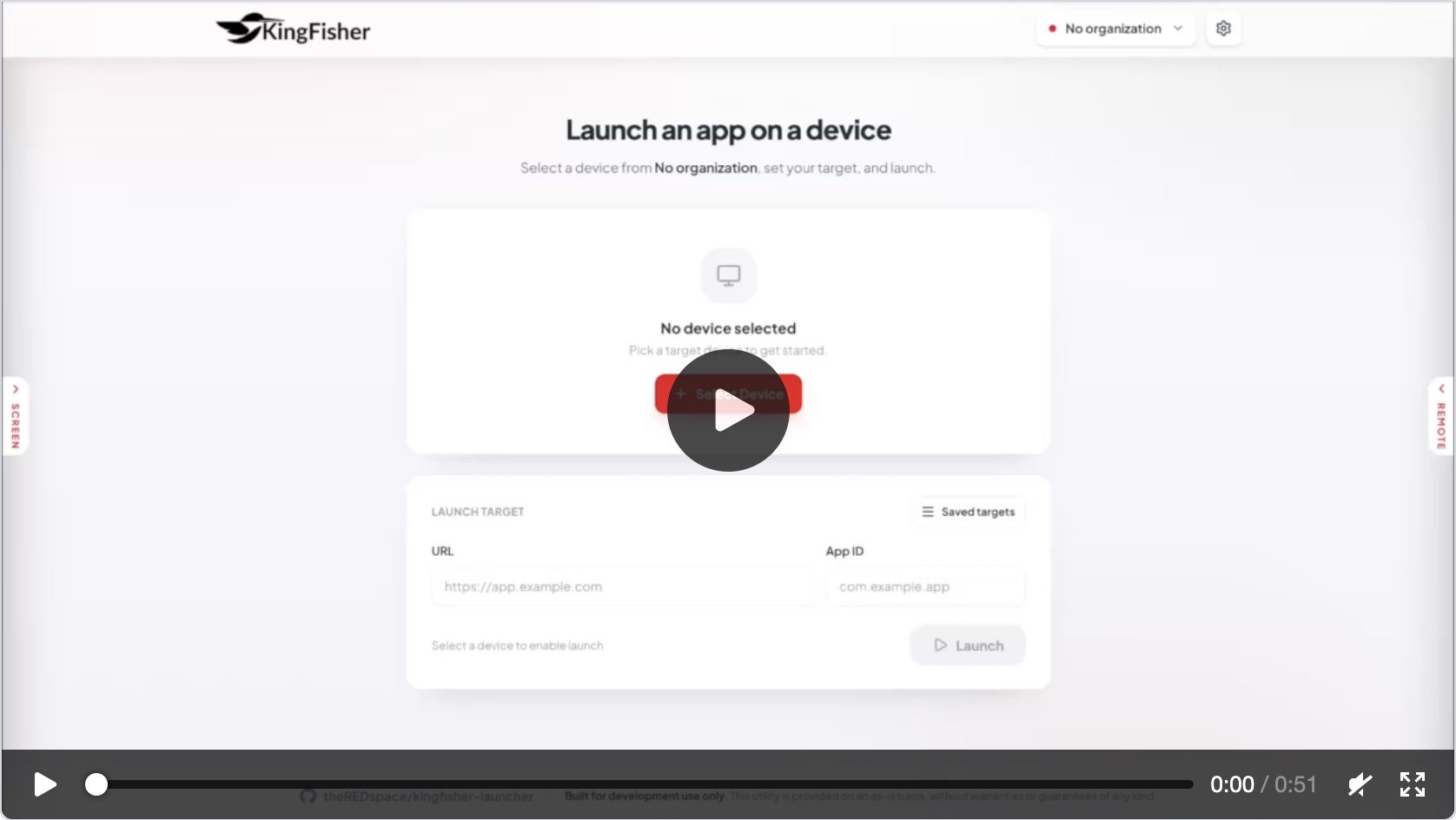
Kingfisher Launcher lets you launch apps onto Comcast set-top boxes and streaming devices that are already paired in IBIS for your organization. Select a device, enter a URL and App ID, and launch - all from your browser.
Features
- Organization management - Add, edit, delete, and switch between multiple Kingfisher organizations. Each org stores its own API key and server URL.
- Device picker - Browse and search devices in your organization, view labels and features.
- Launch apps - Launch a URL + App ID combination on any device with a single click. The tool handles device locking and reservation automatically.
- Saved targets - Save named URL/App ID presets per organization for quick re-launching.
- Screen preview - Capture and view the device's screen (left panel).
- Remote control - Send key presses with a virtual remote (right panel).
- Device details - Hover over the device icon to inspect full device metadata (MAC addresses, serial numbers, status, model info, etc.).
- Import/Export - Export orgs with their presets to JSON, or import them on another machine.
Prerequisites
- A Kingfisher API key - required to connect to your organization's devices. Obtain one from your IBIS administrator.
- Node.js >= 18 (for running the CLI).
- pnpm (for development)
Quick start
# Install globally (or use npx)
npm install -g @redspace/kingfisher-launcher

# Run it
kingfisher-launcher
Or run directly without installing:
npx @redspace/kingfisher-launcherThis starts a local server and opens the UI in your browser. Add an organization with your Kingfisher API key and server URL to get started.
Configuration
The Kingfisher API endpoint is configured per organization in the UI - add or edit an organization to set its Server URL. The API key is also stored per organization and never sent to any server other than the configured Kingfisher API endpoint.
Security considerations
API keys are long-lived static credentials, stored in browser
localStorage on the launcher's fixed 127.0.0.1 origin. Anything that can run
JavaScript on that origin can read them.
With that in mind:
- Remove organizations from the UI when you no longer need them - this deletes the stored key.
- Rotate keys if a machine or browser profile may have been compromised.
To report a vulnerability, see SECURITY.md.
Development
# Install dependencies
pnpm install

# Start the dev server (Vite HMR for the React app)
pnpm dev

# Build everything
pnpm build
Testing
# Run all tests (both packages)
pnpm test

# Run a single package's tests
pnpm --filter @redspace/kingfisher-launcher-app test
pnpm --filter @redspace/kingfisher-launcher test

# Watch mode / coverage (per package)
pnpm --filter @redspace/kingfisher-launcher-app test:watch
pnpm --filter @redspace/kingfisher-launcher-app test:coverage
Releasing
Version numbers live in three places (root, packages/cli, packages/app)
and should always move together. Bump all three at once with:
pnpm bump <version> # e.g. pnpm bump 0.2.0To publish @redspace/kingfisher-launcher to npm:
- Run
pnpm bump <version>, commit the change, and push tomain. - Create a GitHub Release with a matching tag (e.g.
v0.2.0). Publishing the release triggers the Publish to npm workflow, which builds the app and publishespackages/cli. Mark the release as a pre-release to publish under thenextdist-tag instead oflatest. - Alternatively, run the workflow manually from the Actions tab ("Publish to npm" → Run workflow) without creating a release.
Project structure
kingfisher-launcher/
├── packages/
│   ├── cli/          # Published npm package - CLI + Express server
│   └── app/          # React app (Vite build, embedded into CLI)
├── CLAUDE.md         # Context for AI-assisted development
└── README.md
Contributing
See CONTRIBUTING.md.
License
Legal Disclaimer: This project is an independent, open-source community utility. It is not affiliated, associated, authorized, endorsed by, or in any way officially connected with Comcast Corporation, or any of its subsidiaries or its affiliates. The official Comcast website can be found at https://comcast.com.