@relativity/mui-action-buttons
v0.3.2
Published


Readme
@Relativity - Action Buttons for MUI

If you want low-key responsiveness to api calls or user actions that should give the user "just a little" feedback these buttons should be perfect for you.
npm install @relativity/mui-action-buttons
The first button I've implemented is the AIconButton. It takes a string, and an endIcon or startIcon prop.
Example save button:
import { AIconButton } from "@relativity/mui-action-buttons"
import "@relativity/mui-action-buttons/styles.css"

async function handleSave() {
    //your fancy long-running code goes here
    await new Promise(r => setTimeout(r, 3000))
    return true
}

//...

<AIconButton
    endIcon={<SaveIcon/>}
    onClick={handleSave}
    >SAVE
</AIconButton>
For async calls, a spinner replaces the icon you passed in until it completes.

If you click a button and the handler completes without error, the button gets a checkmark & changes color for 2 seconds.

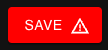
If the handler throws an error, the button turns red, and displays a warning icon until clicked again.