@remato/react-native-background-geolocation-android
v4.18.13
Published
The most sophisticated background location tracking & geofencing module with battery-conscious motion-detection


Readme
Background Geolocation for React Native · [Premium Version]

The most sophisticated background location-tracking & geofencing module with battery-conscious motion-detection intelligence for iOS and Android.
The plugin's Philosophy of Operation is to use motion-detection APIs (using accelerometer, gyroscope and magnetometer) to detect when the device is moving and stationary.
When the device is detected to be moving, the plugin will automatically start recording a location according to the configured
distanceFilter(meters).When the device is detected be stationary, the plugin will automatically turn off location-services to conserve energy.
Also available for Cordova, NativeScript and pure native apps.

Contents
😫 Help!
:books: API Documentation
Installing the Plugin
Setup Guides
Configure your License
Using the plugin
Example
Debugging
Demo Application
Testing Server
:large_blue_diamond: Installing the Plugin
[!WARNING] Customers should uninstall
react-native-background-geolocationand re-install from this private repo. See wiki Migrating from public package to private repo
But why install from the Private Repo? What's the difference?
- Latest updates (new features, bug-fixes) arrive first here at the private repo.
- The public version
react-native-background-geolocationis updated only about every 3 months.
With yarn
yarn add https://github.com/transistorsoft/react-native-background-geolocation-android.gitIf you have problems installing with yarn, add the following to your ~/.ssh/config file:
Host github.com
        User git
With npm
npm install git+https://[email protected]:transistorsoft/react-native-background-geolocation-android.git --save- Note: For both
yarn addandnpm install, you should append a#versionto the url (eg:#4.0.2). See Releases for a list of all available versions. - Authentication problems? See here
With Expo
[!WARNING] The private repo cannot be used with Expo due to problems with Expo modules installed from private Github repos. Continue using the version installed from
npmas documented in the public github repo.
:large_blue_diamond: Setup Guides
[!WARNING] If you're upgrading from the public
react-native-background-geolocationversion, you need to completely remove that version.
iOS
Android
Expo
[!WARNING] The private repo cannot be used with Expo due to problems with Expo modules installed from private Github repos. Continue using the version installed from
npmas documented in the public github repo.
:large_blue_diamond: Configure your license
Login to Customer Dashboard to generate an application key: www.transistorsoft.com/shop/customers

Add your license-key to
android/app/src/main/AndroidManifest.xml:
<manifest xmlns:android="http://schemas.android.com/apk/res/android"
    package="com.transistorsoft.backgroundgeolocation.react">

  <application
    android:name=".MainApplication"
    android:allowBackup="true"
    android:label="@string/app_name"
    android:icon="@mipmap/ic_launcher"
    android:theme="@style/AppTheme">

    <!-- react-native-background-geolocation licence -->
+     <meta-data android:name="com.transistorsoft.locationmanager.license" android:value="YOUR_LICENCE_KEY_HERE" />
    .
    .
    .
  </application>
</manifest>
:large_blue_diamond: Using the plugin
import BackgroundGeolocation from 'react-native-background-geolocation-android';Typescript API:
For those using Typescript (recommended), you can also import the interfaces:
import BackgroundGeolocation, {
  State,
  Config,
  Location,
  LocationError,
  Geofence,
  GeofenceEvent,
  GeofencesChangeEvent,
  HeartbeatEvent,
  HttpEvent,
  MotionActivityEvent,
  MotionChangeEvent,
  ProviderChangeEvent,
  ConnectivityChangeEvent
} from "react-native-background-geolocation-android";
:large_blue_diamond: Example
There are three main steps to using BackgroundGeolocation
- Wire up event-listeners.
.ready(config)the plugin..start()the plugin.
[!WARNING] Do not execute any API method which will require accessing location-services until the
.ready(config)method resolves (Read its API docs), For example:
.getCurrentPosition.start
// NO!  .ready() has not resolved.
BackgroundGeolocation.getCurrentPosition(options);
BackgroundGeolocation.start();

BackgroundGeolocation.ready(config).then((state) => {
  // YES -- .ready() has now resolved.
  BackgroundGeolocation.getCurrentPosition(options);
  BackgroundGeolocation.start();
});

// NO!  .ready() has not resolved.
BackgroundGeolocation.getCurrentPosition(options);
BackgroundGeolocation.start();
Example 1. — React Functional Component
import React from 'react';
import {
  Switch,
  Text,
  View,
} from 'react-native';

import BackgroundGeolocation, {
  Location,
  Subscription
} from "react-native-background-geolocation-android";

const HelloWorld = () => {
  const [enabled, setEnabled] = React.useState(false);
  const [location, setLocation] = React.useState('');

  React.useEffect(() => {
    /// 1.  Subscribe to events.
    const onLocation:Subscription = BackgroundGeolocation.onLocation((location) => {
      console.log('[onLocation]', location);
      setLocation(JSON.stringify(location, null, 2));
    })

    const onMotionChange:Subscription = BackgroundGeolocation.onMotionChange((event) => {
      console.log('[onMotionChange]', event);
    });

    const onActivityChange:Subscription = BackgroundGeolocation.onActivityChange((event) => {
      console.log('[onMotionChange]', event);
    })

    const onProviderChange:Subscription = BackgroundGeolocation.onProviderChange((event) => {
      console.log('[onProviderChange]', event);
    })

    /// 2. ready the plugin.
    BackgroundGeolocation.ready({
      // Geolocation Config
      desiredAccuracy: BackgroundGeolocation.DESIRED_ACCURACY_HIGH,
      distanceFilter: 10,
      // Activity Recognition
      stopTimeout: 5,
      // Application config
      debug: true, // <-- enable this hear sounds for background-geolocation life-cycle.
      logLevel: BackgroundGeolocation.LOG_LEVEL_VERBOSE,
      stopOnTerminate: false,   // <-- Allow the background-service to continue tracking when user closes the app.
      startOnBoot: true,        // <-- Auto start tracking when device is powered-up.
      // HTTP / SQLite config
      url: 'http://yourserver.com/locations',
      batchSync: false,       // <-- [Default: false] Set true to sync locations to server in a single HTTP request.
      autoSync: true,         // <-- [Default: true] Set true to sync each location to server as it arrives.
      headers: {              // <-- Optional HTTP headers
        "X-FOO": "bar"
      },
      params: {               // <-- Optional HTTP params
        "auth_token": "maybe_your_server_authenticates_via_token_YES?"
      }
    }).then((state) => {
      setEnabled(state.enabled)
      console.log("- BackgroundGeolocation is configured and ready: ", state.enabled);
    });

    return () => {
      // Remove BackgroundGeolocation event-subscribers when the View is removed or refreshed
      // during development live-reload.  Without this, event-listeners will accumulate with
      // each refresh during live-reload.
      onLocation.remove();
      onMotionChange.remove();
      onActivityChange.remove();
      onProviderChange.remove();
    }
  }, []);

  /// 3. start / stop BackgroundGeolocation
  React.useEffect(() => {
    if (enabled) {
      BackgroundGeolocation.start();
    } else {
      BackgroundGeolocation.stop();
      setLocation('');
    }
  }, [enabled]);

  return (
    <View style={{alignItems:'center'}}>
      <Text>Click to enable BackgroundGeolocation</Text>
      <Switch value={enabled} onValueChange={setEnabled} />
      <Text style={{fontFamily:'monospace', fontSize:12}}>{location}</Text>
    </View>
  )
}

export default HelloWorld;
Example 2. — React Class Component
import React from 'react';
import {
  Switch,
  Text,
  View,
} from 'react-native';

import BackgroundGeolocation, {
  Location,
  Subscription
} from "react-native-background-geolocation-android";

export default class HelloWorld extends React.Component {
  subscriptions:Subscription[] = [];
  state:any = {};
  constructor(props:any) {
    super(props);
    this.state = {
      enabled: false,
      location: ''
    }
  }

  componentDidMount() {
    /// 1.  Subscribe to BackgroundGeolocation events.
    this.subscriptions.push(BackgroundGeolocation.onLocation((location) => {
      console.log('[onLocation]', location);
      this.setState({location: JSON.stringify(location, null, 2)})
    }, (error) => {
      console.log('[onLocation] ERROR:', error);
    }))

    this.subscriptions.push(BackgroundGeolocation.onMotionChange((event) => {
      console.log('[onMotionChange]', event);
    }))

    this.subscriptions.push(BackgroundGeolocation.onActivityChange((event) => {
      console.log('[onActivityChange]', event);
    }))

    this.subscriptions.push(BackgroundGeolocation.onProviderChange((event) => {
      console.log('[onProviderChange]', event);
    }))

    /// 2. ready the plugin.
    BackgroundGeolocation.ready({
      // Geolocation Config
      desiredAccuracy: BackgroundGeolocation.DESIRED_ACCURACY_HIGH,
      distanceFilter: 10,
      // Activity Recognition
      stopTimeout: 5,
      // Application config
      debug: true, // <-- enable this hear sounds for background-geolocation life-cycle.
      logLevel: BackgroundGeolocation.LOG_LEVEL_VERBOSE,
      stopOnTerminate: false,   // <-- Allow the background-service to continue tracking when user closes the app.
      startOnBoot: true,        // <-- Auto start tracking when device is powered-up.
      // HTTP / SQLite config
      url: 'http://yourserver.com/locations',
      batchSync: false,       // <-- [Default: false] Set true to sync locations to server in a single HTTP request.
      autoSync: true,         // <-- [Default: true] Set true to sync each location to server as it arrives.
      headers: {              // <-- Optional HTTP headers
        "X-FOO": "bar"
      },
      params: {               // <-- Optional HTTP params
        "auth_token": "maybe_your_server_authenticates_via_token_YES?"
      }
    }).then((state) => {
      this.setState({enabled: state.enabled});
      console.log("- BackgroundGeolocation is configured and ready: ", state.enabled);
    })
  }

  /// When view is destroyed (or refreshed during development live-reload),
  /// remove BackgroundGeolocation event subscriptions.
  componentWillUnmount() {
    this.subscriptions.forEach((subscription) => subscription.remove());
  }

  onToggleEnabled(value:boolean) {
    console.log('[onToggleEnabled]', value);
    this.setState({enabled: value})
    if (value) {
      BackgroundGeolocation.start();
    } else {
      this.setState({location: ''});
      BackgroundGeolocation.stop();
    }
  }

  render() {
    return (
      <View style={{alignItems:'center'}}>
        <Text>Click to enable BackgroundGeolocation</Text>
        <Switch value={this.state.enabled} onValueChange={this.onToggleEnabled.bind(this)} />
        <Text style={{fontFamily:'monospace', fontSize:12}}>{this.state.location}</Text>
      </View>
    )
  }
}
Promise API
The BackgroundGeolocation Javascript API supports Promises for nearly every method (the exceptions are #watchPosition and adding event-listeners via #onXXX method (eg: onLocation). For more information, see the API Documentation
BackgroundGeolocation.ready({
  desiredAccuracy: BackgroundGeolocation.DESIRED_ACCURACY_HIGH,
  distanceFilter: 50
}).then(state => {
  console.log('- BackgroundGeolocation is ready: ', state);
}).catch(error => {
  console.warn('- BackgroundGeolocation error: ', error);
});

// Or use await in an async function
try {
  const state = await BackgroundGeolocation.ready({
    desiredAccuracy: BackgroundGeolocation.DESIRED_ACCURACY_HIGH,
    distanceFilter: 50
  })
  console.log('- BackgroundGeolocation is ready: ', state);
} catch (error) {
  console.warn('- BackgroundGeolocation error: ', error);
}
:large_blue_diamond: Demo Application
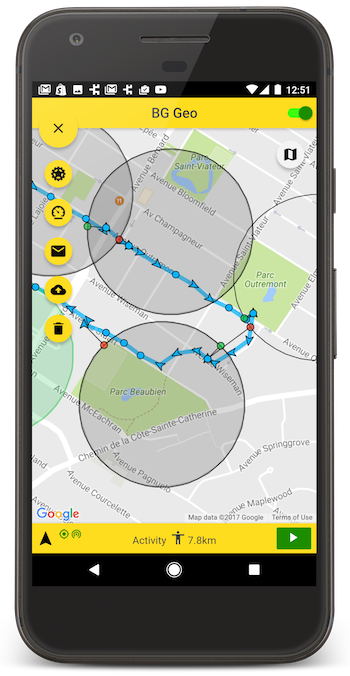
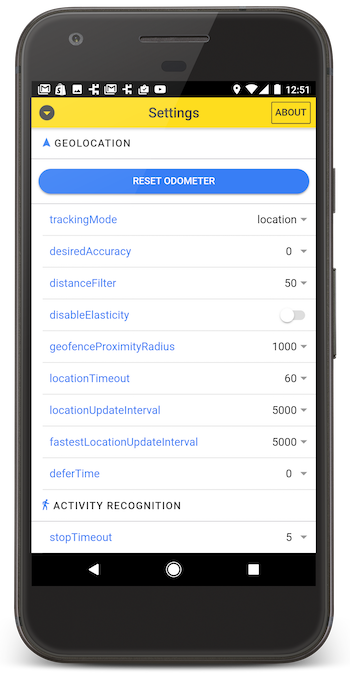
A fully-featured Demo App is available in its own public repo. After first cloning that repo, follow the installation instructions in the README there. This demo-app includes a settings-screen allowing you to quickly experiment with all the different settings available for each platform.
:large_blue_diamond: Simple Testing Server
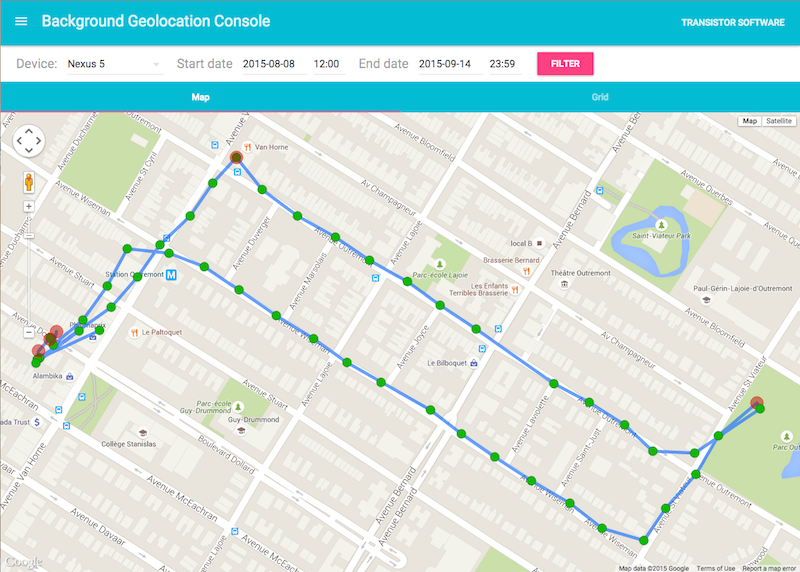
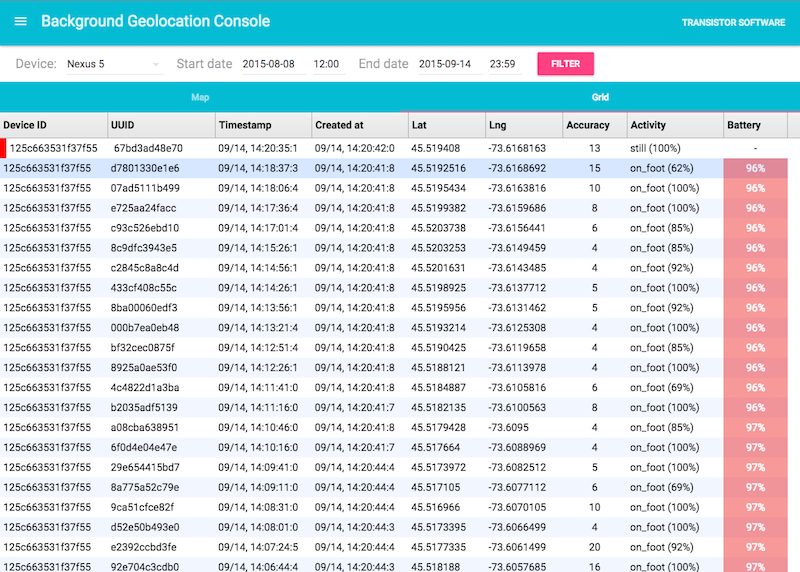
A simple Node-based web-application with SQLite database is available for field-testing and performance analysis. If you're familiar with Node, you can have this server up-and-running in about one minute.