
@renderizer/create
v1.1.0-beta.1
Published
Interactive CLI for adding Renderizer to an existing project.

Maintainers
 euandresimoes
Readme
Renderizer
Renderizer is a framework for building lightweight multi-window Electron apps without booting a second frontend runtime for every window.
Render Vue interfaces across native Electron windows while keeping state, theme, styles and components in one app.
<RenderWindow
  v-model:open="open"
  window-id="settings-panel"
  config-id="settings-panel"
>
  <SettingsPanel />
</RenderWindow>
[!IMPORTANT] Renderizer is currently in alpha. The Vue and React adapters are available now; the JavaScript adapter is planned.
Why Renderizer
Traditional Electron multi-window apps usually start another route, another renderer, or another frontend app instance for each window. That can duplicate state setup, clients, caches, boot time and memory.
Renderizer keeps one frontend runtime alive and turns native Electron windows into extra render surfaces.
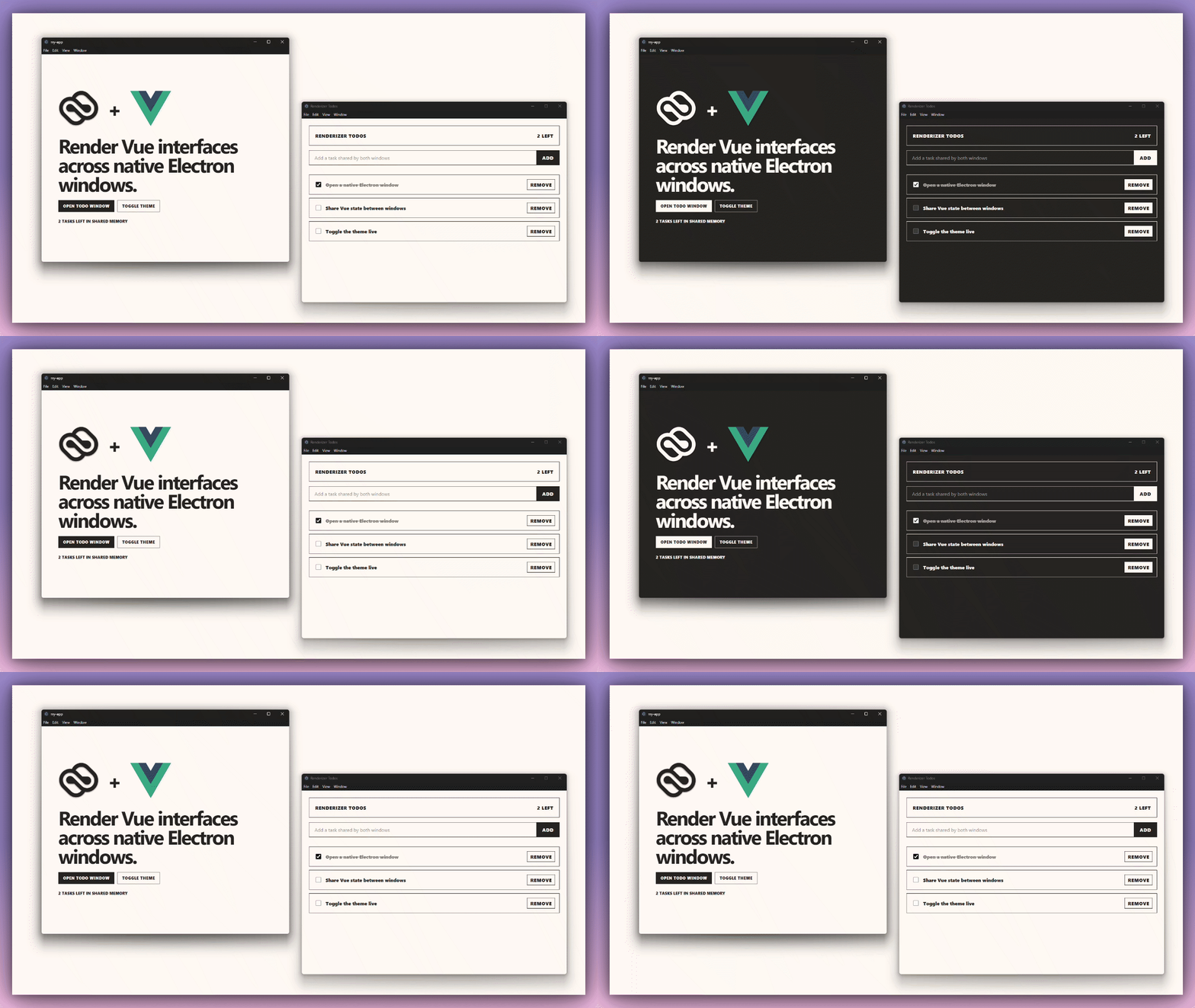
[!TIP] The second window is still a native Electron
BrowserWindow; your Vue state and styles are just rendered into it.
Quick Start
Create a Vue + Electron + Renderizer template:
npx @renderizer/create
The CLI can create a complete Vue or React template project, or add Renderizer to an existing Electron app.
[!NOTE] Template mode writes the Vue app, Electron main/preload files,
renderizer.config.ts, installs dependencies, and can start the app for you.
Vue Usage
Install the Vue adapter:
npm install @renderizer/vueRegister Renderizer in your Vue entrypoint:
import { createApp } from 'vue'
import { createRenderizer } from '@renderizer/vue'
import App from './App.vue'
import renderizerConfig from '../renderizer.config'

createApp(App)
  .use(createRenderizer(renderizerConfig))
  .mount('#app')
Render a component into a native Electron window:
<script setup lang="ts">
import { ref } from 'vue'
import { RenderWindow } from '@renderizer/vue'

const open = ref(false)
</script>

<template>
  <button type="button" @click="open = true">
    Open Settings Window
  </button>

  <RenderWindow
    v-model:open="open"
    window-id="settings-panel"
    config-id="settings-panel"
    fallback="none"
  >
    <SettingsPanel />
  </RenderWindow>
</template>
Configuration
Create renderizer.config.ts at the project root:
import { defineRenderizerConfig } from '@renderizer/vue'

export default defineRenderizerConfig({
  adapter: 'vue',
  windows: {
    default: {
      width: 1180,
      height: 780,
      popup: true,
    },
    presets: [
      {
        id: 'settings-panel',
        title: 'Renderizer Settings',
        width: 940,
        height: 680,
        minWidth: 720,
        minHeight: 480,
        frame: true,
        backgroundColor: '#FEF9F4',
      },
    ],
  },
})
[!NOTE] Use
config-idonRenderWindowto reuse a preset fromrenderizer.config.ts.
Electron Setup
In the Electron main process:
import { BrowserWindow, ipcMain } from 'electron'
import { RenderWindowManager } from '@renderizer/vue/electron'

const mainWindow = new BrowserWindow({
  webPreferences: {
    preload: '/absolute/path/to/preload.js',
    contextIsolation: true,
    nodeIntegration: false,
    sandbox: false,
  },
})

const windows = new RenderWindowManager({
  preloadPath: '/absolute/path/to/preload.js',
})

windows.attachTo(mainWindow)

ipcMain.handle('renderizer-window-ready', (event, windowId: string) => {
  windows.show(event, windowId)
})

ipcMain.handle('renderizer-window-control', (event, windowId: string, action) => {
  windows.control(event, windowId, action)
})

ipcMain.handle('renderizer-window-state', (event, windowId: string) => {
  return windows.getState(event, windowId)
})
In the Electron preload:
import { exposeRenderizerBridge } from '@renderizer/vue/preload'

exposeRenderizerBridge()
[!WARNING] The Electron preload must be available to both the main window and Renderizer child windows.
Packages
@renderizer/core: framework-agnostic browser runtime for child documents and style/theme sync.@renderizer/vue: Vue components, composables and Electron integration helpers.@renderizer/create: interactive CLI for templates and existing projects.@renderizer/js: planned DOM-first adapter.@renderizer/react: React components, hooks and Electron integration helpers.
Status
Renderizer is in alpha. The first milestone targets Vue apps that already use Electron, then expands into JavaScript and React adapters.
[!CAUTION] APIs may change before the first stable release.