
@rendley/video-editor-ui
v1.8.19
Published
A Video Editor UI for Rendley SDK


Readme
Video Editor UI
The Video Editor UI is a user interface built on top of the Rendley SDK that enables you to create and edit videos directly in your browser.
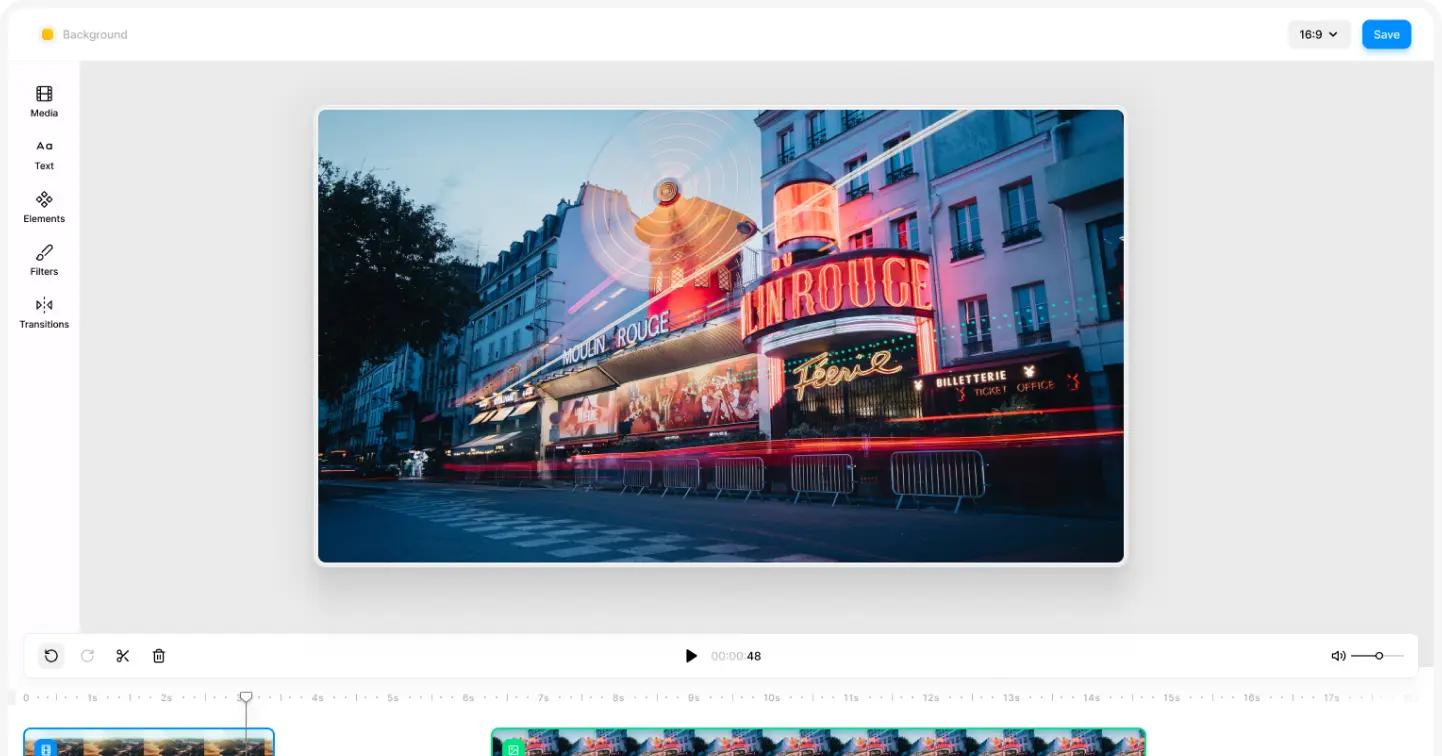
Overview
This project is developed using the following technologies:
- StencilJS: For building the user interface as web components.
- SASS: For efficient and organized styling.
- MobX: For state management, ensuring smooth and reactive UI updates.
Getting Started
Follow these steps to set up and run the project.
Installation
- Clone the Repository:
git clone https://github.com/rendleyhq/video-editor-ui.git
cd video-editor-ui- Install Dependencies:
Use npm to install the necessary packages:
npm install- Initial Build:
Before running the project for the first time, build it by executing:
npm run build- Credentials:
To function correctly, the video editor requires a set of API keys, which should be provided in the index.html file. Below are the steps to obtain these keys:
Giphy API Key: To enable GIF search functionality, you'll need a Giphy API key. You can request one by following the instructions here: Request a Giphy API Key.
Pexels API Key: For accessing the Pexels image library, you'll need a Pexels API key. Obtain it by visiting: How to Get a Pexels API Key.
Rendley License Key: For rendering to work, you need a Rendley license key. You can get one at app.rendley.com.
Ensure that these API keys are correctly set in your project to enable all features of the video editor.
Running the Project
To start the development server and view the project in action, use the following command:
npm run startBuilding the Project
The project is designed as a web component, making it easy to embed in any web application. To create a production-ready build, run:
npm run buildThe build output is located in the dist folder. There are several ways to integrate this into your project:
1. Embed the Web Component
Host the contents of the dist folder in your public directory or on a CDN. Once hosted, you can import the video editor component by referencing the appropriate path, as outlined in the Rendley documentation.
2. Export as an NPM Package
Stencil provides the capability to package the project for different frameworks such as React.js, Vue.js, or Angular. These packages include TypeScript types, offering a familiar development experience. To learn more about setting this up, refer to the StencilJS Documentation.
FAQ
Why is @rollup/plugin-image being used?
We use @rollup/plugin-image to bundle image assets directly into your JavaScript as base64-encoded strings. This approach helps avoid encapsulation issues by keeping everything self-contained, making the assets easily accessible within the web components without worrying about external file paths or loading times.