
@rozenite/sqlite-plugin
v2.4.0
Published
SQLite inspector for Rozenite.


Readme
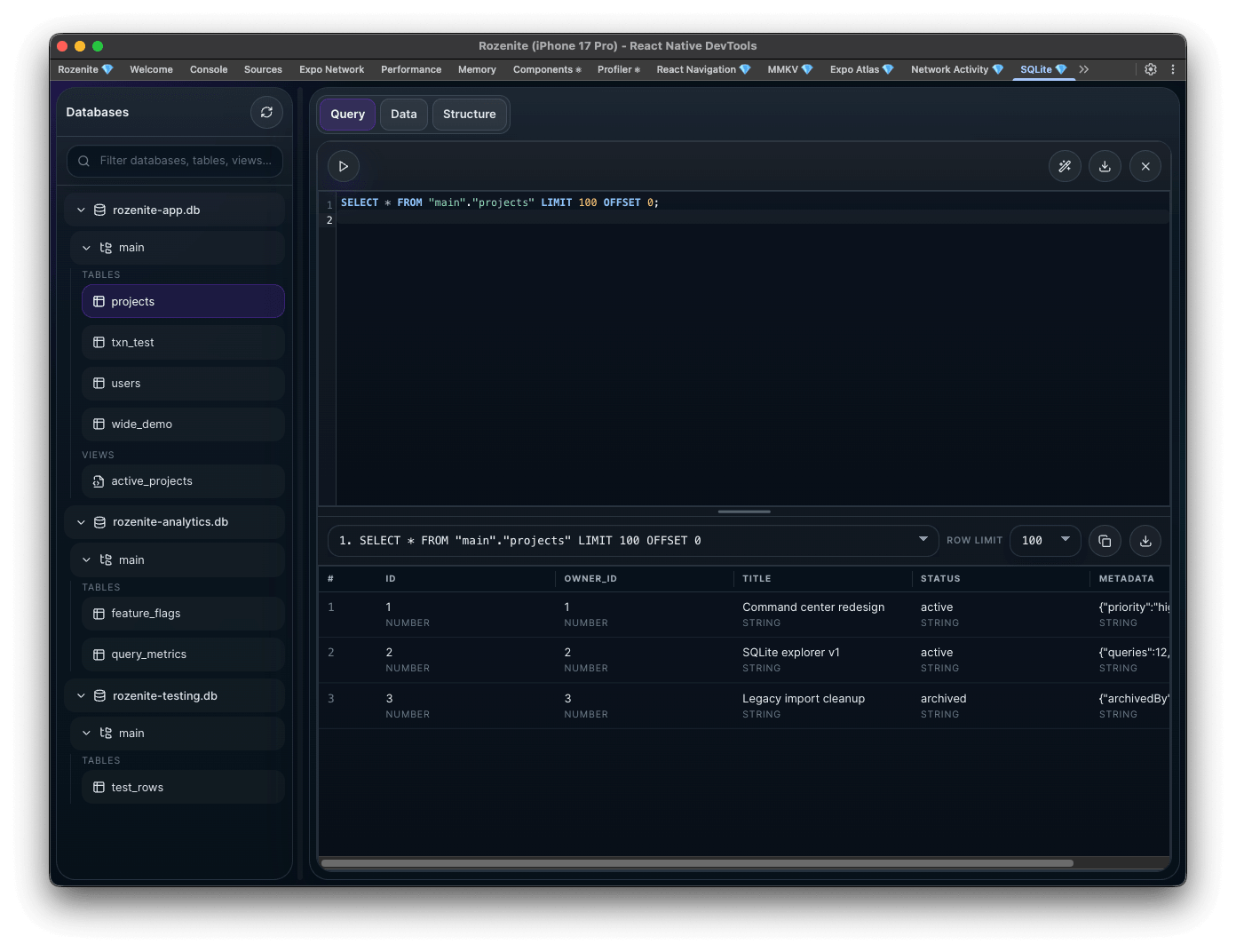
A Rozenite plugin for inspecting SQLite databases in React Native DevTools.
The SQLite Plugin provides a query-first inspector for registered SQLite databases. It ships with an expo-sqlite adapter and supports custom adapters for any SQLite-like library that can execute ordered SQL statements and return normalized metadata for each statement.
Installation
npm install @rozenite/sqlite-pluginOptional peer for the built-in Expo adapter:
npm install expo-sqliteUsage
import * as SQLite from 'expo-sqlite';
import {
  createExpoSqliteAdapter,
  useRozeniteSqlitePlugin,
} from '@rozenite/sqlite-plugin';

const adapters = __DEV__
  ? [
      createExpoSqliteAdapter({
        adapterName: 'Expo SQLite',
        databases: {
          app: {
            name: 'app.db',
            database: SQLite.openDatabaseSync('app.db'),
          },
          analytics: {
            name: 'analytics.db',
            database: SQLite.openDatabaseSync('analytics.db'),
          },
        },
      }),
    ]
  : [];

function App() {
  useRozeniteSqlitePlugin({ adapters });

  return <YourApp />;
}
Custom adapters
You can support any SQLite-like library by normalizing its statement execution API:
import { createSqliteAdapter } from '@rozenite/sqlite-plugin';

const adapters = [
  createSqliteAdapter({
    adapterName: 'My SQLite Driver',
    databases: {
      main: {
        name: 'main.db',
        executeStatements: async (statements) => {
          const results = [];

          for (const statement of statements) {
            const result = await driver.query(statement.sql, statement.params);

            results.push({
              rows: result.rows,
              columns: result.columns,
              metadata: {
                statementType: result.statementType,
                rowCount: result.rows.length,
                changes: result.changes,
                lastInsertRowId: result.lastInsertRowId,
                durationMs: result.durationMs,
              },
            });
          }

          return results;
        },
      },
    },
  }),
];
Notes
- Register adapters in development only. The hook no-ops in production, but your app-level database setup should still stay behind
__DEV__. - The SQL editor executes multi-statement scripts in order and stops on the first error.
- Custom adapters receive the full ordered statement array for scripts. To preserve per-statement failure details, throw an error enriched with
completedResultsandfailedStatementIndex. - Explicit
BEGIN,COMMIT, andROLLBACKstatements are preserved as written. The plugin does not wrap scripts in an implicit transaction. - The UI derives tables, schema, and browse views from SQL and
PRAGMAqueries. - Database display names are shown in the panel; opaque IDs are generated internally.