
@rrnara/react-native-parallax-header
v1.1.5
Published
A react native scroll view component with Parallax header

Maintainers
 rrnara
Readme
RNParallax (react-native-parallax-header)



- A react native scroll view component with Parallax header :p
- Inspired by GitHub - jaysoo/react-native-parallax-scroll-view
- Code is based on React Native ScrollView animated header – App & Flow – Medium and added little customisation :p
Installation
$ npm i react-native-parallax-header --saveDemo
iPhone X or XS (Using alwaysShowTitle={false} & alwaysShowNavBar={false})
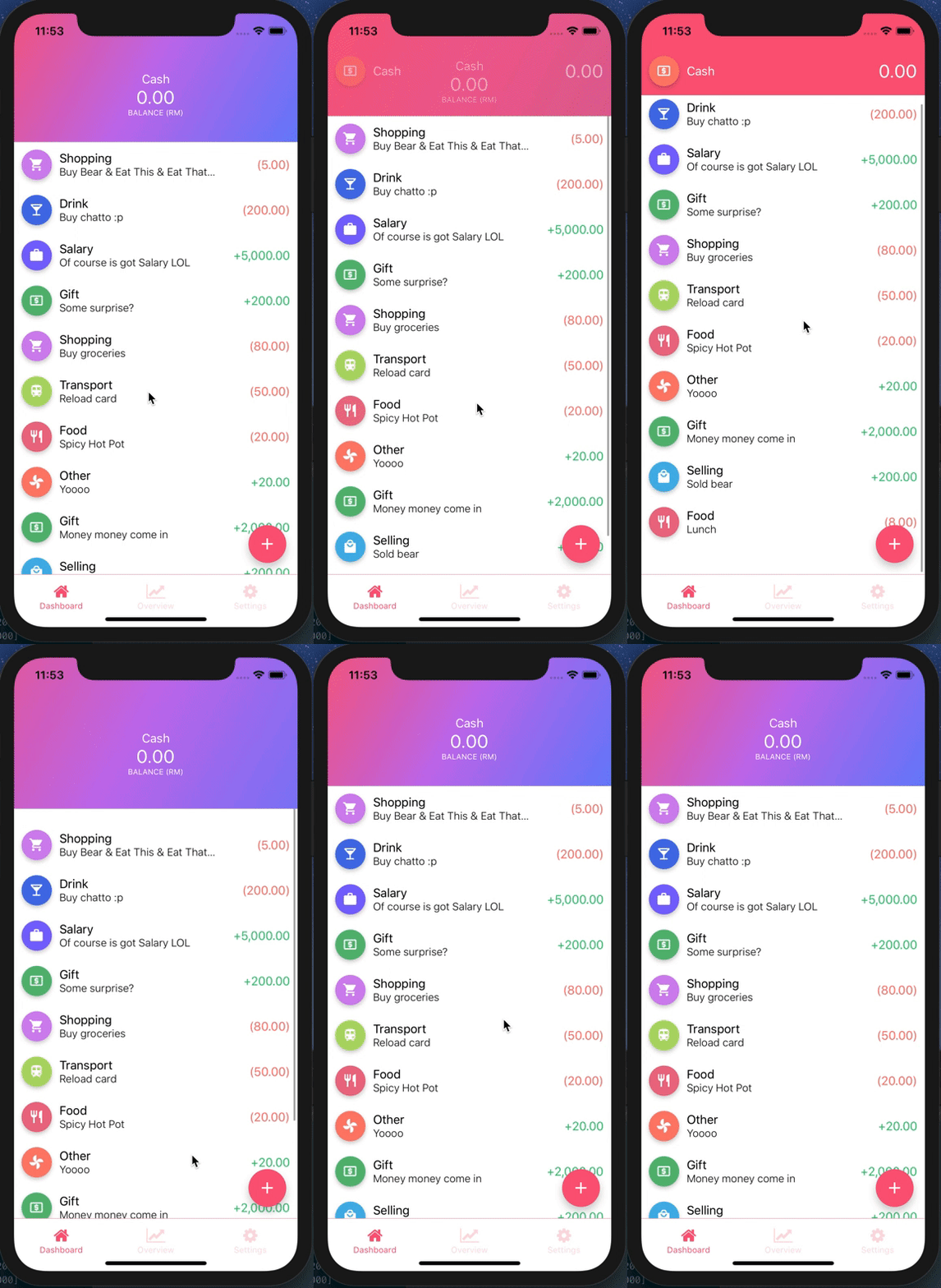
iPhone X or XS
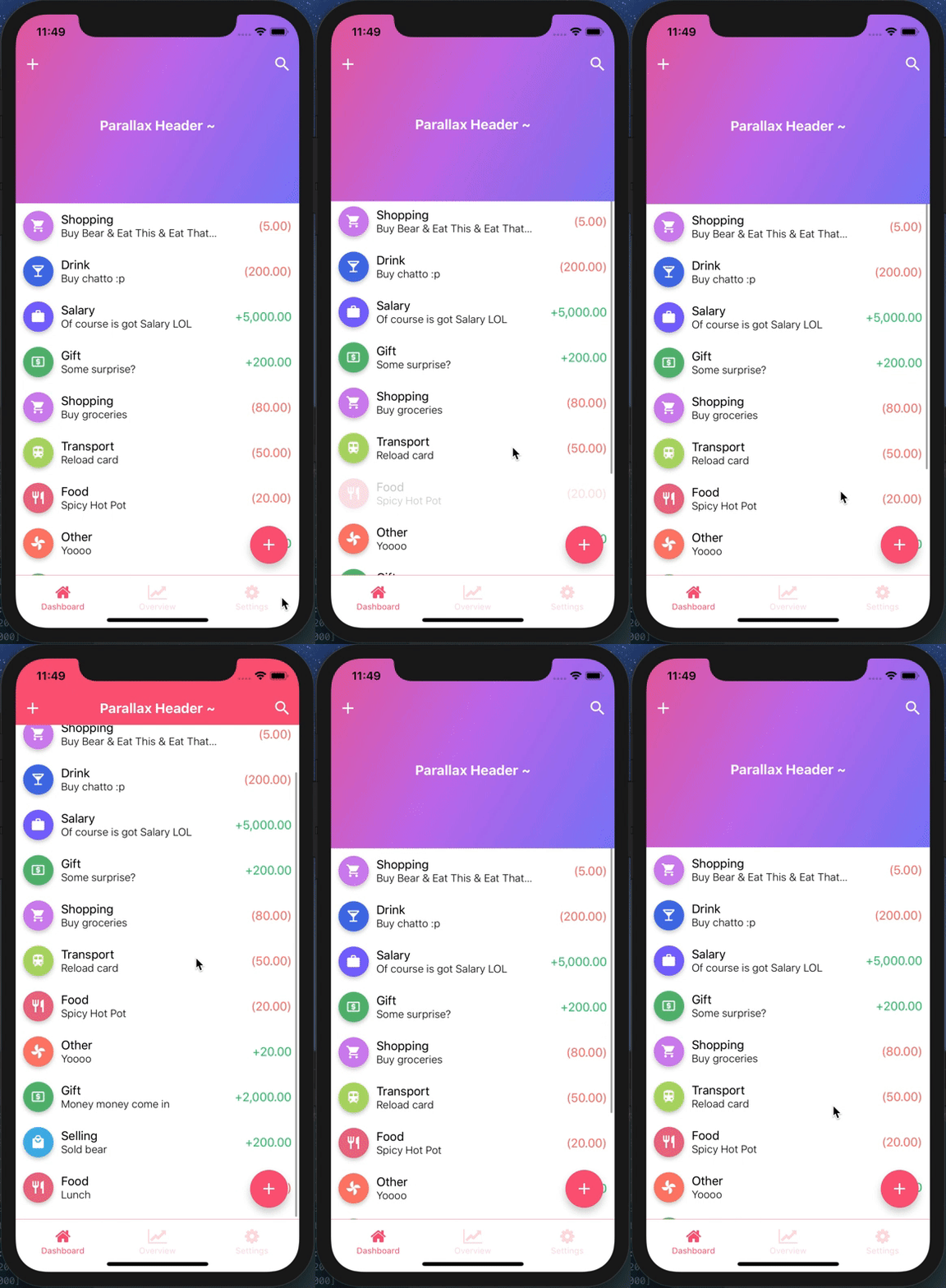
iPhone 8

Example
import Icon from 'react-native-vector-icons/MaterialIcons';
import ReactNativeParallaxHeader from 'react-native-parallax-header';

const IS_IPHONE_X = SCREEN_HEIGHT === 812 || SCREEN_HEIGHT === 896;
const STATUS_BAR_HEIGHT = Platform.OS === 'ios' ? (IS_IPHONE_X ? 44 : 20) : 0;
const HEADER_HEIGHT = Platform.OS === 'ios' ? (IS_IPHONE_X ? 88 : 64) : 64;
const NAV_BAR_HEIGHT = HEADER_HEIGHT - STATUS_BAR_HEIGHT;

const images = {
  background: require('../img/test.jpg'), // Put your own image here
};

const styles = StyleSheet.create({
  container: {
    flex: 1,
  },
  contentContainer: {
    flexGrow: 1,
  },
  navContainer: {
    height: HEADER_HEIGHT,
    marginHorizontal: 10,
  },
  statusBar: {
    height: STATUS_BAR_HEIGHT,
    backgroundColor: 'transparent',
  },
  navBar: {
    height: NAV_BAR_HEIGHT,
    justifyContent: 'space-between',
    alignItems: 'center',
    flexDirection: 'row',
    backgroundColor: 'transparent',
  },
  titleStyle: {
    color: 'white',
    fontWeight: 'bold',
    fontSize: 18,
  },
});

renderNavBar = () => (
  <View style={styles.navContainer}>
    <View style={styles.statusBar} />
    <View style={styles.navBar}>
      <TouchableOpacity style={styles.iconLeft} onPress={() => {}}>
        <Icon name="add" size={25} color="#fff" />
      </TouchableOpacity>
      <TouchableOpacity style={styles.iconRight} onPress={() => {}}>
        <Icon name="search" size={25} color="#fff" />
      </TouchableOpacity>
    </View>
  </View>
)

render() {
  return (
    <View style={styles.container}>
      <ReactNativeParallaxHeader
        headerMinHeight={HEADER_HEIGHT}
        headerMaxHeight={250}
        extraScrollHeight={20}
        navbarColor="#3498db"
        title="Parallax Header ~"
        titleStyle={styles.titleStyle}
        titleEasing={Easing.poly(2)}
        backgroundImage={images.background}
        backgroundImageScale={1.2}
        renderNavBar={this.renderNavBar}
        renderContent={this.renderContent}
        containerStyle={styles.container}
        contentContainerStyle={styles.contentContainer}
        innerContainerStyle={styles.container}
        scrollViewProps={{
          onScrollBeginDrag: () => console.log('onScrollBeginDrag'),
          onScrollEndDrag: () => console.log('onScrollEndDrag'),
        }}
      />
    </View>
  );
}
API Usage
| Property | Type | Required | Description | Default |
| -------- | ---- | -------- | ----------- | ------- |
| renderNavBar | func | No | This renders the nav bar component | Empty <View /> |
| renderContent | func | YES | This renders the scroll view content | - |
| headerMaxHeight | number | No | This is the header maximum height | Default to 170 |
| headerMinHeight | number | No | This is the header minimum height | Default to common ios & android navbar height (have support for iPhone X too :p) |
| backgroundImage | image source | No | This renders the background image of the header (if specified, background color will not take effect) | Default to null |
| backgroundImageScale | number | No | This is the image scale - either enlarge or shrink (after scrolling to bottom & exceed the headerMaxHeight) | Default is 1.5 |
| backgroundColor | string | No | This is the color of the parallax background (before scrolling up), will not be used if backgroundImage is specified | Default color is #303F9F |
| extraScrollHeight | number | No | This is the extra scroll height (after scrolling to bottom & exceed the headerMaxHeight) | Default is 30 |
| navbarColor | string | No | This is the background color of the navbar (after scroll up) | Default color is #3498db |
| statusBarColor | string | No | This is the status bar color (for android) navBarColor will be used if no statusBarColor is passed in | Default to null |
| title | any | No | This is the title to be display in the header, can be string or component | Default to null |
| titleStyle | style | No | This is the title style to override default font size/color | Default to color: ‘white’ text and fontSize: 16 |
| titleEasing | function | No | This is the easing function for the title header view, a function that takes a number and returns one | Default to undefined (Easing.linear by default) |
| headerTitleStyle | style | No | This is the header title animated view style to override default <Animated.View> style | Default to null |
| scrollEventThrottle | number | No | This is the scroll event throttle | Default is 16 |
| contentContainerStyle | style | No | This is the contentContainerStyle style to override default <ScrollView> contentContainerStyle style | Default to null |
| containerStyle | style | No | This is the style to override default outermost <View> style | Default to null |
| scrollViewStyle | style | No | This is the scrollview style to override default <ScrollView> style | Default to null |
| innerContainerStyle | style | No | This is the inner content style to override default <View> style inside <ScrollView> component | Default to null |
| alwaysShowTitle | bool | No | This is to determine whether show or hide the title after scroll | Default to true |
| alwaysShowNavBar | bool | No | This is to determine whether show or hide the navBar before scroll | Default to true |
| scrollViewProps | object | No | This is to override default scroll view properties | Default to {} |