
@rs-dsh/dsh-drafts
v0.1.2
Published
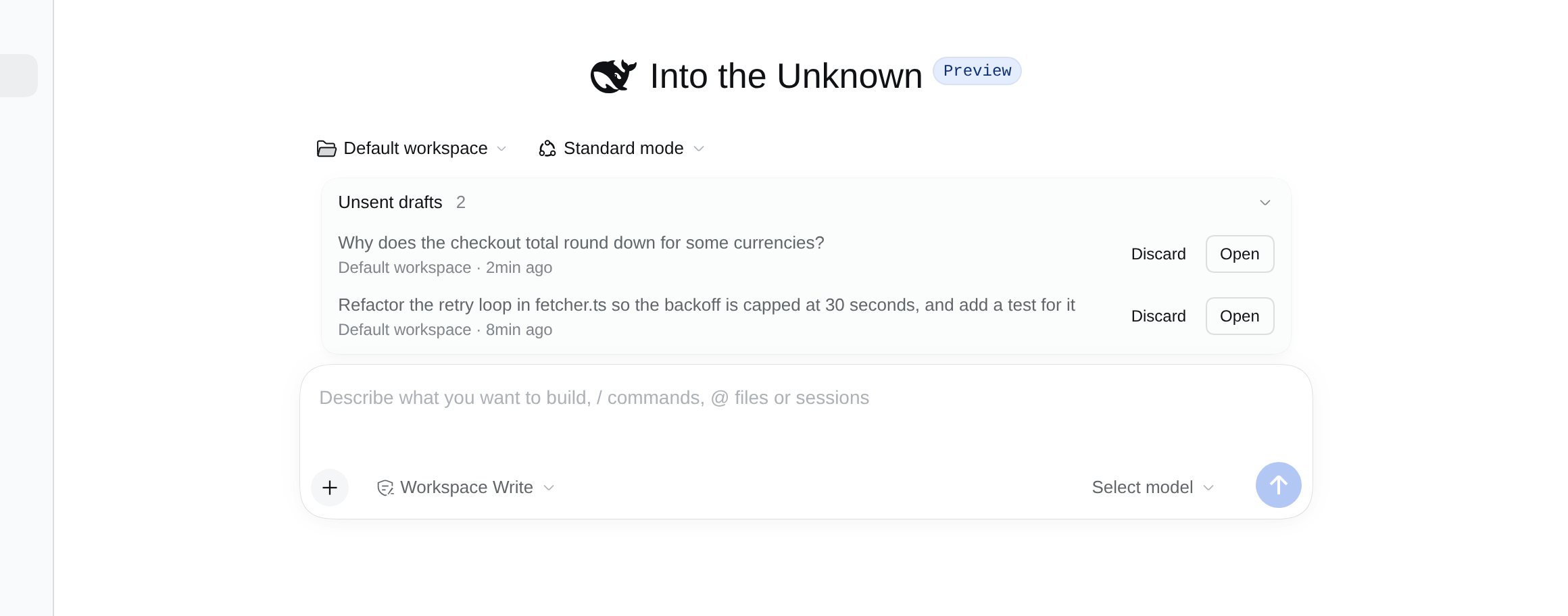
Get back what you typed into a new DSH Web conversation and left before sending: unsent drafts are listed above the composer of a new conversation, with Open and Discard.

Maintainers
 romanys
Readme
@rs-dsh/dsh-drafts
Get back what you typed into a new DeepSeek Harness conversation and left before sending. Your unsent drafts are listed above the message box of the next new conversation, where you can open or discard them.
Install
dsh plugin --profile <name> add @rs-dsh/[email protected]Then reload the DSH web page.
To install from this repository instead, pinned to the release tag:
dsh plugin --profile <name> add 'github:romany-saad/dsh-plugins#[email protected]&path:packages/dsh-drafts'The package adds itself, and the shared rs-dsh core it is drawn with, to the profile. Do not also add dsh-drafts or dsh-core to the profile's own cordis.patch.yml.
Requirements
- DSH 0.2.1-rc.2 or later. It is tested with 0.2.1-rc.2.
- A profile with the web GUI (
@deepseek-ai/dsh-web-app), such asweb. The plugin works in the web GUI only.
Use
Find a draft you left
Start typing in a new conversation, then switch to another conversation or press New Session before you send. DSH keeps what you typed, but a new conversation with no message sent does not appear in the sidebar, so you cannot click back to it.
Open any new conversation. Above the message box, Unsent drafts lists each one you left, newest first: the start of the text, its workspace and when you last worked in that conversation. Hover a draft to read more of it. Click Unsent drafts to fold the list away.
The list shows only in a new conversation. It goes away once you send a message there.
Open a draft
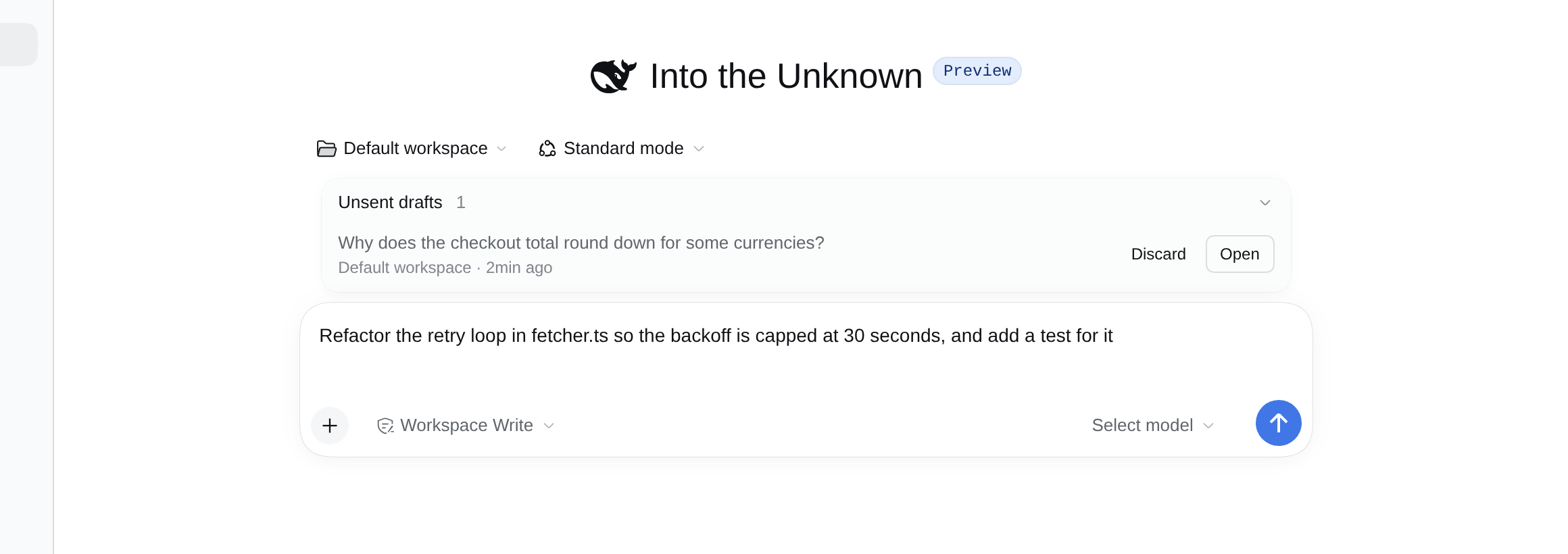
Press Open, or click the draft's text. You are back in that conversation, with your text, and any file or session chips, in the message box. Edit it and send it as usual.
Discard a draft
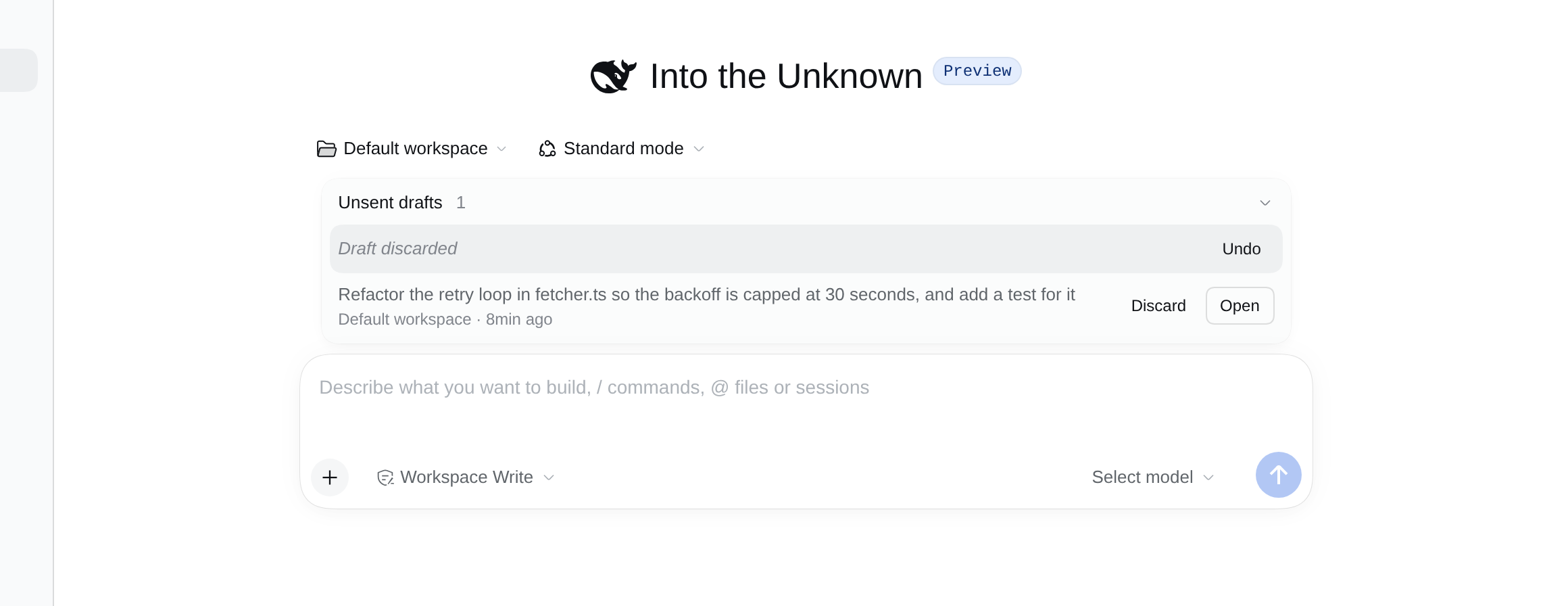
Press Discard to drop a draft you no longer need. Its row shows Draft discarded with Undo, until you leave the conversation.
Limits
- Drafts are kept by your browser, so you see only the drafts typed in this browser. Clearing the site's data removes them.
- Pasted or dropped files are not part of a saved draft. Text and file or session chips are.
- Only new conversations are listed. A draft in a conversation that already has messages stays in its message box, where you find it when you open that conversation from the sidebar.
- An archived conversation's draft is not listed.
- The plugin reads the place where DSH stores drafts in the browser. A DSH update that moves it would empty the list until the plugin is updated; your drafts would not be lost.
More
Maintainers: see DEVELOPING.md.