
@rustedcompiler/multi-finger-tap
v1.0.2
Published
A lightweight library for detecting multi-finger tap gestures on touch devices

Maintainers
 loarsaw
Readme
@rustedcompiler/multi-finger-tap
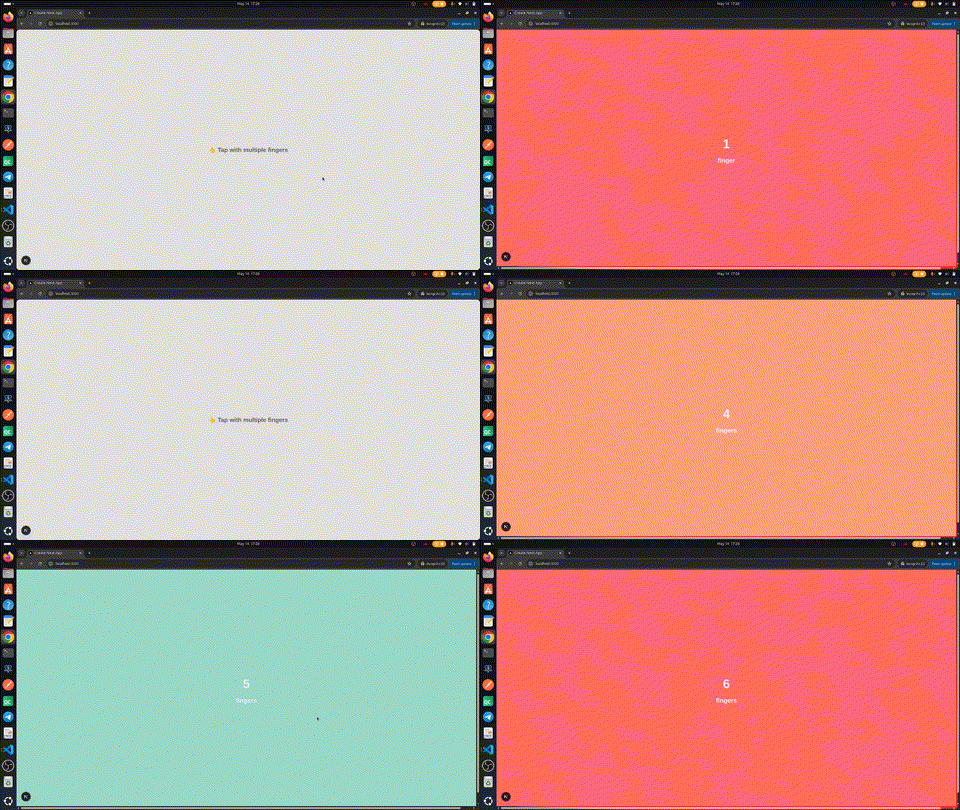
A lightweight, framework-agnostic library for detecting multi-finger tap gestures on touch devices.
Installation
npm install @rustedcompiler/multi-finger-tapFeatures
- 🎯 Detect 1, 2, 3, or more finger taps
- 🪶 Lightweight with zero dependencies
- ⚛️ React hook included
- 🌐 Works in all modern browsers
- 💪 Written in TypeScript
- 🔧 Fully typed
Usage
Vanilla JavaScript / TypeScript
import MultiFingerTap from "@rustedcompiler/multi-finger-tap";

const element = document.getElementById("touch-area");

const detector = new MultiFingerTap(element, {
  onSingleTap: () => console.log("One finger!"),
  onDoubleTap: () => console.log("Two fingers!"),
  onTripleTap: () => console.log("Three fingers!"),
  onMultiTap: (fingers) => console.log(`${fingers} fingers!`),
});

// Clean up when done
detector.destroy();
React
import { useRef } from "react";
import { useMultiFingerTap } from "@rustedcompiler/multi-finger-tap";

function App() {
  const touchRef = useRef(null);

  const fingerCount = useMultiFingerTap(
    touchRef,
    {
      maxDuration: 500,
      onSingleTap: () => console.log("Single tap"),
      onDoubleTap: () => console.log("Two finger tap"),
      onTripleTap: () => console.log("Three finger tap"),
    }
  );

  return <div ref={touchRef}>Tapped with {fingerCount} fingers</div>;
}
API
new MultiFingerTap(element, options)
| Parameter | Type | Description |
|-----------|------|-------------|
| element | HTMLElement | The element to attach gesture detection to |
| options | MultiFingerTapOptions | Configuration options (see below) |
Methods
destroy()— Remove event listeners and clean upupdateOptions(options)— Update options dynamically
useMultiFingerTap(ref, options?, onTap?)
React hook that returns the current finger count.
| Parameter | Type | Description |
|-----------|------|-------------|
| ref | RefObject<HTMLElement> | Ref attached to the target element |
| options | UseMultiFingerTapOptions | Configuration options (optional) |
| onTap | (fingers: number) => void | Callback fired on any tap (optional) |
Returns number — the finger count of the last tap (resets to 0 on mount).
Options
| Option | Type | Default | Description |
|--------|------|---------|-------------|
| maxDuration | number | 300 | Max tap duration in ms |
| preventDefault | boolean | true | Prevent default touch behavior |
| onTap | (fingers: number) => void | — | Called for any tap with finger count |
| onSingleTap | () => void | — | 1 finger tap |
| onDoubleTap | () => void | — | 2 finger tap |
| onTripleTap | () => void | — | 3 finger tap |
| onMultiTap | (fingers: number) => void | — | 4+ finger tap |
License
MIT