
@ryanmakes/expressionbuilder_pptb
v1.2.1
Published
Power Automate Trigger And Array Filter Builder, plus JSON references for action and trigger outputs

Maintainers
 ryanmakes
Readme
Power Automate Expression Builder
Version: 1.1.1 · License: BSD-3-Clause · Maintainer: Ryan Rettinger
Build Power Automate Trigger Condition and Filter array advanced-mode expressions visually, inside the Power Platform Toolbox — instead of hand-writing @and(...) / @or(...) predicates and discovering the syntax errors at runtime.
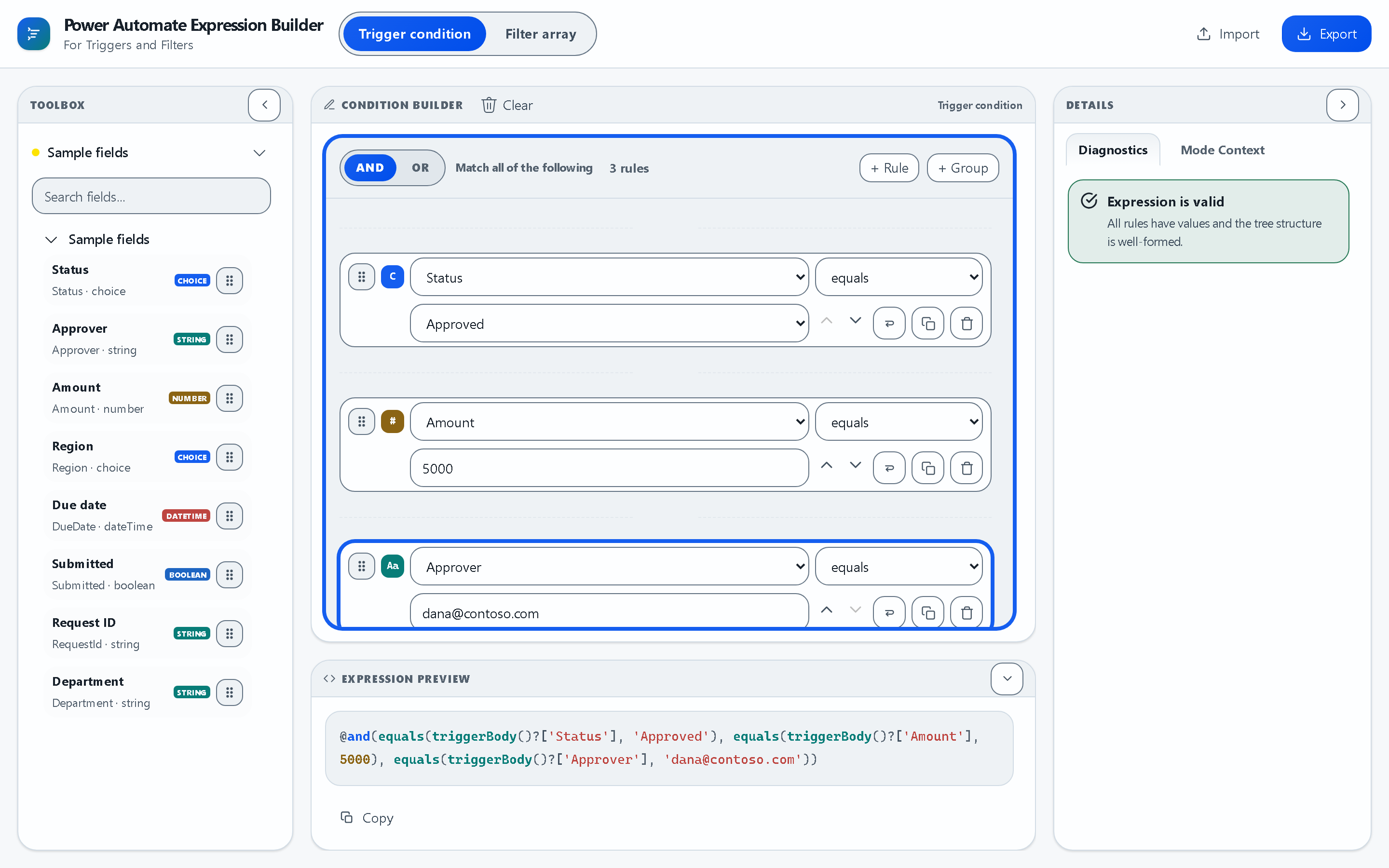
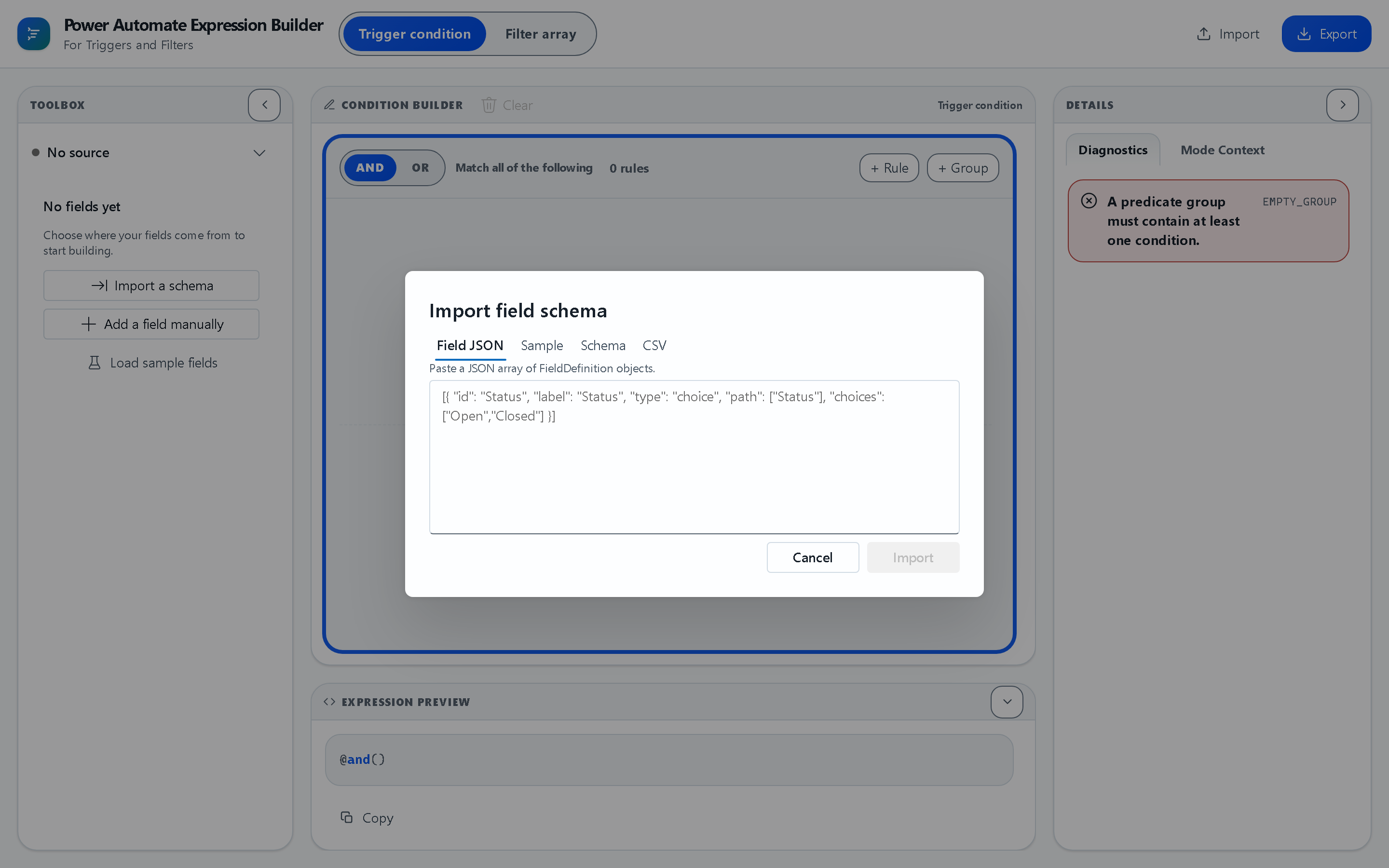
Nested AND/OR groups, in the Toolbox dark theme:
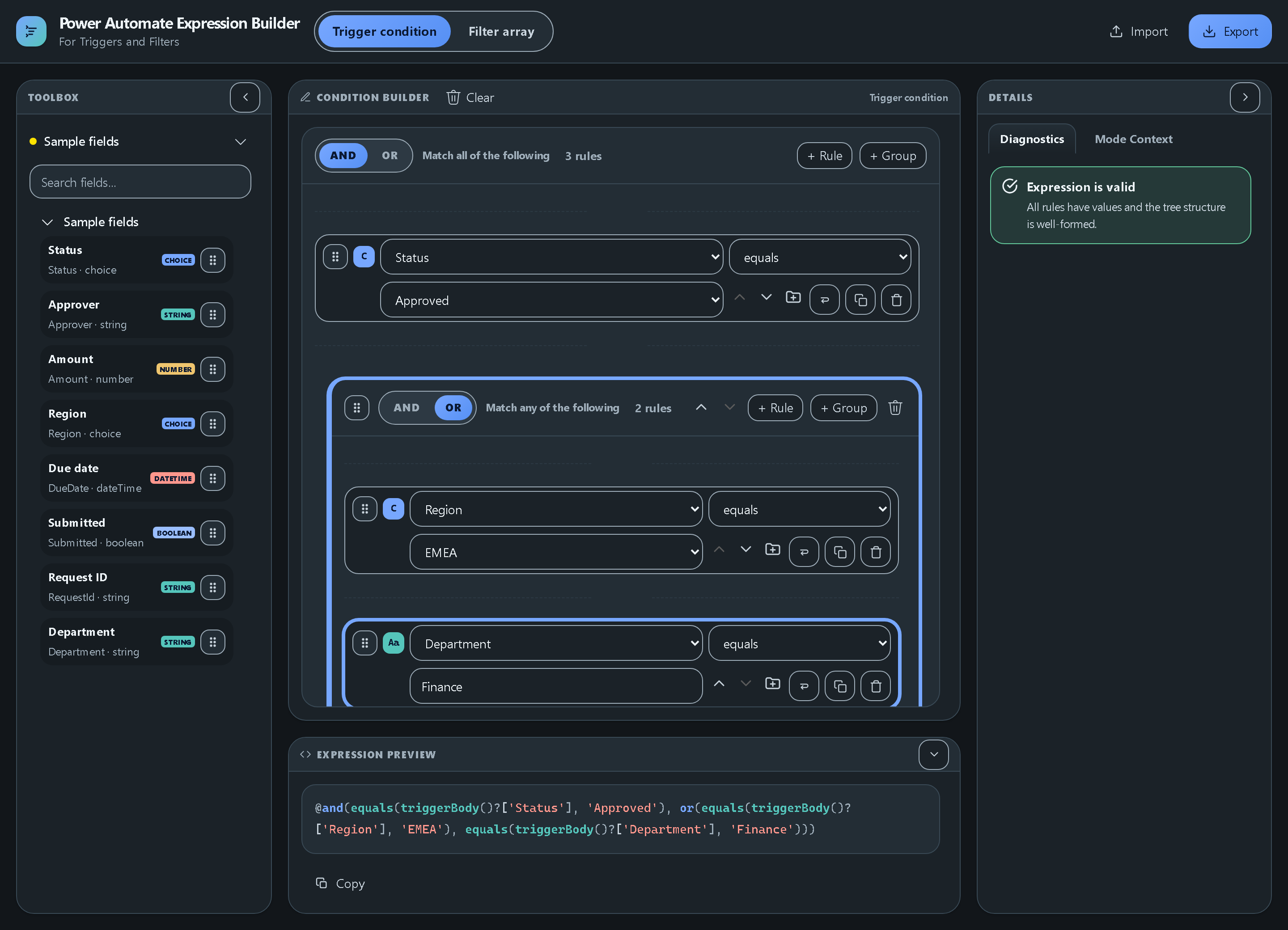
No Dataverse connection? Import a field schema as Field JSON, a sample payload, JSON Schema, or CSV:
What It Does
- Visual condition composer — nested AND/OR groups and rules, reorderable by drag handle or keyboard-accessible up/down buttons.
- Live expression preview — the generated Power Automate expression updates as you build, ready to copy.
- Dataverse field discovery — connect to a table and the tool pulls its columns, types, and choice option sets straight from the connected environment.
- Schema import — load fields from CSV, JSON, or JSON Schema when you have no live connection.
- Field profiles — save a field set and reload it in a later session.
- Real-time diagnostics — type mismatches, unknown fields, and unsupported operators are flagged before you paste into a flow.
- Two expression modes — Trigger Condition (
triggerBody()) and Filter array (item()). - JSON reference builder — paste an action or trigger output from a flow run, select any value in a tree, and copy a correctly rooted reference such as
outputs('Get_items')?['body']?['value'][0]?['Title'], bare or as@{…}for text.
Install
- Open Power Platform Toolbox (host API
1.0.17or later — see thefeatures.minAPImanifest field). - Go to the Marketplace, search for Expression Builder, and install it.
- Open the tool from the tool list. It runs immediately — no configuration, no sign-in of its own.
To use Dataverse field discovery, select an environment connection in the Toolbox before opening the tool. Every other feature (manual fields, schema import, sample fields) works with no connection at all.
Run — Your First Expression
- Load fields — click Connect Table to pull them from Dataverse, Import a schema to paste CSV/JSON/JSON Schema, Add a field manually, or Load sample fields to try it out.
- Pick a mode — Trigger condition or Filter array in the header.
- Add rules — click a field in the Toolbox to add a rule, then choose an operator and a value. The value editor matches the field type (string, number, boolean, dateTime, choice).
- Nest logic — + Group adds a nested AND/OR group; drag the grip handle or use the up/down buttons to reorder.
- Check diagnostics — the Details pane confirms the expression is valid or explains what is wrong.
- Copy the expression into your flow's trigger condition or Filter array box. Export saves the whole document as JSON; Import restores it later.
Permissions & External Connections
cspExceptions: none. The tool declares no CSP exceptions and makes no requests to any external domain. It has no telemetry, no analytics, and no backend of its own.- Dataverse access is performed entirely through the host's
dataverseAPI, scoped to the environment connection you select in the Toolbox. The tool reads table and attribute metadata only — it never reads, writes, or deletes records. - Storage is limited to the host's
settingsAPI (saved field profiles and UI preferences). - Pasted JSON in the JSON reference builder is processed locally and is not uploaded or saved by this feature. It is never written to the host
settingsAPI, and it is gone when the tool reloads.
Theme & Accessibility
The tool follows the Power Platform Toolbox app theme automatically — light, dark, and high contrast — via the host getTheme() / onThemeChanged() APIs. No manual configuration. Reordering, field selection, and every dialog are reachable by keyboard.
Support & Maintenance
- Issues and bugs: GitHub Issues
- Maintainer: Ryan Rettinger (active — see the repository commit history)
- Source: GitHub repository
Building From Source
Requires Node 24.17.0 on the 24.x LTS line, matching the workspace engines fields and the root-owned Vite 8 / @vitejs/plugin-react 6 toolchain. If you use nvm, the repo root includes .nvmrc.
nvm use
npm install          # from the repo root
npm run dev:pptb     # run the PPTB host locally
npm run build:pptb   # emit the PPTB package into apps/pptb/dist
The app workspace inherits Vite, TypeScript, and the React plugin from the repo root — do not add duplicate toolchain entries to apps/pptb.
Theme edits belong in packages/builder-ui/src/theme/workbenchTokens.ts; fluentTheme.ts only mirrors that runtime source for compatibility exports. Rebuild with npm run build:pptb before loading the package so dist includes the latest theme output.
Package layout:
packages/engine:      pure TypeScript expression formatting and diagnostics
packages/platform:    PPTB and web platform adapters
packages/builder-ui:  shared Fluent UI v9 composer
apps/pptb:            Power Platform Toolbox bootstrap
Verification
npm run lint
npm run typecheck
npm test
npm run test:e2e