
@ryantenney/frinkiac-mcp
v1.0.0
Published
MCP server for searching and generating memes from The Simpsons, Futurama, Rick and Morty, and 30 Rock screenshots

Maintainers
 ryantenney
Readme
Frinkiac MCP Server
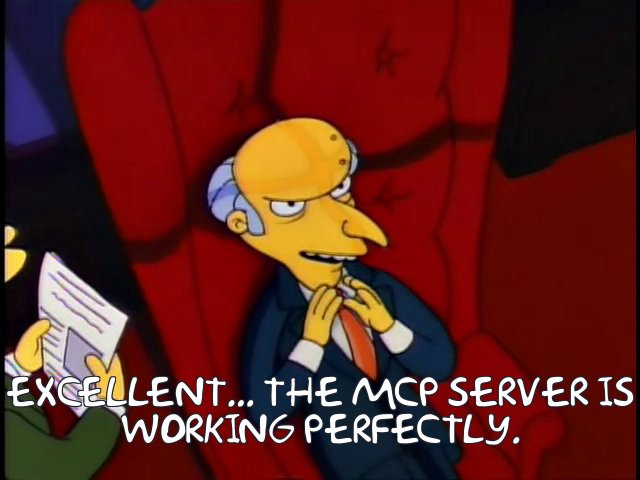
A Model Context Protocol (MCP) server for searching TV show screenshots and generating memes. Search dialogue, retrieve scene information, and create custom meme images from your favorite shows.
Supported Shows
| Show ID | Show | Service |
|---------|------|---------|
| simpsons | The Simpsons | Frinkiac |
| futurama | Futurama | Morbotron |
| rickandmorty | Rick and Morty | Master of All Science |
| 30rock | 30 Rock | Good God Lemon |
Installation
npm install @ryantenney/frinkiac-mcpOr run directly with npx:
npx @ryantenney/frinkiac-mcpConfiguration
Claude Desktop
Add to your Claude Desktop configuration (~/Library/Application Support/Claude/claude_desktop_config.json on macOS):
{
  "mcpServers": {
    "frinkiac": {
      "command": "npx",
      "args": ["@ryantenney/frinkiac-mcp"]
    }
  }
}
Other MCP Clients
The server communicates over stdio using the standard MCP protocol. Configure your client to run:
npx @ryantenney/frinkiac-mcpTools
search
Search for scenes by dialogue text.
Important: This searches actual spoken dialogue from episode subtitles. You cannot search for:
- Scene descriptions (e.g., "Homer eating donuts")
- Character names alone (e.g., "Marge Simpson")
- Visual elements (e.g., "couch gag")
- Plot summaries (e.g., "the episode where Homer goes to space")
Parameters:
show(required): Show to search (simpsons,futurama,rickandmorty,30rock)query(required): Dialogue text to search forlimit(optional): Maximum number of results to returninclude_images(optional): Include small thumbnail images (160x120) for results (up to 5)
Example:
{
  "show": "simpsons",
  "query": "D'oh!",
  "limit": 10,
  "include_images": true
}
get_caption
Get detailed information about a specific scene including episode metadata, subtitles, and nearby frames.
Parameters:
show(required): Show to useepisode(required): Episode key in S##E## format (e.g., "S07E21")timestamp(required): Frame timestamp in millisecondsinclude_nearby_images(optional): Include small thumbnail images (160x120) for nearby frames
Example:
{
  "show": "simpsons",
  "episode": "S07E21",
  "timestamp": 871871,
  "include_nearby_images": true
}
get_nearby_frames
Get a list of nearby frames for a given timestamp. Useful for browsing adjacent screenshots to find the perfect frame.
Parameters:
show(required): Show to useepisode(required): Episode key in S##E## format (e.g., "S07E21")timestamp(required): Frame timestamp in millisecondsinclude_images(optional): Include small thumbnail images (160x120) for each frame
Example:
{
  "show": "simpsons",
  "episode": "S07E21",
  "timestamp": 871871,
  "include_images": true
}
get_episode
Get episode metadata and subtitles within a timestamp range. Returns subtitle count for the range.
Parameters:
show(required): Show to useepisode(required): Episode key in S##E## formatstart_timestamp(required): Start of range in millisecondsend_timestamp(required): End of range in milliseconds
Example:
{
  "show": "futurama",
  "episode": "S02E15",
  "start_timestamp": 0,
  "end_timestamp": 60000
}
get_screenshot
Get a screenshot image from a specific scene.
Parameters:
show(required): Show to useepisode(required): Episode key in S##E## formattimestamp(required): Frame timestamp in millisecondsreturn_url_only(optional): Return only the URL instead of the actual image
Example:
{
  "show": "simpsons",
  "episode": "S08E02",
  "timestamp": 544627
}
generate_meme
Generate a meme image with custom text overlay on a screenshot. Text is automatically wrapped based on show font.
Parameters:
show(required): Show to useepisode(required): Episode key in S##E## formattimestamp(required): Frame timestamp in millisecondstext(required): Text to overlay on the image (auto-wrapped)return_url_only(optional): Return only the URL instead of the actual image
Example:
{
  "show": "simpsons",
  "episode": "S05E02",
  "timestamp": 789456,
  "text": "When the code finally compiles after mass amounts of debugging"
}
Prompts
The server provides guided workflow prompts for common tasks:
find_quote
Help find a specific quote or scene based on what you remember.
Arguments:
description(required): What you remember about the quote or sceneshow(optional): Which show to search
create_meme
Guide through the process of finding a scene and creating a meme.
Arguments:
idea(required): Your meme idea or the text you want on the memeshow(optional): Which show to use
explain_scene
Provide context and explanation for a specific scene.
Arguments:
show(required): Which showepisode(required): Episode in S##E## formattimestamp(required): Timestamp in milliseconds
reverse_meme
Find an appropriate scene for given meme text by analyzing sentiment.
Arguments:
text(required): The meme text you want to useshow(optional): Which show to search
Resources
frinkiac://shows
Lists all available shows with their IDs, names, and associated services.
Episode Format
Episodes use the format S{SS}E{EE}:
SS= Two-digit season number (01-35)EE= Two-digit episode number (01-99)
Examples:
S07E21= Season 7, Episode 21S12E21= Season 12, Episode 21
Timestamps
Frame timestamps are integers representing milliseconds from the start of the episode. A typical 22-minute episode has timestamps ranging from 0 to approximately 1,400,000.
Usage Tips
- Start with a search to find scenes matching dialogue you remember
- Use
get_captionto get more context about a scene and discover nearby frames - Use
get_nearby_frameswithinclude_imagesto visually browse adjacent frames - Preview with
get_screenshotbefore generating a meme to verify you have the right frame - Generate memes with custom text - long text is automatically wrapped
- Use prompts for guided workflows like finding quotes or creating memes
Development
# Clone the repository
git clone https://github.com/ryantenney/frinkiac-mcp.git
cd frinkiac-mcp

# Install dependencies
npm install

# Build
npm run build

# Run locally
npm start
License
MIT License - see LICENSE for details.
Credits
This MCP server interfaces with the following community-created screenshot search services:
- Frinkiac - The Simpsons
- Morbotron - Futurama
- Master of All Science - Rick and Morty
- Good God Lemon - 30 Rock